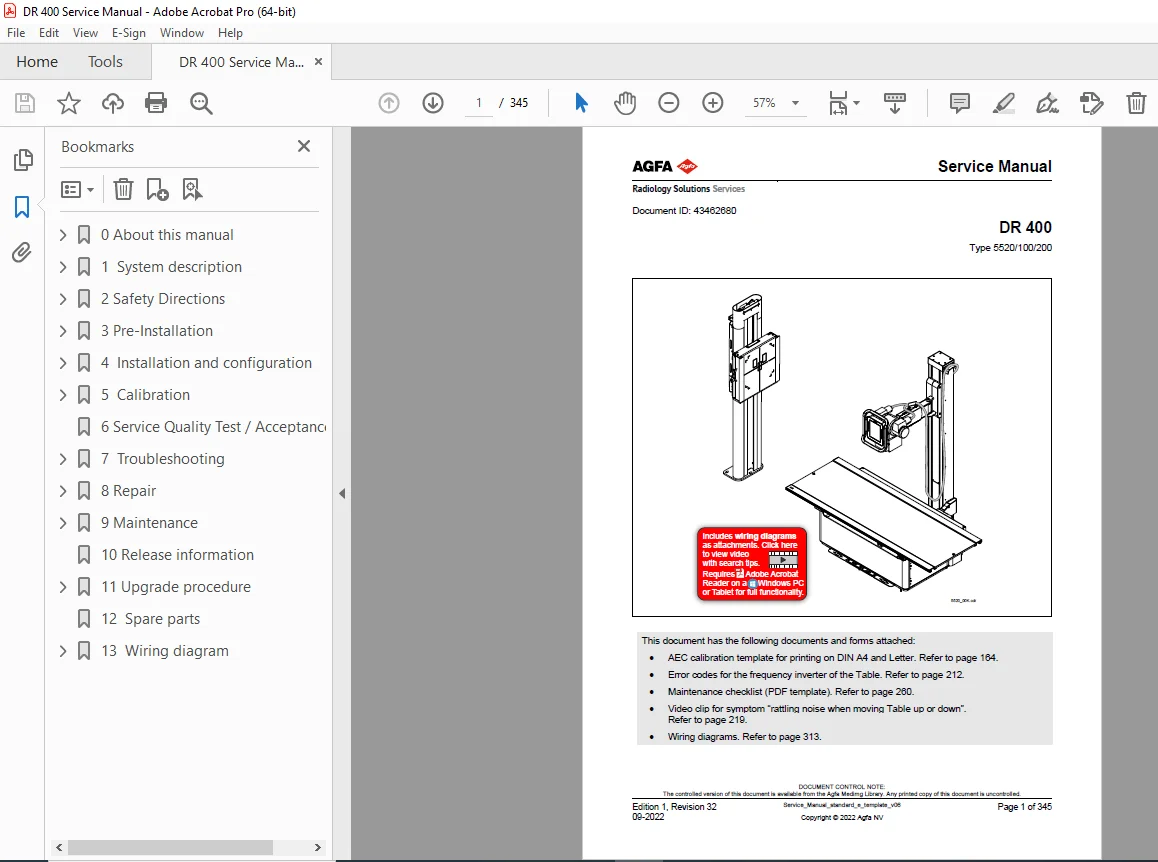
Agfa DR 400 X-Ray Service Manual PDF – PDF DOWNLOAD
Original price was: $80.00.$28.95Current price is: $28.95.
Download the official Agfa DR 400 Service Manual (Document ID: 43462680, Edition 1 Revision 32, 09-2022) PDF for Type 5520/100/200. This 345-page guide covers system description, safety, installation/configuration, calibration (AEC, detectors), troubleshooting, repair, maintenance (with checklist), upgrades, spare parts, wiring diagrams, and attachments (error codes, video clips). Ideal for biomedical technicians – instant digital access for efficient digital radiography servicing.
Description
Agfa DR 400 X-Ray Service Manual PDF Type 5520/100/200 – PDF DOWNLOAD
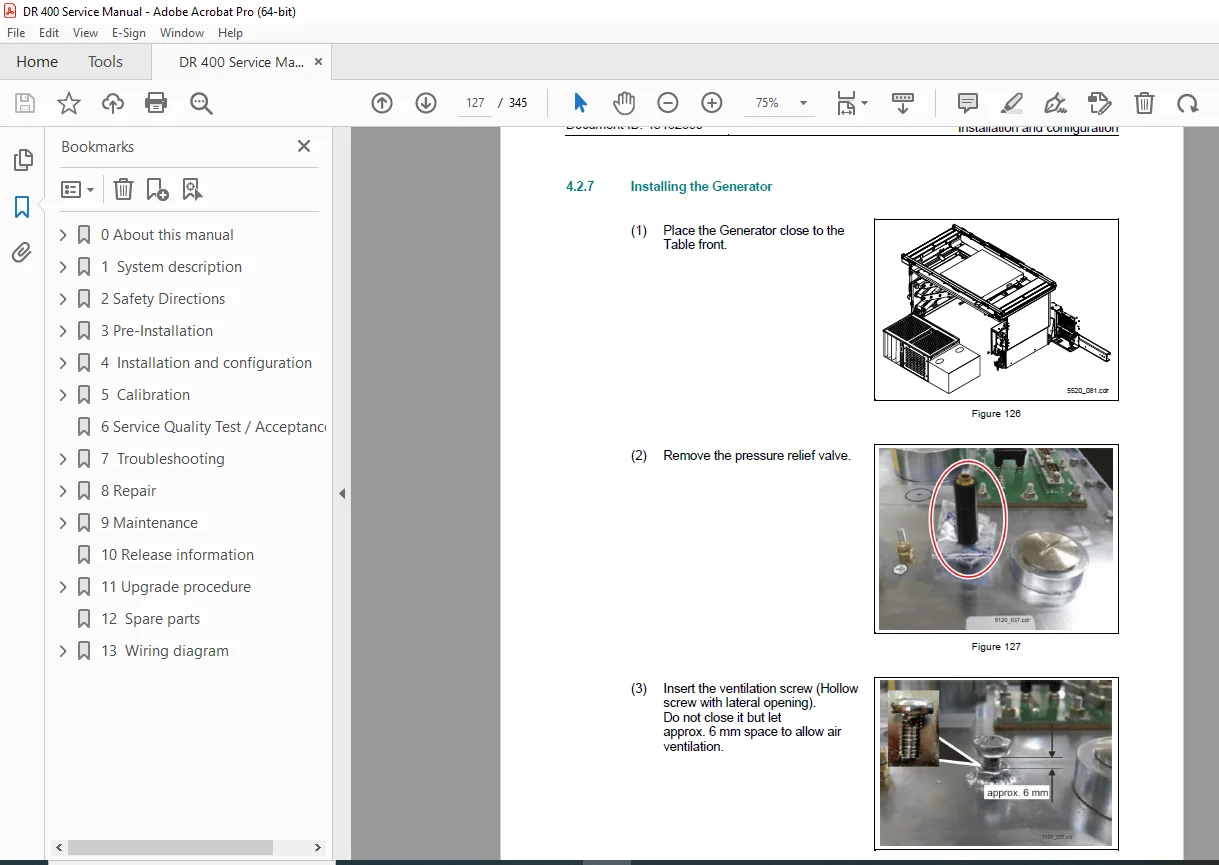
IMAGES:
Table of Contents for Agfa DR 400 Service Manual (Edition 1 Rev. 32)
Optimize your X-ray system repairs with this SEO-enhanced TOC, featuring keywords like “DR 400 AEC calibration guide” and “Agfa digital radiography troubleshooting manual” for targeted searches in radiology equipment service.
- 0 About This Manual (Page 7 | 1 Page) Purpose, changes from previous revision, referenced documents, notes/conventions.
- 1 System Description (Pages 8-30 | 23 Pages) Intended use, main components (table/positioner cabinet, collimator with webcam, NX workstation, detectors, cabinets, optional wallstand/ceiling suspension MSP 150, FLFS overlay), system architecture (hardware/software/signal transmission), functional description, monitor combinations.
- 2 Safety Directions (Pages 31-35 | 5 Pages) Component-specific safety notes, system-specific notes, labels, safety devices (emergency stop).
- 3 Pre-Installation (Page 36 | 1 Page) Items to organize locally before installation, technical data.
- 4 Installation and Configuration (Pages 37-120 | 84 Pages) System installation overview/details (optional digital tomosynthesis NVIDIA board, DR 400 cabinet mounting set, system cabling, collimator programming, mounting FL detector, voltage supply check, optional wallstand/second tube connections to generator, XD 17 as fixed detector in wallstand, connecting displays, monitor setup for 4/5-6 monitors, speaker configs/volume control), verifying installation, user training.
- 5 Calibration (Pages 121-160 | 40 Pages) AEC calibration (introduction/prerequisites/table/wallstand procedures, ROW/US settings, GenWeb/NX adaptations), detector/touch screen/X-ray tube/air kerma calibrations; Attachment: AEC calibration template (print on DIN A4/Letter, Page 164).
- 6 Service Quality Test Procedure (Page 161 | 1 Page)
- 7 Troubleshooting (Pages 162-220 | 59 Pages) Providing data for escalation, NX/power issues (GMPMESS6 error), touchscreen/monitor setups (full screen/black screens), XRDI signal analysis, SQT test failures (dose rate); Attachment: Error codes for frequency inverter of Table (Page 212), video clip for rattling noise (Page 219).
- 8 Repair (Pages 221-240 | 20 Pages) Required tools/torque, clean DR 400 PC installation (IP configs for webcam/GSB, Chrome for cockpit), webcam firmware upgrade/configuration (check/upgrade IP change/orientation), replacements.
- 9 Maintenance (Pages 241-260 | 20 Pages) Preventive maintenance schedules; Attachment: Maintenance checklist (PDF template, Page 260).
- 10 Release Information (Pages 261-265 | 5 Pages) System version overview.
- 11 Upgrade Procedure (Pages 266-280 | 15 Pages) Adding detectors (shared DR/XD), installing interface board (footpedal interlock), replacing monitor board.
- 12 Spare Parts (Pages 281-300 | 20 Pages) Spare parts catalog.
- 13 Wiring Diagram (Pages 301-345 | 45 Pages) DR 400 connections (NX/processing unit/GSB, wallstand/generator, monitor diagrams, radiographic wallstand DR 400); Attachment: Wiring diagrams (Page 313).
- 14 Glossary (Page 345 | 1 Page)
Product Full Description
Elevate your radiology workflow with the official Agfa DR 400 X-ray service manual PDF (Document ID: 43462680, Edition 1 Revision 32, September 2022) – a comprehensive 345-page resource for the DR 400 Type 5520/100/200 digital radiography system. Introduced ~2010, this versatile DR unit supports general X-ray imaging with table/positioner cabinet, webcam collimator, NX workstation, FL/XD detectors, and optional wallstand/ceiling suspension for chest/abdomen/extremities/spine diagnostics in hospitals/clinics.
From AEC calibration to wiring diagnostics, this Agfa DR 400 repair manual delivers step-by-step procedures, attachments (templates, checklists, videos, diagrams), and tools for compliance and reliability.
Why Choose This Agfa DR 400 Service Manual PDF?
- Intro & Safety: Purpose/changes/references/notes (Page 7), component/system notes/labels/emergency stop (Page 31-35).
- System Insights: Intended use/components (table/collimator/NX/detectors/cabinets/wallstand/FLFS; Page 8-17), architecture/signal transmission/software/functional/monitor combos (Page 19-30).
- Pre-Installation & Setup: Local items/technical data (Page 36), overview/details (NVIDIA/tomography, cabinet mounting, cabling, collimator, FL detector, voltage, wallstand/second tube, XD detector, displays/monitor setups 4/5-6, speaker/volume; Page 37-120), verification/training.
- Calibration Mastery: AEC (intro/prerequisites/table/wallstand/ROW/US/GenWeb/NX; Page 121-150); Detector/touch screen/tube/air kerma (Page 151-160); Attachment: AEC template (Page 164).
- Quality & Troubleshooting: Test procedure (Page 161), escalation/NX/power/touchscreen/monitor/XRDI/SQT failures (dose rate; Page 162-220); Attachments: Error codes (Page 212), video (rattling noise; Page 219).
- Repair & Maintenance: Tools/torque/PC install (IP/webcam/Chrome; Page 221-230), webcam firmware/config (check/upgrade/IP/orientation; Page 231-240), replacements; Schedules (Page 241-260); Attachment: Checklist (Page 260).
- Release/Upgrades & Parts: Version overview (Page 261-265), detector additions/interface/monitor board (Page 266-280), catalog (Page 281-300).
- Wiring & Glossary: Connections (NX/GSB/wallstand/generator/monitors/DR 400; Page 301-345); Attachment: Diagrams (Page 313); Glossary (Page 345).
Extracted Table of Contents for Quick Reference
Navigate X-ray repairs with this keyword-rich TOC, perfect for “DR 400 AEC calibration” or “digital radiography wiring diagrams PDF”.
- 0 About This Manual (Page 7): Purpose/changes/references/notes (Page 7).
- 1 System Description (Page 8): Use/components (table/collimator/NX/detectors/cabinets/wallstand/FLFS; Page 8-17), architecture/signal/software/functional/monitors (Page 19-30).
- 2 Safety Directions (Page 31): Notes/labels/emergency (Page 31-35).
- 3 Pre-Installation (Page 36): Items/data (Page 36).
- 4 Installation and Configuration (Page 37): Overview/details (NVIDIA/cabinet/cabling/collimator/FL/voltage/wallstand/second tube/XD/displays/monitor setups/speaker/volume; Page 37-120), verification/training.
- 5 Calibration (Page 121): AEC (intro/prerequisites/table/wallstand/ROW/US/GenWeb/NX; Page 121-150), detector/touch/tube/air kerma (Page 151-160); Attachment: Template (Page 164).
- 6 Service Quality Test Procedure (Page 161).
- 7 Troubleshooting (Page 162): Escalation/NX/power/touchscreen/monitor/XRDI/SQT (dose rate; Page 162-220); Attachments: Error codes (Page 212), video (Page 219).
- 8 Repair (Page 221): Tools/torque/PC install (IP/webcam/Chrome; Page 221-230), webcam firmware/config (Page 231-240), replacements.
- 9 Maintenance (Page 241): Schedules (Page 241-260); Attachment: Checklist (Page 260).
- 10 Release Information (Page 261): Versions (Page 261-265).
- 11 Upgrade Procedure (Page 266): Detectors/interface/monitor board (Page 266-280).
- 12 Spare Parts (Page 281): Catalog (Page 281-300).
- 13 Wiring Diagram (Page 301): Connections (NX/GSB/wallstand/generator/monitors/DR 400; Page 301-345); Attachment: Diagrams (Page 313).
- 14 Glossary (Page 345).
This digital PDF download is searchable – no shipping for your radiology lab. Attachments: AEC template (Page 164), error codes (Page 212), checklist (Page 260), video (Page 219), wiring (Page 313). Perfect for techs optimizing Agfa’s DR systems. Download now and master “DR 400 rattling noise fix”!
File Details
| Attribute | Details |
|---|---|
| Manufacturer | Agfa NV (Agfa HealthCare / Radiology Solutions) |
| Model | DR 400 Digital Radiography System (Type 5520/100/200) |
| Years Covered | 2010 onwards (System introduced ~2010; manual Revision 32 from 09-2022 with ongoing support as of October 27, 2025) |
| Document Type | Service Manual (Installation, Calibration, Repair, and Maintenance Guide) |
| Document ID/Revision | 43462680, Edition 1, Revision 32 |
| Publication Date | September 2022 |
| Total Pages | 345 |
| File Name | 782816465-DR-400-Service-Manual.pdf |
| File Format | PDF (Digital Download) |
| Key Specifications | Digital radiography system for general X-ray imaging; Includes table/positioner cabinet, collimator with webcam, NX workstation, detectors (FL/XD), optional wallstand/ceiling suspension; Hardware: Power switch, cabinets; Software: System architecture; Attachments: AEC template, error codes, maintenance checklist (PDF), video clip (rattling noise), wiring diagrams |
| Applications | Clinical radiography in hospitals/clinics; Chest/abdomen/extremities/spine imaging |
| Target Audience | Biomedical engineers, radiology technicians, service professionals |
| Content Focus | System description, safety, pre-installation, installation/configuration, calibration (AEC, detector, tube), service quality tests, troubleshooting, repair, maintenance, release info, upgrades, spare parts, wiring diagrams, glossary |
| Compliance Standards | Controlled document (Agfa MedImg Library); Confidential; IEC/EN medical device standards; Requires Adobe Acrobat Reader for full functionality (videos/templates) |
| Language | English |