Allison Transmission DOC For PC–Service Tool User Guide Manual – PDF DOWNLOAD
Original price was: $89.95.$24.95Current price is: $24.95.
Allison Transmission DOC For PC–Service Tool User Guide Manual – PDF DOWNLOAD
Description
Allison Transmission DOC For PC–Service Tool User Guide Manual – PDF DOWNLOAD
DESCRIPTION:
Allison Transmission DOC For PC–Service Tool User Guide Manual – PDF DOWNLOAD
INTRODUCTION :
The Allison DOC™ (Diagnostic Optimized Connection) For PC–Service Tool is a
diagnostic system designed for use with Allison’s 3000/4000 Product Families
transmissions, 1000/2000 Product Families transmissions, and transmissions using
CEC2/CEC1 controls. This PC-based diagnostic program is capable of
communicating with Allison 4 th Generation Control System Module TCMs,
WTEC II and WTEC III Electronic Control Units (ECU), 1000/2000 (Pre-Allison4 th
Generation Controls) TCMs, CEC2, and CEC1 Electronic Control Units (ECU).
Allison DOC™ For PC–Service Tool performs the following:
• Monitors 3000/4000 Product Families Transmission Control Module
(TCM) data
• Monitors 1000/2000 Product Families Transmission Control Module
(TCM) data
• Monitors CEC2 Electronic Control Unit (ECU) data
• Monitors CEC Electronic Control Unit data, using a proprietary protocol
and the Allison CEC translator device
• Displays multiple transmission parameters
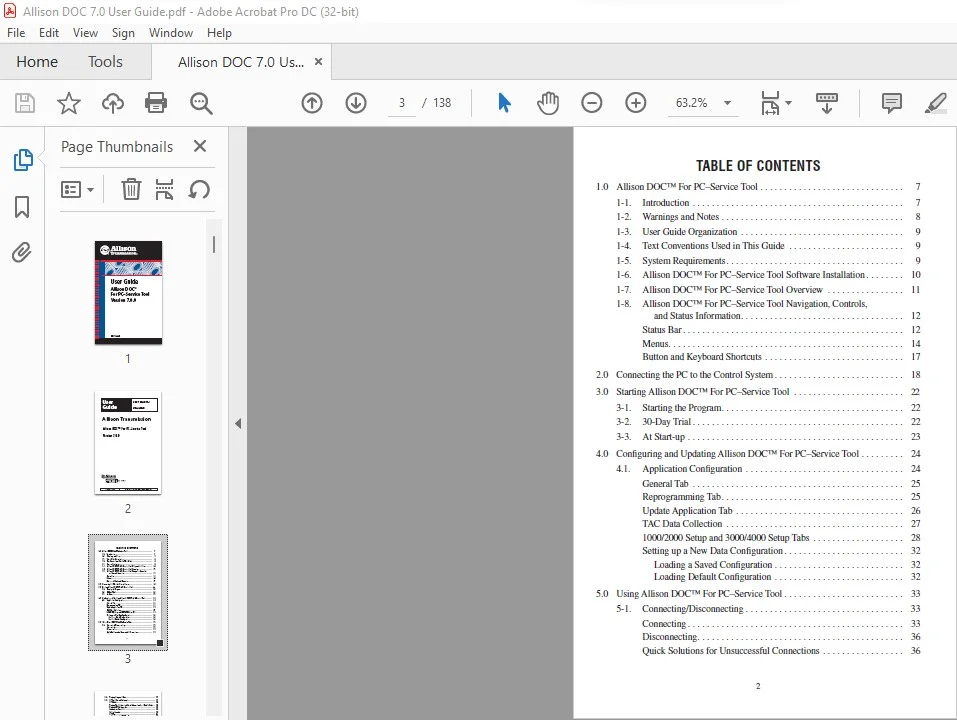
TABLE OF CONTENTS:
Allison Transmission DOC For PC–Service Tool User Guide Manual – PDF DOWNLOAD
1.0 Allison DOC™ For PC–Service Tool . . . . . . . . . . . . . . . . . . . . . . . . . . . . . . 7
1-1. Introduction . . . . . . . . . . . . . . . . . . . . . . . . . . . . . . . . . . . . . . . . . . . . 7
1-2. Warnings and Notes . . . . . . . . . . . . . . . . . . . . . . . . . . . . . . . . . . . . . . 8
1-3. User Guide Organization . . . . . . . . . . . . . . . . . . . . . . . . . . . . . . . . . . 9
1-4. Text Conventions Used in This Guide . . . . . . . . . . . . . . . . . . . . . . . . 9
1-5. System Requirements . . . . . . . . . . . . . . . . . . . . . . . . . . . . . . . . . . . . . 9
1-6. Allison DOC™ For PC–Service Tool Software Installation . . . . . . . . 10
1-7. Allison DOC™ For PC–Service Tool Overview . . . . . . . . . . . . . . . . 11
1-8. Allison DOC™ For PC–Service Tool Navigation, Controls,
and Status Information. . . . . . . . . . . . . . . . . . . . . . . . . . . . . . . . . . 12
Status Bar . . . . . . . . . . . . . . . . . . . . . . . . . . . . . . . . . . . . . . . . . . . . . . 12
Menus. . . . . . . . . . . . . . . . . . . . . . . . . . . . . . . . . . . . . . . . . . . . . . . . . 14
Button and Keyboard Shortcuts . . . . . . . . . . . . . . . . . . . . . . . . . . . . . 17
2.0 Connecting the PC to the Control System . . . . . . . . . . . . . . . . . . . . . . . . . . . 18
3.0 Starting Allison DOC™ For PC–Service Tool . . . . . . . . . . . . . . . . . . . . . . .
22
3-1. Starting the Program. . . . . . . . . . . . . . . . . . . . . . . . . . . . . . . . . . . . . . 22
3-2. 30-Day Trial . . . . . . . . . . . . . . . . . . . . . . . . . . . . . . . . . . . . . . . . . . . . 22
3-3. At Start-up . . . . . . . . . . . . . . . . . . . . . . . . . . . . . . . . . . . . . . . . . . . . . 23
4.0 Configuring and Updating Allison DOC™ For PC–Service Tool . . . . . . . . . 24
4.1. Application Configuration . . . . . . . . . . . . . . . . . . . . . . . . . . . . . . . . . 24
General Tab . . . . . . . . . . . . . . . . . . . . . . . . . . . . . . . . . . . . . . . . . . . . 25
Reprogramming Tab. . . . . . . . . . . . . . . . . . . . . . . . . . . . . . . . . . . . . . 25
Update Application Tab . . . . . . . . . . . . . . . . . . . . . . . . . . . . . . . . . . . 26
TAC Data Collection . . . . . . . . . . . . . . . . . . . . . . . . . . . . . . . . . . . . . 27
1000/2000 Setup and 3000/4000 Setup Tabs . . . . . . . . . . . . . . . . . . . 28
Setting up a New Data Configuration . . . . . . . . . . . . . . . . . . . . . . . . . 32
Loading a Saved Configuration . . . . . . . . . . . . . . . . . . . . . . . . . . . 32
Loading Default Configuration . . . . . . . . . . . . . . . . . . . . . . . . . . . 32
5.0 Using Allison DOC™ For PC–Service Tool . . . . . . . . . . . . . . . . . . . . . . . . . 33
5-1. Connecting/Disconnecting . . . . . . . . . . . . . . . . . . . . . . . . . . . . . . . . . 33
Connecting . . . . . . . . . . . . . . . . . . . . . . . . . . . . . . . . . . . . . . . . . . . . . 33
Disconnecting. . . . . . . . . . . . . . . . . . . . . . . . . . . . . . . . . . . . . . . . . . . 36
Quick Solutions for Unsuccessful Connections . . . . . . . . . . . . . . . . . 36
3
5-2. Viewing Diagnostic Data . . . . . . . . . . . . . . . . . . . . . . . . . . . . . . . . . . 37
5-3. DTC and General Information . . . . . . . . . . . . . . . . . . . . . . . . . . . . . . 37
DTC Grid . . . . . . . . . . . . . . . . . . . . . . . . . . . . . . . . . . . . . . . . . . . . . . 38
Viewing Troubleshooting Manual Information for a Trouble Code . . 38
Clearing DTC Information . . . . . . . . . . . . . . . . . . . . . . . . . . . . . . . . . 39
Performance Complaint . . . . . . . . . . . . . . . . . . . . . . . . . . . . . . . . . . . 39
Failure Records . . . . . . . . . . . . . . . . . . . . . . . . . . . . . . . . . . . . . . . . . 39
DTC Test . . . . . . . . . . . . . . . . . . . . . . . . . . . . . . . . . . . . . . . . . . . . . . 41
Displaying the DTC Test Screen . . . . . . . . . . . . . . . . . . . . . . . . . . 42
TCM Information Grid. . . . . . . . . . . . . . . . . . . . . . . . . . . . . . . . . . . . 42
Transmission Information Grid . . . . . . . . . . . . . . . . . . . . . . . . . . . . . 42
Shift Inhibits Grid. . . . . . . . . . . . . . . . . . . . . . . . . . . . . . . . . . . . . . . . 42
5-4. Data Monitor . . . . . . . . . . . . . . . . . . . . . . . . . . . . . . . . . . . . . . . . . . . 43
Diagnostic Data . . . . . . . . . . . . . . . . . . . . . . . . . . . . . . . . . . . . . . . . . 43
Input/Output Functions. . . . . . . . . . . . . . . . . . . . . . . . . . . . . . . . . . . . 43
Shift Inhibits. . . . . . . . . . . . . . . . . . . . . . . . . . . . . . . . . . . . . . . . . . . . 44
5-5. Custom Data Monitor. . . . . . . . . . . . . . . . . . . . . . . . . . . . . . . . . . . . . 44
To Select Custom Data Monitor Transmission Parameters . . . . . . . . . 44
To Remove Custom Data Monitor Transmission Parameters . . . . . . . 45
Preconfigured Data List . . . . . . . . . . . . . . . . . . . . . . . . . . . . . . . . . . . 45
5-6. Graphics Monitor . . . . . . . . . . . . . . . . . . . . . . . . . . . . . . . . . . . . . . . . 45
Displaying the Graphics Monitor . . . . . . . . . . . . . . . . . . . . . . . . . . . . 46
5-7. Strip Chart . . . . . . . . . . . . . . . . . . . . . . . . . . . . . . . . . . . . . . . . . . . . . 46
Displaying the Strip Chart . . . . . . . . . . . . . . . . . . . . . . . . . . . . . . . . . 46
Saving A Strip Chart Configuration . . . . . . . . . . . . . . . . . . . . . . . . 47
To Load or Delete a Saved Strip Chart Configuration . . . . . . . . . . 48
Data Trace Identification . . . . . . . . . . . . . . . . . . . . . . . . . . . . . . . . 48
X-axis Scaling . . . . . . . . . . . . . . . . . . . . . . . . . . . . . . . . . . . . . . . . 48
Y-axis Scaling.. . . . . . . . . . . . . . . . . . . . . . . . . . . . . . . . . . . . . . . . 49
Strip Chart Modes . . . . . . . . . . . . . . . . . . . . . . . . . . . . . . . . . . . . . 49
Control Modes . . . . . . . . . . . . . . . . . . . . . . . . . . . . . . . . . . . . . . . . . . 49
5-8. Calibration Information . . . . . . . . . . . . . . . . . . . . . . . . . . . . . . . . . . . 50
To Display Current Calibration Information: . . . . . . . . . . . . . . . . . . . 50
5-9. Data Bus Traffic View. . . . . . . . . . . . . . . . . . . . . . . . . . . . . . . . . . . . . 51
Displaying the Data Bus Viewer. . . . . . . . . . . . . . . . . . . . . . . . . . . . . 54
Playing Back Data Bus Viewer files . . . . . . . . . . . . . . . . . . . . . . . . . . 56
4
5-10. Action Requests . . . . . . . . . . . . . . . . . . . . . . . . . . . . . . . . . . . . . . . . . 57
Clutch Test Enabled . . . . . . . . . . . . . . . . . . . . . . . . . . . . . . . . . . . . . . 57
Solenoid Test . . . . . . . . . . . . . . . . . . . . . . . . . . . . . . . . . . . . . . . . . . . 58
To Enable the Solenoid Test Function:. . . . . . . . . . . . . . . . . . . . . . 58
Reset Auto-Detect . . . . . . . . . . . . . . . . . . . . . . . . . . . . . . . . . . . . . . . 59
Reset Auto-Detect Retarder . . . . . . . . . . . . . . . . . . . . . . . . . . . . . . . . 59
Reset Fast Adaptive . . . . . . . . . . . . . . . . . . . . . . . . . . . . . . . . . . . . . . 59
To Reset to Fast Adaptive . . . . . . . . . . . . . . . . . . . . . . . . . . . . . . . 60
Reset Adaptive Shift Parameters. . . . . . . . . . . . . . . . . . . . . . . . . . . . . 60
To Reset Adaptive Shift Parameters. . . . . . . . . . . . . . . . . . . . . . . . 60
Reset Full/Closed Throttle Calibration (TPS only) . . . . . . . . . . . . . . . 62
Reset SEM Auto-Select . . . . . . . . . . . . . . . . . . . . . . . . . . . . . . . . . . . 63
Engineering Calculations . . . . . . . . . . . . . . . . . . . . . . . . . . . . . . . . . . 63
Transmission Fault Lamp Test . . . . . . . . . . . . . . . . . . . . . . . . . . . . . . 64
To Initiate a Fault Lamp Test . . . . . . . . . . . . . . . . . . . . . . . . . . . . . 64
Reverse Warning Lamp Test . . . . . . . . . . . . . . . . . . . . . . . . . . . . . . . . 65
To Initiate a Reverse Warning Test. . . . . . . . . . . . . . . . . . . . . . . . . 65
5-11. Recording Snapshots . . . . . . . . . . . . . . . . . . . . . . . . . . . . . . . . . . . . . 65
To Record an Event Driven Snapshot . . . . . . . . . . . . . . . . . . . . . . . . . 66
Triggering a Snapshot Recording (and/or setting a bookmark). . . . . . 66
To Insert a Bookmark While Recording Data . . . . . . . . . . . . . . . . 67
5-12. Stopping/Saving Snapshot Sessions . . . . . . . . . . . . . . . . . . . . . . . . . . 67
5-13. Playing Back Snapshots . . . . . . . . . . . . . . . . . . . . . . . . . . . . . . . . . . . 68
5-14. Exporting Playback Data . . . . . . . . . . . . . . . . . . . . . . . . . . . . . . . . . . 71
6.0 Reprogramming TCM. . . . . . . . . . . . . . . . . . . . . . . . . . . . . . . . . . . . . . . . . . 73
6-1. Reprogramming TCM . . . . . . . . . . . . . . . . . . . . . . . . . . . . . . . . . . . . 73
Enabling/Authorizing the Reprogramming Section in
Allison DOC™ For PC–Service Tool . . . . . . . . . . . . . . . . . . . . . . 73
Accessing the Reprogramming Function . . . . . . . . . . . . . . . . . . . . . . 74
Reprogramming Input/Output Configuration . . . . . . . . . . . . . . . . . . . 76
Reprogramming Customer Modifiable Constants. . . . . . . . . . . . . . . . 76
Reprogramming Package Assignments. . . . . . . . . . . . . . . . . . . . . . . . 77
Reprogramming TCM Password . . . . . . . . . . . . . . . . . . . . . . . . . . . . 77
Initiating TCM Reprogramming. . . . . . . . . . . . . . . . . . . . . . . . . . . . . 77
Reprogramming Status for WTEC II, WTEC III, and CEC2 . . . . . . . 78
5
7.0 Reports . . . . . . . . . . . . . . . . . . . . . . . . . . . . . . . . . . . . . . . . . . . . . . . . . . . . . 80
7-1. Diagnostic Reports . . . . . . . . . . . . . . . . . . . . . . . . . . . . . . . . . . . . . . . 80
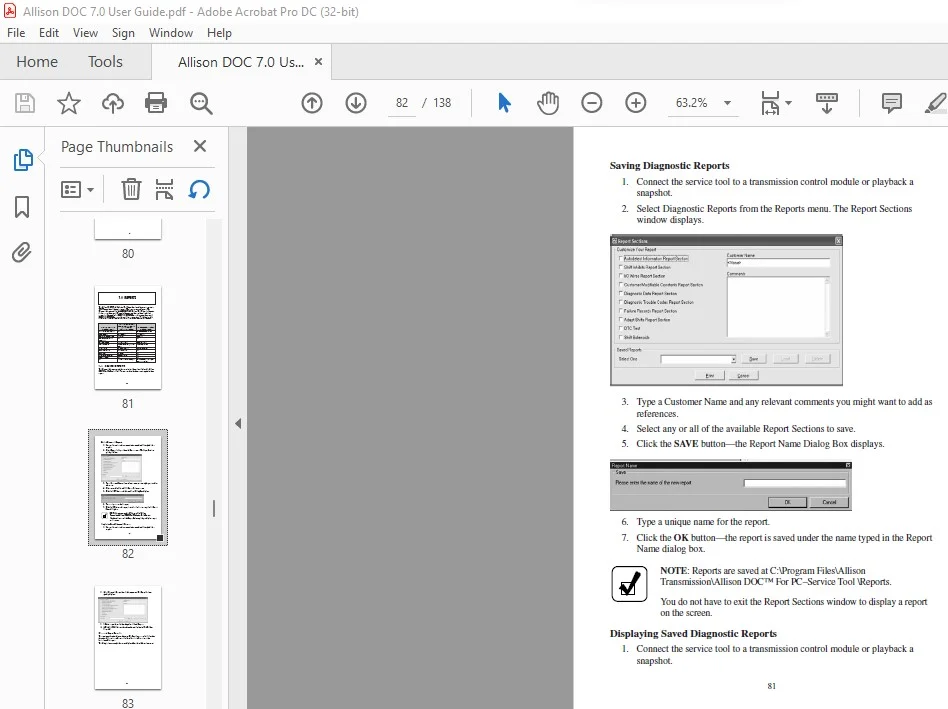
Saving Diagnostic Reports . . . . . . . . . . . . . . . . . . . . . . . . . . . . . . . . . 81
Displaying Saved Diagnostic Reports. . . . . . . . . . . . . . . . . . . . . . . . . 81
Diagnostic Report Examples . . . . . . . . . . . . . . . . . . . . . . . . . . . . . . . 82
7-2. TRANSHEALTH™ Report . . . . . . . . . . . . . . . . . . . . . . . . . . . . . . . . 83
Loading Saved TRANSHEALTH™ Reports . . . . . . . . . . . . . . . . . . . 88
Saving TRANSHEALTH™ Reports . . . . . . . . . . . . . . . . . . . . . . . . . 89
Printing TRANSHEALTH™ Reports . . . . . . . . . . . . . . . . . . . . . . . . 89
Closing the TRANSHEALTH™ Feature . . . . . . . . . . . . . . . . . . . . . . 89
7-3. Printing Screens . . . . . . . . . . . . . . . . . . . . . . . . . . . . . . . . . . . . . . . . . 89
7-4. Exiting Allison DOC™ For PC–Service Tool. . . . . . . . . . . . . . . . . . . 90
8.0 WTEC II/III, CEC2, and CEC1 Control Systems
. . . . . . . . . . . . . . . . .
91
WTEC II/III and CEC2 Diagnostic Trouble Codes . . . . . . . . . . . . . . 91
WTEC II/III and CEC2 DTC and General Info View . . . . . . . . . . 91
Clearing Active Codes . . . . . . . . . . . . . . . . . . . . . . . . . . . . . . . . . . 92
Clearing Inactive Codes. . . . . . . . . . . . . . . . . . . . . . . . . . . . . . . . . 92
WTEC II/III and CEC2 Diagnostic Data Monitor . . . . . . . . . . . . . . . 93
Diagnostic Data . . . . . . . . . . . . . . . . . . . . . . . . . . . . . . . . . . . . . . . 93
Input and Output Wires/Functions . . . . . . . . . . . . . . . . . . . . . . . . . 93
Shift Inhibits . . . . . . . . . . . . . . . . . . . . . . . . . . . . . . . . . . . . . . . . . 94
CEC1 Diagnostic Data Monitor . . . . . . . . . . . . . . . . . . . . . . . . . . . . . 94
WTEC II/III and CEC2 Custom Data Monitor. . . . . . . . . . . . . . . . . . 94
WTEC II/III and CEC2 Graphics Monitor . . . . . . . . . . . . . . . . . . . . . 94
Displaying the Graphics Monitor. . . . . . . . . . . . . . . . . . . . . . . . . . 94
WTEC II/III Graphics Monitor . . . . . . . . . . . . . . . . . . . . . . . . . . . 95
ECU Calibration Information . . . . . . . . . . . . . . . . . . . . . . . . . . . . . . . 95
WTEC II/III and CEC2 ECU Calibration Information . . . . . . . . . . . . 96
WTEC II/III and CEC2 Clutch Test . . . . . . . . . . . . . . . . . . . . . . . . . . 96
WTEC II/III Reset Fast Adaptive . . . . . . . . . . . . . . . . . . . . . . . . . . . . 97
WTEC II/III Reset Unadapted Shifts . . . . . . . . . . . . . . . . . . . . . . . . . 97
WTEC II/III and CEC2 Reset Throttle Calibration. . . . . . . . . . . . . . . 97
WTEC II/III TAC Data Collection . . . . . . . . . . . . . . . . . . . . . . . . . . . 98
6
9.0 1000/2000 (Pre-Allison 4th Generation Controls) Control System . . . . . . . . 100
Diagnostic Trouble Codes . . . . . . . . . . . . . . . . . . . . . . . . . . . . . . . . . 100
Reset Adaptive Shift Parameters. . . . . . . . . . . . . . . . . . . . . . . . . . . . . 100
1000/2000 Throttle Calibration . . . . . . . . . . . . . . . . . . . . . . . . . . . . . 101
Clutch Test . . . . . . . . . . . . . . . . . . . . . . . . . . . . . . . . . . . . . . . . . . . . . 102
10.0 CEC Control System . . . . . . . . . . . . . . . . . . . . . . . . . . . . . . . . . . . . . . . . . . 103
CEC Snapshot Record . . . . . . . . . . . . . . . . . . . . . . . . . . . . . . . . . . . . 103
Reports . . . . . . . . . . . . . . . . . . . . . . . . . . . . . . . . . . . . . . . . . . . . . . . . 104
11.0 Using Allison DOC™ For PC–Service Tool Demos . . . . . . . . . . . . . . . . . . . 105
12.0 HELP System . . . . . . . . . . . . . . . . . . . . . . . . . . . . . . . . . . . . . . . . . . . . . . . . 107
Help Topics . . . . . . . . . . . . . . . . . . . . . . . . . . . . . . . . . . . . . . . . . . . . 107
Video-Based Training Materials . . . . . . . . . . . . . . . . . . . . . . . . . . . . . 108
Demo . . . . . . . . . . . . . . . . . . . . . . . . . . . . . . . . . . . . . . . . . . . . . . . . . 108
DTC Lookup . . . . . . . . . . . . . . . . . . . . . . . . . . . . . . . . . . . . . . . . . . . 108
Troubleshooting Manuals . . . . . . . . . . . . . . . . . . . . . . . . . . . . . . . . . . 109
Access To Allison Transmission Web Site
(requires an internet connection) . . . . . . . . . . . . . . . . . . . . . . . . . . 109
Hydro Schematics . . . . . . . . . . . . . . . . . . . . . . . . . . . . . . . . . . . . . . . 109
Allison Transmission Calc . . . . . . . . . . . . . . . . . . . . . . . . . . . . . . . . . 110
About Allison DOC . . . . . . . . . . . . . . . . . . . . . . . . . . . . . . . . . . . . . . 110
13.0 Diagnostic Data Definitions . . . . . . . . . . . . . . . . . . . . . . . . . . . . . . . . . . . . . 111
13-1. Customer Modifiable Constants (CMC). . . . . . . . . . . . . . . . . . . . . . . 111
13-2. SEM/LRTP. . . . . . . . . . . . . . . . . . . . . . . . . . . . . . . . . . . . . . . . . . . . . 123
WTEC III Control Systems Specific Parameters . . . . . . . . . . . . . . . . 134
1000/2000 (Pre-Allison 4th Generation Controls)
Specific Parameters . . . . . . . . . . . . . . . . . . . . . . . . . . . . . . . . . . . . 135
IMAGES PREVIEW OF THE MANUAL:
ALLISON TRANSMISSION DOC FOR PC–SERVICE TOOL USER GUIDE MANUAL – PDF DOWNLOAD:
PLEASE NOTE:
- This is the SAME manual used by the dealers to troubleshoot any faults in your vehicle. This can be yours in 2 minutes after the payment is made.
- Contact us at [email protected] should you have any queries before your purchase or that you need any other service / repair / parts operators manual.
S.V