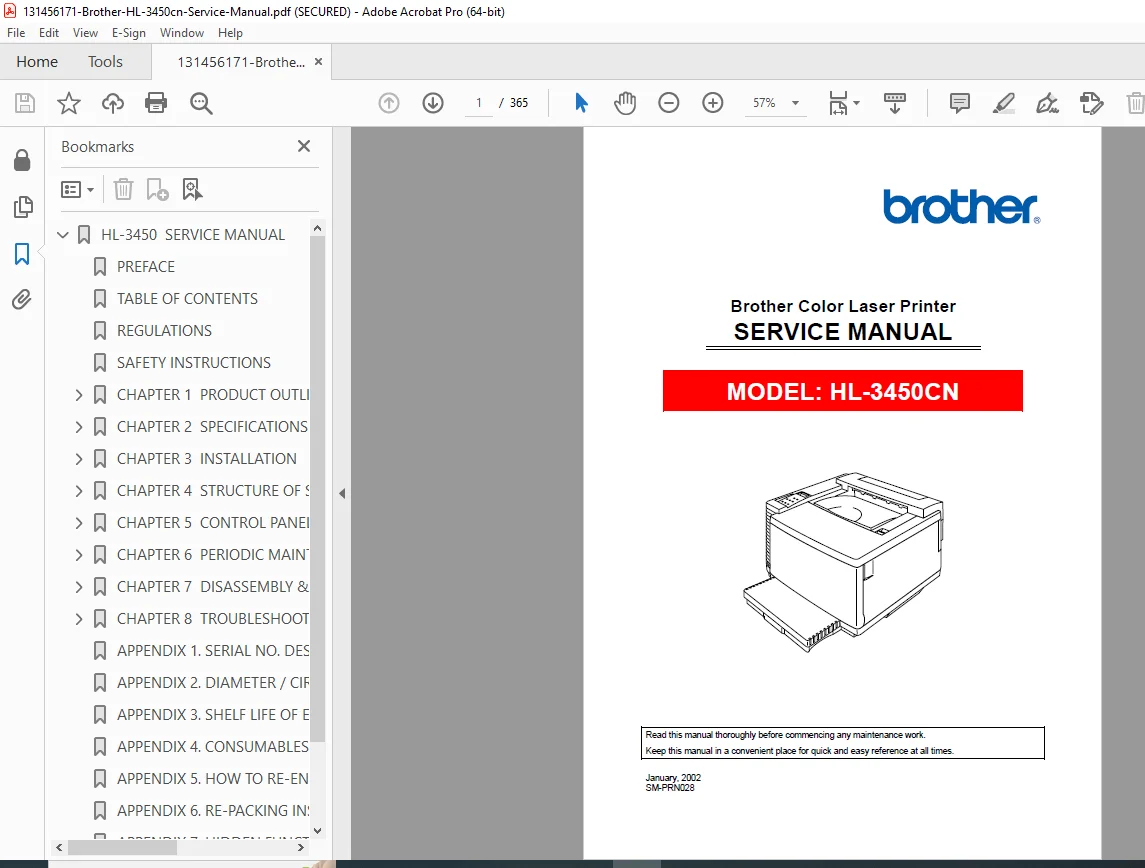
Brother HL-3450CN Color Laser Printer Service Manual – PDF
Original price was: $85.00.$18.95Current price is: $18.95.
Professional service manual for Brother HL-3450CN color laser printer. Comprehensive technical documentation with disassembly procedures, maintenance schedules, troubleshooting diagnostics, OPC belt and toner cartridge replacement instructions, and detailed electrical/mechanical system specifications for authorized service technicians.
Description
Brother HL-3450CN Color Laser Printer Service Manual Complete Repair – PDF DOWNLOAD
DESCRIPTION
Overview
The Brother HL-3450CN Service Manual is the complete technical reference for service professionals maintaining and repairing Brother’s advanced color laser printer system. This definitive 365-page manual provides professional-grade documentation essential for authorized service centers, repair technicians, and facility maintenance personnel responsible for HL-3450CN color printer support and maintenance operations.
Key Features & Comprehensive Content
Complete Technical Service Documentation: This Brother color laser printer service manual encompasses detailed procedures for all major operational systems, maintenance requirements, and repair protocols:
- Safety & Regulatory Compliance – Laser safety certifications (Class I laser, DHHS/FDA regulations), electrical hazard precautions, harmful ozone gas warnings, hot surface alerts, rotating parts safety, rotating scanner unit warnings, and comprehensive safety instructions for qualified technicians
- Product Overview & Features – High-speed color printing at 24 ppm monochrome/6 ppm color, 2400×600 dpi resolution using High Resolution Control (HRC) and Color Advanced Photoscale Technology (CAPT), maintenance-free toner cartridges, universal media cassettes, multiple interface support (parallel, USB, Ethernet 10/100BaseTX), five emulation modes, automatic emulation selection capabilities
- Complete Specifications – Semiconductor laser beam scanning at 780nm wavelength, 5mW maximum output, 600×600 dpi standard resolution (2400×600 dpi class with HRC/CAPT), print speed specifications for monochrome and color, warm-up time (maximum 210 seconds), first print time specifications, toner cartridge life expectancy (14,000 pages Black / 8,500 pages Cyan/Magenta/Yellow), resident printer fonts (66 scalable, 12 bitmapped, 11 bar codes in PCL mode; 165 scalable fonts in BR-Script 3 mode)
- System Component Specifications – Toshiba TMPR4955-266 CPU (TX4955-266MHz), HP PCL5C color printer emulation including LaserJet 4+/LaserJet 5, BR-Script 3 PostScript 3 compatible emulation, HP-GL plotter emulation, EPSON FX-850 and IBM Proprinter XL modes, bidirectional parallel/USB/Ethernet automatic interface selection, 64 MB standard RAM (expandable to 384MB with DIMMs), optional 2.5 inch IDE HDD, CompactFlash Type II slot, 16×2 character LCD display, 8 buttons with 4 LEDs control panel
- Electrical & Mechanical Specifications – Power source (120V AC 50/60Hz USA/Canada; 220-240V AC 50/60Hz Europe/Australia), peak power consumption 1350W, average printing power 600W, standby power 200W, sleep mode 30W, operating noise 55dB(A) printing/48dB(A) standby, operating temperature 10-32.5°C, dimensions 615x540x420mm standard (expandable to 615x620x610mm with duplex/lower tray), weight 46kg base unit (54kg with consumables)
- Installation & Setup Procedures – Environmental conditions for installation, unpacking procedures, oil bottle and fuser cleaner installation, OPC belt cartridge installation, toner cartridge installation procedures, media cassette and adaptor configuration, test print procedures, basic layout guidelines for printer setup location
- System Architecture & Mechanical Operation – Basic mechanical structure overview, color printing mechanism explanation, OPC belt cartridge structure, print and transfer system design, laser scanning system specifications, paper transportation system detailed description, fusing unit operation at approximately 160°C temperature, electrophotographic color printing process
- Electrical Control Systems – Main video controller PCB architecture, low-voltage power supply unit design, high-voltage power supply unit specifications, connection diagrams for all electrical components, electrical system functions, print process control timing information, electrical circuit organization and relationships
- Control Panel Operation Procedures – Panel layout and button functions, video controller mode configuration, line test mode operation, DRAM test mode procedures, test print mode diagnostics, NVRAM reset mode operation, engine controller mode configuration, normal mode operation procedures, service mode access and functions, comprehensive adjustment work procedures for technician diagnostics
- Periodic Maintenance Schedules – Handling precautions for precision equipment, maintenance tools list, consumables list for periodic maintenance, cleaning procedures for register roller, paper guide, paper exit roller, transfer roller, paper discharger, OPC belt cartridge, transfer drum, dustproof glass in laser unit, printer interior, and oil pad maintenance
- Periodic Maintenance Component Replacement – OPC belt cartridge replacement procedures, fusing unit replacement instructions, transfer roller replacement procedures, paper discharger replacement steps, drum cleaner replacement procedures, ozone filter replacement instructions, paper feeding roller and separator pad replacement, transfer drum replacement procedures, oil pad replacement guidelines
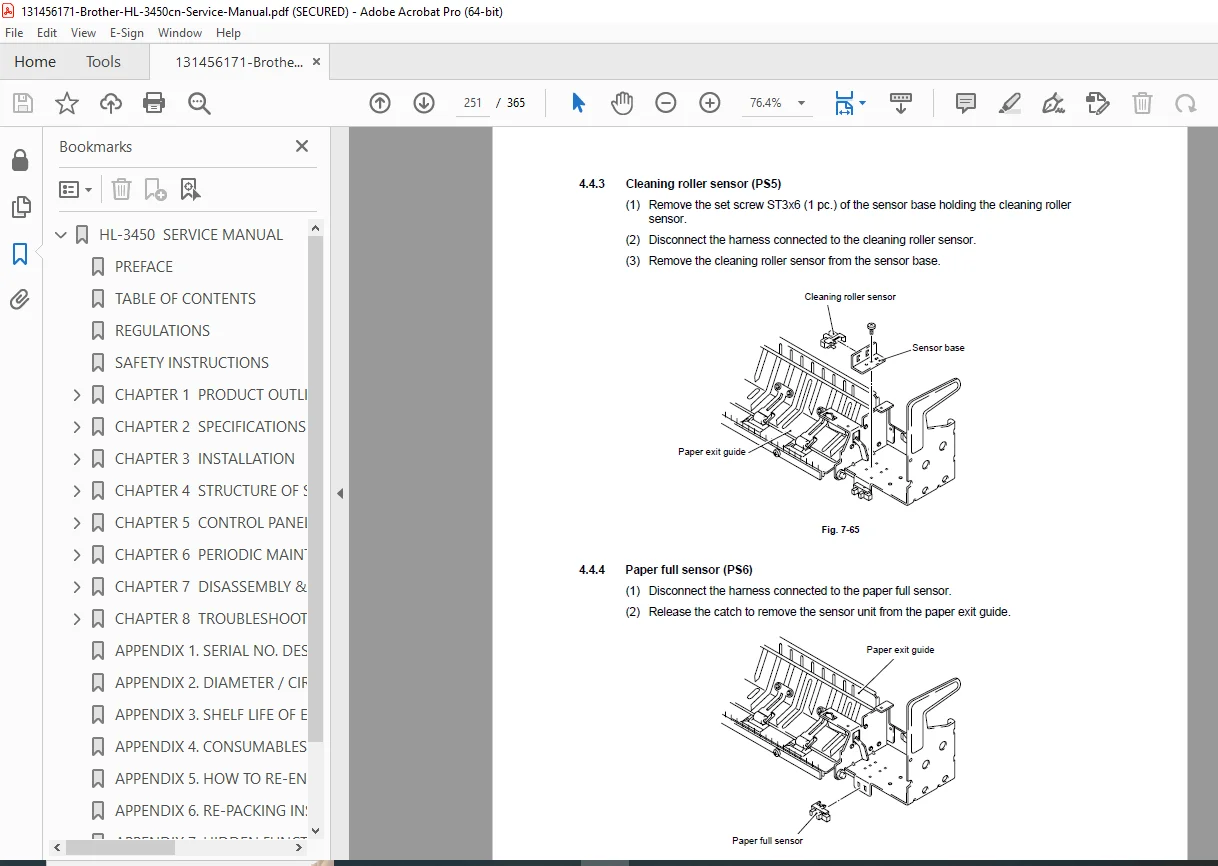
- Disassembly & Reassembly Procedures – Precautions before disassembly, disassembly preparation steps, parts names and classifications (covers, circuit boards/PWBs, motor units, clutches, sensors), complete disassembly flow diagram, step-by-step disassembly procedures for right side, top, left side, paper exit unit, front, rear, and fusing unit with detailed illustrations
- Troubleshooting & Diagnostics – Operator call code interpretations for video and engine controller modes, paper transport error diagnosis (feed jam, inner jam, outer jam), service call code descriptions with systematic diagnostic procedures, video and engine controller mode error codes, comprehensive image failure analysis and correction procedures, error message explanations, systematic diagnostic workflow
- Advanced Functions & Emulations – Five printer emulation modes (HP PCL5C Color Printer, BR-Script 3 PostScript 3, HP-GL plotter, EPSON FX-850, IBM Proprinter XL), automatic emulation selection based on print commands, data compression technology for graphics and fonts, bar code printing capabilities (13 types including Code 39, Code 128, ISBN, EAN, UPC variants), emulation-specific font availability
- Paper & Media Specifications – Printable media types (plain paper, envelopes, transparencies, labels), paper sizes supported (A3, B4, A4, Letter, Legal, Ledger, Executive, B5, COM10, DL, custom sizes 210-330mm width), paper weight specifications (60-160 g/m² depending on cassette), optional lower tray and duplex unit specifications, media cassette capacity (250-500 sheets depending on cassette type), paper delivery specifications (face-down print delivery), output tray capacity (250 sheets), recommended paper specifications with smoothness and brightness ratings
- Environmental Operating Conditions – Ambient temperature range 10-32.5°C operating, 5-35°C non-operating, 0-35°C storage, humidity range 20-80% operating, 10-90% storage (non-condensation), altitude specifications for operation
Detailed Manual Structure – All 8 Major Chapters Plus Appendices
Chapter 1: Product Outline (Pages 1-3)
- Detailed features description (color resolution, print speed, HRC/CAPT technology)
- Parts names and functions identification
- Internal structure overview
- Control panel description (video and engine controller modes)
- Key technology explanations (High Resolution Control, Color Advanced Photoscale Technology)
- Interface capabilities (parallel, USB, Ethernet)
- Multiple emulation modes and automatic selection
- Bar code printing functionality
- Networking capabilities with Brother network board
Chapter 2: Specifications (Pages 2-3 through 2-11)
- General specifications organized by categories:
- Printing specifications (print method, laser, resolution, print speed, warm-up time, first print time, toner life)
- Functions (CPU, emulation modes, automatic features, interface, RAM, HDD option, CompactFlash, control panel, diagnostics)
- Electrical and mechanical specifications (power source, power consumption, noise levels, temperature/humidity ranges, dimensions, weight)
- Paper specifications with detailed breakdown:
- Printable media types and sizes
- Paper weight specifications for different cassettes
- Recommended paper specifications (basis weight, thickness, smoothness, stiffness, brightness)
- Media cassette capacity specifications
- Printed output capacity (250 sheets)
- Printing area specifications with detailed effective printable areas for each paper size
- Environmental conditions for operation and storage
- Altitude specifications
Chapter 3: Installation (Pages 3-3 through 3-14)
- Installation conditions and requirements:
- Environmental conditions checklist
- Basic layout guidelines for printer setup location
- Space requirements for operation
- Unpacking procedures:
- Printer unpacking instructions with verification steps
- Starter kit components unpacking
- Installation work procedures:
- Oil bottle and fuser cleaner installation
- OPC belt cartridge installation with orientation verification
- Toner cartridge installation for all four colors (Black, Cyan, Magenta, Yellow)
- Media cassette and adaptor configuration
- Test print procedures to verify successful installation
Chapter 4: Structure of System Components (Pages 4-3 through 4-65)
- Basic structure explanation:
- Mechanical structure overview
- Color printing mechanism fundamentals
- OPC belt cartridge structural design
- Print system and transfer system architecture
- Transfer drum and toner transfer process
- Charging and development roller functions
- Scanning system description:
- Laser scanning unit operation
- Beam deflection and scanning process
- Photosensitive drum interaction
- Paper transportation system:
- Feed mechanisms
- Registration system
- Output mechanisms
- Fusing unit operation:
- Fusing temperature control (approximately 160°C)
- Heating element specifications
- Pressure roller design
- Toner fusing process
- Electrical control system structure:
- Electrical system overview and functions
- Print process control mechanisms
- Control timing information
- Sensor integration and feedback systems
- Main PCB (Video Controller):
- Microprocessor specifications
- Memory architecture
- Control circuitry organization
- Power supply units:
- Low-voltage power supply design
- High-voltage power supply specifications
- Voltage regulation circuits
- Protection mechanisms
- Connection diagrams showing all electrical interconnections
Chapter 5: Control Panel Operation (Pages 5-3 through 5-44)
- Panel layout with button identification
- Video Controller Mode:
- Configuration of operational modes
- Line test mode procedures and diagnostics
- DRAM test mode verification procedures
- Test print mode for basic functionality verification
- NVRAM reset mode for memory clearing
- Engine Controller Mode:
- Configuration of operational modes
- Normal mode operation procedures
- Service mode access and diagnostic functions
- Adjustment work procedures including:
- Temperature adjustments
- Toner density calibration
- Registration adjustments
- Fusing temperature settings
- Color balance adjustments
- Transfer voltage optimization
- Laser power adjustments
Chapter 6: Periodic Maintenance (Pages 6-3 through 6-35)
- General maintenance requirements:
- Handling precautions for precision equipment
- List of required maintenance tools
- List of consumables for maintenance
- Cleaning procedures (10 detailed procedures):
- Register roller cleaning
- Paper guide cleaning
- Paper exit roller cleaning
- Transfer roller cleaning and dust removal
- Paper discharger cleaning
- OPC belt cartridge maintenance cleaning
- Transfer drum cleaning procedures
- Dustproof glass in laser unit cleaning
- Printer interior cleaning
- Oil pad cleaning and maintenance
- Periodic maintenance parts identification and specifications
- Maintenance replacement procedures (9 step-by-step procedures):
- OPC belt cartridge replacement with life cycle information
- Fusing unit replacement and calibration
- Transfer roller replacement procedures
- Paper discharger replacement steps
- Drum cleaner replacement instructions
- Ozone filter replacement (critical for air quality)
- Paper feeding roller and separator pad replacement
- Transfer drum replacement procedures
- Oil pad replacement and installation
Chapter 7: Disassembly & Reassembly (Pages 7-4 through 7-54)
- Precautions before disassembly:
- Safety procedures
- Power disconnection requirements
- Component handling guidelines
- Tool requirements
- Preparation for disassembly:
- Documentation requirements
- Component identification procedures
- Tool preparation
- Parts name identification:
- Cover components
- Circuit boards (PWBs) identification
- Motor units classification
- Clutches and drive mechanisms
- Sensor types and locations
- Disassembly flow diagram showing complete sequence
- Detailed step-by-step disassembly procedures:
- Right side of printer disassembly (covers, internal components)
- Top of printer disassembly (upper covers, components)
- Left side of printer disassembly (side panels, mechanisms)
- Paper exit unit disassembly and removal
- Front of printer disassembly (control panel area)
- Rear of printer disassembly (connector area, power supply access)
- Fusing unit disassembly with temperature safety warnings
- Each section includes detailed illustrations and step sequences
Chapter 8: Troubleshooting (Pages 8-3 through 8-47)
- Troubleshooting outline and methodology:
- Systematic diagnostic approach
- Error code interpretation
- Symptom-to-cause mapping
- Operator call codes:
- Video controller mode error codes and meanings
- Engine controller mode error codes and meanings
- Error code interpretation guide
- Paper transport error diagnosis:
- Feed jam diagnosis and resolution
- Inner jam troubleshooting procedures
- Outer jam identification and correction
- Other paper transport issues
- Service call codes (most comprehensive section):
- Video controller mode service codes with diagnostic procedures
- Engine controller mode service codes with detailed explanations
- Complete error code reference (40+ error codes)
- Diagnosis procedures for each error condition
- Correction and resolution steps
- Component identification for problem areas
- Image failure analysis and correction:
- Print quality issues diagnosis
- Color accuracy problems
- Black and white printing failures
- Toner transfer issues
- Fusing problems
- Scanning/laser issues
- Systematic image failure flowchart
- Component inspection procedures
Supporting Appendices (9 Appendices)
- Appendix 1: Serial number descriptions and component identification
- Appendix 2: Connector pin specifications and wire diagrams
- Appendix 3: Electrical schematic diagrams
- Appendix 4: Component locations and reference guide
- Appendix 5: Adjustment procedures and settings
- Appendix 6: Maintenance schedule and parts lists
- Appendix 7: Troubleshooting flowcharts (detailed diagnostic trees)
- Appendix 8: Error code complete reference (comprehensive)
- Appendix 9: Parts replacement cross-reference guide
Technical Specifications Summary Table
| Specification | Details |
|---|---|
| Device Model | Brother HL-3450CN |
| Device Type | Color Laser Printer |
| Print Speed (Monochrome) | 24 ppm (A4 Letter landscape); 12 ppm (A3 Ledger portrait) |
| Print Speed (Full Color) | 6 ppm (A4 Letter landscape); 3 ppm (A3 Ledger portrait) |
| Print Technology | Electrophotography, Semiconductor Laser Beam Scanning |
| Laser Specifications | 780nm wavelength, 5mW maximum output, Class I/Class 3B laser diode |
| Print Resolution | 600 x 600 dpi standard; 2400 x 600 dpi (HRC/CAPT enhanced) |
| Warm-up Time | Maximum 210 seconds at 20°C (68°F) |
| First Print Time | ≤ 19 seconds monochrome; ≤ 34 seconds color |
| Toner Cartridge Life | 14,000 pages (Black) / 8,500 pages (Cyan/Magenta/Yellow) at 5% coverage |
| Main CPU | Toshiba TMPR4955-266 (TX4955-266MHz) 32-bit RISC |
| Printer Emulations | HP PCL5C, HP-GL, BR-Script 3 (PostScript 3), EPSON FX-850, IBM Proprinter XL |
| Automatic Features | Emulation selection, interface selection (parallel/USB/Ethernet), toner density control |
| RAM | 64 MB standard (expandable to 384 MB with DIMMs) |
| Optional Storage | 2.5″ IDE HDD, CompactFlash Type II slot |
| Interfaces | Bidirectional Parallel, USB, Ethernet 10/100 Base TX |
| Network Board | Brother NC-4100h (factory installed) |
| Network Protocols | TCP/IP, IPS/SPX, AppleTalk, DLC/LLC, Banyan VINES, DEC LAT, NetBEUI |
| Resident Fonts | 66 scalable + 12 bitmapped (PCL mode); 165 scalable (BR-Script mode) |
| Bar Code Printing | 13 types (Code 39, Code 128, ISBN, UPC, EAN variants) |
| Control Panel | 8 buttons, 4 LEDs, 16×2 character LCD display |
| Power Source | 120V AC 50/60Hz (US/Canada); 220-240V AC 50/60Hz (Europe/Australia) |
| Power Consumption | Printing peak: 1350W; Printing average: 600W; Standby: 200W; Sleep: 30W |
| Operating Noise | 55 dB(A) printing; 48 dB(A) standby |
| Operating Temperature | 10 to 32.5°C (50 to 90.5°F) |
| Humidity Range | 20 to 80% non-condensing (operation) |
| Dimensions | 615 x 540 x 420 mm base; expandable with optional units |
| Weight | 46 kg base; 54 kg with consumables; expandable with optional units |
| Paper Sizes | A3, B4, A4, Letter, Legal, Ledger, Executive, B5, COM10, DL, custom |
| Media Types | Plain paper, envelopes, transparencies, labels |
| Cassette Capacity | 250 sheets (standard upper/A4); 500 sheets (lower tray) |
| Output Capacity | 250 sheets face-down delivery |
Target Users & Professional Applications
This Brother HL-3450CN service manual is essential for:
- Authorized Service Technicians – Brother service network professionals and certified repair specialists
- Office Equipment Service Centers – Commercial repair facilities maintaining multiple color laser printers
- In-House IT/Facilities Teams – Corporate maintenance staff managing networked office equipment
- Biomedical/Medical Facilities – Healthcare environment equipment support personnel
- Corporate Facility Managers – Enterprise IT infrastructure maintenance teams
- Print Service Providers – Managed print services organizations
- Technical Training Programs – Educational institutions teaching copier/printer service
Critical Service Applications
The HL-3450CN service manual enables:
- Complete disassembly and reassembly of all mechanical components
- OPC belt and toner cartridge replacement with proper procedures
- Fusing unit replacement and temperature calibration
- Optical scanning system maintenance and alignment
- Laser power and registration adjustments
- Electrical troubleshooting using comprehensive error code reference
- Preventive maintenance scheduling with component life expectancy data
- Network configuration and diagnostics
- Color balance and image quality optimization
- Paper jam resolution procedures
- Professional parts inventory management
📊 FILE DETAILS
| Field | Details |
|---|---|
| Manual Name | Brother HL-3450CN Service Manual |
| Model Covered | Brother HL-3450CN Color Laser Printer |
| Publication Date | January 2002 |
| Manual Quality | Excellent – Professional PDF, optimized layout, comprehensive illustrations |
| Total Pages | 365 pages (comprehensive technical documentation) |
| File Format | PDF (Portable Document Format v1.3) |
| File Size | 8.7 MB |
| Creator | Brother Industries Ltd. |
| Document ID | SM-PRN028 |
| Laser Certification | Class I laser product (DHHS certified); Class 3B laser diode |
| FDA Compliance | FDA regulations compliant for laser products |
| Safety Standards | IEC 60825 specifications, comprehensive safety instructions included |
| Language | English (primary with multilingual safety labels) |