Canon BJC-6500 Series Inkjet Printer Service Repair Manual – PDF
Original price was: $85.00.$13.95Current price is: $13.95.
This official Canon BJC-6500 Service Manual is the complete technical resource for maintaining and repairing the BJC-6500 A3-size color bubble jet printer. It features detailed diagnostics for error codes like 5200 (Head Temperature Error) and 5B00 (Waste Ink Full), along with step-by-step disassembly guides for key components like the ASF unit and carriage assembly. Technicians will find essential procedures for resetting the waste ink counter, adjusting print head alignment, and using Service Mode for deep testing.
Description
Canon BJC-6500 Series Inkjet Printer Service Repair Manual – PDF DOWNLOAD
Description
The Canon BJC-6500 Service Manual (Revision 0, Oct. 1999) is an indispensable guide for professional repair technicians. This manual provides comprehensive coverage of the printer’s mechanical and electrical systems, offering clear instructions on troubleshooting, disassembly, maintenance, and adjustments.
Designed to resolve complex hardware issues, the manual includes a robust troubleshooting section categorized by both error codes (e.g., 5100 Home Position Error, 6800 EEPROM Error) and symptoms (e.g., Power Does Not Turn On, Faulty Printing). It details precise mechanical adjustments, such as head gap adjustment and carriage belt tensioning, ensuring optimal print quality.
Key technical references include block diagrams, connector pin assignments for the control board and carriage board, and explanations of the form alignment function. Whether you are replacing the waste ink absorber or calibrating the ASF gear position, this manual delivers the factory-approved procedures to get the job done right.
📋 Table of Contents & Bookmarks
Part 1: PRODUCT SPECIFICATIONS
Product Outline: Features, High-speed printing, A3 support.
Specifications: Resolution (1440×720 dpi), Throughput, Interface (USB/Parallel).
Paper & Cartridge Specs: Paper sizes, BJ Cartridge types (Black, Color, Photo), Scanner Cartridge.
Interface Specifications: IEEE 1284 Parallel, USB 1.10.
Part 2: MAINTENANCE
Periodical Replacement: Consumables and maintenance list.
Disassembly & Reassembly:
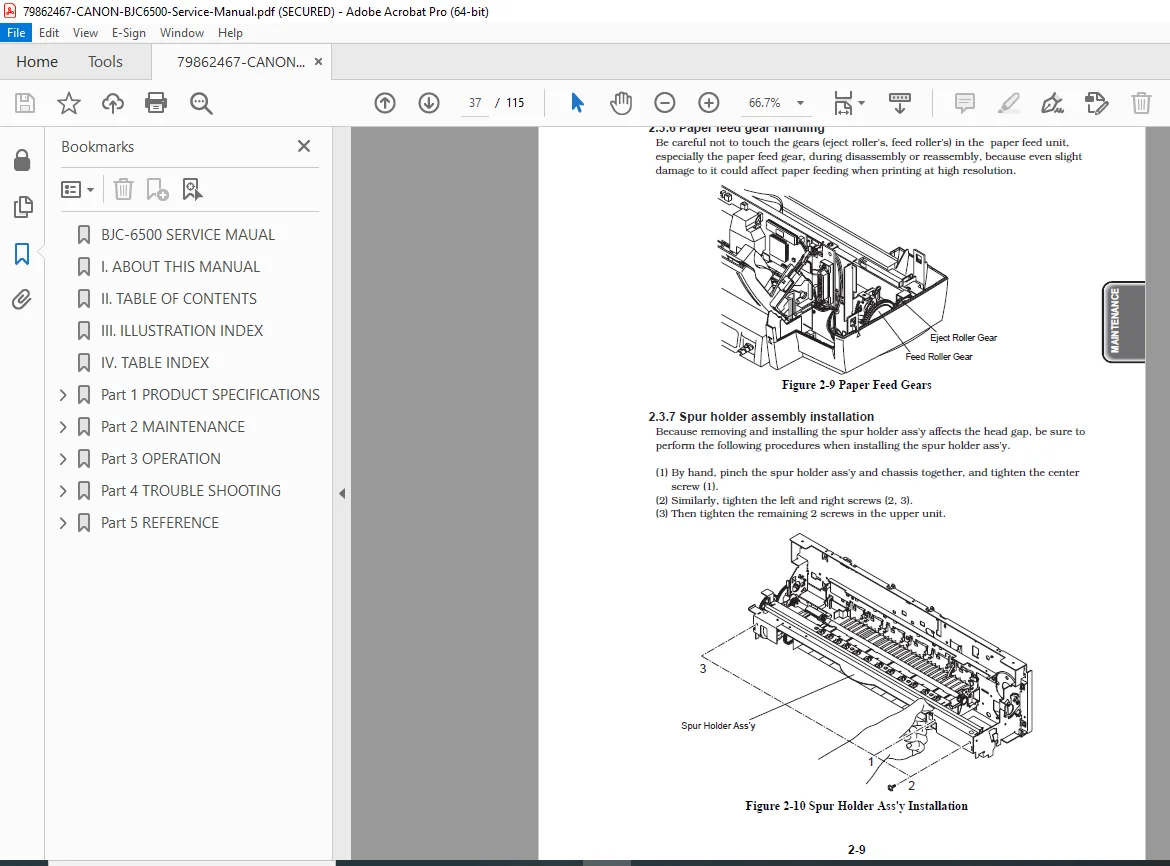
Removing the Printer Unit, ASF Unit, and Carriage Shaft Bushings.
Precautions for ink stains and static electricity.
Adjustment/Setting Procedures:
Print Head Position Adjustment.
Resetting the EEPROM (Waste Ink Counter).
Carriage Belt Tension Adjustment.
ASF Gear Position Adjustment.
Head Gap Adjustment.
Transporting the Printer: Packing procedures and carriage locking.
Part 3: OPERATION
Status Display: Indicator light codes and beeper signals.
Operations from Computer: Driver functions, Cleaning, Test Print.
Operations from Printer: Nozzle check pattern, Cleaning.
Service Functions (Service Mode):
Service/Factory Test Print.
EEPROM Information Print.
Waste Ink Counter Clear.
Model Setting.
Checking Presence of Ink.
Part 4: TROUBLESHOOTING
Troubleshooting by Displayed Errors:
User Recoverable Errors: Paper Jam, Ink Out, Cartridge Error.
Unrecoverable Errors: ROM/RAM Error, Home Position Error (5100), Waste Ink Full (5B00).
Troubleshooting by Symptoms: Power issues, Faulty printing, No printing.
Part 5: REFERENCE
Technical Reference: Paper feed unit functions, Form alignment, Sensor detection.
Connector Positions & Pin Assignments: Control Board, Carriage Board, BJ Cartridge.
Block Diagrams & Circuit Wiring.
🗃️ File Details
Manual Name: Canon BJC-6500 Service Manual
Models Covered: Canon BJC-6500 Color Bubble Jet Printer
Year: October 1999 (Revision 0)
Manual PDF Quality: High Quality (Text-searchable, clear diagrams and schematics)
No. of Pages: 115