Canon GP160 Service Manual PDF DOWNLOAD
Original price was: $65.00.$19.95Current price is: $19.95.
Comprehensive Canon GP160 service manual PDF for GP160 fax copier troubleshooting guide, Canon F160 disassembly procedures, GP160 DF160 maintenance instructions, Canon copier error codes diagnostics, GP160 parts list and diagrams, and laser copier wiring schematics. Covers introduction, basic operation, exposure system, image processing, laser exposure, image formation, pickup/feeding, fixing, externals/auxiliary controls, cassette unit, installation, maintenance, troubleshooting, and self diagnosis for GP160, F160, DF160 models.
Description
Canon GP160 Service Manual PDF DOWNLOAD
Description
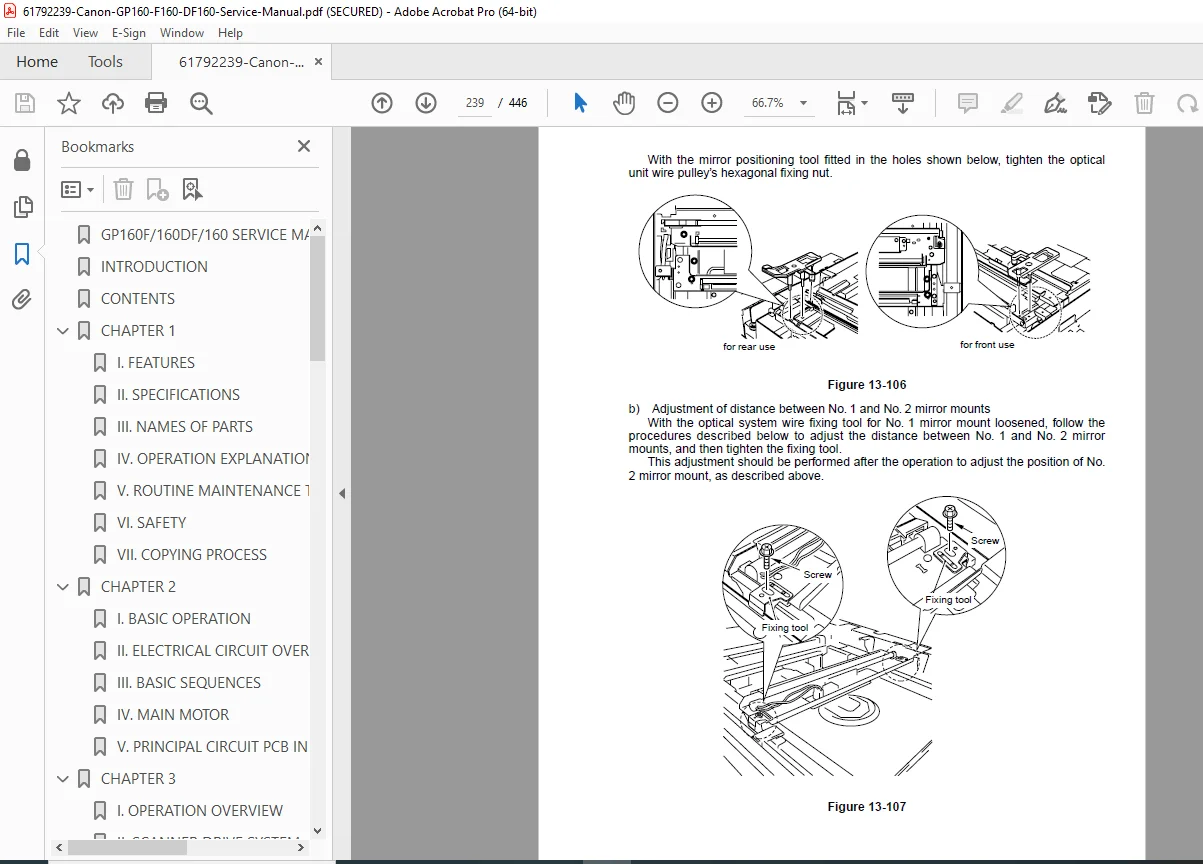
This Canon GP160 service manual PDF (FY8-13G2-000, Revision 0, February 1999) is an indispensable resource for technicians servicing the GP160, F160, and DF160 laser fax copier models from Canon. It features a detailed GP160 fax copier troubleshooting guide with self-diagnosis tools, error codes, and remedies for issues like paper jams, image quality problems, and electrical faults. The manual provides comprehensive Canon F160 disassembly procedures for components such as the pickup/feeding system, fixing assembly, and laser scanner unit, with step-by-step removal and reassembly instructions.
Canon copier error codes diagnostics classify faults with on-site fixes and testing methods. GP160 DF160 maintenance instructions outline preventive tasks, lubrication, cleaning, and adjustments to ensure optimal performance. The GP160 parts list and diagrams include exploded views and part numbers for accurate replacements. Canon copier wiring schematics detail electrical circuits for troubleshooting power supply, sensors, and controls.
Safety precautions emphasize handling high-voltage components and laser hazards. Visual aids such as diagrams, schematics, and photos support the GP160 fax copier troubleshooting guide and Canon F160 disassembly procedures throughout this Canon GP160 service manual PDF.
Table of Contents (Extracted and Categorized with Subsections and Page References; Nested Bullet Format):
- Chapter 1: Introduction (Page 1-1)
- Features
- Specifications
- Names of Parts
- Operation
- Chapter 2: Basic Operation (Page 2-1)
- Functional Construction
- Outline of Electrical Circuitry
- Inputs to and Outputs from the DC Controller
- Inputs to and Outputs from the Analog Processor PCB
- Inputs to and Outputs from the Fax PCB
- Basic Sequence of Operations
- Chapter 3: Exposure System (Page 3-1)
- Outline of Operations
- Sequence of Operations (book mode, one-sided)
- Various Control Mechanisms
- Chapter 4: Image Processing System (Page 4-1)
- Outline of Operations
- Construction
- Analog Image Processing
- Digital Image Processing
- Chapter 5: Laser Exposure System (Page 5-1)
- Outline
- Sequence of Operations (laser exposure system)
- Laser Driver Circuit
- Laser Scanner Motor Control Circuit
- Controlling the Laser Scanner Motor
- Chapter 6: Image Formation System (Page 6-1)
- Outline
- Sequence of Operations (image formation system)
- High-Voltage Power Supply Circuit
- Developing Assembly
- Toner Level Detection
- Drum Unit Detection
- Chapter 7: Pickup/Feeding System (Page 7-1)
- Outline
- Pickup from the Cassette
- Pickup from the Multifeeder
- Detecting Jams
- Delivery
- Chapter 8: Fixing System (Page 8-1)
- Outline of Operations
- Controlling the Fixing Film Speed
- Controlling the Fixing Temperature
- Detecting an Error
- Protective Functions
- Chapter 9: Externals/Auxiliary Control System (Page 9-1)
- Power Supply System
- Fans
- Chapter 10: Cassette Unit (Page 10-1)
- Pickup Control System
- Pickup Sequence (cassette unit)
- Detecting the Level of Paper (cassette unit)
- Detecting the Presence/Absence of a Cassette (cassette unit)
- Detecting Jams (cassette unit)
- Chapter 11: Installation (Page 11-1)
- Selecting the Site
- Unpacking and Installation
- Relocating the Machine
- Attaching the Document Tray
- Installing the Cassette Unit
- Chapter 12: Maintenance and Inspection (Page 12-1)
- Periodically Replaced Parts
- Consumables and Durables
- Scheduled Servicing Chart
- Image Adjustment Basic Procedure
- Points to Note for Scheduled Servicing
- Chapter 13: Troubleshooting (Page 13-1)
- Maintenance and Inspection
- Troubleshooting Image Faults
- Troubleshooting Malfunctions
- Troubleshooting Feeding Faults
- Arrangement of Electrical Parts
- Self Diagnosis
- Appendix (Page A-1)
- General Timing Chart
- Signals and Abbreviations
- General Circuit Diagram
- Solvent List
No separate bookmarks or index are present beyond the table of contents. This Canon GP160 service manual PDF supports repairs with Canon-specific insights and Japanese manufacturing standards.
File Details
- Manual Name: SERVICE MANUAL Canon GP160-F160-DF160
- Models Covered: GP160, F160, DF160
- Year: 1999
- Manual PDF Quality: Scanned with clear text and diagrams
- No of Pages: 446