Canon CXDI-50G/50C Service Manual PDF DOWNLOAD
Original price was: $120.00.$18.95Current price is: $18.95.
Download the official Canon CXDI-50G service manual PDF for CXDI-1 System with revised read-out circuit. This Canon CXDI-50C repair guide includes detailed CXDI-50G troubleshooting manual, CXDI-1 System maintenance instructions, and Canon digital radiography service handbook with installation, disassembly, PCB settings, parts lists, and error codes for professional servicing.
Description
Canon CXDI-50G/50C Service Manual PDF DOWNLOAD
Description: This essential Canon CXDI-50G service manual PDF download provides comprehensive guidance for servicing the CXDI-1 System digital radiography equipment, including models CXDI-50G and CXDI-50C with revised read-out circuit. Published by Canon Inc. Japan, Medical Technical Service Dept., it covers system overview, installation procedures, functional descriptions, disassembly/reassembly, PCB settings, parts catalogs, and troubleshooting, ensuring safe and effective maintenance for medical imaging applications. Detailed diagrams, specifications, and error code lists support technicians in handling connections, image processing, and component replacements.
The manual emphasizes precautions during service and setup, patient environment examples, and backup/recovery methods, making it a reliable Canon CXDI-50C repair guide for diagnosing issues in power boxes, sensors, and software.
File Details:
- Manual Name: CXDI-1 System CXDI-50G/50C Service Manual (Revised Read-out Circuit)
- Models Covered: CXDI-50G, CXDI-50C
- Year: Latest Edition
- Manual PDF Quality: High-quality scanned document with clear text, illustrations, and diagrams
- No. of Pages: 185
Table of Contents: The manual is structured into major sections with subsections for easy reference. Here’s the complete table of contents neatly categorized:
- Service Manual Introduction
- Caution Regarding Service
- Caution Regarding the Setup
- Example of Patient Environment
- General Content
- System Block Diagram CXDI-1
- Standalone System
- System Diagram
- Total System
- CXDI Image Processing
- Image Types
- Process Flow
- Specifications
- Installation Content
- Caution During the Installation
- 3 Packing Diagram
- X-Ray Digital Camera System
- CXDI-50G Assemble Package
- CXDI-50G Imaging Unit Package
- CXDI-50G Power Box Assemble Package
- Grid (Optional)
- 4 Installation Procedures
- Lists of Tool Needed for Installation
- System Installation Procedures
- Installation
- Connection to each Unit
- Connection Diagram
- Connecting to the Power Box
- Cable Connections
- Connection Diagram for Control PC Rear Panel
- Starting up and Shutting down the System
- X-Ray Controller Interface
- Interface Signal Description
- Signal Names and Functions in the Connection with the X-Ray Generator
- Connecting Condition
- The Connection with CXDI-50G and X-Ray Generator Equipment
- Rating and Characteristics for Relay and Photo Coupler (on PCB-50XRAY Board)
- PCI (Photo-Coupler)
- Setting the Fixed ROI Areas
- Settings
- Checking and Setting the Date and Time
- Checking and Setting for Time Difference to GMT
- Checking and Setting the Firmware Version
- Installing Firmware and PLD Code
- Checking the Sensor Serial No.
- Set up Startup Menu
- Identifying the Sensor Units
- Entering Control PC Serial Number
- Table Setup Settings
- Performing the Annotation Settings
- Network Connections
- Parameter List DICOM Storage Device
- Parameter List DICOM Printer
- Examples of Parameters Used with Different Makers and Types of Printers
- Printer Model Specifications
- Error Return Values and Log Output for Print Stuff
- Precautions for Connecting the Server
- Send Image Error Return Values and Log Output
- Concerning the Dry View 8700
- LUT (Lookup Table)
- Modality Connection I/F
- Dry View 8700 Plus
- Dry View 8700 Plus + 8800 Multi Input Manager
- Dry View 8700 Dual + 8800 Multi Input Manager
- Linearity Check of Transfer Image Density
- Ideal Density Values in LINEAR LINE
- Fine Adjustment
- Ideal Density Data for Linear Line
- SMPTE Density
- Operation Unit Gamma Correction
- Comparison of Operation Unit Image and Print Image or Monitor Image
- Operation Unit Image Gamma Correction
- Changing the Total Image Count
- Backing up When Installing
- Backing up Setting Data to FD
- Tool Modes (/Np Mode)
- Image Quality
- Post-Installation Checks
- 6 Dimension
- Imaging Unit
- Power Box
- Remote Switch
- Function Content
- PCB-50 LED Board
- PCB-50Di Board
- Power Box
- PCB-50 X-Ray Board
- Remote Switch
- 50 Power Supply
- Available Imaging Time (Normal Imaging/Long-Term Imaging)
- Overview
- Precaution
- Technical Description
- Adding Values to the Imaging Conditions Table
- Imaging Conditions Table
- Kv, Ma, Mas, CM Maximum Value Check
- Msec Maximum Value Checking
- About the Power Box Initialization Switch
- Disassemble/Reassemble
- Removing Grip Unit
- Removing the Side Cover
- Removing the Cover
- Exchanging the Sensor Cable
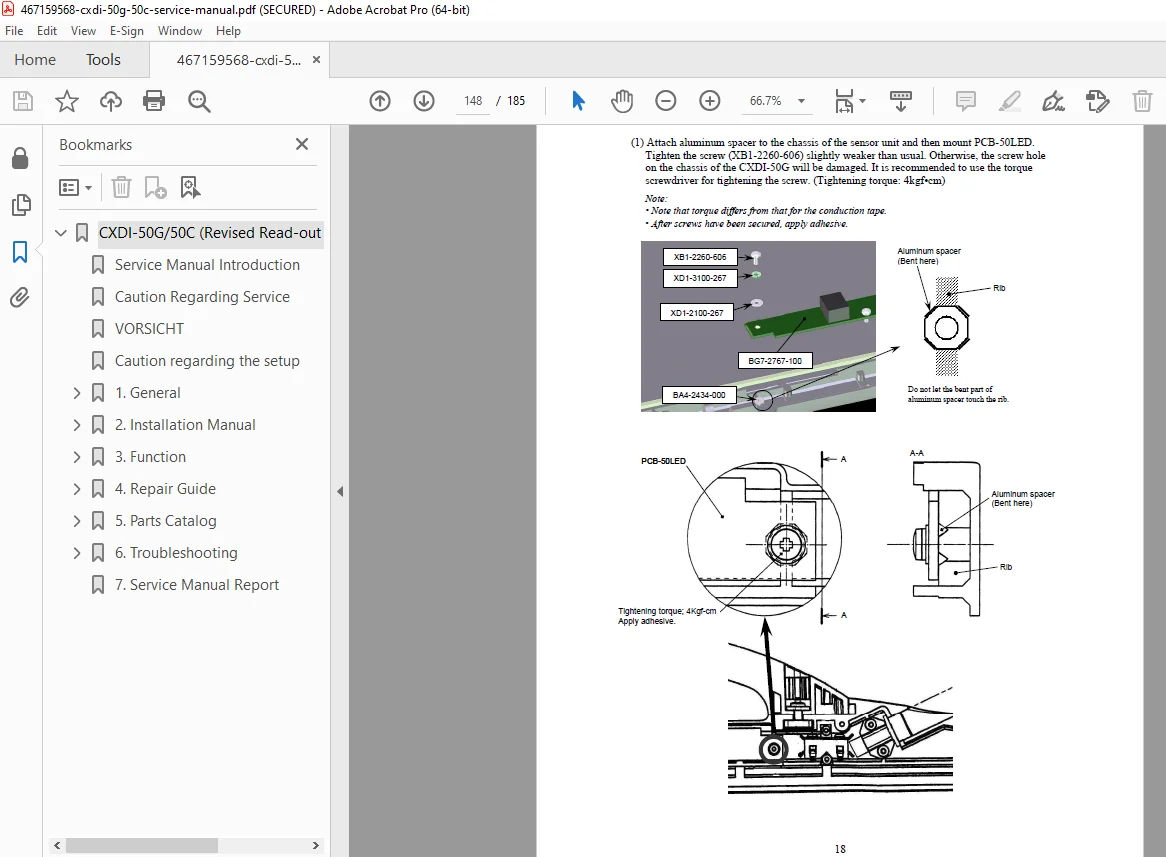
- Removing the PCB-50 LED
- Attaching the PCB-50Di
- Attaching the PCB-50AD
- Attaching the PCB-50XRAY
- 2 PCB Settings
- When PCB-50Di (BG7-2766) Is Replaced
- When Sensor Unit Is Replaced
- When 50 Power Unit 7M (BG7-2857) / 3M (BG7-2858) Is Replaced
- When PCB-50AD (BG7-2770) Is Replaced
- When PCB-50LED (BG7-2767) Is Replaced
- When PCB-50XRAY (BG7-2770) Is Replaced
- Operation Required for Replacing Parts
- Parts Catalog Contents
- CXDI-50G
- Imaging Unit
- Power Box
- Remote Switch Unit
- CXDI-50G (Electrical)
- Power Box (Electrical)
- Index of Part Numbers
- Troubleshooting Contents
- Gathering Information about Problems
- Outline
- Probable Problems
- Required Information
- Dmw
- Generator Communication Module
- Backup Method
- How to Back up and Recover the System
- Recovery Method
- When Problems Occur in a Ccr Software Ini File
- When Problems Occur in Ccr Software
- When Problems Occur in Driver Software
- When the Hard Drive Crashes
- The Number of Changed Components that Require no Reactivation
- With or Without Reactivation Required
- Error Code List for Version 6.00
- Gathering Information about Problems
This Canon CXDI-50G troubleshooting manual is invaluable for diagnosing issues like sensor errors or power box failures, making it a must-have CXDI-1 System maintenance instructions resource.
Empower your repairs with this Canon digital radiography service handbook—download instantly for immediate access to professional-level diagnostics and get your CXDI systems operational today!