Canon iPF 8000 8000S 8100 8300 8300S Large Format Printer Service Manual PDF
Original price was: $85.00.$16.95Current price is: $16.95.
Official Canon iPF 8000 series large-format printer service manual for professional service technicians. This comprehensive 680-page PDF covers complete maintenance, installation, troubleshooting, and repair for iPF8000, iPF8000S, iPF8100, iPF8300, and iPF8300S wide-format printers (44-inch). Includes detailed technical references, firmware operations, electrical/mechanical systems, disassembly procedures, sensor functions, and adjustment protocols. Essential for Canon service centers and imaging equipment technicians.
Description
Canon iPF 8000 8000S 8100 8300 8300S Large Format Printer Service Manual PDF DOWNLOAD
DESCRIPTION
Canon imagePROGRAF iPF 8000 Series Service Manual – Complete Professional Large-Format Printer Service Reference
This is the official factory service manual for the Canon imagePROGRAF iPF 8000 series large-format printers. Published in March 2011 by Canon Inc., this professional-grade technical documentation is essential for qualified service technicians, wide-format printer specialists, and authorized Canon service centers who install, maintain, and repair these professional 44-inch imaging systems.
📋 FILE DETAILS
- Manual Name: Service Manual iPF8000 series
- Printers Covered:
- Canon iPF8000 – 44″ Large-Format Printer
- Canon iPF8000S – 44″ with 160GB HDD
- Canon iPF8100 – 44″ with 80GB HDD
- Canon iPF8300 – 44″ Enhanced Model with 80GB HDD
- Canon iPF8300S – 44″ Enhanced Model with 160GB HDD
- Manufacturer: Canon Inc., Japan
- Publication Date: March 7, 2011
- Total Pages: 680 pages
- File Format: PDF
- PDF Quality: High-quality official manual with detailed diagrams
- Language: English
- Page Size: A4 format
🔧 COMPREHENSIVE COVERAGE INCLUDES:
Introduction & Safety
Symbols Used:
- Caution symbols
- Electric shock warnings
- Fire prevention warnings
- Disassembly prohibition symbols
- Power disconnect symbols
- Memo and reference indicators
- Service mode descriptions
- Error indication symbols
Service Manual Rules:
- Mechanical drive paths
- Electrical signal directions
- Digital circuit conventions (‘1’ = High, ‘0’ = Low)
- Microprocessor operation descriptions
- Sensor to DC controller signal flow
- Service information updates
Chapter 1: PRODUCT DESCRIPTION (Comprehensive Overview)
1.1 Product Overview:
iPF8000 / iPF8000S / iPF8100:
- 44-inch maximum print width
- High-speed photographic picture quality
- Stand-mounted design
- Roll media and cut sheet capability
- Large-format professional imaging
iPF8300 / iPF8300S:
- 44-inch maximum print width
- Enhanced performance
- High-speed photographic quality
- Professional stand-mounted system
- Versatile media handling
1.2 Features:
Common Features (All Models):
- Gigabit Ethernet (1000Base-T) standard
- Network interface (10Base-T/100Base-TX/1000Base-TX)
- e-maintenance compatibility
- imageWARE Remote management
- Centralized printer information management
- Intuitive operation panel design
- Professional imaging quality
1.2.6 Printhead:
- Replaceable printhead technology
- High-resolution printing
- Multiple ink channel design
- Nozzle configuration
- Print quality optimization
1.2.7-1.2.8 Ink Tank:
- Large-capacity ink system
- Individual color tanks
- Hot-swap capability
- Ink level monitoring
- Multi-color configuration
1.2.9 Cutter Unit:
- Automatic sheet cutter
- Precision cutting mechanism
- Adjustable cut position
- Media handling
1.2.10-1.2.11 Roll Holder:
- iPF8000/8000S/8100: 2-inch core standard
- iPF8300/8300S: Optional 3-inch core support
- Heavy media capacity
- Secure media mounting
- Easy roll loading
1.2.12 Stand:
- Caster-equipped base
- Easy mobility
- Stable platform
- Professional appearance
- Media basket integration
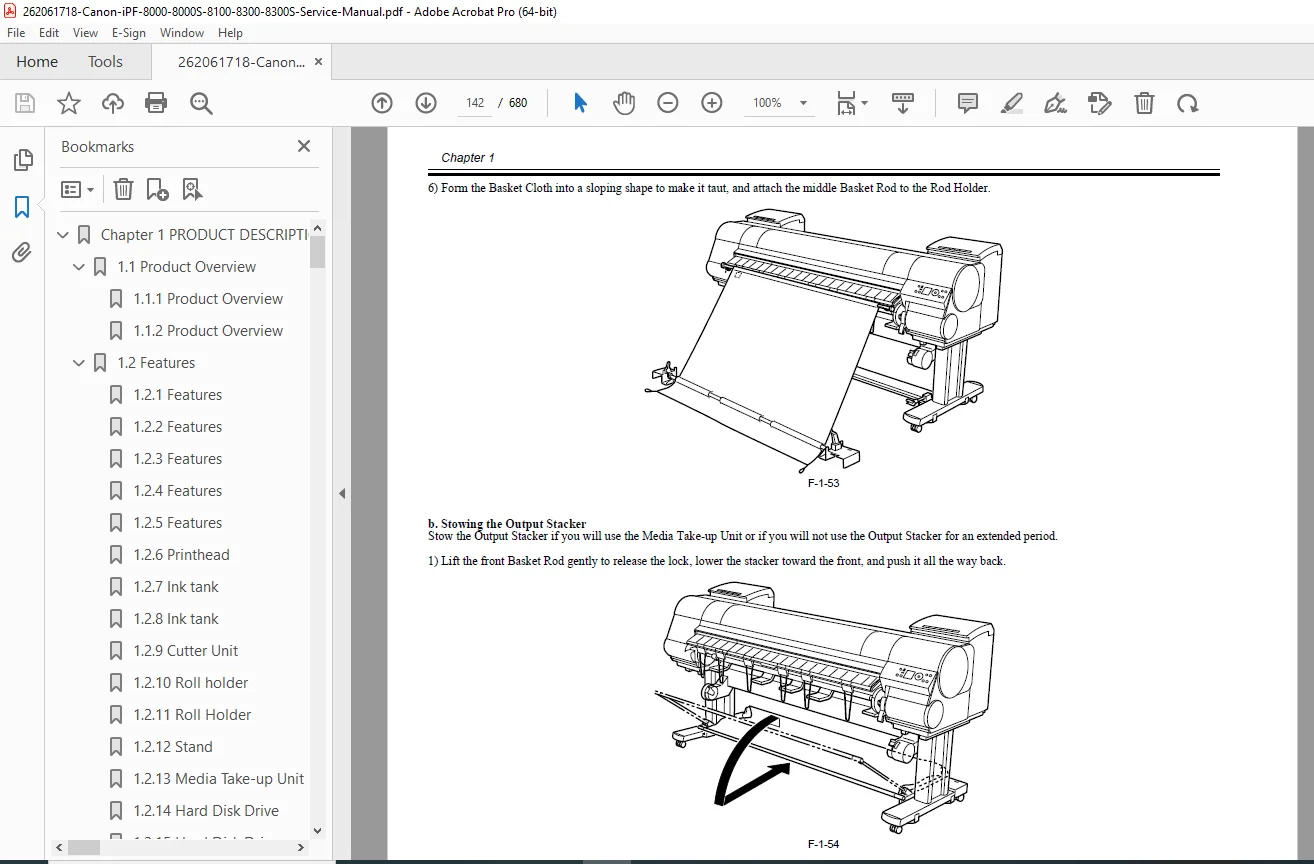
1.2.13 Media Take-up Unit:
- Automatic media take-up
- Independent error detection
- Sleep mode synchronization
- Large roll capacity
- Professional finishing
1.2.14-1.2.15 Hard Disk Drive:
- iPF8000S: No internal HDD
- iPF8100/8300: 80GB Serial ATA HDD
- iPF8000S/8300S: 160GB Serial ATA HDD
- Job storage capability
- Print queue management
- Error recovery without retransmission
- Resume printing after errors
1.2.16 IEEE1394 (FireWire) Board:
- Optional high-speed interface
- Direct connection capability
- Fast data transfer
1.2.17-1.2.20 Consumables:
- Printhead: Replaceable, model-specific
- Ink Tanks: Individual color cartridges
- Maintenance Cartridge: Includes shaft cleaner
- Consumables: Standard with printer
1.3 Product Specifications:
- Physical dimensions (W x D x H)
- Weight specifications
- Power requirements
- Environmental specifications
- Operating temperature/humidity
- Storage conditions
1.4 Detailed Specifications:
1.4.1 Printing Mode:
- Print quality settings
- Resolution options
- Speed vs. quality trade-offs
1.4.2-1.4.3 Print Speed and Direction:
- Bidirectional printing
- Unidirectional printing
- Speed by media type
- Speed by print quality
- Pass count information
1.4.4-1.4.5 Interface Specifications:
- Gigabit Ethernet
- USB 2.0
- IEEE1394 (optional)
- Network protocols
- Driver compatibility
1.5 Names and Functions of Components:
1.5.1-1.5.2 Front:
- Operation panel
- Media loading area
- Roll holder position
- Access doors
- Status indicators
1.5.3-1.5.4 Rear:
- Power connection
- Network interface
- USB ports
- Media take-up connection
- Ventilation areas
1.5.5-1.5.6 Top Cover (Inside):
- Printhead carriage
- Ink tube routing
- Maintenance station
- Purge unit access
1.5.7-1.5.8 Carriage:
- Printhead mounting
- Ink supply connections
- Encoder sensor
- Carriage belt system
1.5.9-1.5.11 Ink Tank Cover (Inside):
- Ink tank slots
- Supply valves
- Ink level sensors
- Tank identification
1.6 Basic Operation:
1.6.1-1.6.3 Operation Panel:
- LCD display
- Control buttons
- Navigation keys
- Function keys
- Status displays
1.6.4-1.6.5 Main Menu:
- Menu structure
- Navigation procedures
- Settings access
- Job management
- Printer configuration
1.6.6 Display:
- Status information
- Error messages
- Warning displays
- Operational feedback
1.6.7-1.6.8 Menu:
- Detailed menu descriptions
- Setup procedures
- Configuration options
- Maintenance functions
1.6.9 Basket Unit:
- Media collection
- Basket adjustment
- Media stacking
- Output management
1.7 Safety and Precautions:
1.7.1 Safety Precautions:
- 1.7.1.1 Moving Parts: Carriage, rollers, cutter warnings
- 1.7.1.2 Adhesion of Ink: Handling ink, spill procedures, personal protection
- 1.7.1.3 Electric Parts: High voltage warnings, shock prevention
1.7.2 Other Precautions:
- 1.7.2.1 Printhead: Handling, storage, installation
- 1.7.2.2 Ink Tank: Handling, replacement, disposal
- 1.7.2.3 Handling the Printer: Transportation, storage, environmental
1.7.3 Precautions When Servicing Printer:
- 1.7.3.1 Notes on Data Stored: Backup procedures, data preservation
- 1.7.3.2 Confirming Firmware Version: Version checking, compatibility
- 1.7.3.3 Precautions against Static Electricity: ESD protection, grounding
- 1.7.3.4 Precautions for Disassembly/Reassembly: Proper procedures, torque specifications
- 1.7.3.5 Self-diagnostic Feature: Error codes, diagnostic modes
- 1.7.3.6 Disposing of Lithium Battery: Safe disposal, environmental compliance
Chapter 2: TECHNICAL REFERENCE (Complete System Architecture)
2.1 Basic Operation Outline:
2.1.1-2.1.3 Printer Diagram:
- System block diagrams
- Component interconnections
- Signal flow
2.1.4-2.1.7 Print Signal Sequence:
- Timing diagrams
- Signal coordination
- Print cycle timing
- Data transfer sequences
2.1.8-2.1.12 Print Driving:
- Printhead drive circuits
- Nozzle firing control
- Drop formation
- Voltage waveforms
- Drive timing
2.2 Firmware:
2.2.1 Operation Sequence at Power-on:
- Boot sequence
- Initialization routines
- Self-test procedures
- Sensor verification
2.2.2 Operation Sequence at Power-off:
- Shutdown sequence
- Printhead capping
- Data saving
- Safe power-down
2.2.3-2.2.5 Print Control:
- Print job processing
- Data management
- Queue control
- Error handling
2.2.6 Print Position Adjustment Function:
- Bi-directional alignment
- Head alignment
- Feed calibration
2.2.7 Head Management:
- Nozzle check routines
- Automatic cleaning
- Printhead maintenance
2.2.8 Printhead Overheating Protection Control:
- Temperature monitoring
- Thermal protection
- Duty cycle management
2.2.9 Pause between Pages:
- Inter-page delays
- Drying time
- Media handling
2.2.10 White Raster Skip:
- Blank line detection
- Speed optimization
- Head movement control
2.2.11 Sleep Mode:
- Power saving
- Wake-up procedures
- Standby operations
2.2.12 Hard Disk Drive:
- Job storage
- Print spooling
- Data management
2.3 Printer Mechanical System:
2.3.1 Outline:
- Mechanical overview
- Drive systems
- Media path
2.3.2 Ink Passage:
- 2.3.2.1 Ink Passage: Complete ink flow diagram
- 2.3.2.2 Ink Tank Unit: Supply system, valves, sensors
- 2.3.2.3 Carriage Unit: Ink delivery to printhead
- 2.3.2.4 Printhead: Nozzle plate, ink channels
- 2.3.2.5 Purge Unit: Cleaning mechanism, waste ink collection
- 2.3.2.6 Maintenance Cartridge: Waste ink storage, capacity
- 2.3.2.7 Air Flow: Ventilation system, cooling
2.3.3 Paper Path:
- 2.3.3.1 Outline: Media handling overview
- 2.3.3.2 Paper Path: Feed rollers, platen, output path
- 2.3.3.3 Cutter Unit: Cutting mechanism, blade, positioning
2.4 Printer Electrical System:
2.4.1 Outline:
- 2.4.1.1-2.4.1.3 Overview: Electrical system architecture, PCB layout, interconnections
2.4.2 Main Controller:
- 2.4.2.1-2.4.2.3 Main controller PCB components: CPU, memory, interfaces, connectors
2.4.3 Carriage Relay PCB:
- 2.4.3.1: Signal routing, printhead interface
2.4.4 Head Relay PCB:
- 2.4.4.1-2.4.4.2: Printhead connections, drive circuits
2.4.5 Motor Driver:
- 2.4.5.1: Media take-up control, motor control circuits
2.4.6 Maintenance Cartridge Relay PCB:
- 2.4.6.1: Cartridge detection, sensor interface
2.4.7 Power Supply:
- 2.4.7.1: Power distribution, voltage regulation, protection circuits
2.5 Detection Functions with Sensors:
2.5.1 Sensors for Covers:
- Cover open/close detection
- Safety interlocks
2.5.2-2.5.3 Ink Passage System:
- Ink level sensors
- Ink supply sensors
- Tank presence detection
2.5.4 Carriage System:
- Carriage position sensor
- Linear encoder
- Home position sensor
2.5.5 Paper Path System:
- Media detection sensors
- Paper width sensor
- Cut sheet sensor
2.5.6 Media Take-up Unit:
- Take-up sensors
- Roll detection
2.5.7 Others:
- Temperature sensors
- Environmental sensors
Chapter 3: INSTALLATION
3.1 Installation:
3.1.1 Making Pre-Checks:
- 3.1.1.1-3.1.1.3: Site requirements, space clearance, environmental conditions, power supply verification
3.1.2 Unpacking and Installation:
- 3.1.2.1-3.1.2.2: Checking contents, inventory verification
- 3.1.2.3: Assembling the stand – step-by-step procedures
- 3.1.2.4: Installing the printer on stand
- 3.1.2.5: Installing media take-up unit
- 3.1.2.6: Installing basket unit
- 3.1.2.7: Removing protection materials
3.1.3 Checking Images/Operations:
- 3.1.3.1: Installation verification, test print, operational checkout
3.2 Transporting the Printer:
- 3.2.1.1-3.2.1.5: Complete transportation procedures for all five models
- 3.2.2.1: Reinstallation after transport
Chapter 4: DISASSEMBLY/REASSEMBLY
4.1 Service Parts:
- Complete parts catalog
- Part numbers
- Replacement parts list
4.2 Disassembly/Reassembly:
- General procedures
- Tool requirements
- Safety precautions
4.3 Points to Note:
4.3.1: Items never to be disassembled
4.3.2: Moving carriage manually
4.3.3: Units requiring ink draining
4.3.4: External covers removal
4.3.5: Drive unit disassembly
4.3.6-4.3.7: Carriage unit procedures
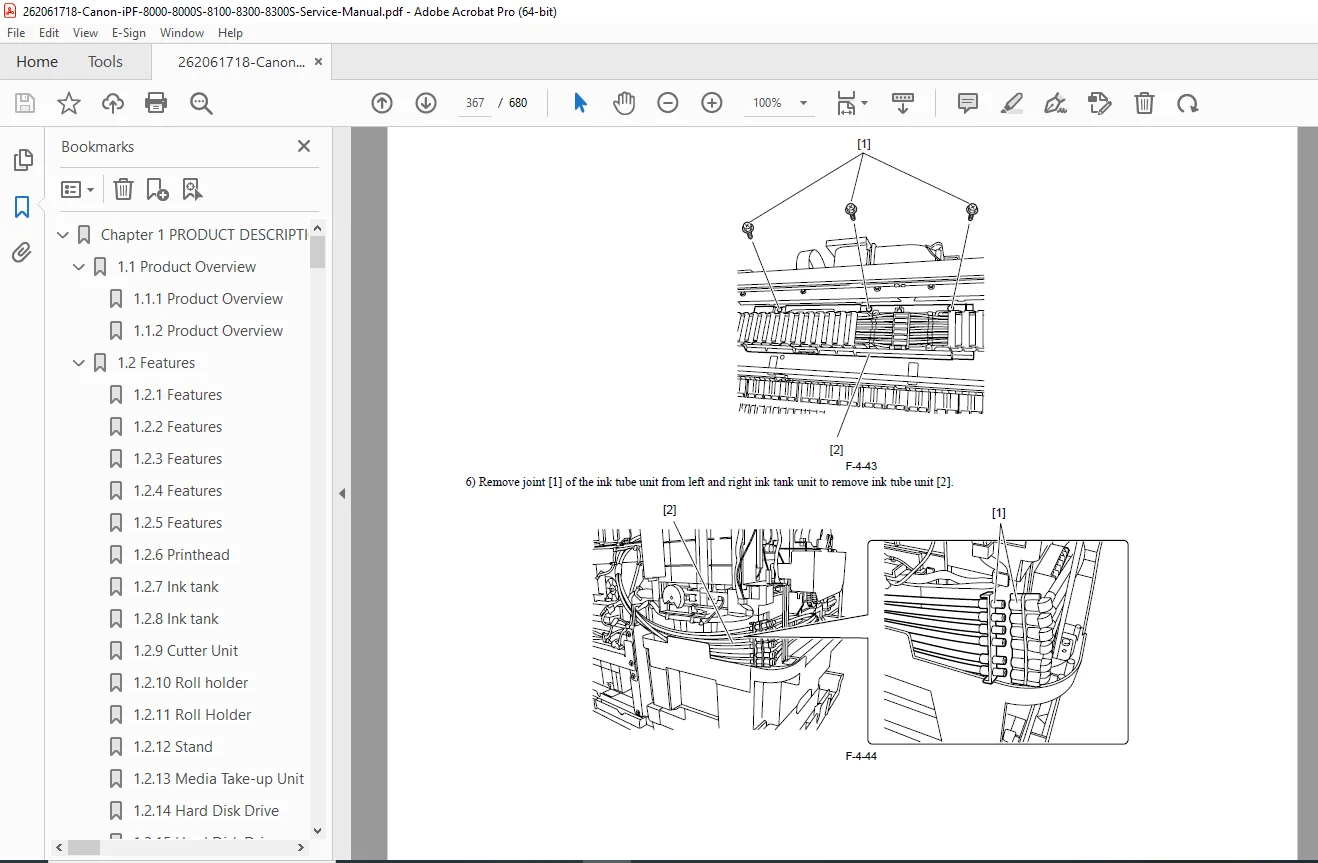
4.3.8: Ink tube unit
4.3.9: Feeder unit
4.3.10: Purge unit
4.3.11: Ink tank unit
4.3.12: Linear encoder
4.3.13: Head management sensor
4.3.14-4.3.15: PCB removal/replacement
4.3.16: Opening cap, moving wiper
4.3.17: Draining ink procedures
4.3.18: Opening/closing ink supply valves
4.3.19: Additional ink drainage
4.4 Applying Grease:
- Lubrication points
- Grease specifications
- Application procedures
4.5 Adjustment and Setup Items:
- 4.5.1-4.5.2: Adjustment item lists
- 4.5.3-4.5.4: Carriage unit/multi sensor replacement procedures
- 4.5.5: Feed roller/encoder replacement
- 4.5.6: Head management sensor replacement
Chapter 5: MAINTENANCE
5.1 Periodic Replacement Parts:
- Replacement schedules
- Part life specifications
- Replacement procedures
5.2 Consumable Parts:
- 5.2.1-5.2.5: Ink tanks, printheads, maintenance cartridges, replacement intervals
5.3 Periodic Maintenance:
- Maintenance schedule
- Cleaning procedures
- Performance verification
🎯 iPF 8000 SERIES SPECIFICATIONS:
Print Technology: ✅ FINE (Full-photolithography Inkjet Nozzle Engineering) technology
✅ Thermal bubble jet
✅ 44-inch maximum print width
✅ High-resolution output
✅ Photographic quality printing
Models & Features: ✅ iPF8000: Base model, no internal HDD
✅ iPF8000S: 160GB HDD storage
✅ iPF8100: 80GB HDD storage
✅ iPF8300: Enhanced, 80GB HDD
✅ iPF8300S: Enhanced, 160GB HDD
Network: ✅ Gigabit Ethernet standard
✅ 1000Base-T connectivity
✅ 10/100/1000 Mbps
✅ Network management
✅ Remote monitoring
Media Handling: ✅ Roll media support
✅ Cut sheet capability
✅ 2-inch core standard (8000/8100)
✅ 3-inch core optional (8300)
✅ Media take-up unit
✅ Automatic cutter
💡 IDEAL FOR:
✅ Canon authorized service centers
✅ Large-format printer service technicians
✅ Wide-format imaging equipment specialists
✅ Print shop service departments
✅ Graphics production maintenance teams
✅ Professional imaging technicians
✅ CAD/technical document service providers
✅ Photo lab equipment technicians
✅ Anyone servicing Canon iPF series printers
🌟 KEY BENEFITS:
- Five Models Covered: Complete documentation for entire iPF 8000 series
- Massive 680 Pages: Most comprehensive technical documentation
- Professional 44-inch Format: Large-format printing expertise
- Complete System Coverage: Mechanical, electrical, firmware
- Detailed Disassembly: Step-by-step component removal
- Installation Procedures: Complete setup and transportation
- Sensor Functions: All detection systems explained
- Adjustment Protocols: Precise calibration procedures
- Official Canon Documentation: Factory service procedures
- Minimize Downtime: Fast problem resolution for production equipment
📥 DOWNLOAD INFORMATION:
- Instant Download: Immediate access after purchase
- Format: PDF with bookmarks for easy navigation
- Compatibility: Works on PC, Mac, tablet, smartphone
- Searchable: Full-text search for quick reference
- Printable: Print entire manual or specific sections
- High Quality: Clear diagrams, schematics, and photographs
- Bookmarked: Navigate easily to any chapter
- Professional: Official Canon Inc. documentation
⚠️ IMPORTANT NOTES:
- This is a professional service manual for qualified service technicians
- Contains detailed electrical schematics and mechanical procedures
- Official Canon Inc. documentation
- Essential for maintaining print quality and equipment performance
- ESD precautions required
- Proper tools and genuine Canon parts recommended
- Ink handling safety procedures included
🔧 REQUIRED SERVICE EQUIPMENT:
- Standard hand tools
- Torque wrenches
- Digital Multimeter
- ESD protection equipment
- Grease applicators
- Ink drainage equipment
- Print quality test targets
- Alignment tools
- Canon-specific service tools
🌟 WHY CHOOSE THIS MANUAL?
This is the authentic Canon factory service manual, not third-party documentation. It contains proprietary diagnostic procedures, disassembly instructions, firmware operations, and maintenance procedures developed by Canon engineers. The iPF 8000 series represents professional large-format imaging systems requiring factory-level service procedures to maintain photographic print quality and operational reliability.
The manual’s comprehensive coverage of five different models (8000, 8000S, 8100, 8300, 8300S) makes it invaluable for service departments supporting professional imaging operations.
Order now for immediate download access to complete Canon iPF 8000 series large-format printer service documentation!