Challenger EU Applicators 900 1100 1300 Gallons Row Crop System Operator’s Manual – PDF DOWNLOAD
Original price was: $89.95.$23.95Current price is: $23.95.
Challenger EU Applicators 900 1100 1300 Gallons Row Crop System Operator’s Manual – PDF DOWNLOAD
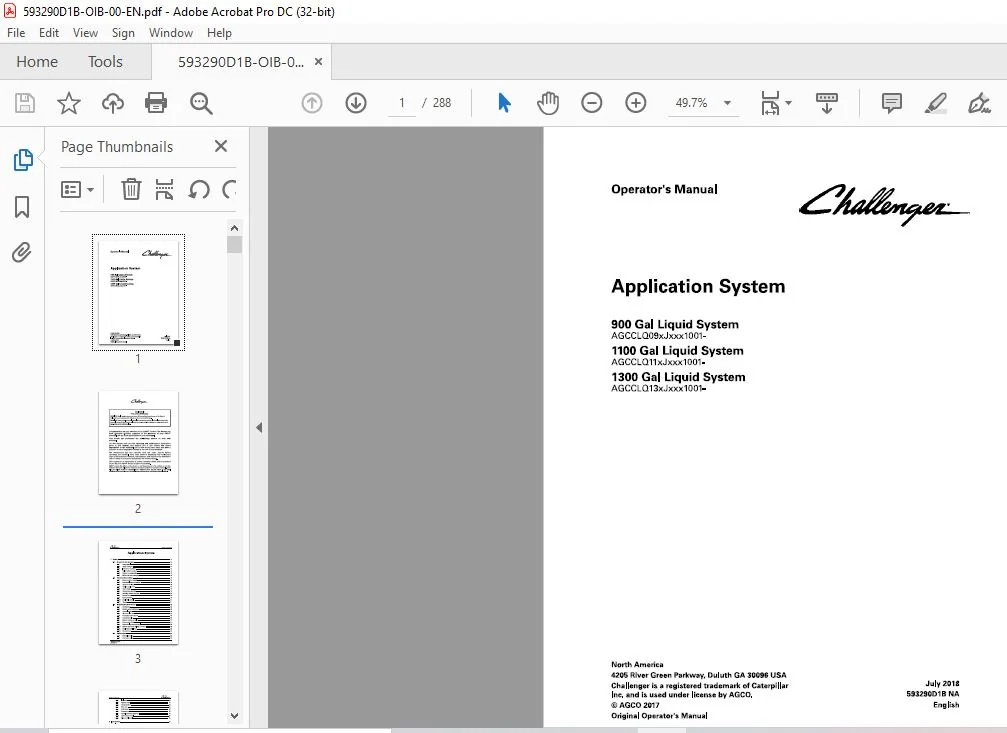
900 Gal Liquid System
AGCCL009xJxxx1001-
1100 Gal Liquid System
AGCCLQ 11 xJxxx1001-
1300 Gal Liquid System
AGCCLQ 13xJxxx1001-
Description
Challenger EU Applicators 900 1100 1300 Gallons Row Crop System Operator’s Manual – PDF DOWNLOAD
DESCRIPTION:
Challenger EU Applicators 900 1100 1300 Gallons Row Crop System Operator’s Manual – PDF DOWNLOAD
900 Gal Liquid System
AGCCL009xJxxx1001-
1100 Gal Liquid System
AGCCLQ 11 xJxxx1001-
1300 Gal Liquid System
AGCCLQ 13xJxxx1001-
A word to the operator:
It is your responsibility to read and understand the safety section in this manual and the manual for all implements before you operate this machine. You are responsible for your safety. Good safety procedures prevent injury to you and the persons around you. Make the information in the safety section of this manual a part of your safety procedure. This safety section is written only for this type of machine. Safety is your responsibility. You can prevent injury and death.
- This safety section gives basic safety examples that can occur during the operation and maintenance of your machine. This safety section is not a replacement for safety instruction in other sections of this manual.
- Injury or death can occur if the safety instruction is not obeyed. Learn how to operate the machine and how to use the controls correctly. Do not operate the machine if you do not know how to operate the machine.
- Do not let persons operate the machine that do not know how to operate the machine. Follow all safety instructions in the manuals and on the safety signs on the machine, the implements, and the attachments. Use only approved attachments and implements. Make sure that your machine has the correct equipment that is necessary by the local regulations.
FILE DETAILS:
Challenger EU Applicators 900 1100 1300 Gallons Row Crop System Operator’s Manual – PDF DOWNLOAD
Size: 38.7 MB
Format: PDF
Language: English
Brand: Challenger
Type of Machine: Applicators
Type of document: Operator’s Manual
Model: Challenger EU Application System 900 1100 and 1300 Gallons Row Crop System
Serial Number:
900 Gallons Row Crop System AGCCLQ09xJxxx1001-
1100 Gallons Row Crop System AGCCLQ11xJxxx1001-
1300 Gallons Row Crop System AGCCLQ13xJxxx1001-
Number of Pages: 288 pages
Date Modified: 07/2018
Part Number: 593290D1B
TABLE OF CONTENTS:
Challenger EU Applicators 900 1100 1300 Gallons Row Crop System Operator’s Manual – PDF DOWNLOAD
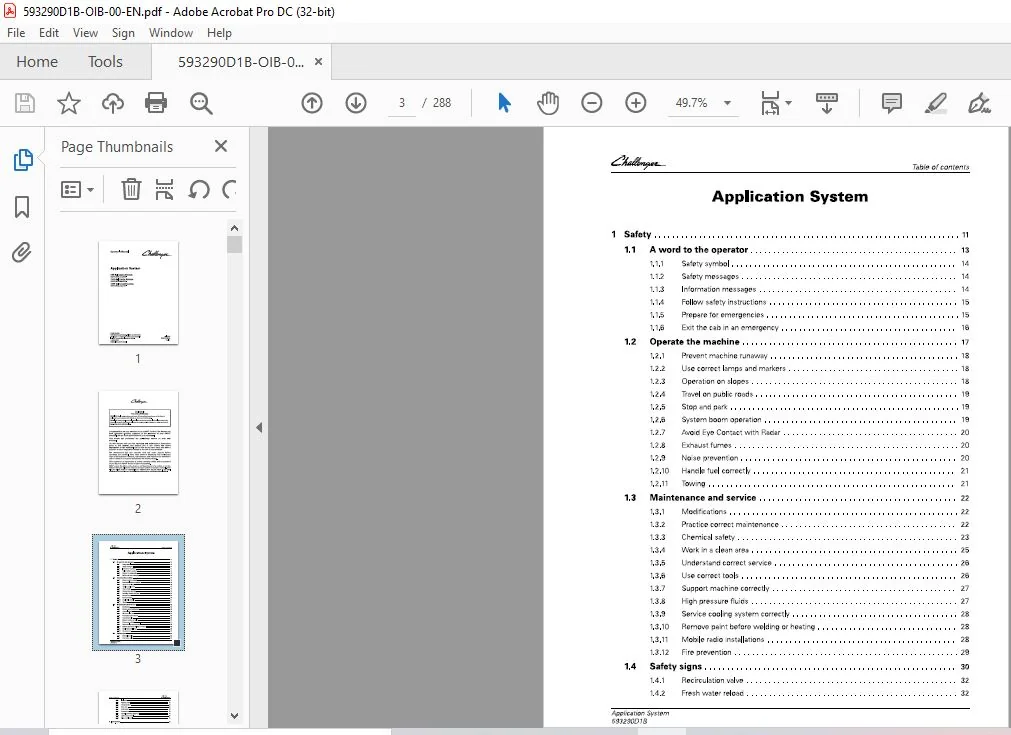
1 Safety 11
1 1 A word to the operator 13
1 1 1 Safety symbol 1 4
1 1 2 Safety messages 1 4
1 1 3 Information messages 1 4
1 1 4 Follow safety instructions 1 5
1 1 5 Prepare for emergencies 1 5
1 1 6 Exit the cab in an emergency 1 6
1 2 Operate the machine 17
1 2 1 Prevent machine runaway 1 8
1 2 2 Use correct lamps and markers 1 8
1 2 3 Operation on slopes 1 8
1 2 4 Travel on public roads 19
1 2 5 Stop and park 19
1 2 6 System boom operation 19
1 2 7 Avoid Eye Contact with Radar 20
1 2 8 Exhaust fumes 20
1 2 9 Noise prevention 20
1 2 10 Handle fuel correctly 2 1
1 2 1 1 Towing 2 1
1 3 Maintenance and service 22
1 3 1 Modifications 22
1 3 2 Practice correct maintenance 2 2
1 3 3 Chemical safety 2 3
1 3 4 Work in a clean area 25
1 3 5 Understand correct service 2 6
1 3 6 Use correct tools 2 6
1 3 7 Support machine correctly 27
1 3 8 High pressure fluids 27
1 3 9 Service cooling system correctly 28
1 3 10 Remove paint before welding or heating 28
1 3 1 1 Mobile radio installations 28
1 3 1 2 Fire prevention 29
1 4 Safety signs 30
1 4 1 Recirculation valve 3 2
1 4 2 Fresh water reload 3 2
Application System
593290018
Table of contents
1 4 3
1 4 4
1 4 5
1 4 6
1 4 7
1 4 8
1 4 9
1 4 10
1 4 11
Inhalation 3 2
Operator manual 3 2
Pressurized fluid 3 3
Water tank 3 3
Crush hazard 3 3
Center boom 3 3
Personal protective equipment 3 4
Liquid system control 3 4
3-Way control panel 3 4
2 Introduction 35
2 1 Introduction 37
2 1 1 Intended use 3 7
2 1 2 Proper disposal of waste 3 7
2 1 3 Pre-delivery checklist 3 7
2 2 Serial numbers 38
2 2 1 System serial number 3 8
2 2 2 Serial number definition 3 8
3 Operation 41
3 1 System controls 45
3 1 1 Drive lever controls 4 5
3 1 2 Armrest controls 4 5
3 1 3 Reload keypad 4 6
3 2 Spray system setup 48
3 2 1 Set up the application system 4 8
3 2 2 Boom nozzle spacing table 4 8
3 2 3 Calibrate the nozzles 5 0
3 2 4 Calibrate the flow meter 5 1
3 2 5 Calibrate the speed in monitors and controllers 5 3
3 2 6 Determine the main pressure line valve setting 5 4
3 2 7 Input – output modules 5 5
3 2 8 End row nozzles 5 5
3 2 9 Nozzle sizing 5 5
3 3 Plumbing controls 56
3 4 Product tank 58
3 4 1 View the tank settings 5 8
3 4 2 Set the product density 5 8
3 4 3 Product tank 5 8
3 4 4 Side reload 5 9
Application System
593290018
Table of contents
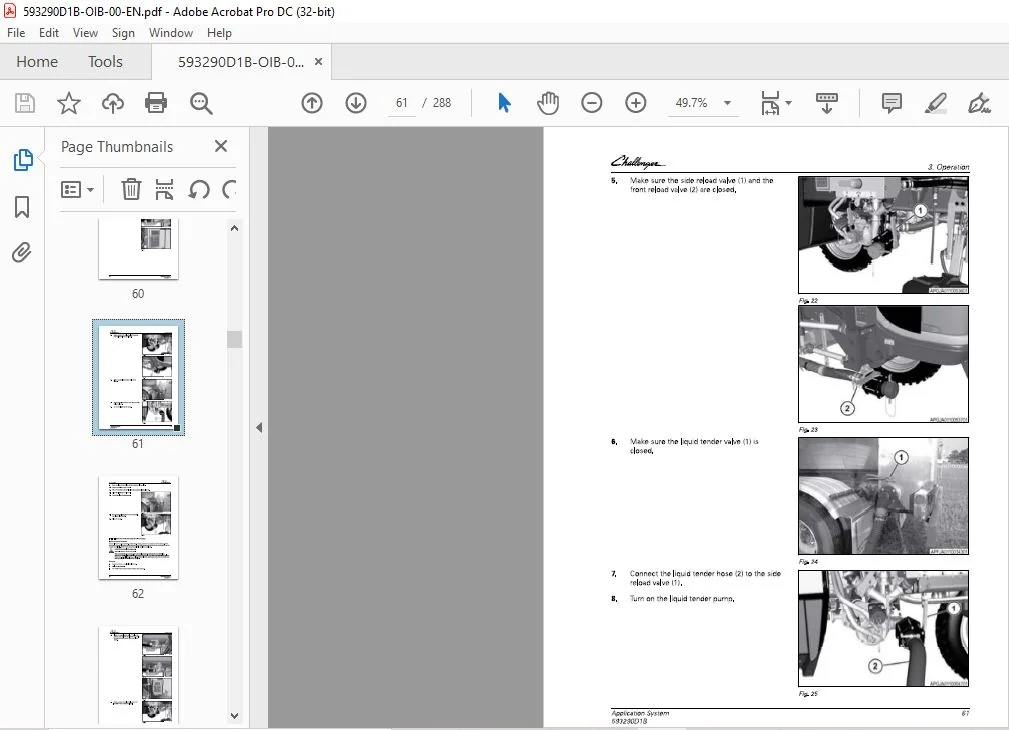
3 4 4 1 Fill the tank from the side using the liquid tender 5 9
3 4 4 2 Fill the tank from the side using the on-board pump 6 2
3 4 5 Front reload – if equipped 67
3 4 5 1 Fill the tank from the front using the liquid tender 67
3 4 5 2 Fill the tank from the front using the on-board pump 7 1
3 5 Agitation 77
3 5 1 View the agitation settings 77
3 5 2 Set the agitation 77
3 5 3 Agitate the product 78
3 6 Recirculatory system 80
3 6 1 Recirculatory system valve positions 8 0
3 6 2 Recirculate the product 8 0
3 7 Chemical eductor 82
3 7 1 Operate the eductor with the product tank 8 2
3 7 2 Operate the eductor with the liquid tender 85
3 8 Fresh water tank 92
3 8 1 Fill the fresh water tank 9 2
3 8 2 Fill the hand wash tank 9 3
3 9 Boom procedures 94
3 9 1 Fold out the booms 9 4
3 9 2 Fold out the booms using automatic fold 9 6
3 9 3 Fold in the booms 97
3 9 4 Fold in the booms with the automatic fold 99
3 9 5 Boom tip break-away 10 0
3 9 6 Automatic full-boom break-away return 101
3 9 7 Boom control manual override – without Autoboom 101
3 9 8 Boom control manual override – with Autoboom 10 2
3 10 Spray tips 105
3 10 1
3 10 2
3 10 3
Remove a spray tip 105
Install a spray tip 105
Change a spray nozzle 105
3 10 4 Check and clean a spray tip 10 6
3 11 Foam marker 107
3 11 1 View the foam marker settings 107
3 11 2 Fill the foam marker tank 107
3 11 3 Operate the foam marker 108
3 1 2 Chemical injection system 110
3 1 2 1 Fill the chemical injection system 111
3 1 2 2 Set the rate for the chemical injection 111
Application System
593290018
Table of contents
3 12 3 Rinse the chemical injection system 112
3 1 3 At the end of the job 114
3 1 3 1 Prepare the machine at the end of the job 114
3 1 4 Spray control calculator 116
3 14 1 Spray control calculator 116
3 14 2 Determine the application rates and nozzles 116
3 14 3 Determine the speed range 117
3 14 4 Other uses for the spray control calculator 119
3 1 5 Electrical power connection 12 1
3 1 6 Cleaning procedures 122
3 16 1 Valve and product flow indicators 122
3 16 2 Procedures for product recovery, cleanout, and rinse 124
3 16 3 Product recovery procedures 124
3 16 4 Rinse the tank 126
3 16 5 Clean out the boom without chemical injection 126
3 1 7 Diagnostics and calibration 12a
3 17 1 View the diagnostics screen 128
3 17 2 View the calibration menu 128
3 17 3 Calibrate the automatic fold 129
3 1 8 Application system removal and installation 133
3 18 1 Remove the liquid system 1 3 3
3 18 2 Install the spinner system 14 1
3 18 3 Remove the spinner system 14 7
3 18 4 Install the liquid system 15 2
4 TaskDoc™ I AgControl™ Operation 163
4 1 TaskDoc™ / TaskDoc Pro™ overview 167
4 1 1 TaskDoc system overview 1 67
4 1 2 TaskDoc Pro system overview 1 67
4 2 TaskDoc™ menu overview 169
4 2 1 TaskDoc menu overview 169
4 3 TaskDoc ™ / TaskDoc Pro TM commissioning 110
4 3 1 Install the mini S IM card for Global System for Mobile communication (G SM) 17 0
4 3 2 Condition for the commissioning 17 1
4 3 2 1 Switch on I S OBU S 17 1
4 3 3 Connection settings 17 2
4 3 3 1 View the connection settings for the Global Systems for Mobile
Communications (G SM) network 17 2
4 3 4 View the connection settings for the Code Division Multiple Access ( C DMA)
network 174
Application System
593290018
Table of contents
4 4 Connection settings 176
4 4 1 View the connection settings for the Global Systems for Mobile Communications
(G SM) network 17 6
4 4 2 View the connection settings for the Code Division Multiple Access ( C DMA)
network 177
4 5 TaskDoc ™ operation and settings 17 9
4 5 1 Task Doc information 17 9
4 5 2 View the Task Doc ™ main menu 17 9
4 5 3 Make a task/job 18 0
4 5 4 Copy a task 18 2
4 5 5 Select a task 18 3
4 5 6 Add categories to a task 18 4
4 5 7 Delete categories from a task 185
4 5 8 Filter by categories 18 6
4 5 9 View the Task Doc ™ data settings 187
4 5 10 View the roaming settings 188
4 5 11 View the on-board computer 189
4 5 12 Memory space monitoring 19 1
4 5 1 3 Delete all Task Doc data 19 1
4 6 TaskDoc™ faults and remedy 192
4 7
4 6 1 System test 19 2
4 6 1 1 Start the system test 19 2
4 6 1 2 System test results 19 2
Auto-Guide TM 195
4 7 1 View the Auto-Guide ™ map 195
4 7 2 View the worked area settings 196
4 7 3 View the Auto-Guide ™ main menu 197
4 7 4 View the field settings 198
4 7 4 1 Add a boundary 198
4 7 5 View the implement selection 20 2
4 7 6 View the steering settings 20 3
4 7 7 View the signal settings 20 3
4 7 8 View the correction signal screen 204
4 7 8 1 Select the signal type 205
4 7 9 View the system screen 207
4 7 10 View the NM EA settings 208
4 7 11 View the headland settings 209
4 7 12 Select the Auto-Guide™ button 209
4 8 AgControl™ Section Control operation and configuration 2 11
4 8 1 Ag Control ™ Section Control description 211
4 8 2 Section Control overview menu 211
Application System
593290018
Table of contents
4 8 3
4 8 4
4 8 5
4 8 6
4 8 7
4 8 8
4 8 9
4 8 10
4 8 11
Ag Control ™ icons 2 1 2
View the Ag Control ™ menus 2 1 3
View the rate control settings 214
View the virtual switch box 2 15
View the product flow 2 1 6
View the nozzle settings 2 1 6
View the boom settings 2 17
View the life time totals 2 18
Error codes 2 18
4 8 11 1 View the active error codes 2 18
4 8 11 2 View the stored error codes 2 19
4 8 12 View the Software Information screen 220
4 9 Section control 22 1
4 9 1 View the section control switches 221
4 9 2 Select manual or automatic section control 221
4 9 3 Automatic Section Control 221
4 9 4 View the section control settings 222
4 9 5 View the section settings 2 2 3
4 9 5 1 Adjust the delay switch O N time 224
4 9 5 2 Adjust the delay switch O F F time 224
4 10 AgControl™ Variable Rate Control (VRC) operation and settings 226
4 10 1 Ag Control Variable Rate Control (V R C) System requirements 226
4 10 2 View the Task Doc ™ data settings 226
4 10 3 Ag Control Variable Rate Control (V R C) make an application map with a field
database 2 27
4 10 4 Ag Control Variable Rate Control (V R C) Task Doc requirements 2 28
4 10 5 Ag Control Variable Rate Control (V R C) Activate 2 29
4 10 6 Ag Control Variable Rate Control (V R C) Pause task 2 3 1
4 10 7 Ag Control Variable Rate Control (V R C) map view and layer selection 2 3 2
4 10 8 Ag Control Variable Rate Control (V R C) example map views 2 3 3
4 11 Management 235
4 11 1 Terminal settings overview 2 3 5
4 11 2 Machine administration, implement administration and field administration; data
exchange 2 3 6
4 11 2 1 Data exchange with a U S B stick 2 3 6
5 Maintenance 239
5 1 Maintenance introduction 2 4 1
5 1 1 Lubricant filling reminders 24 1
5 2 Maintenance schedule 242
5 3 Boom trees 243
Application System
593290018
5 3 1
5 3 2
Table of contents
Lubricate the large boom tree 24 3
Lubricate the small boom tree 24 3
5 4 Booms 245
5 4 1 Lubricate the 90 and 10 0 foot booms 24 5
5 4 2 Lubricate the 120 foot booms 24 5
5 4 3 Adjust the 9 0 ft – 10 0 ft boom breakaway 24 6
5 4 4 Adjust the boom lead on 90 and 10 0 ft booms 24 8
5 4 5 Adjust the boom lead on 120 ft booms 24 9
5 4 6 Placement of the foldback rest and wear angle for 9 0 ft booms 25 0
5 4 7 Placement of the foldback rest and wear angle for 10 0 ft booms 25 1
5 4 8 Adjust the 120 ft boom breakaway 25 1
5 4 9 Adjust the 120 ft boom tip breakaway 25 2
5 4 10 Placement of the foldback rest bump stop and wear angle for 120 ft booms 25 4
5 4 11 Adjust the boom wear pad clearance 25 5
5 5 Plumbing 2 57
5 5 1 Check and clean a tip 25 7
5 5 2 Clean the high volume system line strainer 25 7
5 5 3 Clean the low volume system line strainers 25 8
5 5 4 Liquid system hoses 25 9
5 5 5 Hydraulic lines 2 6 0
5 6 System storage 26 1
5 6 1 Prepare the application system for storage 2 6 1
5 6 2 Winterize the liquid system 2 6 1
5 6 3 Winterize the foam marker system 2 6 4
5 6 4 Winterize the chemical injection system 265
6 Troubleshooting 267
6 1 Fault code reference 269
7 Specifications 279
7 1 Liquid system specifications 28 1
7 1 1 Liquid system weight 28 2
8 Index 283
CHALLENGER EU APPLICATORS 900 1100 1300 GALLONS ROW CROP SYSTEM OPERATOR’S MANUAL – PDF DOWNLOAD:
IMAGES PREVIEW OF THE MANUAL:


PLEASE NOTE:
- This is not a physical manual but a digital manual – meaning no physical copy will be couriered to you. The manual can be yours in the next 2 mins as once you make the payment, you will be directed to the download page IMMEDIATELY.
- This is the same manual used by the dealers inorder to diagnose your vehicle of its faults.
- Require some other service manual or have any queries: please WRITE to us at [email protected]
S.V