Challenger EU Applicators AirMax 180 Application System Operator Manual_ACW5459100
Original price was: $89.95.$19.95Current price is: $19.95.
Challenger EU Applicators AirMax 180 Application System Operator Manual_ACW5459100 – PDF DOWNLOAD
Description
Challenger EU Applicators AirMax 180 Application System Operator Manual_ACW5459100 – PDF DOWNLOAD
DESCRIPTION:
Challenger EU Applicators AirMax 180 Application System Operator Manual_ACW5459100 – PDF DOWNLOAD
A word to the operator:
It is your responsibility to read and understand the safety section in this manual and the manual for all implements before you operate this machine. You are responsible for your safety. Good safety procedures prevent injury to you and the persons around you. Make the information in the safety section of this manual a part of your safety procedure. This safety section is written only for this type of machine. Safety is your responsibility. You can prevent injury and death.
- This safety section gives basic safety examples that can occur during the operation and maintenance of your machine. This safety section is not a replacement for safety instruction in other sections of this manual.
- Injury or death can occur if the safety instruction is not obeyed. Learn how to operate the machine and how to use the controls correctly. Do not operate the machine if you do not know how to operate the machine.
- Do not let persons operate the machine that do not know how to operate the machine. Follow all safety instructions in the manuals and on the safety signs on the machine, the implements, and the attachments. Use only approved attachments and implements. Make sure that your machine has the correct equipment that is necessary by the local regulations.
FILE DETAILS:
Challenger EU Applicators AirMax 180 Application System Operator Manual_ACW5459100 – PDF DOWNLOAD
Size: 14.8 MB
Format: PDF
Language: English
Brand: Challenger
Type of Machine: Applicators
Type of document: Operator Manual
Model: Challenger EU AirMax 180 Application System
Number of Pages: 130 pages
Date Modified: 07/2018
Part Number: ACW5459100
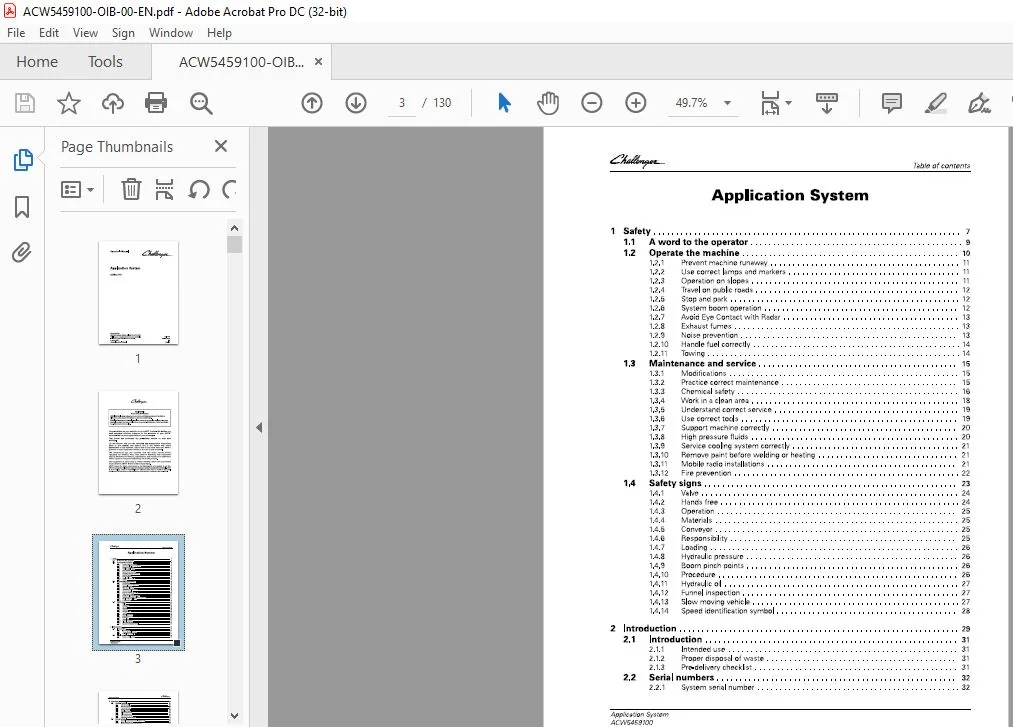
TABLE OF CONTENTS:
Challenger EU Applicators AirMax 180 Application System Operator Manual_ACW5459100 – PDF DOWNLOAD
1 Safety 7
1 1 A word to the operator 9
1 2 Operate the machine 10
1 2 1 Prevent machine runaway 1 1
1 2 2 Use correct lamps and markers 1 1
1 2 3 Operation on slopes 1 1
1 2 4 Travel on public roads 1 2
1 2 5 Stop and park 1 2
1 2 6 System boom operation 1 2
1 2 7 Avoid Eye Contact with Radar 1 3
1 2 8 Exhaust fumes 1 3
1 2 9 Noise prevention 1 3
1 2 10 Handle fuel correctly 1 4
1 2 1 1 Towing 1 4
1 3 Maintenance and service 15
1 3 1 Modifications 15
1 3 2 Practice correct maintenance 15
1 3 3 Chemical safety 16
1 3 4 Work in a clean area 1 8
1 3 5 Understand correct service 1 9
1 3 6 Use correct tools 1 9
1 3 7 Support machine correctly 20
1 3 8 High pressure fluids 20
1 3 9 Service cooling system correctly 2 1
1 3 10 Remove paint before welding or heating 2 1
1 3 1 1 Mobile radio installations 2 1
1 3 1 2 Fire prevention 2 2
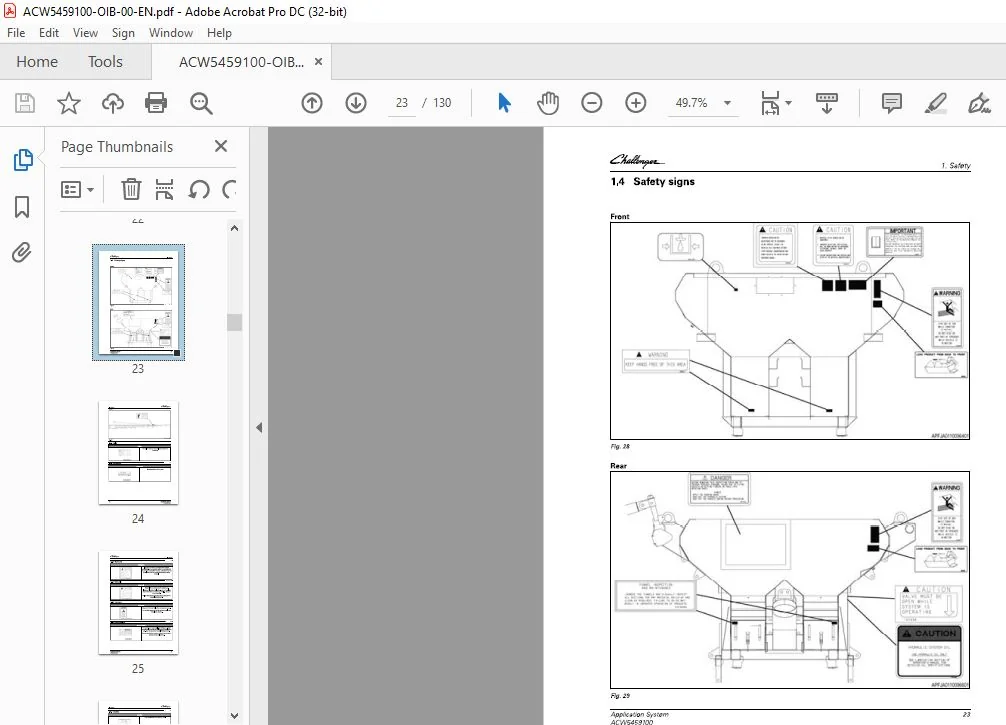
1 4 Safety signs 23
1 4 1 Valve 2 4
1 4 2 Hands free 2 4
1 4 3 Operation 25
1 4 4 Materials 25
1 4 5 Conveyor 25
1 4 6 Responsibility 25
1 4 7 Loading 26
1 4 8 Hydraulic pressure 26
1 4 9 Boom pinch points 26
1 4 10 Procedure 26
1 4 1 1 Hydraulic oil 27
1 4 1 2 Funnel inspection 27
1 4 1 3 Slow moving vehicle 27
1 4 1 4 Speed identification symbol 2 8
2 Introduction 29
2 1 Introduction 31
2 1 1 Intended use 3 1
2 1 2 Proper disposal of waste 3 1
2 1 3 Pre-delivery checklist 3 1
2 2 Serial numbers 32
2 2 1 System serial number 3 2
Application System
ACW5459100
Table of contents
3 Operation 33
3 1 System controls 35
3 1 1 Armrest controls 3 5
3 1 2 Armrest switches 3 5
3 1 3 Armrest buttons 3 6
3 1 4 System keypad 3 6
3 1 5 Drive lever controls 3 6
3 1 6 Fold out the booms 3 7
3 1 7 Fold in the booms 3 8
3 1 8 Fan pressure gauge 3 9
3 1 9 Conveyor pressure gauge 4 0
3 2 Raven terminal 41
3 2 1 Controller setup information – Air Max 1 80 4 1
3 2 2 Raven home screen 4 2
3 2 3 View the AirMax 1 80 setup screens 4 2
3 2 4 View the equipment setup screens 4 4
3 2 5 View the AccuBoom settings screen 4 6
3 2 6 View the Boom Capacity screen 4 6
3 2 7 View the Speed Settings screen 4 7
3 2 8 View the Product Settings screen 4 7
3 2 9 Adjust the valve calibration 4 8
3 2 10 View the Product Calibration screen 4 9
3 2 1 1 View the Section Settings screen 5 0
3 2 1 2 Adjust the alarm settings 5 1
3 3 AccuTerminal 53
3 3 1 Terminal icon library 5 3
3 3 2 View the AgControl menus 5 3
3 3 3 View the rate control settings 5 4
3 3 4 View the bin settings 5 5
3 3 5 Adjust the density of the product 5 6
3 3 6 Adjust the product weight 5 7
3 3 7 Adjust the fan speed 5 9
3 3 8 Set the acre counter to zero 60
3 3 9 View the bin totals 61
3 4 Maintenance and calibration screens 62
3 4 1 View the maintenance and calibration screen 62
3 4 2 Set the vehicle speed for calibration 63
3 4 3 View the active errors 65
3 4 4 View the stored errors 66
3 4 5 View the software information screen 66
3 4 6 View the 1/0 test screen 67
3 4 7 View the screen for the bin diagnostics 68
3 4 8 View the screen for the rate control settings 69
3 4 9 List of error codes 71
3 5 Applying and cleaning procedures 76
3 5 1 Prepare the machine for operation 76
3 5 2 Prepare the machine for field operation 77
3 5 3 Engine RPM Guidelines 78
3 5 4 Spreading material 78
3 5 5 Prepare the machine for road transport 78
3 5 6 Unload the box after spreading material 79
3 6 Foam marker 80
3 6 1 Fill the foam marker tank 80
3 6 2 Operate the foam marker 80
4 Maintenance 83
Application System
ACW5459700
Table of contents
4 1 Machine maintenance 85
4 1 1 Maintenance introduction 8 5
4 1 2 Lubricant filling reminders 8 5
4 1 3 Maintenance schedule 8 5
4 1 4 Lubricants and fluids 8 6
4 2 Hydraulic system maintenance 87
4 2 1 Do a check of the hydraulic oil 8 7
4 2 2 Change the hydraulic oil 8 7
4 2 3 Bleed the hydraulic system 8 8
4 3 General maintenance 89
4 3 1 Lubricate the front conveyor shaft bearings 8 9
4 3 2 Lubricate the rear conveyor shaft bearings 8 9
4 3 3 Lubricate a boom pivot weldment 90
4 3 4 Lubricate the shaft bearings 90
4 4 Boom maintenance 91
4 4 1 Level the boom 9 1
4 4 2 Adjust the boom strut 9 1
4 5 System Certification 92
4 5 1 Materials and equipment required 9 2
4 5 2 Do a check of the conveyor gate opening 9 2
4 5 3 Calibrate the spreader 9 2
4 5 4 Align the boom tubes to the manifold 9 3
4 5 5 Align the boom tips to the inner boom 9 4
4 5 6 Perform a bag test 9 4
4 5 7 Adjust the weight for each boom tube 9 8
4 5 8 Adjust the weight for each outlet deflector 9 8
4 5 9 Adjust the outlet deflector 9 9
4 5 10 Adjust the outlet deflector trim tab 9 9
4 5 1 1 Unload the bin after spreading 100
4 6 System removal and installation 1 02
4 6 1 Remove the system 10 2
4 6 2 Install the system 10 4
4 7 Prepare the dry system for storage 109
5 Troubleshooting 111
5 1 Troubleshoot the foam marker system 11 3
5 2 Troubleshoot the hydraulic system 114
5 2 1 Troubleshoot the variable displacement pump 1 1 4
5 2 2 Troubleshoot the hydraulic gear pump 1 1 4
5 2 3 Troubleshoot the conveyor motor 1 1 5
6 Specifications 117
6 1 Air Max 1 80 specifications 119
7 Accessories 121
7 1 Catch pan kit 123
8 Index 125
CHALLENGER EU APPLICATORS AIRMAX 180 APPLICATION SYSTEM OPERATOR MANUAL_ACW5459100:
IMAGES PREVIEW OF THE MANUAL:


PLEASE NOTE:
- This is the SAME manual used by the dealers to troubleshoot any faults in your vehicle. This can be yours in 2 minutes after the payment is made.
- Contact us at [email protected] should you have any queries before your purchase or that you need any other service / repair / parts operators manual.
S.V