DAF Digital Tachograph DTCO 4.0 Contractors & Driver Instruction Manual – PDF DOWNLOAD
$27.95
DAF Digital Tachograph DTCO 4.0 Contractors & Driver Instruction Manual – PDF DOWNLOAD
Description
DAF Digital Tachograph DTCO 4.0 Contractors & Driver Instruction Manual – PDF DOWNLOAD
FILE DETAILS:
DAF Digital Tachograph DTCO 4.0 Contractors & Driver Instruction Manual – PDF DOWNLOAD
Language : English
Pages : 156
Downloadable : Yes
File Type : PDF
IMAGES PREVIEW OF THE MANUAL:
TABLE OF CONTENTS:
DAF Digital Tachograph DTCO 4.0 Contractors & Driver Instruction Manual – PDF DOWNLOAD
Intended use:
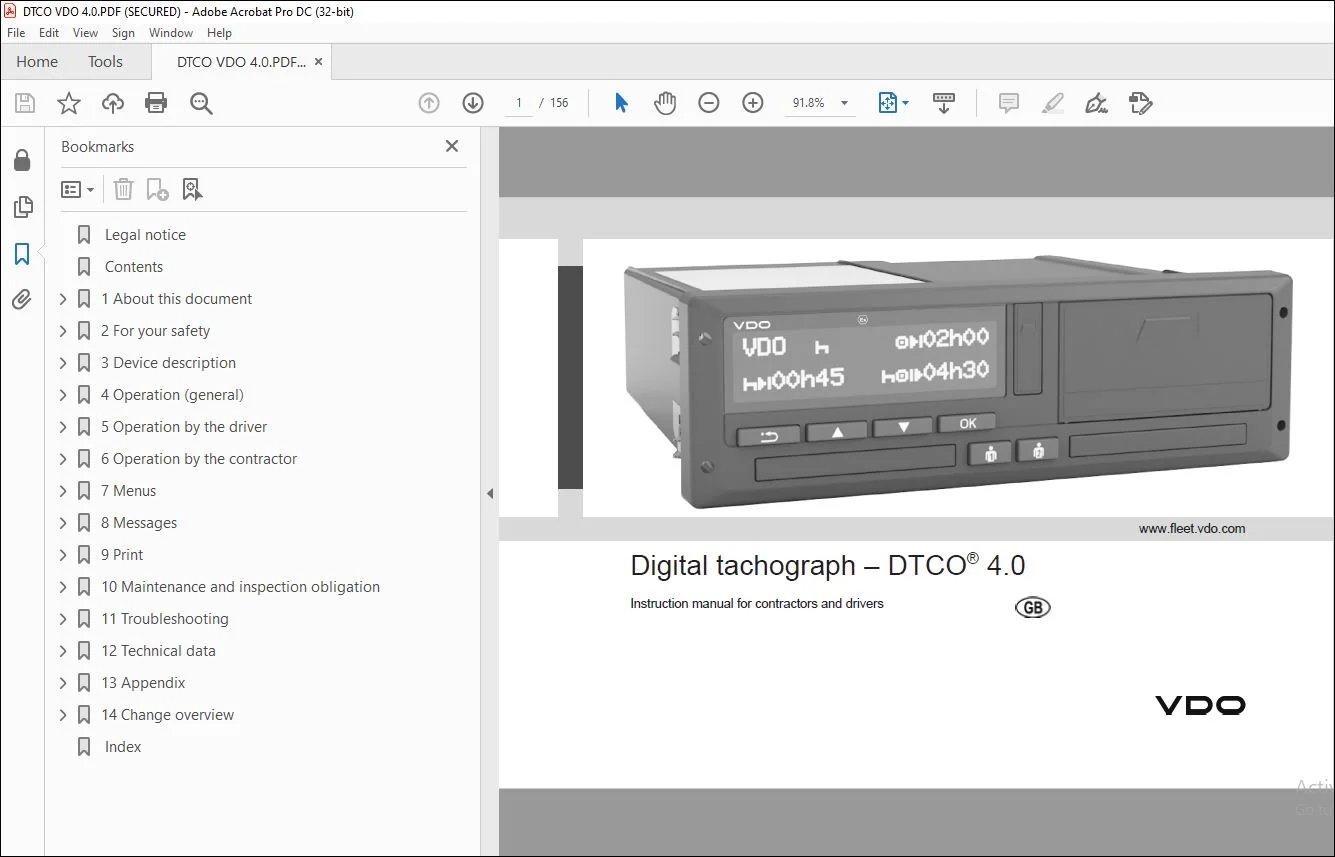
The digital tachograph DTCO 4.0 is a re- cording device to monitor and register speed, kilometres
driven and driving times and rest periods.
This document describes the operation of the digital tachograph DTCO 4.0.
The data prepared by this tachograph supports you in your daily tasks:
• It helps you, the driver, among other things, to comply with the social legis- lation relating
to road transport.
• It helps you, the contractor, to keep an eye on the driver and vehicle us- age (by means of
suitable evaluation programmes).
In the case of the ADR version of the DTCO 4.0, this must only be operated in accordance with the
requirements of
ATEX Directive 2014/34/EU.
DESCRIPTION:
DAF Digital Tachograph DTCO 4.0 Contractors & Driver Instruction Manual – PDF DOWNLOAD
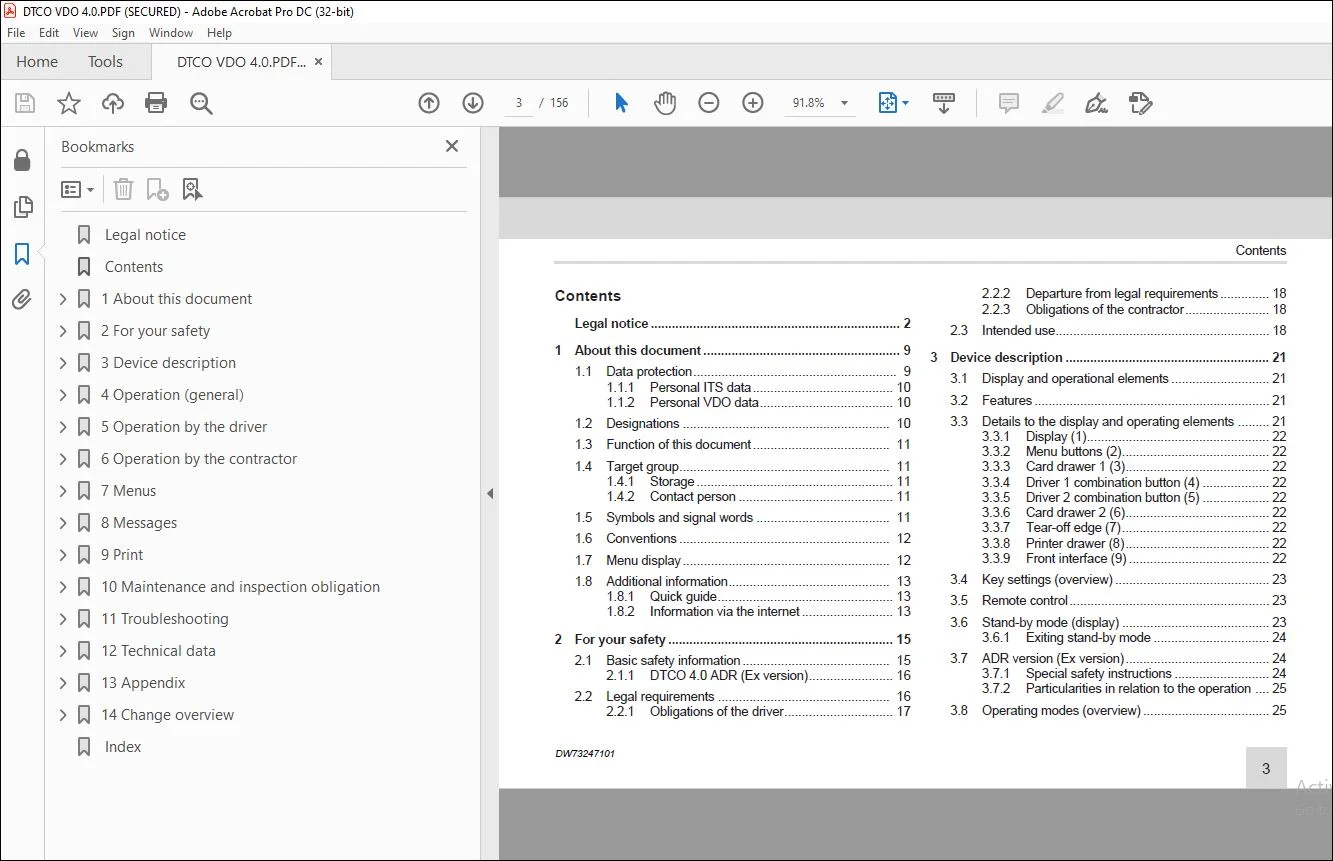
 Legal notice...............................................................  2
 Contents...................................................................  3
1 About this document.......................................................  9
	1.1 Data protection.....................................................  9
		1.1.1 Personal ITS data............................................. 10
		1.1.2 Personal VDO data............................................. 10
	1.2 Designations........................................................ 10
	1.3 Function of this document........................................... 11
	1.4 Target group........................................................ 11
		1.4.1 Storage....................................................... 11
		1.4.2 Contact person................................................ 11
	1.5 Symbols and signal words............................................ 12
	1.6 Conventions......................................................... 12
	1.7 Menu display........................................................ 13
	1.8 Additional information.............................................. 13
		1.8.1 Quick guide................................................... 13
		1.8.2 Information via the internet.................................. 13
2 For your safety........................................................... 15
	2.1 Basic safety information............................................ 15
		2.1.1 DTCO 4.0 ADR (Ex version)..................................... 16
	2.2 Legal requirements.................................................. 16
		2.2.1 Obligations of the driver..................................... 17
		2.2.2 Departure from legal requirements............................. 18
		2.2.3 Obligations of the contractor................................. 18
	2.3 Intended use........................................................ 19
3 Device description........................................................ 21
	3.1 Display and operational elements.................................... 21
	3.2 Features............................................................ 21
	3.3 Details to the display and operating elements....................... 22
		3.3.1 Display (1)................................................... 22
		3.3.2 Menu buttons (2).............................................. 22
		3.3.3 Card drawer 1 (3)............................................. 22
		3.3.4 Driver 1 combination button (4)............................... 22
		3.3.5 Driver 2 combination button (5)............................... 22
		3.3.6 Card drawer 2 (6)............................................. 22
		3.3.7 Tear-off edge (7)............................................. 22
		3.3.8 Printer drawer (8)............................................ 22
		3.3.9 Front interface (9)........................................... 22
	3.4 Key settings (overview)............................................. 23
	3.5 Remote control...................................................... 23
	3.6 Stand-by mode (display)............................................. 24
		3.6.1 Exiting stand-by mode......................................... 24
	3.7 ADR version (Ex version)............................................ 24
		3.7.1 Special safety instructions................................... 24
		3.7.2 Particularities in relation to the operation.................. 25
	3.8 Operating modes (overview).......................................... 25
	3.9 Tachograph card (overview).......................................... 27
		3.9.1 Driver card................................................... 27
		3.9.2 Company card.................................................. 27
		3.9.3 Control card.................................................. 28
		3.9.4 Workshop card................................................. 28
		3.9.5 Access rights of the tachograph cards......................... 28
	3.10 Saved data......................................................... 30
		3.10.1 Driver card.................................................. 30
		3.10.2 Company card................................................. 30
		3.10.3 Mass memory (in the device).................................. 30
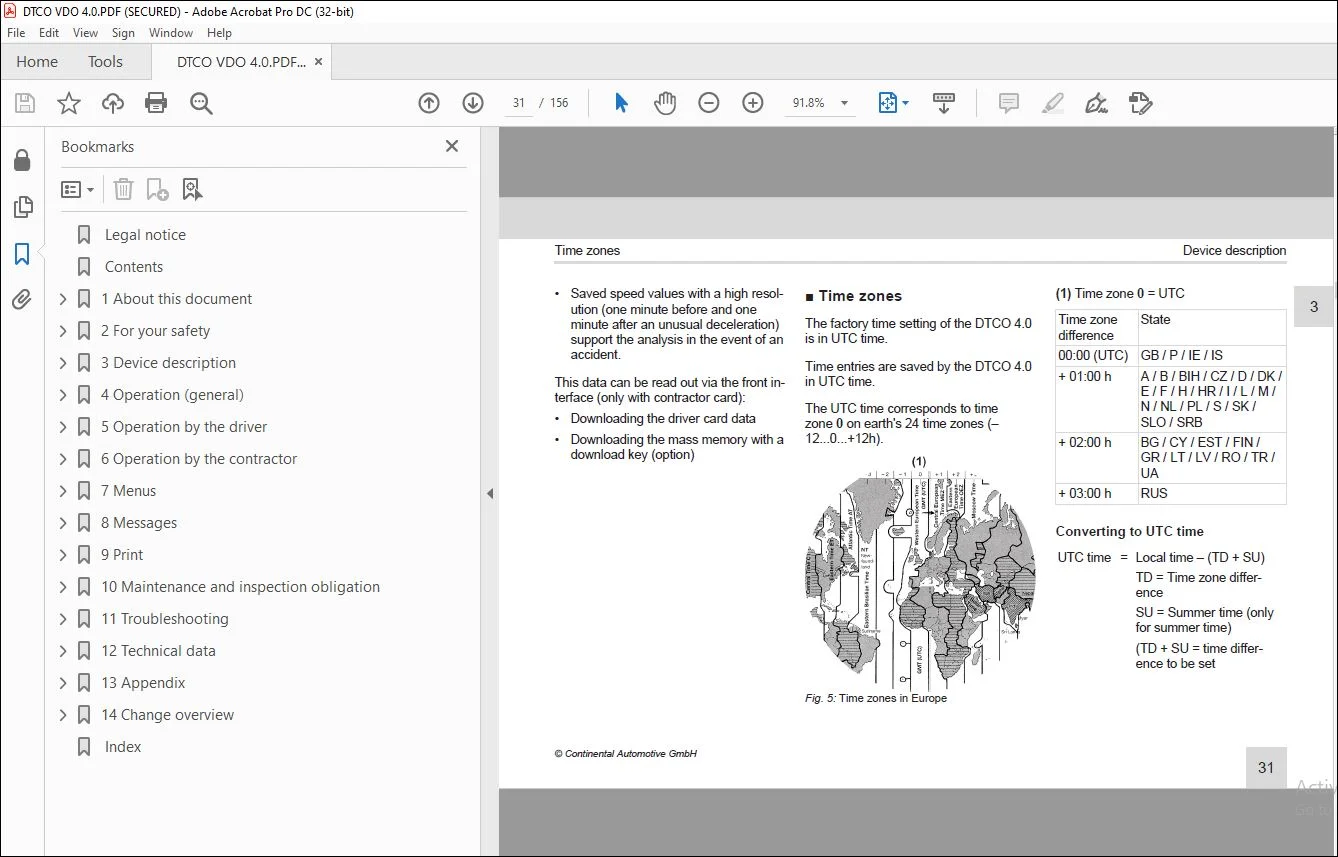
	3.11 Time zones......................................................... 31
	3.12 Pictograms (overview).............................................. 32
	3.13 Country symbols.................................................... 35
		3.13.1 Spanish regions.............................................. 37
	3.14 Automatic activities after ignition on/off (default)............... 38
4 Operation (general)....................................................... 40
	4.1 Displays............................................................ 40
		4.1.1 Display after ignition on..................................... 40
		4.1.2 Displays during journey....................................... 40
		4.1.3 Messages...................................................... 41
		4.1.4 Display after ignition off.................................... 41
	4.2 Navigating within menus............................................. 41
		4.2.1 Menus while vehicle is stationary............................. 41
	4.3 Inserting card...................................................... 42
		4.3.1 Language...................................................... 43
	4.4 Removing the card................................................... 43
	4.5 Handling of the cards............................................... 45
	4.6 Downloading data.................................................... 45
		4.6.1 From driver or company card................................... 45
		4.6.2 Data identification........................................... 46
		4.6.3 Downloading from the mass memory.............................. 46
		4.6.4 Remote-controlled download (option)........................... 46
5 Operation by the driver................................................... 48
	5.1 Driver card functions............................................... 48
	5.2 Shift start – Inserting driver card................................. 48
		5.2.1 1. Inserting card............................................. 48
		5.2.2 2. Setting activity........................................... 51
		5.2.3 Country entry (manual entry).................................. 51
			5.2.3.1 Indicating the country at start of shift................ 51
			5.2.3.2 Indicating country at shift end......................... 52
			5.2.3.3 Selecting the countries................................. 52
		5.2.4 Aborting the entry procedure.................................. 52
	5.3 Setting activities.................................................. 53
		5.3.1 Possible activities........................................... 53
		5.3.2 Changing activities........................................... 53
		5.3.3 Automatic setting............................................. 53
			5.3.3.1 Automatic setting after ignition on/off (default))...... 53
		5.3.4 Recording activities manually................................. 54
	5.4 Shift end – removing driver card.................................... 55
	5.5 Manual entries (Entry / Addition)................................... 56
		5.5.1 Card requests during the manual entry......................... 57
		5.5.2 Adding activity rest time..................................... 58
		5.5.3 Continuing activities......................................... 59
		5.5.4 Continuing activities and preceding others with activities.... 60
	5.6 Driver / vehicle change............................................. 61
		5.6.1 Case 1 – Crew operation....................................... 61
		5.6.2 Case 2 – Shift end............................................ 61
		5.6.3 Case 3 – Mixed operation...................................... 61
	5.7 Inserting driver card for the first time............................ 62
		5.7.1 Data usage.................................................... 62
		5.7.2 Registration process.......................................... 62
6 Operation by the contractor............................................... 65
	6.1 Functions of the company card....................................... 65
	6.2 Menu functions in the company mode.................................. 66
	6.3 Registration – inserting company card............................... 66
	6.4 Inserting member state and vehicle registration number.............. 68
	6.5 Removing company card............................................... 69
7 Menus..................................................................... 72
	7.1 First menu level – Standard values.................................. 72
		7.1.1 Display in stationary vehicle................................. 72
		7.1.2 Display the times of the driver card.......................... 73
		7.1.3 Setting the language.......................................... 73
		7.1.4 VDO Counter (option).......................................... 74
			7.1.4.1 Description of the VDO Counter display.................. 75
			7.1.4.2 VDO Counter – displays while driving.................... 76
			7.1.4.3 VDO Counter – displays for rest time activity........... 77
			7.1.4.4 VDO Counter – Displays for activity working time........ 78
			7.1.4.5 VDO Counter – displaying daily values................... 78
			7.1.4.6 VDO Counter – displaying weekly values.................. 79
			7.1.4.7 VDO Counter – status display............................ 79
	7.2 Second menu level – menu functions.................................. 80
		7.2.1 Menu functions (overview)..................................... 80
		7.2.2 Navigating within menu functions.............................. 81
		7.2.3 Menu access lock.............................................. 82
		7.2.4 Leaving menu functions........................................ 82
		7.2.5 Menu point printout driver 1/ driver 2........................ 83
			7.2.5.1 Print daily value....................................... 83
			7.2.5.2 Print events............................................ 84
			7.2.5.3 Printing activities..................................... 84
		7.2.6 Menu point printout vehicle................................... 84
			7.2.6.1 Print daily value....................................... 84
			7.2.6.2 Printing out events [vehicle]........................... 85
			7.2.6.3 Print instances of speeding............................. 85
			7.2.6.4 Print technical data.................................... 85
			7.2.6.5 Printing information on inserted tachograph cards....... 86
			7.2.6.6 Printing v-diagram...................................... 86
			7.2.6.7 Printing status D1/ D2 (option)......................... 86
			7.2.6.8 Printing speed profiles (option)........................ 87
			7.2.6.9 Printing speed profiles (option)........................ 87
		7.2.7 Menu point Entry driver 1/driver 2............................ 87
			7.2.7.1 Enter country........................................... 87
			7.2.7.2 Start country........................................... 87
			7.2.7.3 End country............................................. 88
			7.2.7.4 Changing settings to personal ITS data.................. 88
			7.2.7.5 Changing settings to personal VDO data.................. 89
			7.2.7.6 Activating remote control............................... 89
		7.2.8 Menu point entry vehicle...................................... 90
			7.2.8.1 Out inserting start/end................................. 90
			7.2.8.2 Ferry/train: Entering start/end......................... 90
			7.2.8.3 Set Local time.......................................... 91
			7.2.8.4 Setting the company local time.......................... 91
			7.2.8.5 Unlocking additional functions.......................... 91
		7.2.9 Menu point display driver 1/ driver 2......................... 92
		7.2.10 Menu point display vehicle................................... 93
8 Messages.................................................................. 96
	8.1 Meaning of messages................................................. 96
		8.1.1 Characteristics of the messages............................... 96
			8.1.1.1 Events, malfunctions.................................... 96
			8.1.1.2 Driving time warnings................................... 97
			8.1.1.3 Operational notes....................................... 97
			8.1.1.4 DTCO 4.0-enabled display instruments.................... 97
		8.1.2 Acknowledgement of messages................................... 97
	8.2 Special messages.................................................... 97
		8.2.1 Production status............................................. 97
		8.2.2 OUT (out of scope of regulation).............................. 98
		8.2.3 Ferry/train................................................... 98
	8.3 Overview of possible events......................................... 99
	8.4 Overview of possible malfunctions...................................102
	8.5 Driving time warnings...............................................104
		8.5.1 VDO Counter display (option)..................................104
	8.6 Overview of possible operational notes..............................105
		8.6.1 Operational notes as information..............................108
9 Print.....................................................................111
	9.1 Notes for printing..................................................111
	9.2 Starting print......................................................111
	9.3 Cancelling print....................................................112
	9.4 Replacing the printer paper.........................................112
		9.4.1 End of paper..................................................112
		9.4.2 Replacing the paper roll......................................112
	9.5 Clear paper jam.....................................................113
	9.6 Retaining printouts ................................................114
	9.7 Printouts (examples)................................................114
		9.7.1 Daily printout of the driver card.............................114
		9.7.2 Events / faults from the driver card..........................115
		9.7.3 Daily printout of the vehicle.................................116
		9.7.4 Events / faults from the vehicle..............................117
		9.7.5 Speeding events...............................................118
		9.7.6 Technical data................................................118
		9.7.7 Driver activities.............................................119
		9.7.8 v-diagram.....................................................119
		9.7.9 Status D1/D2 diagram (option).................................120
		9.7.10 Speed profiles (option)......................................120
		9.7.11 Rotation frequency profiles (option).........................120
		9.7.12 Inserted tachograph cards....................................121
		9.7.13 Printout in local time.......................................121
	9.8 Explanation to the printouts........................................121
		9.8.1 Key to the data blocks........................................121
	9.9 Data set for events or faults.......................................129
		9.9.1 Coding of data set purpose....................................129
			9.9.1.1 Overview Data record purpose............................130
			9.9.1.2 Number of similar events................................130
		9.9.2 Coding for more detailed description..........................131
10 Maintenance and inspection obligation....................................133
	10.1 Cleaning...........................................................133
		10.1.1 Cleaning the DTCO 4.0........................................133
		10.1.2 Cleaning tachograph card.....................................133
	10.2 Compulsory inspection..............................................133
11 Troubleshooting..........................................................136
	11.1 Data backup by the workshop........................................136
	11.2 Overvoltage/undervoltage...........................................136
		11.2.1 Power interruption...........................................136
	11.3 Error card communication...........................................137
		11.3.1 Printer drawer defect........................................138
		11.3.2 Automatic ejection of tachograph card........................138
12 Technical data...........................................................140
	12.1 DTCO 4.0...........................................................140
	12.2 Paper roll.........................................................141
13 Appendix.................................................................143
	13.1 Declaration of conformity..........................................143
	13.2 Certification of activities (extract)..............................145
	13.3 Optional accessories...............................................145
		13.3.1 DLKPro Download Key..........................................145
		13.3.2 DLKPro TIS-Compact...........................................145
		13.3.3 DTCO® Smart Link.............................................145
		13.3.4 DLD® Short Range II and DLD® Wide Range II...................146
		13.3.5 Cleaning cards and cleaning wipes............................146
	13.4 VDO online shop....................................................146
14 Change overview..........................................................148
	14.1 Release overview...................................................148
 Index......................................................................149
Need help? Contact: [email protected]
S.V