Dell Precision WorkStation 330 User’s Guide & Service Manual PDF
Original price was: $95.00.$16.95Current price is: $16.95.
Official User’s Guide for the Dell Precision WorkStation 330. This 120+ page manual covers system setup, driver installation, BIOS configuration, hardware upgrades (memory, AGP cards), and troubleshooting. Essential for maintaining and restoring this classic workstation. Instant Download.
Description
Dell Precision WorkStation 330 User’s Guide & Service Manual PDF DOWNLOAD
Description:
Unlock the Full Potential of Your Legacy Workstation
This is the comprehensive User’s Guide for the Dell Precision WorkStation 330. Whether you are a vintage computing enthusiast, a system administrator maintaining legacy hardware, or simply trying to get an old tower running again, this manual provides the critical technical data you need.
Far more than just a setup guide, this document includes detailed removal and installation procedures for internal components, BIOS configuration settings, and diagnostic codes to help you troubleshoot boot failures.
What’s Inside?
The manual is systematically organized to cover every aspect of the system:
System Overview & Setup
Front & Back Panel Connectors: Identification of USB, PS/2, Serial, and Parallel ports.
Internal Layout: Location of the AGP slot, PCI slots, RIMM sockets, and power supply connections.
Connecting Peripherals: Instructions for monitors, keyboards, and network cabling.
Hardware Installation & Upgrades
Memory (RAM): Correct installation order for RIMM modules (Rambus Direct RAM) and continuity modules.
Cards: Installing AGP Pro graphics cards and PCI expansion cards.
Drives: Removing and installing Hard Drives, Floppy Drives, and CD-ROMs.
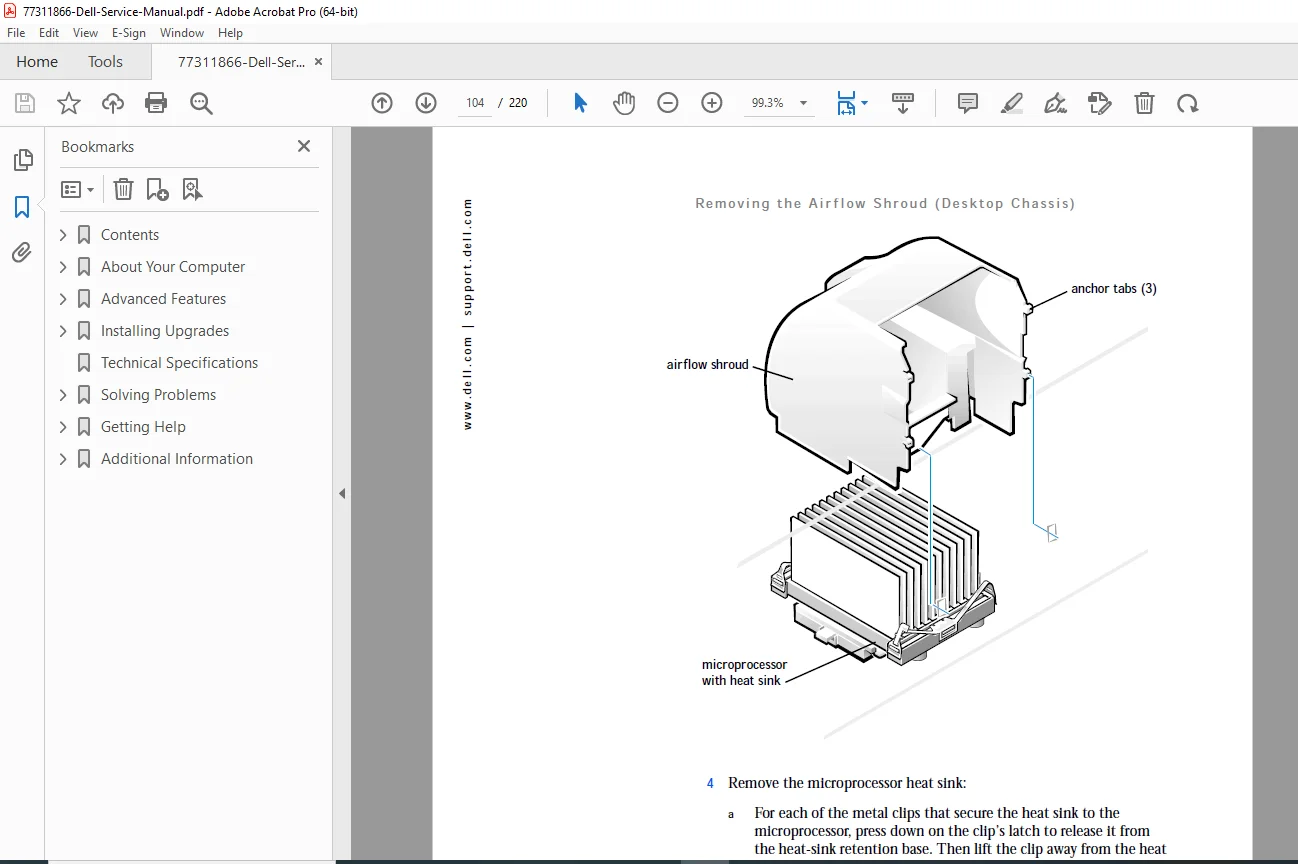
Processor: Procedures for accessing the Intel Pentium 4 processor.
Cover Removal: Instructions for opening the chassis safely (tower and desktop orientations).
System Configuration (BIOS)
System Setup Program: How to access the BIOS, change boot sequences, and set passwords.
Plug and Play: Assigning IRQs and managing resources.
Power Management: Configuring ACPI standby and suspend modes.
Software & Drivers
Drivers: Installing video, audio, and chipset drivers for Windows 2000 and NT 4.0.
Resource CD: Using the Dell ResourceCD to run diagnostics and utilities.
Reinstallation: Procedures for reinstalling Windows 2000 and NT 4.0.
Troubleshooting & Diagnostics
Beep Codes: Interpreting system beep codes for RAM, Video, and Motherboard failures.
Diagnostic Lights: Reading the 4-LED diagnostic array on the rear panel.
Common Problems: Solutions for “System Halted,” “Keyboard Failure,” and “Hard Disk Controller Failure.”
Key Technical Features:
Beep Code Tables: Complete list of POST beep codes to diagnose boot failures.
Jumpers: Locations and settings for clearing CMOS passwords and resetting NVRAM.
Memory Rules: Critical rules for mixing and matching RIMM speeds and capacities.
Product Details:
Manual Name: Dell Precision WorkStation 330 User’s Guide
Models Covered: Dell Precision WorkStation 330 (Mini-Tower and Desktop Chassis)
Year: 2000-2001
File Type: PDF (Portable Document Format)
File Quality: High-Quality / Searchable Text
Number of Pages: 220 Pages
Don’t let a missing driver or mystery beep code stop your build. Download this essential guide now to get the original factory specs, BIOS settings, and hardware procedures you need to restore your Precision 330 to perfect working order!