Dell XPS 8920 Service Manual 2020 PDF DOWNLOAD
Original price was: $95.00.$18.95Current price is: $18.95.
Official June 2020 Dell XPS 8920 desktop service manual PDF (Regulatory Model D24M). 102 pages with step-by-step procedures for removing/replacing side cover, front bezel, optical drive, top cover, and more components. Includes safety instructions, screw list, system-board layout, inside views, and technical overview. Instant download – essential for upgrades, repairs, and maintenance on Dell XPS 8920 towers.
Description
Dell XPS 8920 Service Manual 2020 PDF DOWNLOAD
Description
This official Dell XPS 8920 Service Manual PDF 2020 is the complete factory guide (Regulatory Model: D24M, Regulatory Type: D24M001, Rev. A04 – June 2020) for the Dell XPS 8920 desktop tower. At 102 pages, it provides detailed, illustrated step-by-step procedures for safe disassembly and reassembly – ideal for technicians, DIY enthusiasts, and owners upgrading RAM, storage, graphics cards, or performing repairs on this high-performance system.
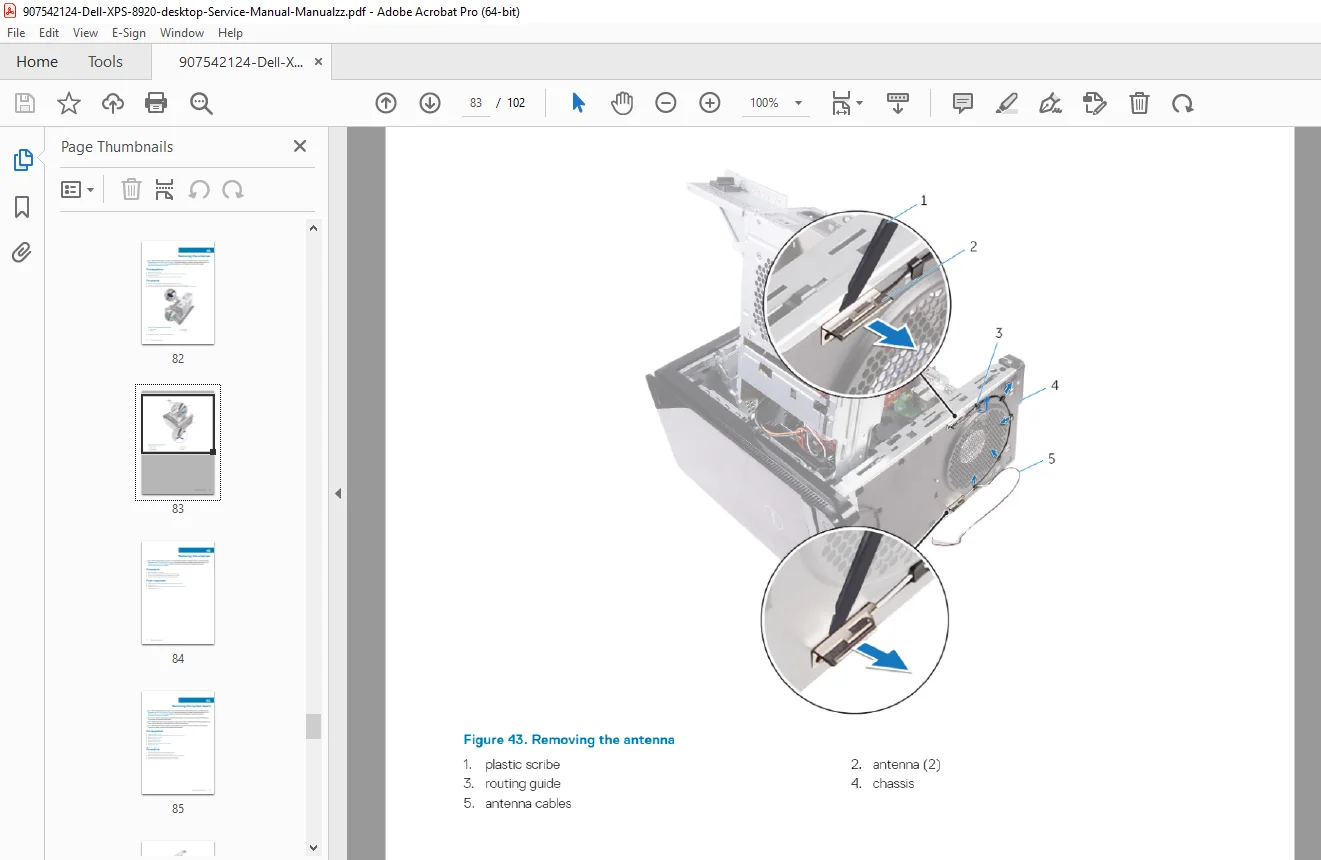
Whether replacing the optical drive, accessing the motherboard, removing the front bezel, or installing new components, this Dell XPS 8920 service manual PDF includes clear photos, safety precautions, a comprehensive screw list, system-board component layout, and internal views to ensure accurate work without voiding support or causing damage.
Table of Contents – Key Chapters:
| Chapter | Title | Page |
|---|---|---|
| 1 | Before working inside your computer (Safety, Tools, Screw list) | 9 |
| 2 | After working inside your computer | 11 |
| 3 | Technical overview (Inside view, System-board components) | 12 |
| 4 | Removing the right-side cover | 14 |
| 5 | Replacing the right-side cover | 15 |
| 6 | Removing the front bezel | 16 |
| 7 | Replacing the front bezel | 18 |
| 8 | Removing the optical drive | 19 |
| 9 | Replacing the optical drive | 23 |
| 10 | Removing the top cover | 24 |
| 11 | Replacing the top cover | 25 |
Additional Coverage Highlights (Continued in Manual):
- Procedures typically extend to hard-drive cage, solid-state drive, wireless card, power-supply unit, coin-cell battery, memory modules, graphics card, processor fan/heat sink, processor, and system board
- Full Dell XPS 8920 motherboard layout PDF with labeled connectors and components
- Detailed Dell XPS 8920 screw list system board diagram for correct reassembly
- Safety instructions, recommended tools (Phillips screwdriver, plastic scribe), and post-requisites for each procedure
- Notes, cautions, and warnings throughout for ESD protection and hardware safety
File Details:
- Manual Name: XPS 8920 Service Manual
- Models Covered: Dell XPS 8920 Desktop (Regulatory Model D24M / Type D24M001)
- Year: 2020 (June 2020, Rev. A04)
- PDF Quality: High-resolution official Dell document with sharp images, diagrams, and text
- Total Pages: 102
Upgrade or repair your XPS 8920 with confidence using factory-exact instructions. Download this Dell XPS 8920 disassembly guide download 2020 instantly and tackle memory upgrades, GPU swaps, storage additions, or troubleshooting today – save on repair costs and get your system running optimally fast!