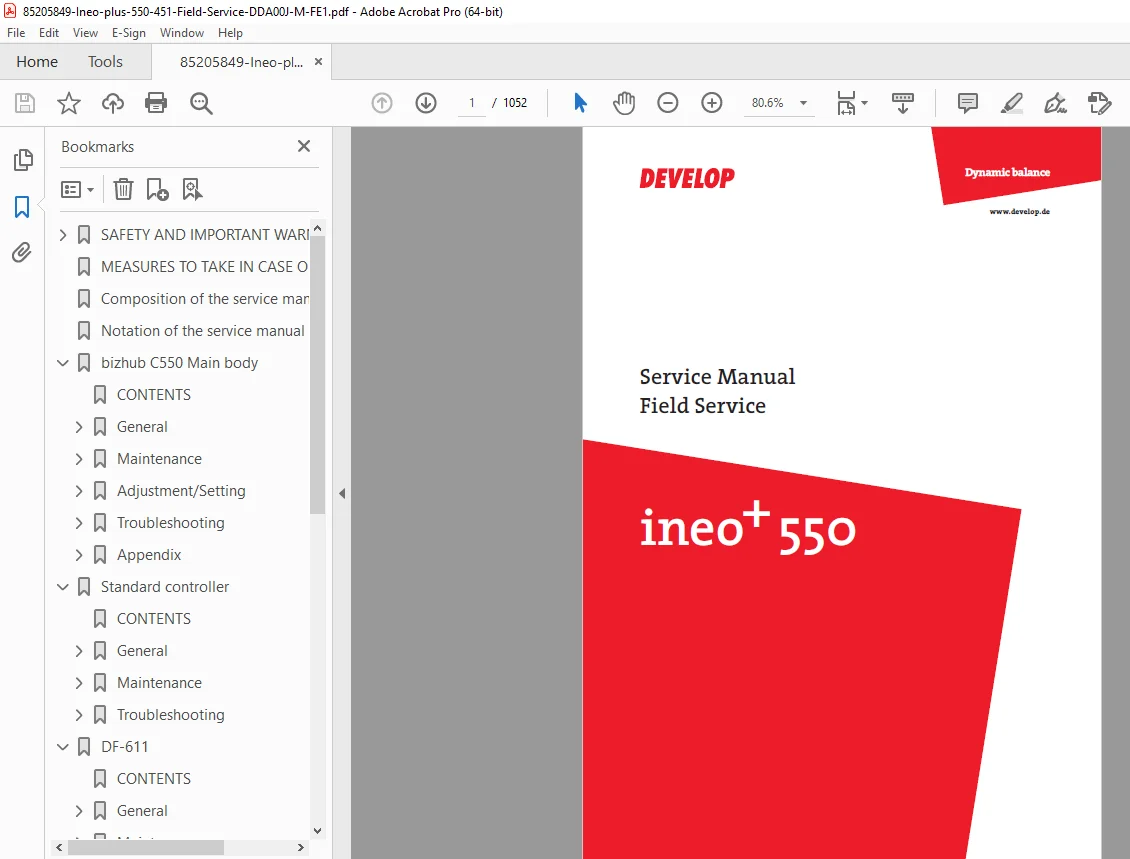
Develop ineo+ 550 451 Field Service Manual – PDF DOWNLOAD
Original price was: $120.00.$20.95Current price is: $20.95.
Official Develop ineo+ 550/451 (Konica Minolta bizhub C550) field service manual with complete maintenance, adjustment, and troubleshooting procedures. This comprehensive 1,052-page technical guide covers the main copier unit plus all optional accessories including DF-611 document feeder, LU-301 large capacity unit, FS-517/608 finishers, and PK-512/513 punch kits. Essential reference for certified technicians servicing this professional color copier system.
Description
Develop ineo+ 550 451 Field Service Manual Complete Repair Guide bizhub PDF DOWNLOAD
FILE DETAILS
| Specification | Details |
|---|---|
| Manual Name | Develop ineo+ 550 Field Service Manual |
| Models Covered | ineo+ 550, ineo+ 451, Konica Minolta bizhub C550 |
| Equipment Type | Professional Color Copier/Printer System |
| Manual Type | Field Service (Complete Technical) |
| Publication Date | February 2007 (Updated March 2007) |
| Pages | 1,052 Pages |
| File Format | |
| File Size | 26.5 MB |
| Quality | Factory Original, Optimized PDF |
| Document Code | DDA00J-M-FE1 |
| Publisher | Konica Minolta Business Technologies, Inc. |
| Manual Sections | 7 Major Sections (Main Body + 6 Accessories) |
FULL DESCRIPTION
Official Develop ineo+ 550/451 Complete Field Service Manual
This is the complete factory-authorized Develop ineo+ 550 service manual PDF (also known as Konica Minolta bizhub C550) for professional copier technicians. This massive bizhub C550 repair guide download provides 1,052 pages of comprehensive technical documentation covering the main copier unit and all optional accessories with detailed maintenance procedures, adjustment protocols, and advanced troubleshooting diagnostics.
EQUIPMENT COVERED
Main Models:
- Develop ineo+ 550 – Professional Color Copier
- Develop ineo+ 451 – Color Copier Variant
- Konica Minolta bizhub C550 – Equivalent Model
Optional Accessories Covered:
- DF-611 – Automatic Document Feeder
- LU-301 – Large Capacity Unit
- FS-517 – Saddle Stitch Finisher
- FS-608 – Multi-Position Staple Finisher
- PK-512 – 2-Hole Punch Kit
- PK-513 – 4-Hole Punch Kit
- Standard Controller – Print Controller System
MANUAL STRUCTURE – 7 COMPREHENSIVE SECTIONS
SAFETY AND IMPORTANT WARNING ITEMS (Pages S-1 to S-21)
Critical Safety Information:
- Important notice for service technicians
- Danger, Warning, and Caution definitions
- Symbol meanings and safety icons
- Comprehensive safety warnings including:
- Prohibited modifications
- Electrical hazard warnings
- High temperature cautions
- Moving parts safety
- Proper grounding procedures
- Laser safety precautions
- Warning label locations on machine
- Emergency procedures and accident response
- Personal protective equipment requirements
SECTION 1 – bizhub C550 MAIN BODY
General Section (Starting Page 1)
- Machine overview and specifications
- System architecture
- Component locations
- Block diagrams
- Technical specifications
- Theory of operation
- Optical system description
- Image formation process
- Paper path explanation
- Control system overview
Maintenance Section (Starting Page 9)
- Periodic maintenance schedules
- PM (Preventive Maintenance) procedures
- Consumable replacement:
- Toner cartridges (YMCK)
- Developer units
- Imaging units (drums)
- Waste toner boxes
- Transfer belts
- Fuser units
- Feed rollers
- Cleaning procedures
- Lubrication points
- Component life counters
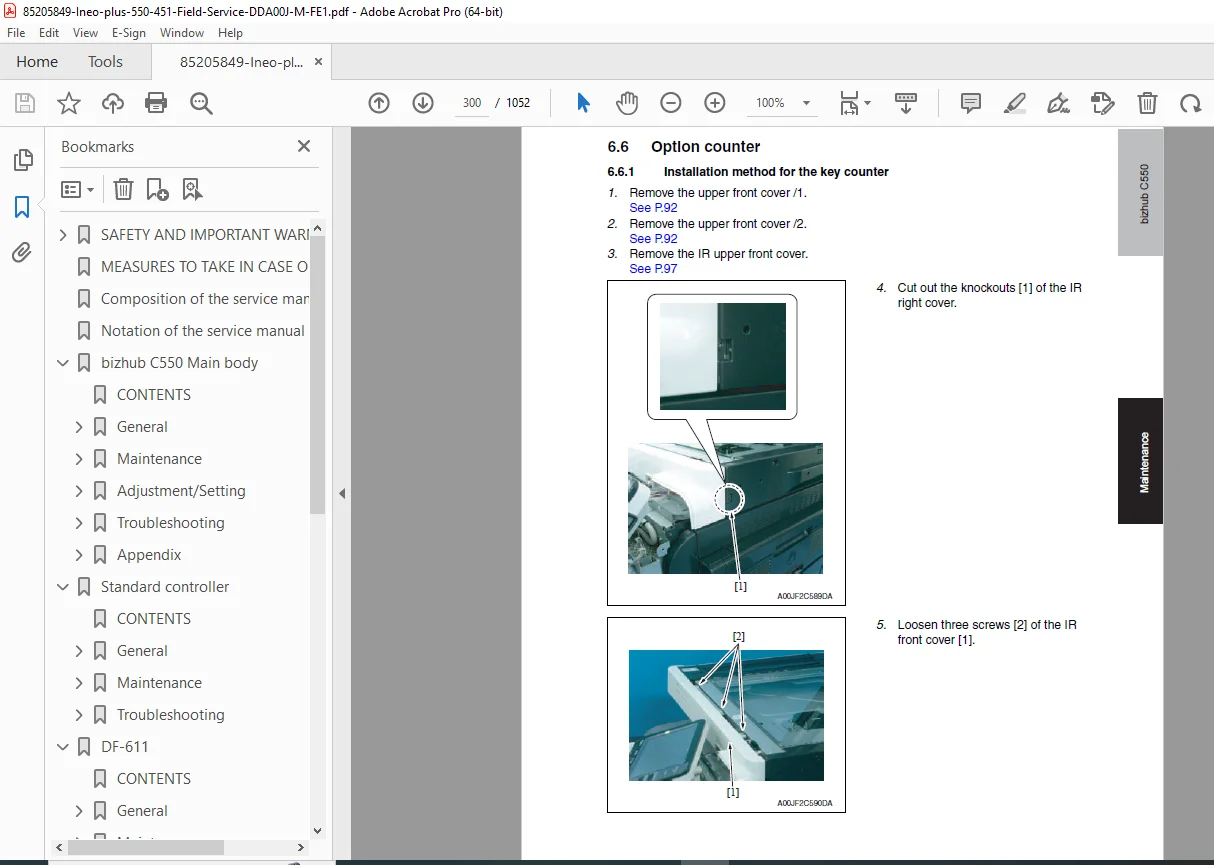
- Parts replacement procedures with detailed steps
- Disassembly and reassembly instructions
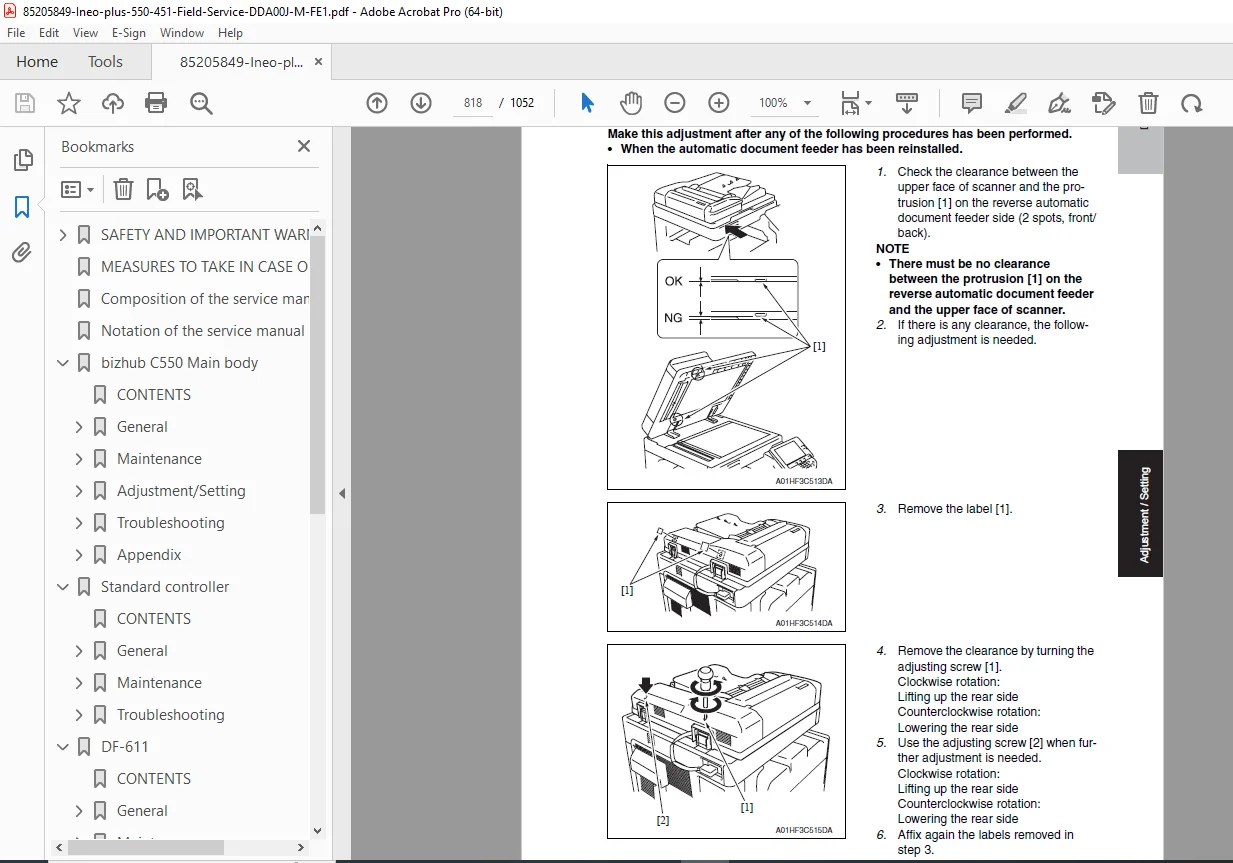
Adjustment/Setting Section (Starting Page 255)
- Registration adjustments
- Image density calibration
- Color balance adjustment
- Gradation adjustment
- Paper feed timing
- Scanner calibration
- Automatic image quality adjustments
- Manual adjustment procedures
- Service mode access
- Parameter settings
- Simulation modes
- Test print patterns
- Diagnostic print procedures
Troubleshooting Section (Starting Page 515)
- Systematic diagnostic procedures
- Error code reference
- JAM code explanations
- Paper jam troubleshooting
- Image quality problems
- Copy/print defect analysis
- Scan function failures
- Network connectivity issues
- Controller problems
- Mechanical failures
- Electrical system diagnostics
- Sensor testing procedures
- Motor and actuator testing
- Flowcharts for complex problems
Appendix Section (Starting Page 663)
- Service mode menu structure
- Detailed parameter lists
- Connector pin assignments
- Wiring diagrams
- Circuit schematics
- PWB (Printed Wiring Board) layouts
- Parts lists
- Specifications tables
- Conversion tables
SECTION 2 – STANDARD CONTROLLER
General Section (Page 1)
- Controller overview
- Hardware architecture
- Interface specifications
- Network capabilities
- Print engine interface
Maintenance Section (Page 3)
- Hard drive maintenance
- Memory module replacement
- Controller board replacement
- Firmware updates
- Configuration backup/restore
Troubleshooting Section (Page 31)
- Controller error codes
- Print queue problems
- Network print issues
- Driver conflicts
- Communication errors
- Boot failures
- Hardware diagnostics
SECTION 3 – DF-611 AUTOMATIC DOCUMENT FEEDER
General Section (Page 1)
- ADF specifications
- Paper capacity
- Document size range
- Feed mechanism description
- Sensor locations
Maintenance Section (Page 5)
- Roller replacement
- Pad replacement
- Cleaning procedures
- Pick-up mechanism service
- Separation system maintenance
Adjustment/Setting Section (Page 25)
- Feed timing adjustments
- Registration adjustments
- Sensor calibration
- Skew correction
- Double-feed prevention settings
Troubleshooting Section (Page 51)
- Document feed failures
- Multi-feed problems
- Skew issues
- JAM codes specific to ADF
- Sensor failures
- Motor problems
SECTION 4 – LU-301 LARGE CAPACITY UNIT
General Section (Page 1)
- LCU specifications
- Paper capacity (typically 2,500+ sheets)
- Supported paper sizes
- Feed mechanism overview
Maintenance Section (Page 3)
- Feed roller replacement
- Elevator mechanism service
- Paper level sensor maintenance
Adjustment/Setting Section (Page 31)
- Feed timing calibration
- Elevator height adjustment
- Sensor positioning
- Paper detection settings
Troubleshooting Section (Page 37)
- Feed failures from LCU
- Elevator problems
- Sensor errors
- Communication failures
SECTION 5 – FS-517/608 FINISHER UNITS
General Section (Page 1)
- Finisher specifications
- FS-517: Saddle stitch finisher
- FS-608: Multi-position stapler
- Tray capacities
- Stapling capabilities
- Folding options (FS-517)
Maintenance Section (Page 5)
- Staple cartridge replacement
- Stapler head maintenance
- Folding unit service
- Tray mechanism maintenance
- Sensor cleaning
Adjustment/Setting Section (Page 49)
- Staple position adjustment
- Fold position calibration
- Tray alignment
- Jogger timing
- Sheet ejection timing
Troubleshooting Section (Page 101)
- Staple jams
- Stapler errors
- Folding problems
- Sheet ejection failures
- Tray full errors
- Communication errors
SECTION 6 – PK-512/513 PUNCH KITS
General Section (Page 1)
- Punch kit specifications
- PK-512: 2-hole punch
- PK-513: 4-hole punch
- Hole positions
- Punch die specifications
Maintenance Section (Page 3)
- Die replacement
- Waste tray emptying
- Punch mechanism cleaning
- Lubrication points
Adjustment/Setting Section (Page 9)
- Punch position adjustment
- Punch timing calibration
- Force adjustment
Troubleshooting Section (Page 17)
- Incomplete punch holes
- Punch jam errors
- Position misalignment
- Waste tray full errors
KEY FEATURES OF THIS SERVICE MANUAL
✓ 1,052 Pages of Technical Documentation – Most comprehensive coverage available
✓ Complete System Coverage – Main unit plus all 6 major accessories
✓ Detailed Maintenance Procedures – Step-by-step PM instructions
✓ Comprehensive Adjustments – All calibration and setup procedures
✓ Advanced Troubleshooting – Error codes, flowcharts, diagnostics
✓ Safety Protocols – Extensive safety warnings and procedures
✓ Service Mode Access – Complete parameter and setting guides
✓ Wiring Diagrams – Electrical schematics and connector details
✓ Parts Identification – Component location and replacement guides
✓ Professional Quality – Factory-authorized technical reference
TECHNICAL COVERAGE INCLUDES
Image Formation Systems:
- Laser scanning unit
- Imaging drums (YMCK)
- Developer units
- Transfer system
- Fusing unit
- Cleaning systems
Paper Handling:
- Multiple paper trays
- Manual bypass
- Duplex unit
- Paper path sensors
- Feed/separation mechanisms
- Transport systems
Control Systems:
- Main CPU board
- Scanner control
- Printer control
- Operation panel
- Network interface
- USB interface
Electrical Systems:
- Power supply circuits
- Motor controls
- Sensor networks
- Safety interlocks
- High voltage systems
Optional Equipment:
- Document feeders
- Finishers
- Large capacity units
- Punch kits
- External controllers
IDEAL FOR:
- Konica Minolta Certified Technicians
- Develop Authorized Service Engineers
- Copier/Printer Repair Specialists
- Office Equipment Service Companies
- Corporate IT Service Departments
- Technical Training Institutions
- Independent Repair Technicians
- Service Manager Reference
- Parts Department Personnel
WHY THIS MANUAL IS ESSENTIAL:
This Konica Minolta copier maintenance manual is the definitive reference for servicing the ineo+ 550/451 and bizhub C550 professional color copier systems. With over 1,000 pages covering every aspect of the machine and all optional accessories, technicians have complete access to factory procedures, adjustment protocols, and troubleshooting diagnostics.
The extensive safety section ensures proper procedures are followed, while the detailed maintenance schedules help prevent equipment failures. Comprehensive adjustment procedures ensure optimal image quality and performance, and the advanced troubleshooting section provides systematic diagnostic approaches for even the most complex problems.
Service mode documentation allows access to all machine parameters and settings, while wiring diagrams and schematics enable electrical troubleshooting. This manual is essential for maintaining uptime and ensuring professional-quality output from these high-volume production copier systems.
🔧 INSTANT DOWNLOAD – PROFESSIONAL COPIER SERVICE STARTS NOW! This is the exact same ineo+ 451 troubleshooting guide used by Konica Minolta and Develop factory-trained service technicians worldwide. With 1,052 pages of comprehensive technical documentation covering the complete copier system and all accessories, you’ll have immediate access to maintenance procedures, adjustment protocols, error code diagnostics, and troubleshooting flowcharts that will dramatically reduce downtime and ensure optimal performance. Don’t struggle with incomplete information or risk expensive component damage – download this official field service manual now and service ineo+ 550/451 and bizhub C550 systems with factory-level expertise!
Pricing Rationale:
- 1,052 pages of comprehensive professional-grade content
- Official Konica Minolta factory field service manual
- Covers main copier plus 6 major optional accessories
- Complete system documentation in single manual
- Professional copier service market with higher pricing expectations
- Essential for certified technicians and service companies
- Massive file size (26.5 MB) with detailed diagrams and schematics
- Advanced troubleshooting and diagnostic procedures
- Service mode and parameter documentation
- High equipment value requiring expert service
- Reduces service time and prevents costly errors
- Professional market willing to pay for complete technical documentation