Epson Stylus Pro 7900 Series Service Manual 2010 – PDF DOWNLOAD
Original price was: $75.00.$15.95Current price is: $15.95.
Official Epson Stylus Pro 7900 service manual PDF from 2010 for large format printers, detailing product descriptions, operating principles, troubleshooting with error remedies, disassembly/assembly procedures, adjustments, maintenance, and appendix with connectors and panel maps. Includes Epson Stylus Pro 9900 troubleshooting guide, Epson large format printer disassembly instructions, Epson Stylus Pro 9700 ink system repair, Epson WT7900 maintenance procedures, Epson 7890 service call error remedies, and Epson Stylus Pro 7700 auto take-up reel service for models like 7700/7900/9700/9900/WT7900/7890.
Description
Epson Stylus Pro 7900 Series Service Manual 2010 – PDF DOWNLOAD
Description
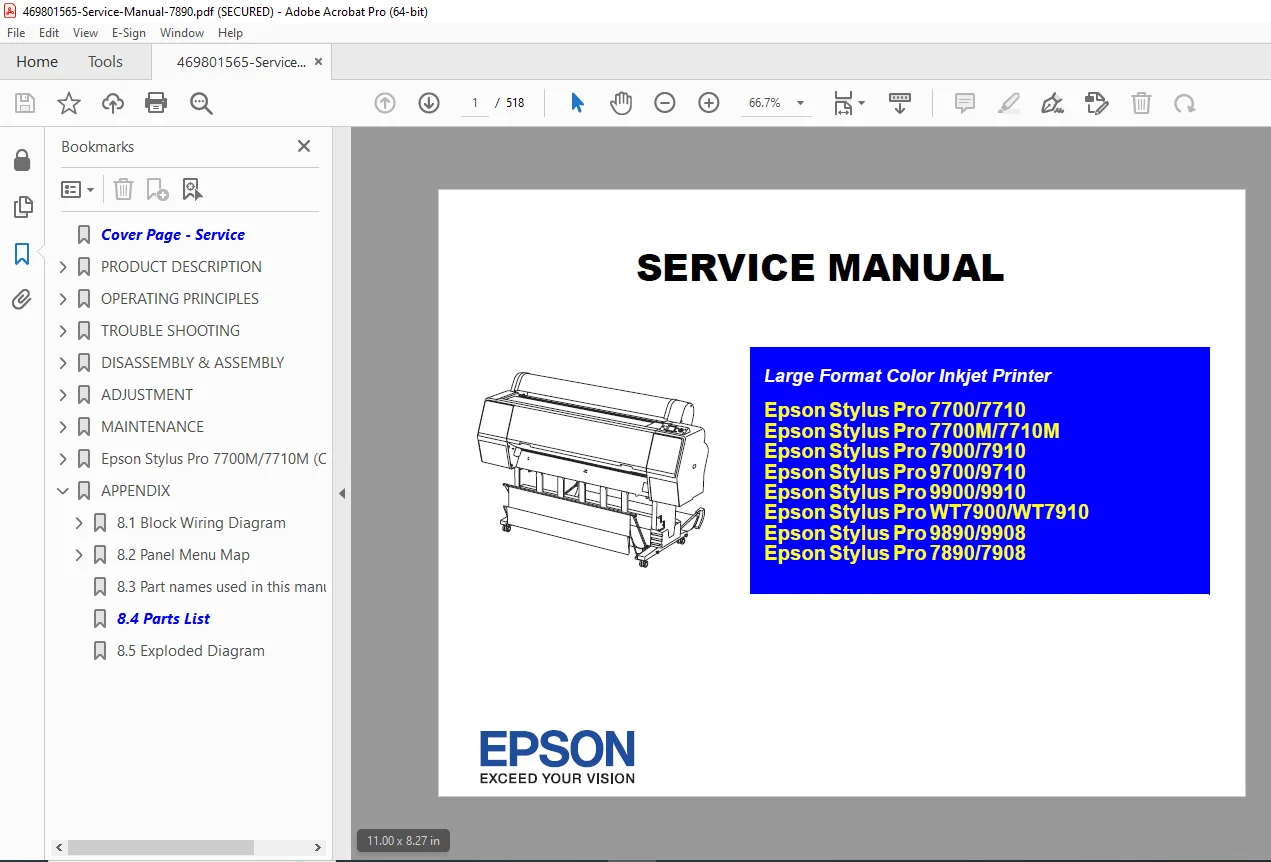
This Epson Stylus Pro 7900 service manual PDF (SEIJ08005, Revision H, October 2010) provides in-depth guidance for servicing Epson Stylus Pro series large format color inkjet printers, including models 7700/7710/7700M/7710M/7900/7910/9700/9710/9900/9910/WT7900/WT7910/9890/9908/7890/7908. It emphasizes precautionary measures for personal safety and equipment protection during repairs, with symbols for danger, warning, caution, notes, checks, and lubrication. The manual covers basic functions, electrical/mechanical theory, Epson Stylus Pro 9900 troubleshooting guide for errors and print quality issues, step-by-step Epson large format printer disassembly and assembly, Epson-approved adjustments, preventive maintenance with lubricants/adhesives, and Epson Stylus Pro 9700 ink system repair details. Additional sections address Epson WT7900 maintenance procedures for white ink models, Epson 7890 service call error remedies, and Epson Stylus Pro 7700 auto take-up reel service.
Revision history includes updates for new models, error codes, procedures, and cautions, such as ink discharging methods and firmware installation notes. This manual is essential for certified technicians performing Epson large format printer disassembly, Epson Stylus Pro 9900 troubleshooting guide tasks, Epson Stylus Pro 9700 ink system repair, Epson WT7900 maintenance procedures, Epson 7890 service call error remedies, and overall service on these professional printers.
Table of Contents (extracted and neatly categorized for easy navigation):
- Chapter 1: PRODUCT DESCRIPTION (Page 15)
- 1.1 Product Description (Page 15)
- 1.2 Basic Specifications (Page 19)
- 1.2.1 Basic Specifications (Page 19)
- 1.2.2 Electric Specifications (Page 20)
- 1.2.3 Ink Specifications (Page 21)
- 1.2.4 General Specifications (Page 22)
- 1.2.5 Reliability/Durability (Page 23)
- 1.2.6 Auto Take-up Reel Unit (Page 25)
- 1.3 Printing Specifications (Page 26)
- 1.3.1 Paper Feed Specifications (Page 26)
- 1.3.2 Paper Specification (Page 26)
- 1.3.3 Printable Area (Page 40)
- 1.3.4 Borderless Printing Specification (Page 41)
- 1.3.5 Cutting of Roll Paper (Page 42)
- 1.4 Hardware Specifications (Page 43)
- 1.4.1 Dimensions and Weight (Page 43)
- 1.4.2 Part Names (Page 45)
- 1.4.3 Option Correspondence Table (Page 46)
- 1.5 Control Panel (Page 47)
- 1.5.1 Menu Mode Settings (Page 57)
- 1.5.2 Maintenance Mode (Page 72)
- 1.5.3 Serviceman Mode (Page 73)
- Chapter 2: OPERATING PRINCIPLES (Page 94)
- 2.1 Main Body (Page 94)
- 2.1.1 Housing (Page 94)
- 2.1.2 Electric Circuit Components (Page 95)
- 2.1.3 Carriage Mechanism (Page 96)
- 2.1.4 APG Mechanism (Page 97)
- 2.1.5 Paper Feed Mechanism (Page 98)
- 2.1.6 Ink System (Page 99)
- 2.2 Options (Page 102)
- 2.2.1 Auto Take-up Reel (Page 102)
- 2.2.2 SpectroProofer (Page 103)
- 2.1 Main Body (Page 94)
- Chapter 3: TROUBLESHOOTING (Page 105)
- 3.1 Overview (Page 105)
- 3.1.1 Preliminary Check (Page 105)
- 3.1.2 Troubleshooting Procedure (Page 105)
- 3.2 List of Error Messages (Page 106)
- 3.3 Remedies for Error Messages (Page 112)
- 3.4 Remedies for Error Messages related to SpectroProofer/Auto Take-up Reel (Page 122)
- 3.5 Remedies for Maintenance Requests (Page 128)
- 3.6 Remedies for Service Call Error (Page 130)
- 3.7 Remedies for Print Quality Troubles (Page 148)
- 3.7.1 Remedies for Print Quality Troubles (Page 148)
- 3.7.2 Remedies for Print Quality Troubles when Using Epson Stylus Pro WT7900/WT7910 (Page 151)
- 3.1 Overview (Page 105)
- Chapter 4: DISASSEMBLY / ASSEMBLY (Page 171)
- (Detailed disassembly procedures for various components, including ink holders, boards, and mechanisms; specific page references not fully extracted but structured around main body and options)
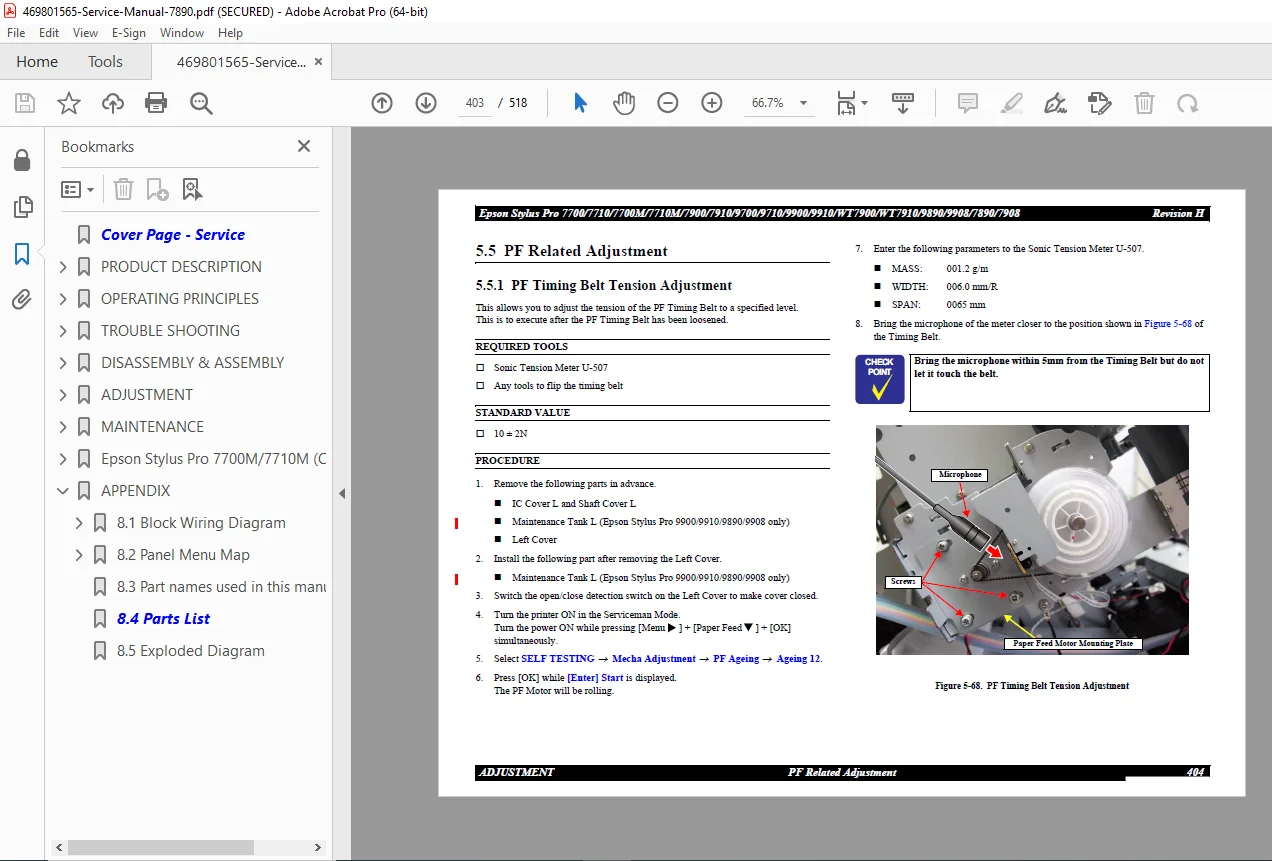
- Chapter 5: ADJUSTMENT (Page 355)
- (Adjustment methods, tools, service program operations, mechanical and electrical adjustments; includes head rank ID, cleaning, T&B&S adjustment, etc.)
- Chapter 6: MAINTENANCE (Page 447)
- (Preventive maintenance, lubrication points, and lists for approved lubricants/adhesives)
- Chapter 7: Epson Stylus Pro 7700M/7710M (Copy Mode) (Page 459)
- (Copy mode features and specifications for 7700M/7710M)
- Chapter 8: APPENDIX (Page 465)
- 8.1 Connectors (Page 465)
- 8.2 Panel Menu Map (Page 468)
- 8.3 ASP List (Page 490)
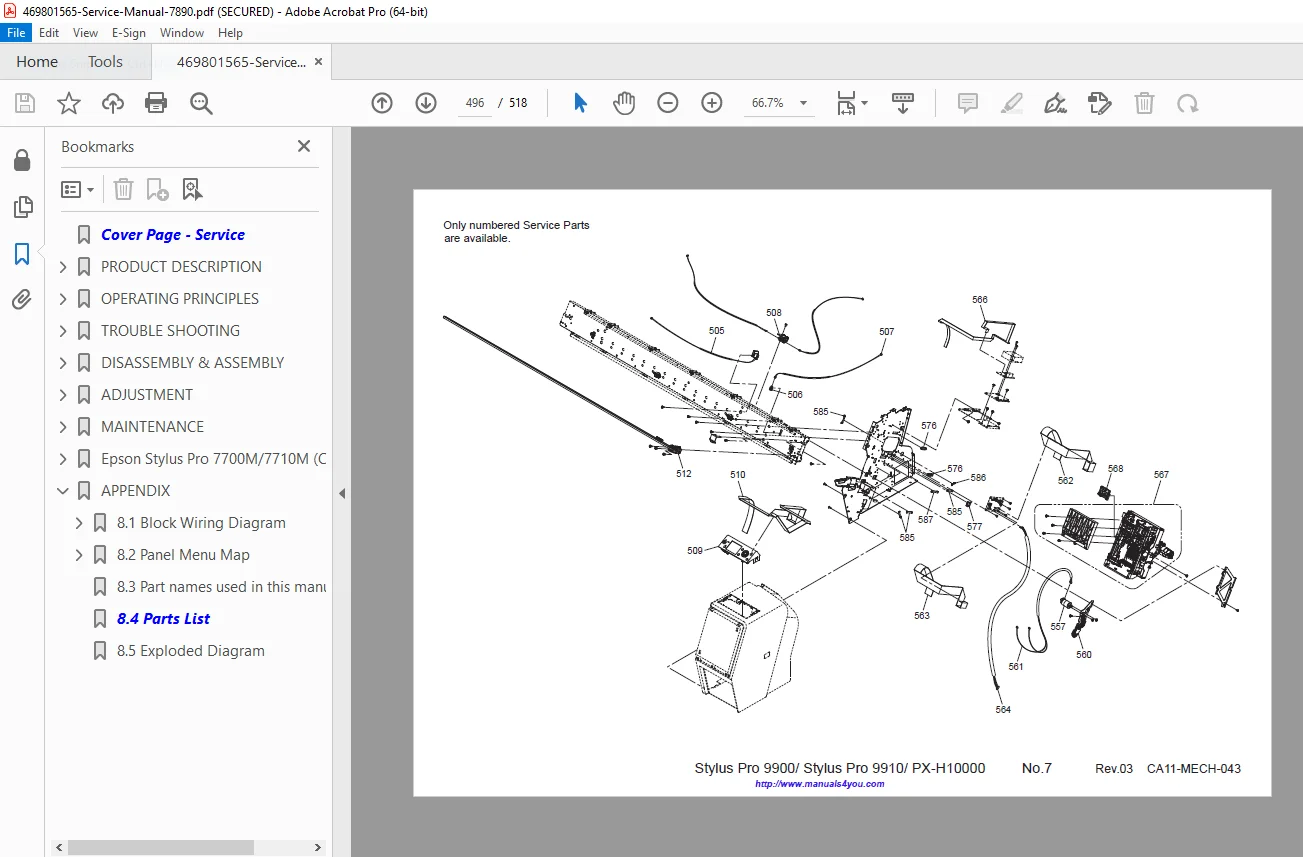
- 8.4 Exploded Diagrams (Page 490)
Note: No dedicated bookmarks are present in the document, but the detailed table of contents aids quick reference for tasks like Epson Stylus Pro 9900 troubleshooting guide, Epson large format printer disassembly, Epson Stylus Pro 9700 ink system repair, Epson WT7900 maintenance procedures, and Epson 7890 service call error remedies.
This manual is crucial for technicians handling Epson large format printer disassembly, Epson Stylus Pro 9700 ink system repair, Epson WT7900 maintenance procedures, and Epson 7890 service call error remedies on legacy Epson printers.
File Details
- Manual Name: Epson Stylus Pro 7700/7900/9700/9900 Series Service Manual
- Models Covered: Epson Stylus Pro 7700/7710/7700M/7710M/7900/7910/9700/9710/9900/9910/WT7900/WT7910/9890/9908/7890/7908
- Year: 2010
- Manual PDF Quality: High (clear text, diagrams, and illustrations)
- No of Pages: 518