Epson WorkForce 1100 Color Inkjet Printer Service Manual PDF
Original price was: $95.00.$14.95Current price is: $14.95.
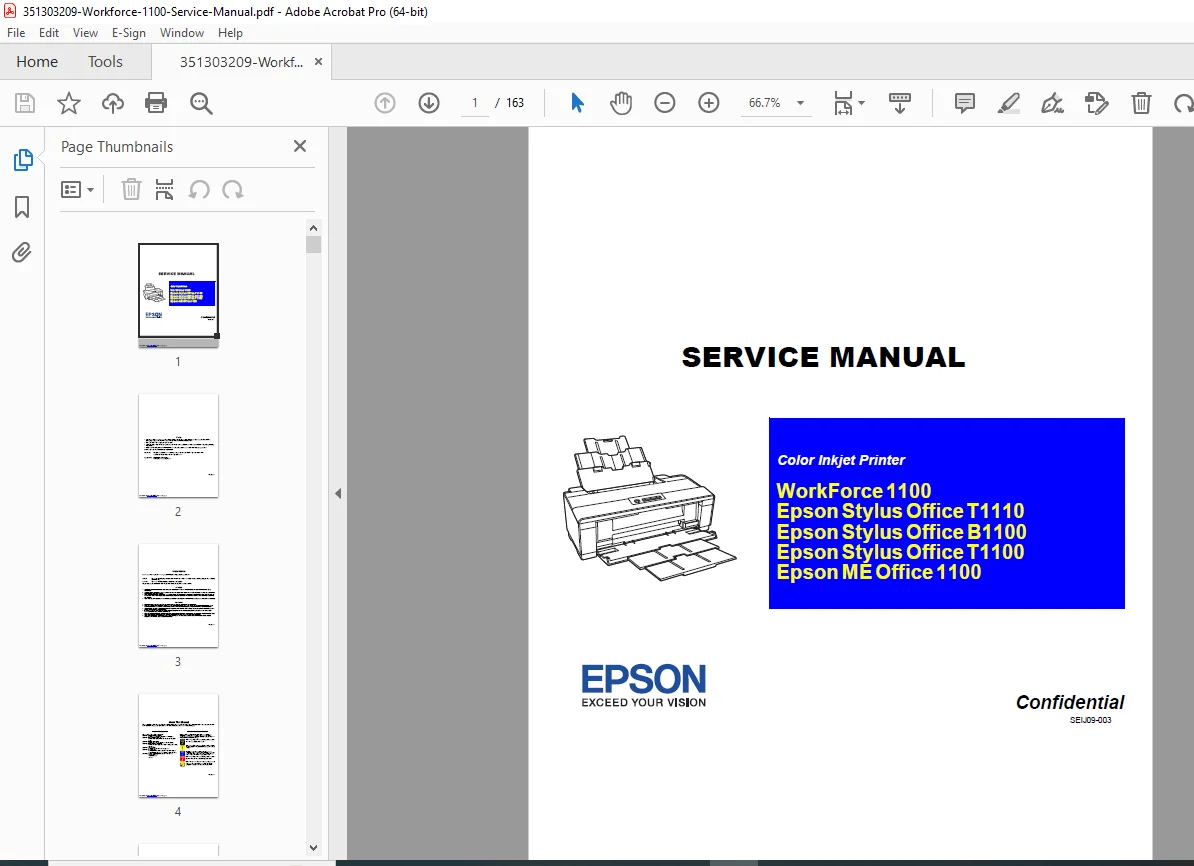
Official Epson factory service manual for the WorkForce 1100, Stylus Office T1110/B1100/T1100, and ME Office 1100 color inkjet printers. Complete 163-page technical documentation covering A3+ wide-format printing, F3-3 Mach Turbo II printhead technology, paper feed mechanisms, electrical systems, disassembly/assembly procedures, adjustment protocols, troubleshooting guides, and preventive maintenance. Essential workshop manual for printer technicians, service centers, and repair specialists.
Description
Epson WorkForce 1100 Color Inkjet Printer Service Manual PDF DOWNLOAD
DESCRIPTION
Epson WorkForce 1100 / Stylus Office Series – Official Factory Service Manual
This is the complete, official Epson factory service manual for the WorkForce 1100 and related Stylus Office series color inkjet printers. With 163 comprehensive pages of detailed technical information, this manual provides everything needed for professional maintenance, repair, calibration, and troubleshooting of these A3+ wide-format inkjet printers.
FILE DETAILS
- Manual Code: SEIJ09-003
- Models Covered:
- Epson WorkForce 1100
- Epson Stylus Office T1110
- Epson Stylus Office B1100
- Epson Stylus Office T1100
- Epson ME Office 1100
- Revision: Revision C (August 27, 2010)
- Manufacturer: Seiko Epson Corporation
- PDF Quality: High-quality optimized professional documentation
- Total Pages: 163 Pages
- File Size: 30.9 MB
- Format: Letter size (8.5″ x 11″)
- Classification: Confidential Service Manual
PRINTER SPECIFICATIONS
Printing Technology:
- Print Method: On-demand inkjet
- Printhead: F3-3 Mach Turbo II
- Nozzle Configuration:
- Black: 180 nozzles × 2 (dual black cartridges)
- Color: 59 nozzles × 3 (Cyan, Magenta, Yellow)
- Maximum Resolution: 5760 (H) × 1440 (V) dpi
- Print Direction: Bi-directional minimum distance printing, unidirectional printing
Print Modes & Resolutions:
- 360 × 180 dpi (Draft mode)
- 360 × 360 dpi (Normal mode)
- 360 × 720 dpi (Fine mode)
- 720 × 720 dpi (Photo mode)
- 720 × 1440 dpi (Best Photo mode)
- 1440 × 720 dpi (Best Photo mode)
- 5760 × 1440 dpi (Photo RPM mode – highest quality)
Paper Handling:
- Paper Feed: Friction feed with Auto Sheet Feeder (ASF)
- Paper Path: 2-way feed
- Maximum Paper Size: A3+ (Super B/Tabloid Extra)
- Supported Media: Plain paper, photo papers, glossy papers, premium papers
- Paper Feed Rate: 170 msec at 25.4 mm feed
- PF Interval: Programmable in 0.01764 mm (1/1440 inch) steps
Ink System:
- Dual Black Ink Cartridges (standard installation)
- Individual ink cartridges for each color
- Multiple cartridge series supported:
- EAI region: T0681-T0684 series
- Latin America: T1151, T1032-T1034 series
- Euro: T0711H, T1002-T1004 series
- CISMEA/Asia: T0731H, T1032-T1034 series
- ECC: T1191, T1232-T1234 series
- Ink Cartridge Shelf Life: 2 years unopened, 6 months after opening
- Storage Temperature: -20°C to 40°C (-4°F to 104°F)
Control Systems:
- Control Code: ESC/P Raster command, EPSON Remote command
- Interface: USB port for PC connection
- Control Panel: 4 operation buttons and 3 LED indicators
COMPREHENSIVE MANUAL COVERAGE
CHAPTER 1: PRODUCT DESCRIPTION
- Features Overview:
- High-speed and high-quality printing capabilities
- A3+ size support
- Dual black ink cartridge system
- High-speed borderless printing
- F3-3 Mach Turbo II printhead technology
- Printing Specifications:
- Basic specifications table
- Ink cartridge product numbers for all regions
- Print mode specifications (Draft, Normal, Fine, Photo, Best Photo, Photo RPM)
- Dot size configurations (Eco, VSD1, VSD2, VSD3)
- Bi-directional and MicroWeave settings
- Supported paper types and specifications
- Printing area dimensions
- Interface Specifications:
- USB connectivity details
- Data transfer specifications
- General Specifications:
- Electrical specifications (voltage, current, power consumption)
- Environmental conditions (operating and storage)
- Durability specifications
- Acoustic noise levels
- Safety approvals (safety standards/EMI compliance)
- Operation Buttons & Indicators:
- Button functions and operations
- LED indicator meanings
- Error codes and LED patterns
- Remedies for common errors
CHAPTER 2: OPERATING PRINCIPLES
- System Overview:
- Printer architecture and design
- Component interaction principles
- Printer Mechanism:
- Mechanical system operation
- Paper feed mechanism
- Carriage movement system
- Printhead positioning
- Printhead Specifications:
- F3-3 Mach Turbo II technology details
- Nozzle configuration and operation
- Ink delivery system
- Drop formation technology
- PG (Paper Guide) Settings:
- Paper detection principles
- Gap adjustment mechanisms
- Print quality optimization
- Motors & Sensors:
- CR (Carriage) Motor specifications and operation
- PF (Paper Feed) Motor functions
- ASF (Auto Sheet Feeder) Motor operation
- CR Encoder sensor
- PF Encoder sensor
- PW (Paper Width) Sensor
- PE (Paper End) Sensor
- Cover Open Sensor
- Sensor location and functions
- Power-On Sequence:
- Step-by-step initialization sequence
- System checks and verifications
- Error detection during startup
- Printer Initialization:
- Initial setup procedures
- Printhead cleaning cycles
- Alignment procedures
CHAPTER 3: TROUBLESHOOTING
- Troubleshooting According to Error Messages:
- Complete error message reference
- LED indicator patterns
- Fatal error troubleshooting procedures
- Step-by-step diagnostic flowcharts
- Check points for each error condition
- Remedial actions
- Troubleshooting Based on Observed Faults:
- Print quality issues (banding, streaking, missing colors)
- Paper feed problems (jams, misfeeds, double feeds)
- Mechanical issues (carriage errors, motor failures)
- Electrical problems (power issues, connectivity)
- Ink system problems (air in lines, poor ink flow)
- Systematic fault diagnosis procedures
CHAPTER 4: DISASSEMBLY AND ASSEMBLY
- Overview & Precautions:
- Safety precautions for service work
- ESD (Electrostatic Discharge) protection requirements
- Required tools listing
- Screw identification guide
- Work completion checklist
- Carriage locking/releasing procedures
- Disassembly sequence overview
- Removing the Housings:
- Paper Support Assembly removal
- Stacker Assembly removal
- Front Decoration Plate (Left/Right) removal
- Rear Housing removal
- Panel Unit disassembly
- Decoration Plate (Left/Right) removal
- Upper Housing/Printer Cover removal
- Upper Housing Support Assembly removal
- Removing the Boards:
- Main Board removal and installation
- Power Supply Board removal
- Cable disconnection procedures
- Connector identification
- Board handling precautions
- Disassembling the Printer Mechanism:
- APG (Auto Paper Guide) Assembly removal
- CR (Carriage) Scale removal and installation
- Printhead/CSIC Assembly removal:
- Printhead removal procedures
- CSIC (Cartridge Serial Interface Chip) service
- Ink line disconnection
- Cleaning procedures
- Lower Housing/Printer Mechanism disassembly
- Carriage Shaft/Carriage Unit removal:
- Carriage bearing service
- Belt system removal
- Shaft alignment procedures
- ASF (Auto Sheet Feeder) Assembly disassembly:
- Feed roller removal
- Separation mechanism service
- Motor disconnection
- LD (Lead) Roller removal and service
- Retard Roller Assembly service
- Front Paper Guide Pad replacement
- Waste Ink Pad/Waste Ink Tray Assembly removal:
- Waste ink absorption system
- Pad replacement procedures
- Tray cleaning
- Foot (printer feet) removal
- Paper EJ (Eject) Frame Assembly disassembly
- Ink System Unit removal:
- Ink supply system disassembly
- Tube routing
- Air purge mechanisms
- Front Paper Guide/Paper EJ Roller/Front Paper Guide Pad Tray removal
- PF Roller Shaft removal and service
- Release Holder Assembly removal
- Upper Paper Guide Assemblies removal
- Removing the Motors:
- CR Motor removal and replacement
- PF Motor removal procedures
- ASF Motor removal and installation
- Motor testing procedures
- Connector disconnection
- Removing the Sensors:
- CR Encoder sensor removal
- PF Encoder sensor service
- PW Sensor replacement
- PE Sensor Holder removal
- Cover Open Sensor removal
- Sensor alignment procedures
CHAPTER 5: ADJUSTMENT
- Adjustment Items and Overview:
- Complete servicing adjustment item list
- Required adjustments after component replacement
- Required adjustment tools and equipment
- Adjustment Using Adjustment Program:
- Head Angular Adjustment:
- Printhead alignment procedures
- Software-based adjustment tools
- Verification printing
- PW Adjustment/First Dot Position Adjustment:
- Paper width sensor calibration
- First printing position optimization
- Bi-D (Bi-directional) Adjustment:
- Left-to-right and right-to-left alignment
- Print quality optimization
- BAND Printing Adjustment:
- Band height optimization
- Elimination of banding artifacts
- PF (Paper Feed) Adjustment:
- Paper feed accuracy calibration
- Distance per step verification
- PF Band Adjustment:
- Paper feed banding correction
- Head Angular Adjustment:
- Adjustment Without Using Adjustment Program:
- PF Belt Tension Adjustment:
- Belt tensioning procedures
- Proper tension verification
- PG (Paper Gap) Adjustment:
- Gap sensor calibration
- Media thickness compensation
- PF Roller Shaft Center Support Position Adjustment:
- Shaft alignment procedures
- Support positioning
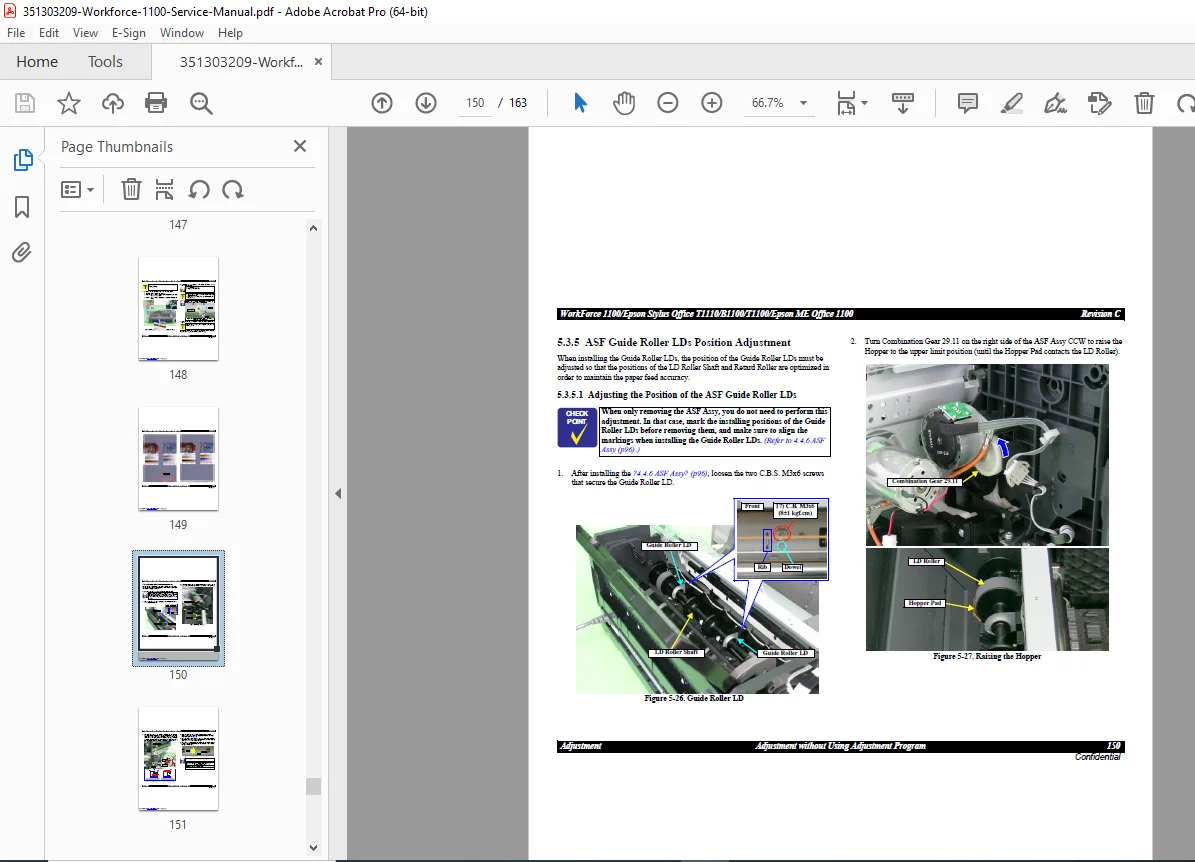
- ASF Guide Roller LDs Position Adjustment:
- Feed roller alignment
- Lead roller positioning
- PF Belt Tension Adjustment:
CHAPTER 6: MAINTENANCE
- Cleaning Procedures:
- Printhead cleaning cycles
- Paper path cleaning
- Encoder strip cleaning
- Platen cleaning
- External cleaning
- Waste ink system maintenance
- Service Maintenance:
- Preventive maintenance schedules
- Component replacement intervals
- Waste ink counter reset procedures
- Service mode access
- Maintenance mode operations
- Lubrication:
- Epson-approved lubricants listing
- Lubrication points identification
- Application procedures
- Lubricant specifications
- Adhesives for service work
CHAPTER 7: APPENDIX
- Connector Summary:
- Complete connector pinout diagrams
- Main board connector reference
- Power supply board connections
- Sensor connections
- Motor connections
- Signal descriptions
- Exploded Diagram:
- Complete mechanical assembly diagrams
- Component identification numbers
- Assembly relationships
- Parts List:
- Comprehensive parts catalog
- Part numbers for all serviceable components
- Housing parts
- Mechanical components
- Electrical components
- Consumable parts
- Replacement intervals
REGIONAL MODEL VARIATIONS
This manual covers multiple regional variants of the same printer platform:
- WorkForce 1100 – Sold in North America and other regions
- Stylus Office T1110 – European and international markets
- Stylus Office B1100 – Black-optimized variant for business use
- Stylus Office T1100 – Alternative regional designation
- ME Office 1100 – Middle East and select Asian markets
All models share the same core technology with minor regional variations in:
- Ink cartridge part numbers
- Power supply specifications
- Regulatory compliance markings
- Software localization
SAFETY & CERTIFICATION
Safety Standards:
- Electrical safety compliance
- EMI (Electromagnetic Interference) standards
- Regional safety approvals
Service Safety Requirements:
- ESD protection mandatory for all component handling
- Power disconnection required before service
- Certified technician requirements
- Proper tools and test equipment
- Static discharge equipment (anti-static wrist straps)
IDEAL FOR:
- Professional printer service technicians
- Epson authorized service centers
- Independent printer repair businesses
- IT department technical staff
- Electronics repair specialists
- Office equipment service companies
- Print shop technical personnel
- Biomedical equipment technicians (for medical facilities)
- Corporate IT support teams
- Technical training institutions
- Anyone performing advanced printer repairs
WHY THIS MANUAL IS ESSENTIAL:
The Epson WorkForce 1100 series represents professional A3+ inkjet printing technology requiring specialized knowledge for proper service. This comprehensive 163-page manual provides:
✓ Complete Disassembly Guides – Step-by-step component removal procedures
✓ Adjustment Protocols – Software and mechanical calibration procedures
✓ Troubleshooting Flowcharts – Systematic error diagnosis and resolution
✓ Exploded Diagrams – Clear component identification and relationships
✓ Parts Reference – Complete parts catalog with part numbers
✓ Maintenance Schedules – Preventive maintenance to maximize printer life
✓ Technical Specifications – All operating parameters and tolerances
✓ Safety Information – Proper service precautions and requirements
✓ Connector Pinouts – Complete electrical system documentation
✓ Regional Variations – Coverage of all global model variants
IMPORTANT SERVICE NOTICE:
This is a confidential service manual intended for use by qualified Epson-certified repair technicians only. Servicing inkjet printers requires:
- Understanding of electronic systems and ESD protection
- Proper test equipment and adjustment software
- Genuine Epson replacement parts
- Approved lubricants and adhesives
- Following safety precautions to prevent equipment damage
- Proper disposal of waste ink materials
Improper service may result in poor print quality, equipment damage, or safety hazards. Always follow manufacturer guidelines and use approved replacement components.
Service your Epson WorkForce 1100 / Stylus Office series printer with confidence! This official factory service manual provides the same comprehensive information used by Epson-certified technicians worldwide. With instant PDF download, qualified service personnel can access this 163-page technical resource immediately. Whether performing routine maintenance, troubleshooting print quality issues, or conducting complete mechanical rebuilds, this manual is your authoritative technical reference for professional-grade printer repair.