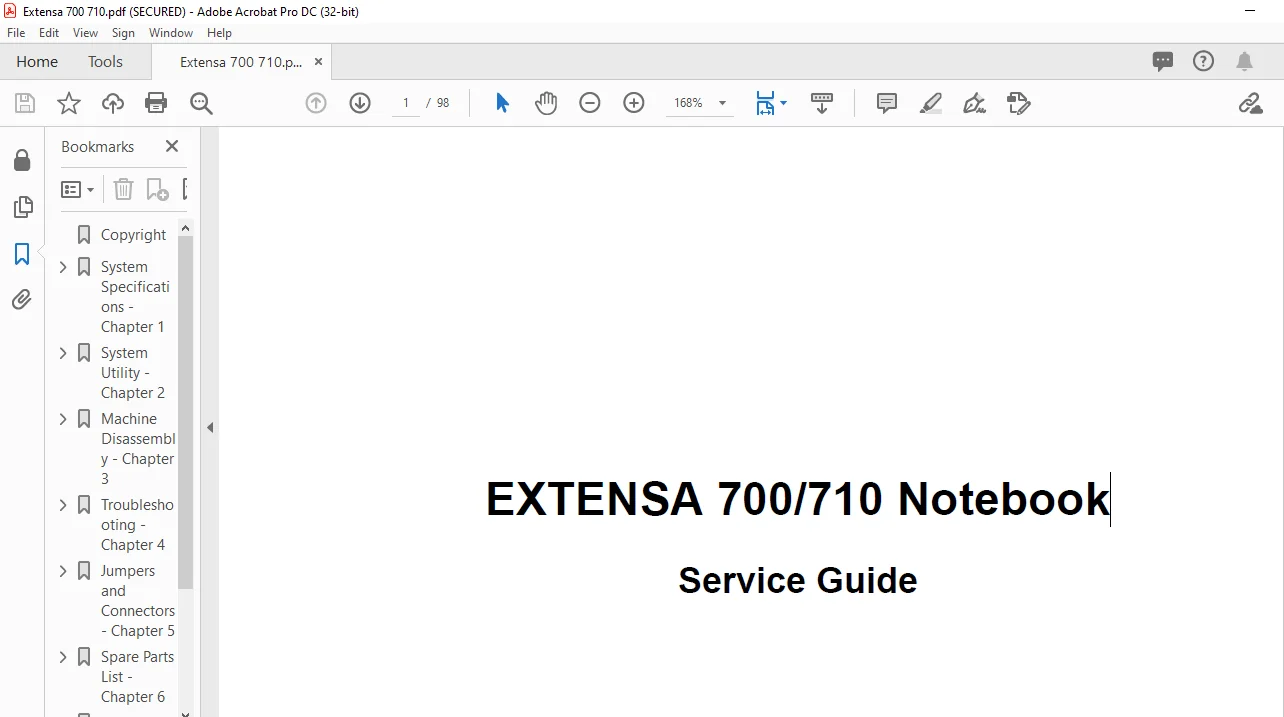
Extensa 700 710 Notebook Service Guide Manual – PDF DOWNLOAD
Extensa 700 710 Notebook Service Guide Manual – PDF DOWNLOAD
Extensa 700 710 Notebook Service Guide Manual – PDF DOWNLOAD
Copyright................................................. 2
System Specifications - Chapter 1......................... 3
	Overview.............................................. 3
		Performance....................................... 3
		Multimedia........................................ 3
		Connectivity...................................... 3
		Human-centric Design and Ergonomics............... 3
		Expansion......................................... 4
		System Status Indicators.......................... 5
		Hot Keys.......................................... 5
		Activating Hot Keys............................... 7
	Hardware Configuration and Specification.............. 8
	Memory Address Map.................................... 8
	Interrupt channel default assignment.................. 8
	DMA channel default assignment........................ 9
	I/O address map....................................... 9
	Processor.............................................10
	BIOS..................................................10
	System Memory.........................................10
	DIMM Memory Combinations..............................11
	Second-Level Cache....................................11
	Video memory..........................................12
	Video.................................................12
	External CRT Resolutions Modes........................12
	Parallel Port.........................................13
	Serial Port...........................................13
	FIR...................................................13
	Audio.................................................14
	PCMCIA................................................14
	Fax/Modem.............................................14
	Keyboard..............................................15
	FDD...................................................15
	HDD...................................................15
	CD-ROM................................................16
	Battery...............................................17
	Charger...............................................17
	DC-DC Converter.......................................17
	DC-AC Inverter........................................18
	LCD...................................................18
	AC Adapter............................................19
System Utility - Chapter 2................................21
	BIOS..................................................21
		Main..............................................22
		Floppy Disk A:....................................22
		Boot Device Priority:.............................22
		Speaker:..........................................22
		Boot Display Device:..............................22
		Mic-In/Line-In:...................................23
		Hard Disk 0 Submenu...............................23
		Type:.............................................23
		Advanced..........................................24
		Serial Port:......................................24
		Base I/O address..................................24
		Interrupt:........................................24
		Parallel Port: Mode:..............................24
		Security..........................................25
		User Password is..................................25
		Set Supervisor Password...........................25
		Password on boot..................................25
		Password check during resume:.....................25
		Power Saving......................................26
		Heuristic Power Management........................26
		Display Always On.................................26
		Battery Low Suspend:..............................26
		Resume On Alarm:..................................26
		Resume Time.......................................27
		Wake On LAN:......................................27
		Battery Low Warning Beep:.........................27
		Exit..............................................27
		Save Change & Exit................................27
		Discard Changes & Exit............................27
		Get Default Values................................28
		Load Previous value...............................28
		Save Changes......................................28
		Heuristic Power Management........................28
		Power Management Modes............................28
		Display Standby Mode..............................28
		"Automatic Dim" Feature...........................29
		Hard Disk Standby Mode............................29
		Peripheral Standby Modes..........................29
		Standby Mode......................................29
		Hibernation Mode..................................30
		Advanced Power Management.........................32
	PhDISK................................................33
		Syntax............................................33
Machine Disassembly - Chapter 3...........................35
	Installing Memory.....................................37
	Disassembling the modem board.........................37
	Disassembling the hard disk drive:....................38
	Removing the battery pack:............................39
	Disassembling the CD-ROM drive:.......................39
	Removing the keyboard.................................40
	Removing the Display Module...........................41
	Removing the heat sink:...............................41
	Disassembling the Upper Case..........................42
	TouchPad bracket disassembly procedure................42
	Disassembling the CPU:................................43
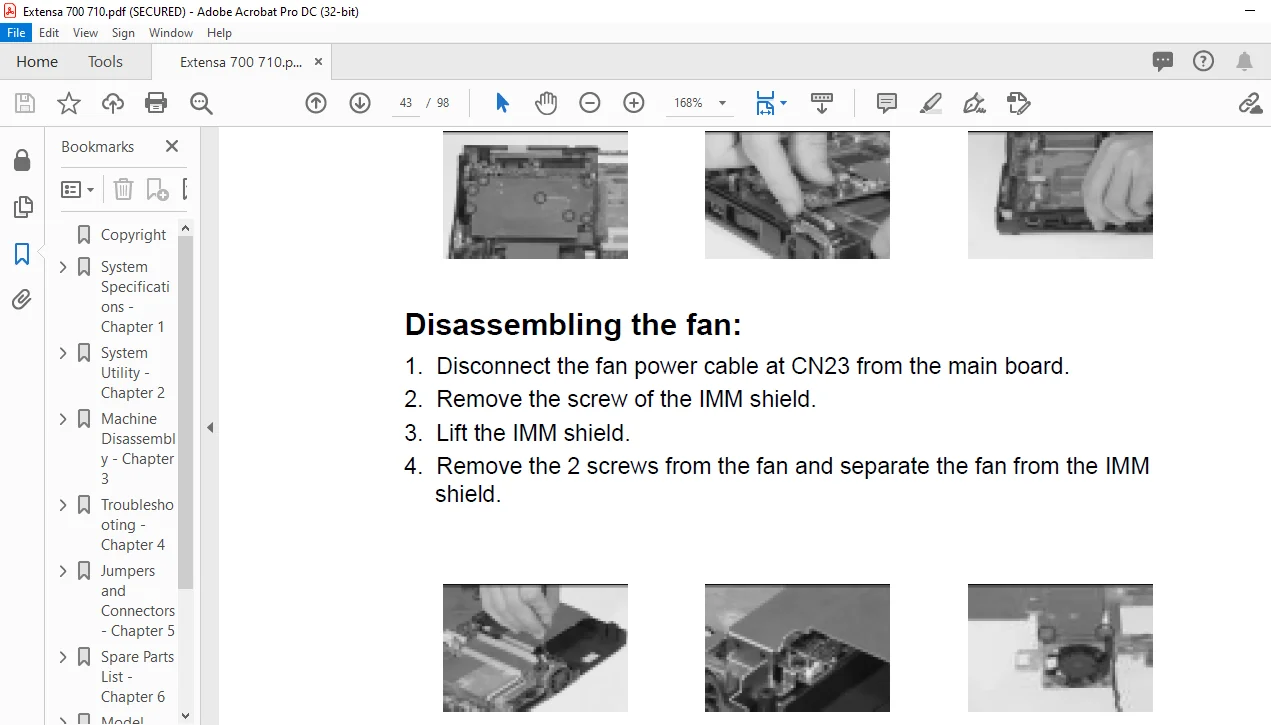
	Disassembling the fan:................................43
	Disassembling the lower case:.........................44
	Disassembling the LCD:................................45
Troubleshooting - Chapter 4...............................47
	Diskette Drive Checkout...............................48
	CD-ROM Driver Test....................................48
	Keyboard or Auxiliary Input Device Checkout...........49
	Memory Checkout.......................................49
	Flash Memory Update:..................................51
	Power System Checkout.................................51
	Checking the AC Adapter:..............................51
	Checking Operational Charging:........................52
	Checking the Battery Pack:............................52
	TouchPad Checkout.....................................53
	Symptom-to-Spare Part Index...........................54
		Numeric Error Codes...............................54
		Numeric error Codes...............................54
		Error Messages....................................56
		No Beep Symptoms..................................56
		LCD-Related Symptoms..............................57
		Keyboard/TouchPad-Related Symptoms................57
		Indicator-Related Symptoms........................58
		Power-Related Symptoms............................58
		PCMCIA-Related Symptoms...........................58
		Memory-Related Symptoms...........................58
		Speak-Related Symptoms............................58
		Power Management-Related Symptoms.................59
		Peripheral-Device-Related Symptoms................59
		Intermittent Problems.............................59
		Undetermined Problems.............................60
	Utility Program Diskette..............................61
		Setting LCD Panel ID..............................61
		Setting Thermal Sensor Utility....................61
		Running PQA Diagnostics Program...................62
		PQA Diagnostic Program Error Code and Messages....64
Jumpers and Connectors - Chapter 5........................65
	Top View..............................................65
	BottoM View...........................................66
Spare Parts List - Chapter 6..............................67
	Picture...............................................67
	Level.................................................67
	Description...........................................67
	Part No...............................................67
	ADAPTER...............................................67
	BATTERY COVER.........................................67
	CD-ROM................................................67
	CPU...................................................68
	DIMM..................................................68
	DIMM DOOR.............................................69
	FDD MODULE............................................69
	HDD MODULE............................................70
	HEAT SINK.............................................71
	HINGE PACK............................................72
	HINGE COVER...........................................72
	INVERTER..............................................72
	KEYBOARD..............................................73
	LCD MODULE 12.1" DSTN 700DX...........................73
	LCD MODULE 12.1" TFT 710T.............................75
	LVDS BOARD 13.3" 711TE................................77
	LCD MODULE 13.3" TFT 711TE............................77
	LOWER CASE............................................79
	MAINBOARD.............................................80
	MIDDLE COVER..........................................80
	MMO SHLD..............................................81
	MODEM.................................................81
	MODEM DOOR............................................81
	PLATE NAME EX700......................................82
	POWER CORD............................................82
	SCRW PACK.............................................82
	SIR-LENS ASSY.........................................82
	TOUCHPAD..............................................82
Model Definition - Appendix A............................. 0
	700 Model Number Define...............................85
Compatibility Test - Appendix B........................... 0
	System Configuration..................................87
	Microsoft Windows 95..................................88
		Application packages test.........................88
	OA kit test...........................................88
	Communication test....................................88
	Diagnostic test.......................................88
	CD title..............................................88
		PCMCIA Card.......................................90
	ATA Drive.............................................90
	SCSI Card.............................................90
	CD-ROM................................................90
	ZV Card...............................................90
		Peripheral devices test...........................90
	Floppy disk drive.....................................90
	Hard disk drive.......................................90
	IDE Drive.............................................91
	Keyboard..............................................91
	Mouse.................................................91
	ECP/EPP and printer...................................91
	Monitor...............................................91
	USB Device............................................92
	Mini Dock.............................................92
		PCMCIA Ethernet LAN Adapter.......................93
	PCMCIA Ethernet LAN adapter...........................93
	PCMCIA Modem Card.....................................94
	Microsoft Windows 95 (Japanese OSR2.1J)...............96
	Printer Test..........................................96
	PCMCIA Adapter Test...................................96
	Microsoft Windows 95 (Chinese OSR2.1).................97
	Print.................................................97
	Monitor...............................................97
	Mouse.................................................97
PLEASE NOTE:
This is the SAME manual used by the dealers to troubleshoot any faults in your vehicle. This can be yours in 2 minutes after the payment is made.
Contact us at [email protected] should you have any queries before your purchase or that you need any other service / repair / parts operators manual.
s.m
1 review for Extensa 700 710 Notebook Service Guide Manual – PDF DOWNLOAD
5 out of 5
Braden Kayson –
Just maybe a bit user friendlier! I was kinda confused initially before noticing ‘download’ window. Should be a bit more visible. I think. Otherwise everytning is great, I recommend!





Braden Kayson –
Just maybe a bit user friendlier! I was kinda confused initially before noticing ‘download’ window. Should be a bit more visible. I think. Otherwise everytning is great, I recommend!