HP 540 Notebook PC HP 541 Notebook PC Laptop Maintenance and Service Guide Manual – PDF DOWNLOAD
Original price was: $60.00.$16.95Current price is: $16.95.
HP 540 Notebook PC HP 541 Notebook PC Laptop Maintenance and Service Guide Manual – PDF DOWNLOAD
Description
HP 540 Notebook PC HP 541 Notebook PC Laptop Maintenance and Service Guide Manual – PDF DOWNLOAD
Copyright 2008 Hewlett-Packard
Development Company, L.P.
Bluetooth is a trademark owned by its
proprietor and used by Hewlett-Packard
Company under license, and Intel, Core, and
Celeron are trademarks of Intel Corporation
in the United States and other countries.
Microsoft, Windows, and Windows Vista are
U.S. registered trademarks of Microsoft
Corporation. SD Logo is a trademark of its
proprietor.
The information contained herein is subject
to change without notice. The only
warranties for HP products and services are
set forth in the express warranty statements
accompanying such products and services.
Nothing herein should be construed as
constituting an additional warranty. HP shall
not be liable for technical or editorial errors
or omissions contained herein.
Second Edition: October 2008
First Edition: August 2008
Document Part Number: 504356–002
HP 540 Notebook PC HP 541 Notebook PC Laptop Maintenance and Service Guide Manual – PDF DOWNLOAD
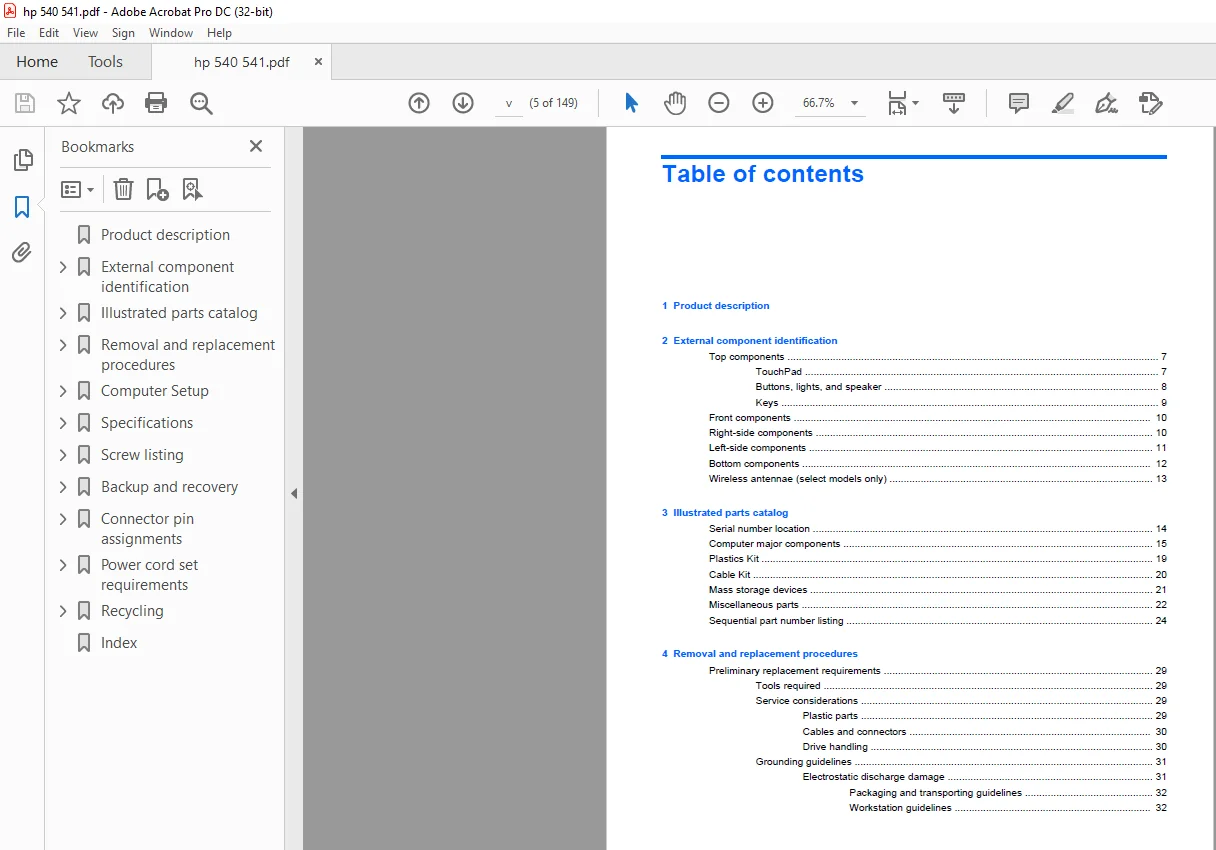
Product description…………………………………………………….. 9
External component identification………………………………………… 15
Top components……………………………………………………… 15
TouchPad……………………………………………………….. 15
Buttons, lights, and speaker……………………………………… 16
Keys…………………………………………………………… 17
Front components……………………………………………………. 18
Right-side components……………………………………………….. 18
Left-side components………………………………………………… 19
Bottom components…………………………………………………… 20
Wireless antennae (select models only)………………………………… 21
Illustrated parts catalog……………………………………………….. 22
Serial number location………………………………………………. 22
Computer major components……………………………………………. 23
Plastics Kit……………………………………………………….. 27
Cable Kit………………………………………………………….. 28
Mass storage devices………………………………………………… 29
Miscellaneous parts…………………………………………………. 30
Sequential part number listing……………………………………….. 32
Removal and replacement procedures……………………………………….. 37
Preliminary replacement requirements………………………………….. 37
Tools required………………………………………………….. 37
Service considerations…………………………………………… 37
Plastic parts……………………………………………….. 37
Cables and connectors………………………………………… 38
Drive handling………………………………………………. 38
Grounding guidelines…………………………………………….. 39
Electrostatic discharge damage………………………………… 39
Packaging and transporting guidelines………………………. 40
Workstation guidelines……………………………………. 40
Equipment guidelines……………………………………… 41
Unknown user password……………………………………………. 42
Component replacement procedures……………………………………… 43
Serial number…………………………………………………… 43
Computer feet…………………………………………………… 44
Battery………………………………………………………… 45
Hard drive……………………………………………………… 46
WLAN module…………………………………………………….. 48
Memory module…………………………………………………… 51
Optical drive…………………………………………………… 53
Switch cover and keyboard………………………………………… 55
Speaker………………………………………………………… 59
Display lid switch module………………………………………… 60
Display assembly………………………………………………… 61
Top cover………………………………………………………. 66
TouchPad board and TouchPad button board…………………………… 69
Bluetooth module………………………………………………… 72
System board……………………………………………………. 74
Fan……………………………………………………………. 77
Heat sink………………………………………………………. 79
Processor………………………………………………………. 82
Modem module……………………………………………………. 84
RTC battery…………………………………………………….. 86
ExpressCard assembly…………………………………………….. 87
Computer Setup…………………………………………………………. 89
Starting Computer Setup……………………………………………… 89
Using Computer Setup………………………………………………… 90
Navigating and selecting in Computer Setup…………………………. 90
Restoring factory settings in Computer Setup……………………….. 90
Computer Setup menus………………………………………………… 91
File menu………………………………………………………. 91
Security menu…………………………………………………… 92
Diagnostics menu………………………………………………… 92
System Configuration menu………………………………………… 93
Specifications…………………………………………………………. 96
Computer specifications……………………………………………… 96
14.1-inch, WXGA display specifications………………………………… 97
Hard drive specifications……………………………………………. 98
DVD±RW and CD-RW Double-Layer Combo Drive specifications………………… 99
DVD/CD-RW Combo Drive specifications…………………………………..100
System DMA specifications…………………………………………….101
System interrupt specifications……………………………………….102
System I/O address specifications……………………………………..103
System memory map specifications………………………………………105
Screw listing…………………………………………………………..106
Phillips PM2.0×5.0 captive screw………………………………………107
Phillips PM2.5×12.0 captive screw……………………………………..108
Phillips PM3.0×4.0 screw……………………………………………..109
Phillips PM2.5×4.0 screw……………………………………………..110
Slotted Torx ST8M2.5×7.0 screw………………………………………..111
Phillips PM2.0×4.0 screw……………………………………………..114
Torx T8M2.5×3.0 broad-head screw………………………………………116
Torx T8M2.5×4.0 screw………………………………………………..117
Torx T8M2.5×6.0 screw………………………………………………..118
Phillips PM2.0×2.0 broad-head screw……………………………………119
Phillips PM2.0×6.0 screw……………………………………………..120
Phillips PM2.5×7.0 screw……………………………………………..121
Phillips PM2.5×7.0 captive screw………………………………………122
Phillips PM2.5×10.0 captive screw……………………………………..123
Phillips PM2.0×8.0 screw……………………………………………..125
Backup and recovery……………………………………………………..126
Backup and recovery in Windows Vista…………………………………..127
Overview………………………………………………………..127
Backing up your information……………………………………….127
Performing a recovery…………………………………………….128
Using the Windows recovery tools……………………………….128
Using f11……………………………………………………129
Using a Windows Vista operating system DVD (purchased separately)….129
Backup and Recovery in Windows XP……………………………………..131
Overview………………………………………………………..131
Backing up your information……………………………………….131
Performing a recovery…………………………………………….132
Recovering your information……………………………………132
Recovering the operating system and programs…………………….132
Connector pin assignments………………………………………………..133
Audio-out (headphone)………………………………………………..133
Audio-in (microphone)………………………………………………..133
External monitor…………………………………………………….134
RJ-11 (modem)……………………………………………………….135
RJ-45 (network)……………………………………………………..136
Universal Serial Bus…………………………………………………136
Power cord set requirements………………………………………………137
Requirements for all countries and regions……………………………..137
Requirements for specific countries and regions…………………………138
Recycling………………………………………………………………139
Battery…………………………………………………………….139
Display…………………………………………………………….139
Index………………………………………………………………….145
PLEASE NOTE:
- This is the same manual used by the dealers to diagnose and troubleshoot your vehicle
- You will be directed to the download page as soon as the purchase is completed. The whole payment and downloading process will take anywhere between 2-5 minutes
- Need any other service / repair / parts manual, please feel free to contact [email protected] . We still have 50,000 manuals unlisted
S.M