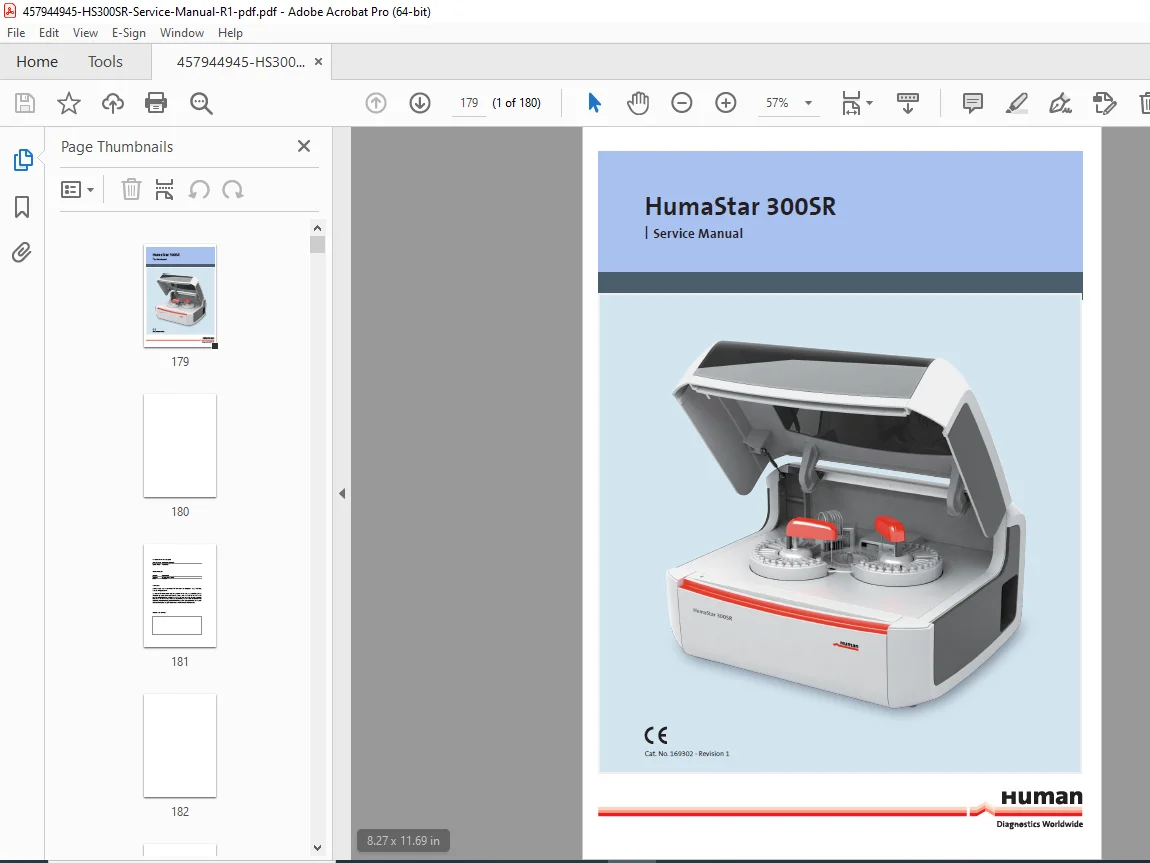
HumaStar 300SR Service Manual – Repair & Calibration Guide PDF
Original price was: $65.00.$18.95Current price is: $18.95.
Complete HumaStar 300SR service manual PDF for clinical chemistry analyzer repair, calibration, and maintenance. This technical service documentation covers installation procedures, troubleshooting, optical adjustments, firmware updates, and component replacement for the automated analyzer. Essential HumaStar 300SR repair guide for biomedical technicians and service engineers working with biochemistry analyzers.
Description
HumaStar 300SR Service Manual – Repair & Calibration Guide PDF DOWNLOAD
What This HumaStar 300SR Service Manual Covers:
The HumaStar 300SR is a fully automated, compact random-access clinical chemistry and turbidimetric immunochemistry analyzer designed for high-throughput laboratory testing. This technical service documentation provides detailed procedures for installation, calibration, repair, and maintenance of all analyzer components.
Table of Contents
- 1. SAFETY INSTRUCTIONS
- Introduction
- User Warranty
- Intended Use of the Instrument
- General Safety Warnings
- Disposal Management Concept
- Biohazard Warning
- Instrument Disinfection
- 2. TECHNICAL SPECIFICATIONS
- Operation Parameters
- Sample Handling
- Reagent Management
- Pipetting Systems
- Reaction Parameters
- Software Version Details
- Electrolyte Module
- Environmental Requirements
- 3. INSTRUMENT OVERVIEW
- General Description
- Main Characteristics
- Installation and Removal from Service:
- Shipping and Delivery
- Packaging Requirements
- Installation Responsibilities
- Site Preparation
- Environmental Requirements
- Storage Guidelines
- Unpacking Procedures
- PC Connections
- Instrument Connections
- Hydraulic Connections
- Moving Procedures
- Main Components:
- CPU Board
- Power Board 0, 1, 2
- Level and Shock Sensor Board
- Power Supplies
- Ground Connections
- Optical Lamp
- Hydraulics Panel
- Hydraulics Panel Manifold
- Wash Station
- External Tanks
- 4. SERVICE MENU
- Access Procedures
- Tabs Menu Navigation
- Mouse Use
- Operation
- Hardware Test Menu (TE-OS-F1)
- Mechanical Calibrations Menu (TE-OS-F2)
- Mechanical Check Menu (TE-OS-F3)
- Reading Test Menu (TE-OS-F4)
- Washing Menu (TE-OS-F5)
- Diagnostics Menu (TE-OS-F6)
- Edit Parameters Menu (TE-OS-F7)
- Clear Errors Menu (TE-OS-F8)
- 5. ADJUSTMENTS & CALIBRATION PROCEDURES
- Reaction Rotor Temperature Calibration
- Optical Offset and Gain Adjustment
- Offset Adjustment Procedures
- Gain Adjustment Procedures
- Filter Wheel Adjustments:
- Optical Home Switch Adjustment
- FS Belt Adjustment
- Offset Adjustment
- Reaction Rotor Belt Tightening
- Sampling Needle Vertical Adjustment in Wash Well
- Wash Station Down Adjustment:
- Rough Automatic Calibration
- Fine Calibration
- 6. SERVICING & COMPONENT REPLACEMENT
- Lamp Replacement
- Sample Tray Replacement (40/60 Positions)
- Single Reaction Cell Replacement
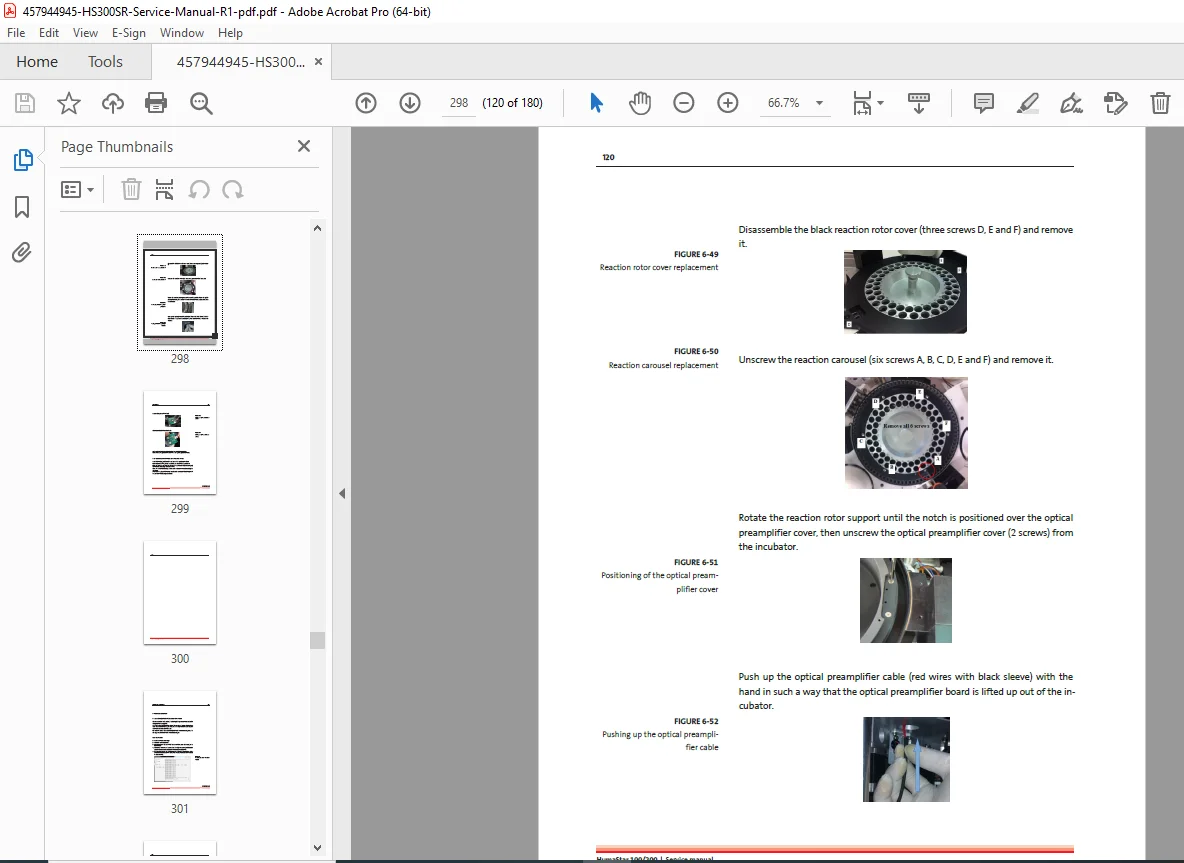
- Reaction Rotor Replacement
- Sampling Needle Replacement
- Filter Replacement and Equalization
- Vacuum Pump Replacement
- Vacuum Pump Membrane Valves Replacement
- Peristaltic Pump Head Replacement
- Diluter Replacement
- Diluter Sealing Gasket Replacement
- Sampling Arm Replacement
- Level Sensor Wiring Replacement
- External Tanks Floats Replacement
- Inversion of the Float Contact
- Optical Preamplifier Replacement
- Adding a New Optical Interference Filter
- 7. FIRMWARE UPDATING
- Download/Upload System Parameters
- Special USB Cable Requirements
- CPU Board Version 2.5.1
- Upgrade Procedures
- 8. HI SOFTWARE INSTALLATION
- Settings Configuration
- HI Software Updating
- HI Data Folder
- Compatibility with Windows 7, 8, 8.1, 10
- Device Drivers Installation
- 9. TROUBLESHOOTING GUIDE
- The Analyzer Does Not Connect
- Optical Readings Have Bad Repeatability
- Autozero Has Bad Repeatability, Unstable Optical Signal
- Reaction Rotor Temperature is Uncontrolled
- Reaction Cuvettes Become Dirty and Excluded Quickly
- A Droplet Forms on the Needle Tip
- Aberrant or Null Results and Reagent Bottles Wrongly Detected Full
- “Needle Shock Detector is Stuck” Error Message
- Vacuum Pump Errors
- Non-Repeatable Tests Troubleshooting
- OP Calibration Error
- Invalid Autozero
- Spikes
- Wash Station Down Error
- 10. MAINTENANCE PROCEDURES
- Update Firmware and Software
- Cover Maintenance
- Optical Lamp Maintenance
- Sampling Needle Maintenance
- Wash Station Needles
- Wiring and Connectors
- Hydraulic Tubes and Floats
- Diluter Maintenance
- Pumps Maintenance
- Reagents Cooling System
- Sample Plate
- Reaction Rotor Cuvettes
- Test and Adjustment Procedures in Terminal Service
- 11. APPENDICES & TECHNICAL DATA
- System Parameters List
- Firmware Version 2.29D Execution Error Codes
- Motor Position Tables
- 1st Arm SN1 Motor Parameters
- 2nd Arm RN2 Motor Parameters
- Detailed Technical Specifications
🔧 Key Features of This Service Manual
- Complete Installation Procedures – Step-by-step HumaStar 300SR installation guide including site preparation, environmental requirements, and all connection procedures
- Detailed Calibration Instructions – Comprehensive calibration procedures for optical systems, temperature control, mechanical components, and filter wheel adjustments
- Component Replacement Guides – Clear instructions for replacing all major components including pumps, needles, rotors, lamps, and sensors
- Advanced Troubleshooting – Systematic troubleshooting procedures for common and complex issues with clinical chemistry analyzers
- Service Menu Navigation – Complete guide to accessing and using the HumaStar 300SR service menu for diagnostics and adjustments
- Firmware & Software Updates – Detailed procedures for updating firmware and HI software with compatibility information
- Maintenance Schedules – Preventive maintenance procedures to ensure optimal analyzer performance
- Technical Specifications – Complete technical data including system parameters, motor positions, and error codes
👥 Who Needs This Manual:
- Biomedical Equipment Technicians
- Clinical Laboratory Service Engineers
- Hospital Maintenance Personnel
- Independent Medical Equipment Repair Professionals
- Laboratory Managers and Supervisors
- Technical Service Companies specializing in Biochemistry Analyzers
⚙️ Technical Capabilities Covered:
The HumaStar 300SR performs both clinical chemistry and turbidimetric immunochemistry tests. This automated analyzer service manual covers all aspects of the advanced system including:
- Random Access Sample Processing
- Automated Reagent Management
- Method, Needle and Cuvette Management of Incompatible Tests
- Advanced Lamp Saving Mode
- Automatic Check of Reagents, Expiry Dates, Calibration
- Hardware Diagnostics and Maintenance Procedures
- Reaction and Results Monitoring
- Simple Access to Hydraulic Pumps System and Optical Lamp
📖 Manual Organization:
This HumaStar 300SR technical service documentation is systematically organized for quick reference during repair and maintenance work. Each section provides detailed procedures with clear instructions, making it an invaluable resource for clinical chemistry analyzer troubleshooting and repair.
✅ Document Authenticity:
This is the official manufacturer service manual from Human Gesellschaft für Biochemica und Diagnostica mbH, Wiesbaden, Germany. Catalog Number 169302, Revision 1, published February 2018.
💻 System Compatibility:
- HI Application Software: Version 1.0.1.43.4
- Firmware: Version 2.29D
- Operating System: Windows 7, 8, 8.1, 10
This comprehensive HumaStar 300SR service manual PDF is essential for anyone responsible for maintaining, repairing, or servicing clinical chemistry analyzers in hospital laboratories, diagnostic centers, or medical equipment service facilities.
📄 File Details
- Manual Name: HumaStar 300SR Service Manual (Catalog No. 169302 – Revision 1)
- Models Covered: HumaStar 300SR Clinical Chemistry Analyzer
- Year: 2018 (February)
- Manual PDF Quality: High Quality (Original Manufacturer Documentation)
- Number of Pages: 180 pages
- Software Version: HI Application 1.0.1.43.4, Firmware 2.29D
- File Size: 13 MB
- Publisher: Human Gesellschaft für Biochemica und Diagnostica mbH