
Intek INCON-ME3 CNC Milling Controller Guide Edition 1.01 PDF
Original price was: $29.95.$18.95Current price is: $18.95.
A workshop-oriented PDF guide for the INTEK INCON-ME3 CNC milling controller, covering startup and homing, program editing and running, screen operation, G-codes, cancycles, alarms and optional facilities. Edition 1.01 applies to Version 1.00D and upward.
Description
File Details
- Manual type: CNC milling controller guide and user manual
- Brand: INTEK Technology Co., LTD.
- Model: INCON-ME3
- Language: English
- Page count: 260 pages
- File format: PDF
- Edition: 1.01
- Date: 2009/07/07
- Applicability: Suitable for Version 1.00D and upward
Chapters Covered
The Intek INCON-ME3 CNC Milling Controller Guide Edition 1.01 PDF is organised around the day-to-day operation, programming and maintenance reference needs of the INCON-ME3 controller. The chapter list below follows the guide’s own structure and stops at the main sub-section level.
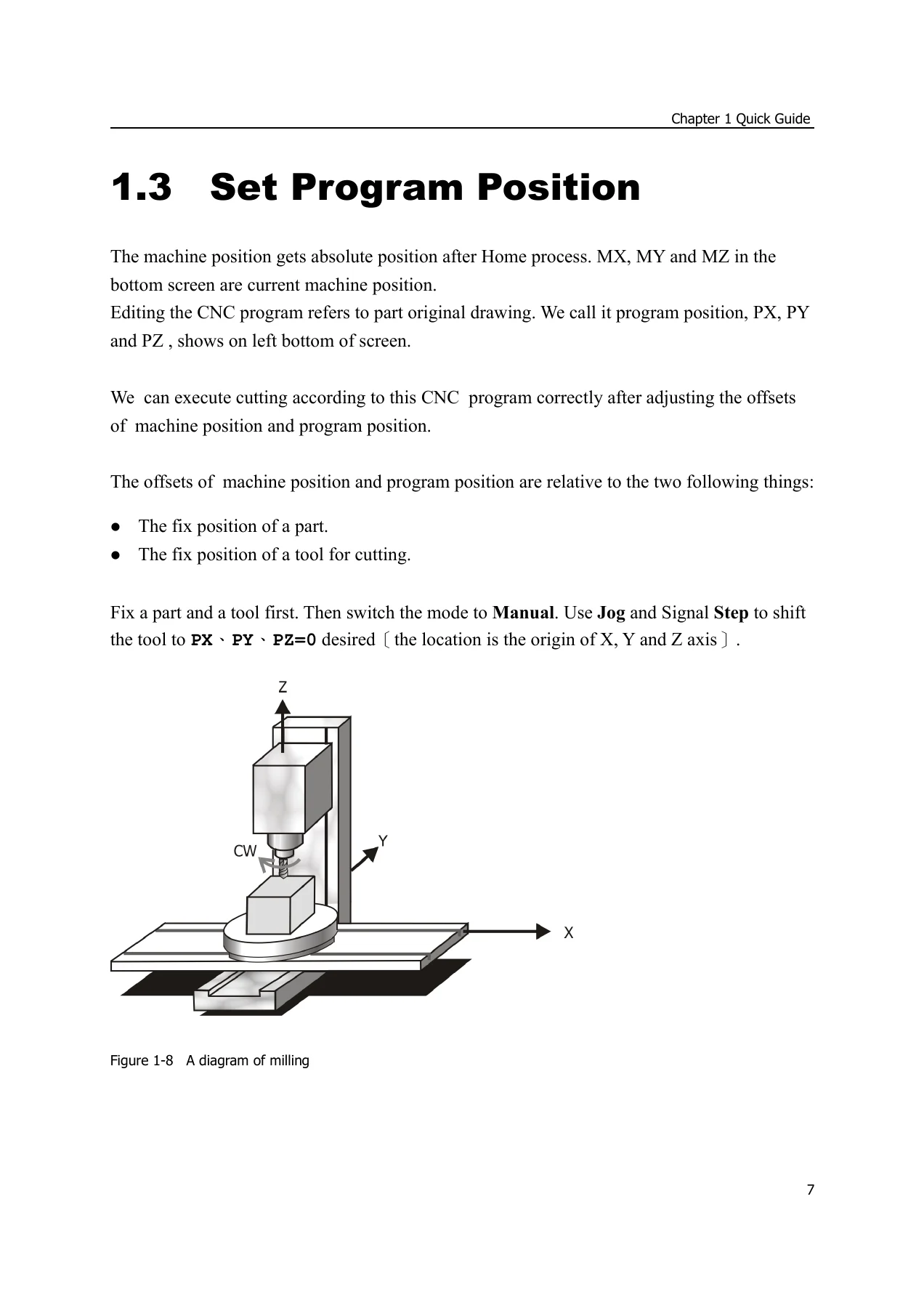
- Chapter 1: Starting and Home; editing the first program; setting program position; running program
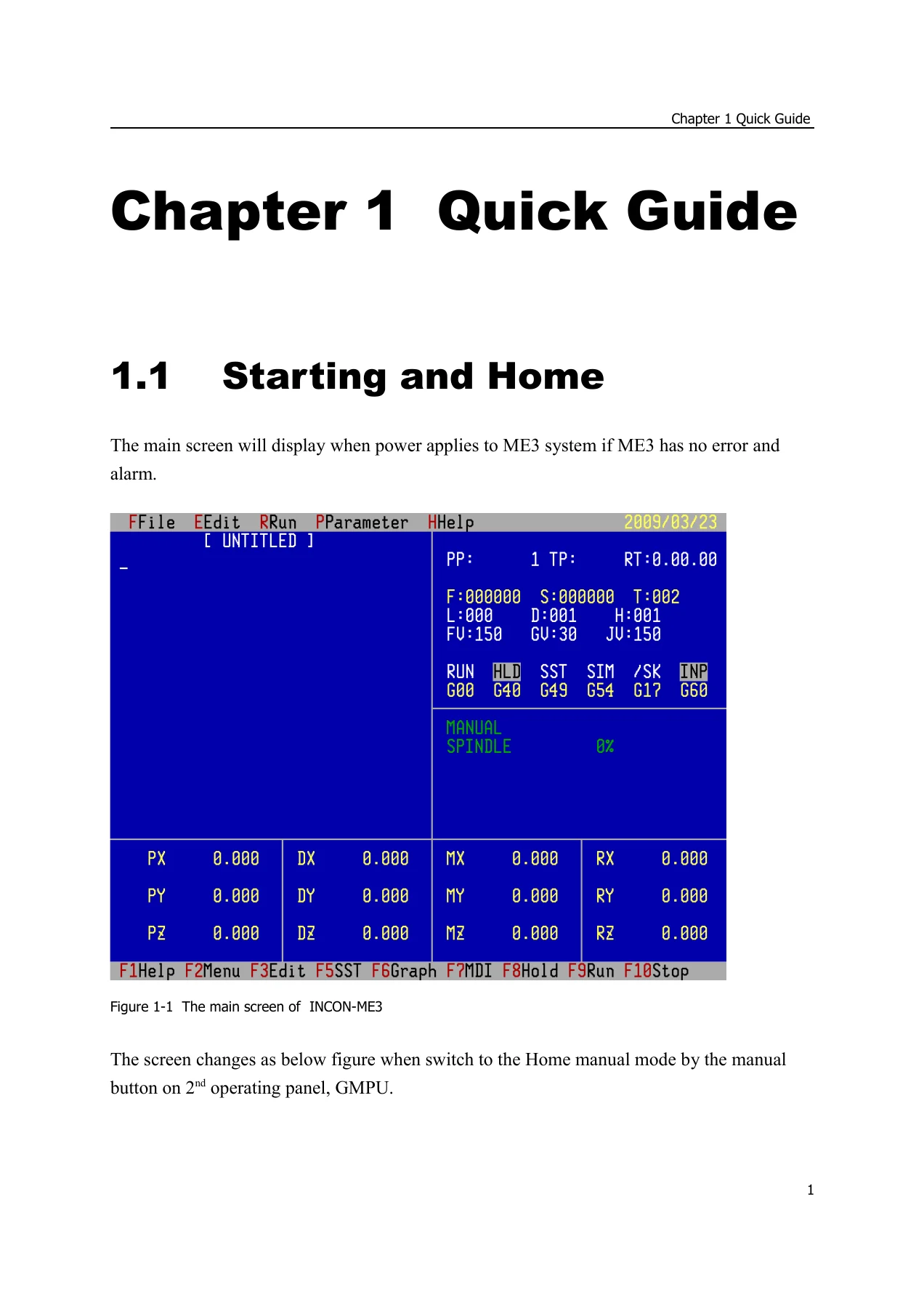
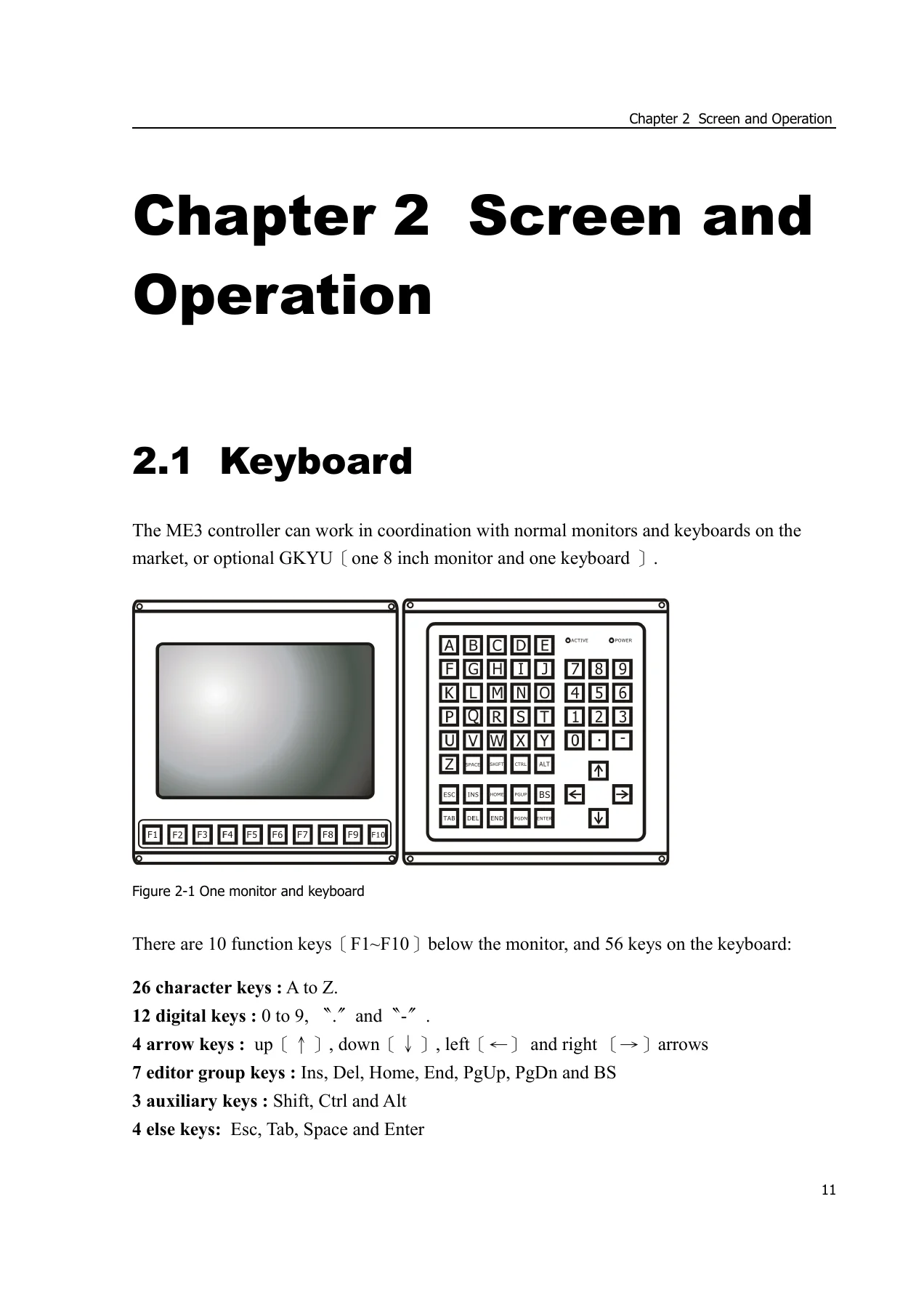
- Chapter 2: Screen and operation; keyboard; status line and hot key listing; screen display; program window; position state window; system state window; I/O state window; trace window; MDI edit window; manual control; manual feed forward or backward; file transmission; alarm listing and troubleshooting; maintenance notice
- Chapter 3: Pull down menu; File menu; Edit menu; editor; clipboard; command aid; command insertion aid; command modification aid; teach in; compute radius; Run program menu; run from middle; simulate; stop, hold and step; machine lock, dry run, block skip and optional hold; MDI; direct run; DNC M30 nonstop; graphics; Parameter menu; coordinate offset; tool table; reference position; tool length measurement parameter; set teach in axis; cancycle parameter; scaling magnitudes; rotation angle; attribute; save and load user parameter; related machine data; Help menu
- Chapter 4: Codes; definitions; specification; block definition; program definition; axis and coordinate definition; G-code list; groups; positioning and feed instructions; G00/G53; G01 linear interpolation; chamfering and corner rounding; direct drawing dimensions programming; G31 optional skip; G02/G03 circular interpolation; G33 thread cutting; tool compensation instructions; G43/G49 tool length compensation; G37 automatic tool length measurement; G40/G41/G42 tool nose compensation; cancycle instructions; G98/G99; G80; G81/G82 and G73/G83 drilling cycles; G85/G86, G76/G87, G88 and G89 boring cycles; G74/G84 rigid tapping; rotation, mirror and scaling instructions; G68/G69; G50/G51; spindle rotation instructions; M function list; M03/M04/M05; S code; G96/G97; G94/G95; unit and coordinate instructions; G17/G18/G19; G20/G21; G90/G91; G15/G16; G54 to G59; G52; G92; program executing instructions; G04; G09; G60/G61; M00/M01/M100/M101/M02/M30; M95/M97/M98/M99; reference position; G28/G29/G30; miscellaneous instructions; M08/M09; T tool selection; M06; G10/G11; examples of M-series programs
- Chapter 5: Optional facility; USB device; Intek Macro; high speed and high precision; the 4th axis; dual axis drive; rigid tapping
The guide is written for practical controller work rather than as a catalogue. It explains the main screen and the manual modes, then moves into program creation, saving and execution. The coding chapter is the largest section and provides formats, motion commands, compensation instructions, drilling and boring cycles, coordinate systems, program flow instructions and worked examples. The pull-down menu chapter documents the controller interface item by item, including parameter dialogs, file handling and help functions. The alarm chapter groups fatal system errors, motion control alarms, other fatal errors and general errors with troubleshooting notes. The optional facility chapter identifies the functions that may be enabled on an INCON-ME3 system, such as USB device use, Intek Macro, high speed and high precision, the 4th axis, dual axis drive and rigid tapping.
Practical Use in the Workshop
This Intek INCON-ME3 CNC Milling Controller Guide Edition 1.01 PDF is useful when an operator or maintenance technician needs to move from the physical machine to the controller interface without guessing. The early chapters cover homing sequence, safety points before homing, creating a first program, setting program position with coordinate offsets and running a program with single step, feed override and spindle override checks. That material is directly relevant when preparing a milling job, checking tool and part positions, or recovering from an uncertain setup.
For programming work, the guide gives the format of G-codes and M-codes used by the controller, including linear and circular interpolation, tool length and radius compensation, drilling and boring cancycles, rigid tapping, rotation, mirroring and scaling, work coordinate selection, local coordinate offset, subroutine calls and program stop or hold instructions. The examples in the later part of Chapter 4 show how those codes are combined in practical programs. The parameter chapter helps with coordinate offsets, tool table entries, reference positions, cancycle settings, scaling and rotation defaults, and related machine data. The alarm section supports troubleshooting by listing alarm numbers and suggested actions, from soft limit trips and limit switch trips to servo-related and PLC alarms.
What the Guide Supports
Use this guide to understand the INCON-ME3 main screen, the status line and hot keys, the program window, position state window, system state window, I/O state window, trace window and MDI edit window. It also documents manual control modes, manual feed forward and backward, file transmission by FTP, and the Help menu functions. For maintenance planning, it includes a short maintenance notice covering power quality, room temperature, filter cleaning and safe cleaning of the keypad and acrylic board.
Put the Guide to Work
The Intek INCON-ME3 CNC Milling Controller Guide Edition 1.01 PDF gives a technician a single reference for setting up, programming, running and troubleshooting the INCON-ME3 controller on a CNC milling machine. Correct procedures and clear parameter references matter because small mistakes in tool compensation, coordinate offsets, cancycle data or homing sequence can affect the cut, the tool or the workpiece. This guide supports those tasks with controller-specific formats, screen explanations, alarm notes and worked code examples rather than general CNC theory.
IMAGES PREVIEW
Delivery is by instant PDF download after purchase. There is no shipping and no physical item. The file can be viewed on a workshop computer, laptop, tablet or phone, and pages can be printed for use beside the machine or in a maintenance folder.
Reviews
There are no reviews yet.