Intermec EasyCoder PD4 Service Manual PDF DOWNLOAD
Original price was: $75.00.$22.95Current price is: $22.95.
Detailed Intermec EasyCoder PD4 service manual PDF with barcode label printer troubleshooting manual, EasyCoder PD4 printhead replacement guide, transfer ribbon mechanism repair instructions, Intermec PD4 main board schematics, and EasyCoder PD4 firmware upgrade procedures. Covers models, options, disassembly, interfaces, and error handling for this thermal transfer/direct thermal printer.
Description
Intermec EasyCoder PD4 Service Manual – PDF DOWNLOAD
Description
This Intermec EasyCoder PD4 service manual PDF is a comprehensive resource for technicians servicing the EasyCoder PD4 barcode label printer. It provides step-by-step barcode label printer troubleshooting manual guidance, including error handling, no reaction at power-up, printing issues, and printout positioning problems. The manual features an EasyCoder PD4 printhead replacement guide with detailed print mechanism disassembly, motor/pulley/belt replacements, platen module instructions, media guides, label gap sensor module, headlift sensor, and printhead module procedures.
Additional sections cover transfer ribbon mechanism repair instructions for the ribbon module, belt, supply/rewind units, ribbon out sensor, and ink position knob. It includes Intermec PD4 main board schematics, descriptions, replacements, connections, components, test points, and memory expansion card details. Interfaces like RS-232, USB, and Centronics parallel are explained, along with EasyCoder PD4 firmware upgrade procedures requiring specific tools and instructions.
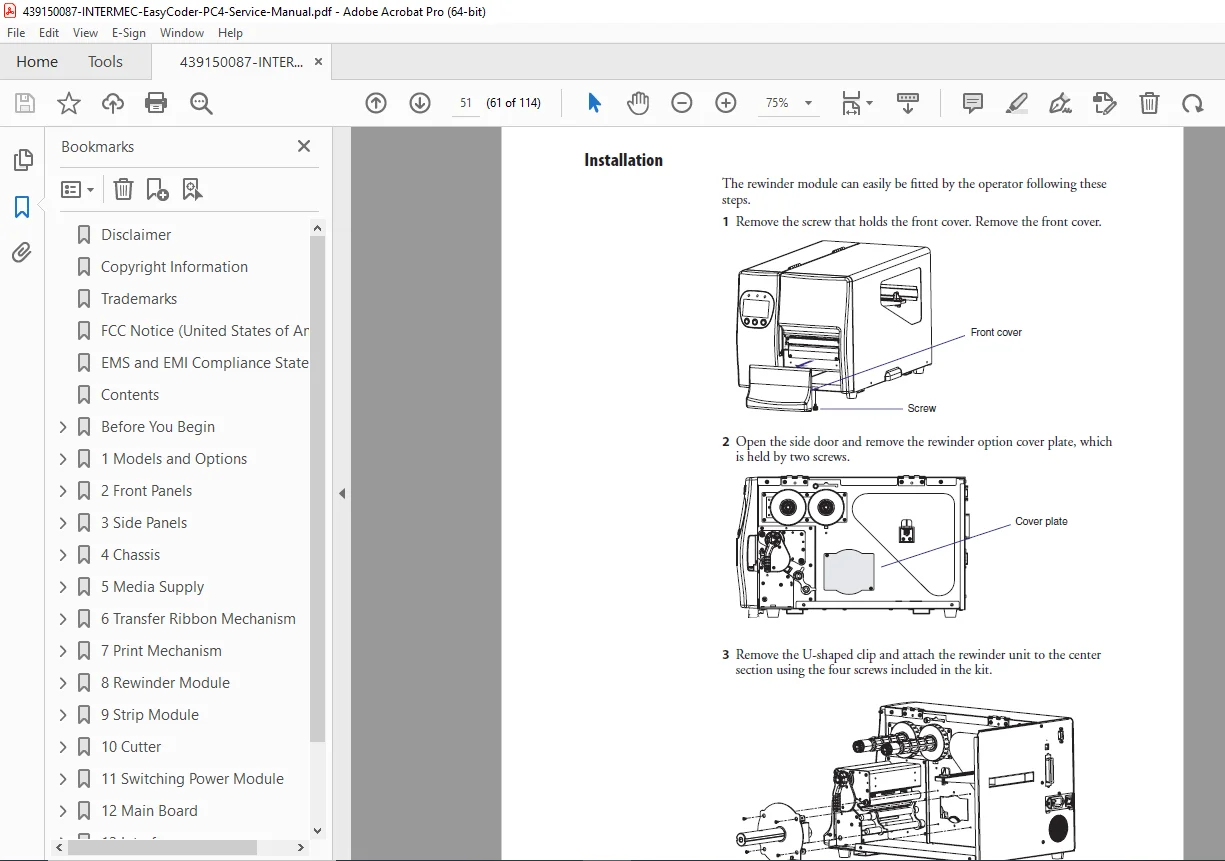
The document outlines models (thermal transfer and direct thermal variants), options (cutter, strip module, rewinder), and technical specifications. Safety summaries, icons, and ESD precautions are emphasized throughout. Visual aids such as diagrams, exploded views, and photos support the content.
Table of Contents (Extracted and Categorized with Subsections and Page References):
- Before You Begin (vii)
- Safety Summary (vii)
- Safety Icons (viii)
- Global Services and Support (ix)
- Warranty Information (ix)
- Web Support (ix)
- Telephone Support (ix)
- Related Documents (ix)
- About this Manual (x)
- Chapter 1: Models and Options (1)
- 1.1 Models (2)
- 1.2 Options (3)
- 1.3 Technical Specifications (5)
- Chapter 2: Front Panels (7)
- 2.1 Front Panel (no display) (8)
- 2.2 Front Panel (with display) (9)
- 2.3 Replacing the Front Panel (10)
- 2.4 Bottom Right-Hand Panel (11)
- 2.4 Console pcb (12)
- Chapter 3: Side Panels (15)
- 3.1 Right-Hand Door (16)
- 3.2 Left-Hand Panel (17)
- Chapter 4: Chassis (19)
- 4.1 Chassis (20)
- 4.2 Rear Plate (21)
- Chapter 5: Media Supply (23)
- 5.1 Media Supply Post (24)
- Chapter 6: Transfer Ribbon Mechanism (27)
- 6.1 Ribbon Module (28)
- 6.2 Ribbon Module Belt (29)
- 6.3 Ribbon Supply and Rewind Units (30)
- 6.4 Ribbon Out Sensor (31)
- 6.5 Ink Position Knob (32)
- Chapter 7: Print Mechanism (33)
- 7.1 Print Unit (34)
- 7.2 Motor, Pulleys, and Belts (35)
- 7.3 Platen Module (37)
- 7.4 Media Guides (38)
- 7.5 Label Gap Sensor Module (39)
- 7.6 Headlift Sensor (41)
- 7.7 Printhead Module (42)
- Chapter 8: Rewinder Module (49)
- 8.1 Rewinder Module (50)
- Chapter 9: Strip Module (53)
- 9.1 Strip Module (54)
- Chapter 10: Cutter (57)
- 10.1 Cutter (58)
- Chapter 11: Switching Power Module (63)
- 11.1 Switching Power Module (64)
- Chapter 12: Main Board (67)
- 12.1 Description (68)
- 12.2 Replacement (69)
- 12.3 Connections (70)
- 12.4 Components (73)
- 12.5 Test Points (74)
- 12.6 Schematics (75)
- 12.7 Memory Expansion Card (83)
- Chapter 13: Interfaces (85)
- 13.1 RS-232 Serial Interface (86)
- 13.2 USB Serial Interface (87)
- 13.3 Centronics Parallel Interface (88)
- Chapter 14: Troubleshooting (89)
- 14.1 Error Handling (90)
- 14.2 Troubleshooting Check List (91)
- 14.3 No Reaction at Power Up (93)
- 14.4 Error During Printing (95)
- 14.5 No Printing (96)
- 14.6 Printing Partly Missing along the Feed Direction (97)
- 14.7 Printout not in Desired Position (98)
- Appendix A: Firmware Upgrading (101)
- Requirements (102)
- Instructions (102)
No separate bookmarks or index are present beyond the table of contents. This barcode label printer troubleshooting manual ensures safe and effective repairs with proprietary notices and trademark information from 2004.
File Details
- Manual Name: EasyCoder PD4 Service Manual
- Models Covered: EasyCoder PD4 (thermal transfer and direct thermal variants)
- Year: 2004
- Manual PDF Quality: Clear scanned document with readable text, diagrams, and schematics
- No of Pages: 114