John Deere Grade Control Compact Track & Skid Steer Operator’s Manual PDF
$28.95
John Deere Grade Control Compact Track Loader & Skid Steer Loader Operator’s Manual – PDF DOWNLOAD
Description
John Deere Grade Control Compact Track Loader & Skid Steer Loader Operator’s Manual – PDF DOWNLOAD
FILE DETAILS:
John Deere Grade Control Compact Track Loader & Skid Steer Loader Operator’s Manual – PDF DOWNLOAD
- P/N: OMT444934X019_13
- Language: English
- Division: Construction
- Product Lines: Skid Steers
- Publication Type: Operator’s Manuals
- Associated Models: 333G
- Serial: PIN: 1T0333G_ _ _F300253—
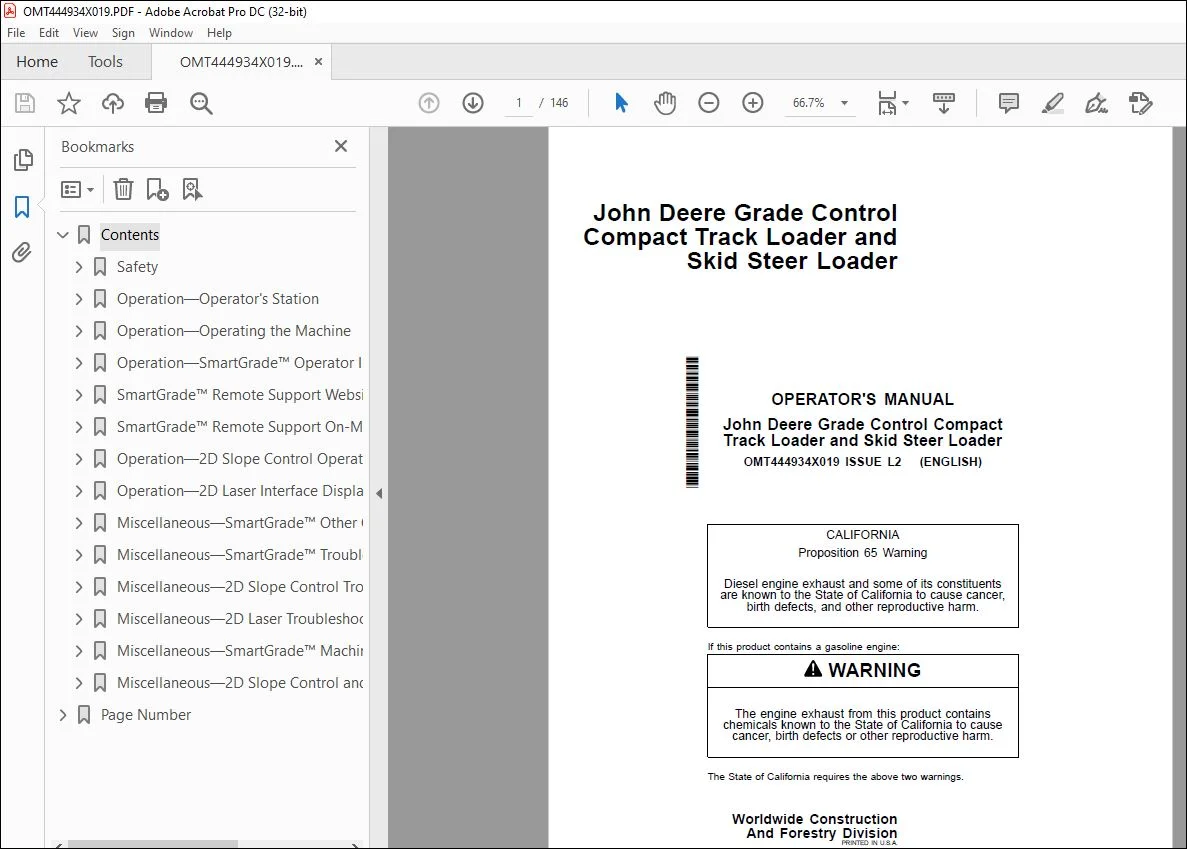
IMAGES PREVIEW OF THE MANUAL:
TABLE OF CONTENTS:
John Deere Grade Control Compact Track Loader & Skid Steer Loader Operator’s Manual – PDF DOWNLOAD
Contents 7
Safety 9
Recognize Safety Information 9
Follow Safety Instructions 9
Operate Only If Qualified 9
Wear Protective Equipment 10
Do Not Look Directly at a Laser 10
Avoid Unauthorized Machine Modifications 10
Prevent Fires, Clean Debris From Machine 11
Decommissioning — Proper Recycling and Disposal of Fluids and Components 12
Operation—Operator’s Station 13
Gauges and Indicators 13
Grade Control Display Unit 15
Real Time Kinematic (RTK) Antenna 16
Rear Camera Display Unit Functions 16
Rear Camera Display Unit—Main Menu 17
Rear Camera Display Unit—Main Menu—Display Settings 17
Operation—Operating the Machine 18
Before Starting Work 18
Inspect Machine Daily Before Starting 18
Check Instruments Before Starting 19
Parking the Machine 20
Dozer Mode and Dozer Blade Operation 21
Operation—SmartGrade™ Operator Interface Display 25
Grade Control Display Unit Functions 25
Keyboard Functions 26
Changing Language 26
Changing Screen Brightness and Speaker Volume 27
Changing the Grade Indicator Scale 28
Data Menu 28
Data Menu—Projects 29
Data Menu—Control 30
Data Menu—Layers 32
Data Menu—Points 33
Data Menu—Surfaces 34
Data Menu—Active 35
Data Menu—Import/Export 36
Surface File Types 36
Creating Flat or Sloping Surface Files 37
Creating Crown Road Surface Files 41
Creating Triangulated Surfaces From a Topo Survey File 42
Raising or Lowering an Existing Surface 44
Subgrade an Existing Alignment 45
Control Menu 46
Control Menu—Machine Setup 47
Control Menu—Blade Control 47
Control Menu—IMU Calibration 48
Control Menu—Control Settings 52
Control Menu—Blade Wear 53
Control Menu—Restart Connection 53
Tools Menu 53
Tools Menu—Configure Radios 54
Tools Menu—Position Check 57
Tools Menu—Navigate 58
Tools Menu—Topo Survey 59
Tools Menu—Supervisor Mode 61
View Menu 62
View Menu—Layout 62
View Menu—Display Options 63
Working Surface Display Options 64
Alignment Display Options 65
Point Display Options 66
Direction of Travel Options 66
Machine Image Options 66
Enable/Disable Shortcut Buttons 67
Changing Background Color 67
Display Units Options 67
View Menu—About 68
SmartGrade™ Remote Support Website 69
At a Glance (Support Desk) 69
Accessing the Remote Support Website 69
Managing Remote Support Account Access 69
Viewing, Filtering, and Sorting Paired Client Devices 70
Finding the Remote Support Desk Number 73
Configuring the Remote Support Desk 74
Managing Pairings 77
Providing Support 78
Remote View 79
Remote Control 80
Remote File Management 81
Remote MC-X Configuration 85
Responding to Support Requests 86
Providing Unsolicited Support 88
SmartGrade™ Remote Support On-Machine Client 89
At a Glance (Client Device) 89
Opening Client Device Menu 89
Pairing to a Support Desk 89
Editing Pairing Tags 91
Reviewing and Modifying Support Desk Pairing 92
Request Support 93
Specifying Optional Dates and Times to Receive Support 94
Closing Support Requests 95
Viewing and Terminating Active Support Sessions 96
Unpairing From a Support Desk 97
Usage of Remote Support 98
Basic Remote Support Troubleshooting 98
Operation—2D Slope Control Operator Interface Display 99
Slope Control Runtime Screen 99
Main Menu—Slope Control 101
Slope Control Settings Screen 102
Square Blade Function 102
Slope Control Modes 103
Enable or Disable Cross Slope Display 103
Enable of Disable Mainfall Slope Display 104
Manually Set Desired Target Cross Slope and Target Mainfall Slope Display Values—Target Mode Only 104
Flip Slope—Target Mode Only 105
Match Slope—Target Mode Only 106
Inc/Dec Mode 106
Mainfall Offset Adjustment 107
Operation—2D Laser Interface Display 108
2D Laser System—Theory of Operation 108
2D Laser System—Daily Set Up 109
2D Laser Display—Runtime Screen 110
2D Laser Display—Laser Position Ranges and Arrows 112
Main Menu—Laser Control 113
2D Laser Settings Screen 114
2D Laser System—Setting Grade 115
2D Laser Display—Inc/Dec Offset Feature 116
Miscellaneous—SmartGrade™ Other Options 117
Isolating a Surface 117
Steering/Grading to Polyline 117
GNSS Information 117
Elevation Control Button 118
Slope Control Button 119
Adding and Editing Radio Channels 119
Miscellaneous—SmartGrade™ Troubleshooting 121
RTK Communication Troubleshooting 121
Grade Control Display Unit Troubleshooting 122
Inertial Measurement Unit (IMU) Troubleshooting 123
Blade Response Troubleshooting 124
Radio Channel Not Available in 3DMC 124
Blade Does Not Go Into Automatic Control When Auto Buttons are Pressed 124
Blade Does Not Go Into Automatic Control When Auto Buttons are Pressed Diagnostic Procedure 124
Increment/Decrement Switches Do Not Change Settings 125
Increment/Decrement Switches Do Not Change Settings Diagnostic Procedure 126
Surface Is Not Available Under File >> Active >> Surface Menu 126
Active Surface Not Available Diagnostic Procedure 126
System Keeps Coming Out of Auto When the Blade is Moved Manually 127
System Keeps Coming Out of Auto When the Blade is Moved Manually Diagnostic Procedure 127
Machine is Off by About 0 10 ft (30 mm) Vertically 127
Machine is Off by About 0 10 ft (30 mm) Vertically 127
Miscellaneous—2D Slope Control Troubleshooting 128
Rear Camera Display Unit Troubleshooting 128
Blade Position Troubleshooting 129
Miscellaneous—2D Laser Troubleshooting 130
Rear Camera Display Unit Troubleshooting 130
Laser Receiver and Laser Base Station Troubleshooting 132
Blade Response Troubleshooting 133
Miscellaneous—SmartGrade™ Machine Numbers 134
Record Grade Control Display Unit Serial Number 134
Record Grade Control Controller Serial Number 134
Record Controller Area Network (CAN) Gateway Controller Serial Number 135
Record Real Time Kinematic (RTK) Radio Serial Number 135
Record Global Navigation Satellite System (GNSS) Antenna Serial Numbers 135
Record Real Time Kinematic (RTK) Antenna Serial Number 136
Record Bluetooth® and Wi-Fi® Antenna Serial Number 136
Record Inertial Measurement Unit (IMU) Serial Numbers 137
Keep Proof of Ownership 138
Miscellaneous—2D Slope Control and 2D Laser Machine Numbers 139
Record Controller Area Network (CAN) Gateway Controller Serial Number 139
Record Inertial Measurement Unit (IMU) Serial Numbers 139
Record 2D Laser Components Serial Numbers—If Equipped 140
Keep Proof of Ownership 140
Page Number 7
Section 1-1 9
Section 2-1 13
Section 2-2 18
Section 2-3 25
Section 2-4 69
Section 2-5 89
Section 2-6 99
Section 2-7 108
Section 4-1 117
Section 4-2 121
Section 4-3 128
Section 4-4 130
Section 4-5 134
Section 4-6 139
S.V 04/24