Kodak PACS LINK MIM 50/100/200 & 25 Print Server Service Manual PDF
Original price was: $95.00.$19.95Current price is: $19.95.
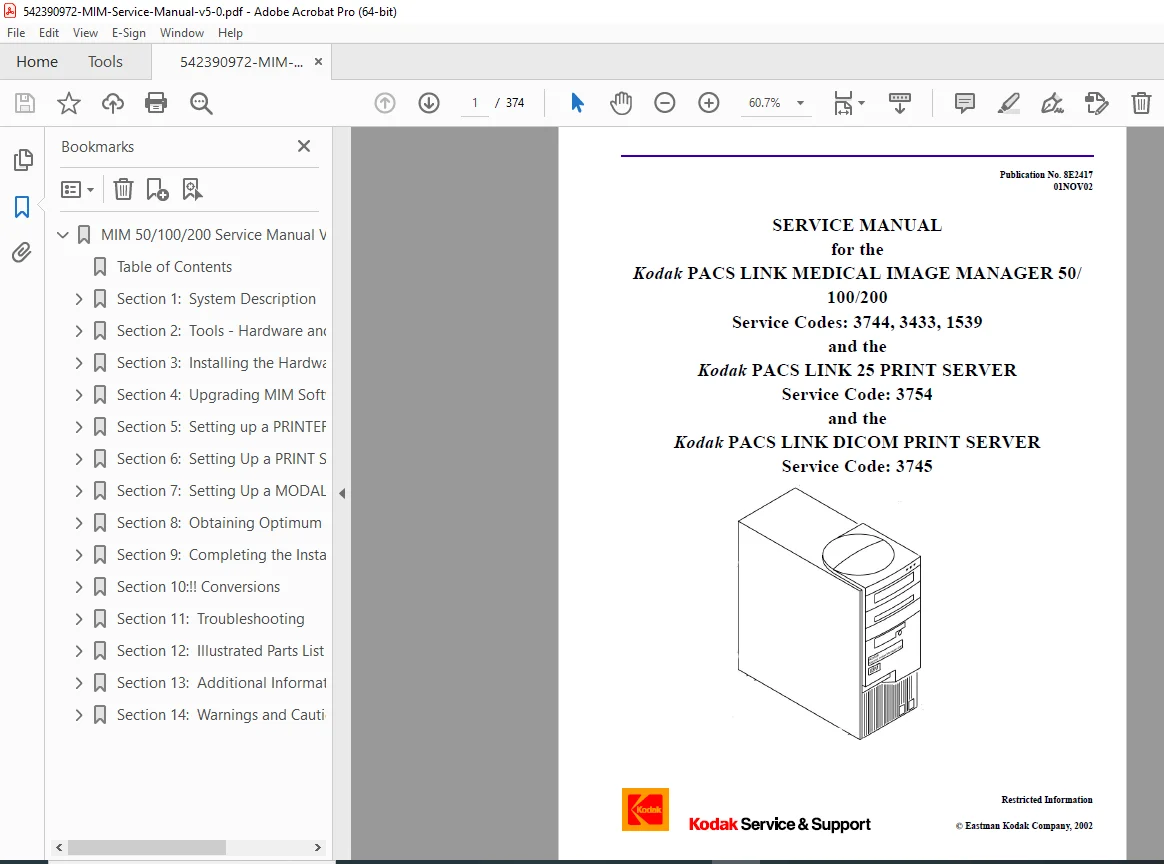
Official Kodak PACS LINK Service Manual covering the Medical Image Manager (MIM) series (50, 100, 200) and DICOM Print Servers (25 PS, DPS). This comprehensive guide supports software version 5.0 and higher, detailing MIM 200 Troubleshooting, hardware installation, and configuration for connecting to Kodak DryView Laser Imagers. Essential for setting up Modality Servers and optimizing DICOM print networks.
Description
Kodak PACS LINK MIM 50/100/200 & 25 Print Server Service Manual (V5.0+) PDF DOWNLOAD
Description:
Maximize the efficiency of your medical imaging network with this authoritative Kodak PACS LINK Service Manual. This manual is the definitive resource for installing, configuring, and maintaining the entire family of Kodak Medical Image Managers and Print Servers running Software Version 5.0 and higher.
Designed for field engineers and biomedical technicians, this document provides granular detail on bridging the gap between imaging modalities (CT, MRI, CR) and output devices. It covers everything from performing a MIM 200 Troubleshooting session to setting up a DICOM Print Server for true-size printing.
Models & Equipment Covered
Medical Image Managers: MIM 50, MIM 100, MIM 200 (1GHz, 2.4GHz, and 667 MHz versions)
Print Servers: PACS LINK 25 Print Server (25 PS), DICOM Print Server (DPS)
Connected Imagers:
DryView Series: 8100, 8200, 8300, 8500, 8600, 8610, 8700, 8800, 969 HQ/HQT
Legacy Printers: Ektascan 160, 1120, 2180, 1200/3600 DMI
Manual Contents & Features
The manual is structured into 14 comprehensive sections to guide you through every stage of service:
System Description & Specs: Overview of inputs (Video, Digital, Network) and outputs (Ethernet, Fiber Optic FOPCIL, Copper COPCIL).
Tools & Software:
Using the MIM Service Application and pcANYWHERE for remote diagnostics.
Laptop configuration for direct serial or network connection.
Hardware Installation:
Unpacking and mounting instructions (Wall, Shelf, or Mobile Van).
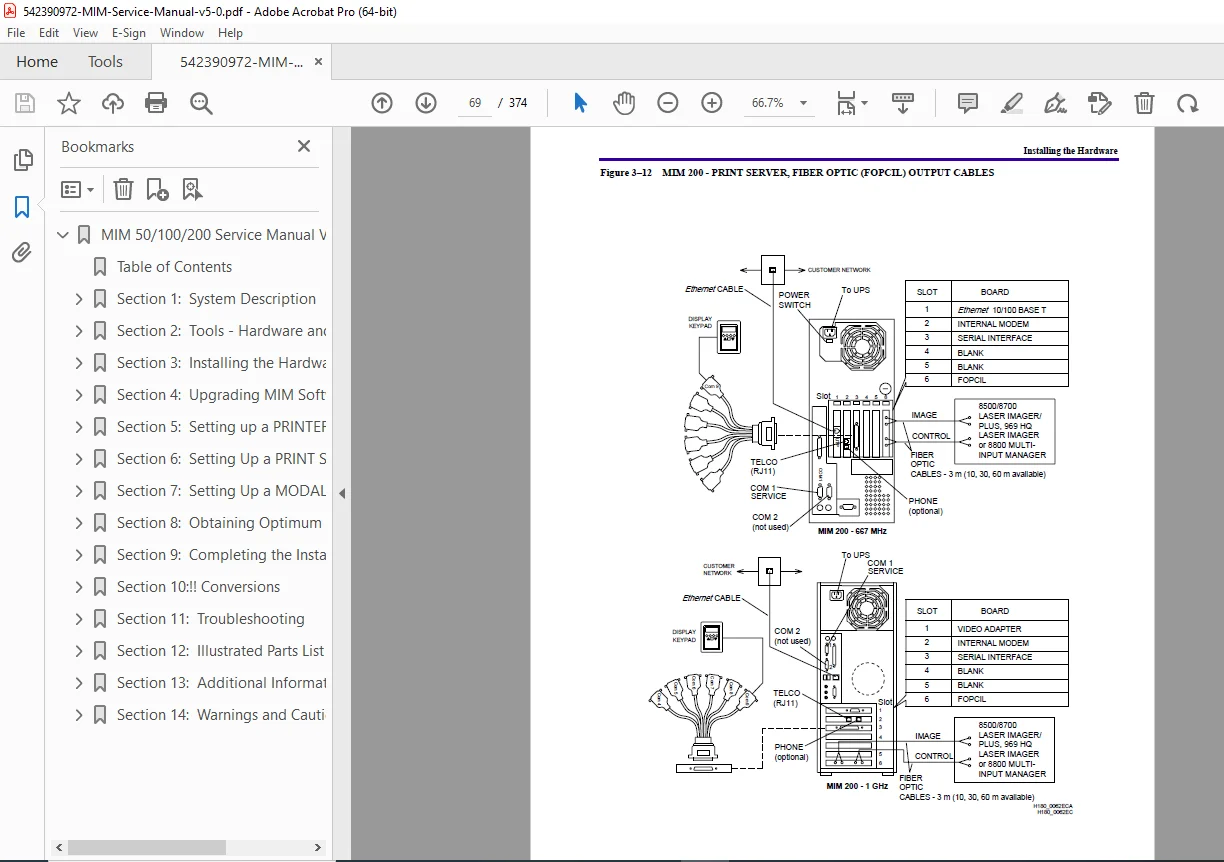
Cabling Diagrams: Detailed pinouts for connecting touchscreens, keypads, and autofilming links.
Jumper and switch settings for Interface Boards (Video 60/150, Digital).
Software Upgrades: Procedures for “Ghosting” new application software and enabling software licenses.
Configuration Guides:
Setting up a Printer: Parameters for DryView 8000 series.
Print Server Setup: Configuring IP addresses, AE Titles, and Media formats.
Modality Server Setup: Analog/Digital input configuration, HIS/RIS Gateway setup, and Bar Code Reader integration.
Image Optimization:
Adjusting Contrast, Density (Dmax/Dmin), and TFT/ULUT sets.
Cropping & True Size Printing: Setting up text box relocation and image scaling.
Troubleshooting:
Interpreting Error History Logs and Activity Logs.
Diagnostic routines for Video and Digital Interface boards.
Network Ping and DICOM Echo tests.
Illustrated Parts List: Breakdown of field replaceable units (FRUs).
Visual Aids
Interconnection Diagrams: Complete wiring schematics for connecting MIMs to various modalities and printers.
Screenshots: Step-by-step visuals of the Service Application interface.
Tables: Comprehensive lookup tables for Error Codes, Beep Codes, and Cable Part Numbers.
File Details:
Manual Name: 542390972-MIM-Service-Manual-v5-0.pdf
Models Covered: MIM 50/100/200, 25 PS, DPS
Publication Date: November 2002 (Pub No. 8E2417)
Number of Pages: ~374 Pages
File Type: High-Quality Searchable PDF
Language: English
Your PACS network is the backbone of your radiology department—don’t let configuration errors slow it down. Download this Kodak PACS LINK Service Manual instantly to access the expert calibration data and connection schematics you need to ensure seamless communication between your modalities and laser imagers!