Konica 7020-7130 Series Service Manual PDF DOWNLOAD
Original price was: $95.00.$16.95Current price is: $16.95.
Download the official Konica 7020/7022/7025/7030/7035/7130 service manual PDF for expert copier maintenance, troubleshooting, and repairs. This 424-page guide includes system outlines, unit explanations, disassembly instructions, drive diagrams, and error code fixes—perfect as a Konica Minolta copier repair guide or Konica 7030 troubleshooting manual. Essential for technicians needing Konica photocopier service handbook details on paper feed, fixing unit, and ADU controls.
Description
Konica 7020-7130 Series Service Manual PDF DOWNLOAD
Description
This comprehensive Konica 7020-7130 series service manual PDF is a must-have for service technicians and engineers working on Konica copiers. Covering models from the 7020 series, it provides detailed insights into system operations, mechanical components, electrical controls, and step-by-step disassembly/assembly procedures. Whether you’re diagnosing jams, adjusting toner supply, or calibrating the read/write units, this manual equips you with wiring diagrams, drive system breakdowns, and control mechanisms for efficient repairs. It’s an invaluable Konica Minolta copier repair guide, including safety warnings, product specifications, and option compatibility lists.
File Details:
- Manual Name: 7020/7022/7025/7030/7035/7130 Service Manual
- Models Covered: 7020, 7022, 7025, 7030, 7035, 7130
- Year: 2002
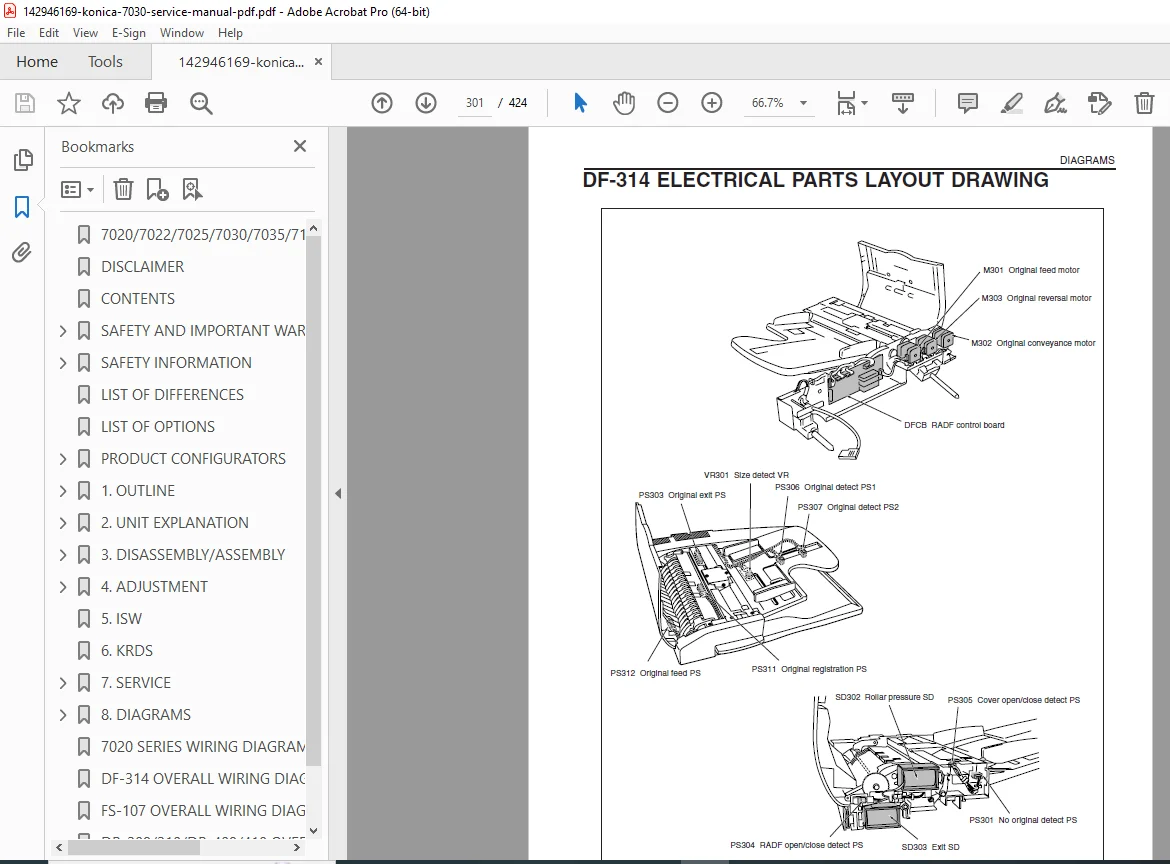
- Manual PDF Quality: High-quality scanned document with clear text, diagrams, and illustrations
- No. of Pages: 424
The manual features a detailed contents section for quick reference. Below is a neatly categorized extraction of the table of contents, formatted with bullet points for clarity:
Safety and Important Warning Items
- Important Notice
- Description Items for Danger, Warning and Caution
- Safety Warnings
- Safety Information
- Important Information
- Safety Circuits
- Indication of Warning on the Machine
7020 Series List of Difference
List of Options That Can Be Used with the 7020 Series
1. Outline
- Outline of System
- 7020 Series Product Specifications
- Center Cross Section
- Drive System Diagram
- [1] Main drive
- [2] Developing drive
- [3] Paper feed drive
- [4] ADU drive
- [5] Reading drive
- [6] Toner supply drive
2. Unit Explanation
- External Section
- [1] Composition
- Drive Section
- [1] Composition
- [2] Mechanisms
- [3] M1 (main motor) control
- Read Section
- [1] Composition
- [2] Mechanisms
- [3] M2 (optical motor) control
- [4] Exposure control
- [5] Original reading control
- [6] APS control
- [7] AE control
- Write Unit
- [1] Composition
- [2] Mechanisms
- [3] M5 (polygon motor) control
- [4] Image write control
- Drum Unit
- [1] Composition
- [2] Mechanisms
- [3] PCL/TSL control
- [4] Separation claws control
- [5] Paper entrance guide plate control
- Corona Unit
- [1] Composition
- [2] Mechanisms
- [3] Charging control
- [4] Transfer/Separation control
- Developing Unit
- [1] Composition
- [2] Mechanisms
- [3] M3 (developing motor) control
- [4] Developing bias control
- [5] Toner density control
- Toner Supply Unit
- [1] Composition
- [2] Mechanisms
- [3] Toner level detection control
- [4] Toner bottle detection control
- Cleaning/Toner Recycle Unit
- [1] Composition
- [2] Mechanisms
- Paper Feed Unit
- [1] Composition
- [2] Mechanisms
- [3] Paper feed control
- [4] Paper up down control
- [5] Paper size detection control
- [6] No paper detection control
- [7] Control of paper level detection
- [8] Intermediate conveyance control (7030/7130/7035 only)
- Fixing Unit
- [1] Composition
- [2] Mechanisms
- [3] Fixing temperature control
- [4] SD4 (cleaning web SD) control
- ADU/Paper Exit Section
- [1] Composition
- [2] Mechanisms
- [3] Paper exit/ADU conveyance switching control
- [4] ADU conveyance control
- Other Controls
- [1] Parts energized when the main power switch is OFF
- [2] Components operated by power switches SW1 and SW2
- [3] Fan control
- [4] Operation unit control
- [5] Counter control
- [6] Option control
3. Disassembly / Assembly
- External Section
- [1] Replacing the ozone filter
- (Additional disassembly procedures for other units are detailed in the full manual, including drive, read, write, drum, corona, developing, toner supply, cleaning, paper feed, fixing, and ADU sections.)
This Konica 7030 troubleshooting manual also covers error codes, fan controls, and power systems, making it a complete Konica photocopier service handbook. With in-depth Konica copier maintenance PDF content on mechanisms like M1 main motor and fixing temperature adjustments, it’s designed for professional use in servicing these reliable machines.
Equip yourself with this essential Konica 7020 series repair manual PDF—download instantly to resolve issues quickly, minimize downtime, and keep your copiers running smoothly without expensive service calls!