Konica Minolta magicolor 4690MF Multifunction Printer Service Manual PDF
Original price was: $85.00.$18.95Current price is: $18.95.
Official Konica Minolta magicolor 4690MF color laser multifunction printer field service manual for professional technicians. This comprehensive 433-page PDF covers complete maintenance, adjustment, troubleshooting, and repair for this MFP including auto document feeder and lower feeder units. Includes detailed safety warnings, component disassembly, adjustment procedures, error codes, electrical diagrams, and parts information. Essential for copier/printer service centers and office equipment technicians servicing Konica Minolta color MFPs.
Description
Konica Minolta magicolor 4690MF Multifunction Printer Service Manual PDF DOWNLOAD
DESCRIPTION
Konica Minolta magicolor 4690MF Field Service Manual – Complete Professional Color MFP Service Reference
This is the official factory field service manual for the Konica Minolta magicolor 4690MF color laser multifunction printer. Published in May 2008 (Version 1.0) by Konica Minolta Business Technologies, Inc. (KMBT), this professional-grade technical documentation is essential for qualified service technicians, copier/printer repair specialists, and authorized service centers who maintain and repair this professional color multifunction printing system.
📋 FILE DETAILS
- Manual Name: Field Service Manual – magicolor 4690MF
- Device Covered:
- Konica Minolta magicolor 4690MF Color Laser Multifunction Printer
- Auto Document Feeder Unit (ADF)
- Lower Feeder Unit
- Manufacturer: Konica Minolta Business Technologies, Inc. (KMBT)
- Publication Date: May 2008
- Version: 1.0
- Total Pages: 433 pages
- File Format: PDF
- PDF Quality: High-quality official manual with detailed diagrams
- Language: English
- Page Size: Letter format
🔧 COMPREHENSIVE COVERAGE INCLUDES:
SAFETY AND IMPORTANT WARNING ITEMS (Extensive Safety Section)
Important Notice:
- Service by KMBT-trained technicians only
- Product modifications prohibited
- Service manual accuracy disclaimer
- User assumes all risks
- Careful reading required before service
- Keep for future reference
Description Items for DANGER, WARNING and CAUTION:
DANGER: High possibility of death or serious injury
WARNING: Possibility of death or serious injury
CAUTION: Possibility of slight wound, medium trouble, property damage
Safety Symbols:
- General precaution / Electric hazard / High temperature
- General prohibition / Do not touch with wet hand / Do not disassemble
- General instruction / Unplug / Ground/Earth
Safety Warnings:
[1] MODIFICATIONS NOT AUTHORIZED BY KONICA MINOLTA:
Prohibited Actions – DANGER:
- Using cables or power cord not specified by KMBT
- Using fuse or thermostat not specified by KMBT
- Disabling fuse functions or bridging terminals
- Disabling relay functions
- Disabling safety functions (interlocks, safety circuits)
- Making unauthorized modifications
- Using parts not specified by KMBT
Consequences: Safety not assured, fire and injury risk
[2] POWER PLUG SELECTION:
Power Cord Set or Power Plug – WARNING:
- Proper power supply cord set requirements
- Correct voltage and current configuration
- Grounding pin/terminal requirements
- Three-conductor cable specifications
- Regulatory compliance
- Proper conductor connection order:
- Black or Brown: L (line)
- White or Light Blue: N (neutral)
- Green/Yellow: PE (earth)
[3] CHECKPOINTS WHEN PERFORMING ON-SITE SERVICE:
1. Power Supply:
Connection to Power Supply – WARNING:
- Mains voltage verification
- Direct wall outlet connection (no adapters)
- Dedicated wall outlet requirement
- Current capacity verification
- Multiple power cord load management
- Secure plug insertion
- Proper grounding verification
Power Plug and Cord – WARNING:
- Secure inlet connector insertion
- Power cord routing (not stepped on/pinched)
- Damage inspection (sheath, plug, cord)
- Cord replacement procedures
- No bundling or tying
- Dust collection inspection
- Dry hand operation only
- Proper unplugging method (grasp plug, not cable)
Wiring – WARNING:
- No multi-plug adapters
- Specified extension cord only
- Extension cable reel precautions
2. Installation Requirements:
Prohibited Installation Places – WARNING:
- Away from flammable materials
- Away from volatile materials
- Not exposed to water/rain
When Not Using for Long Time – WARNING:
- Switch off and unplug during extended periods
- Fire prevention from dust collection
Ventilation – CAUTION:
- Ozone gas generation during operation
- Ventilation requirements:
- Poorly ventilated rooms
- High-volume copying
- Multiple products simultaneously
Stability – CAUTION:
- Lock caster stoppers
- Earthquake injury prevention
Inspection Before Servicing – CAUTION:
- Read all documentation before service
- Follow prescribed procedures
- Use prescribed tools only
- Safety clothing required
- Disconnect power plugs before service
- Fixing unit high temperature warning
Warning Indications on the Machine:
- Machine warning labels
- Location identification
- Symbol interpretation
Measures to Take in Case of Accident:
- Emergency procedures
- Safety protocols
- Contact information
COMPOSITION OF THE SERVICE MANUAL
Manual Structure:
- Organization overview
- Section descriptions
- Navigation guide
Notation of the Service Manual:
- Symbols used
- Abbreviations
- Reference conventions
MAGICOLOR 4690MF MAIN BODY
Outline:
- Product overview
- Basic specifications
- System architecture
- Component locations
- Operating principles
- Technology descriptions
Maintenance:
- Preventive maintenance schedule
- Cleaning procedures
- Component replacement procedures
- Consumable replacement
- Periodic maintenance tasks
- Lubrication points
- Inspection procedures
Adjustment/Setting:
- Initial setup procedures
- Registration adjustments
- Color calibration
- Density adjustments
- Paper feed timing
- Transfer voltage adjustment
- Fuser temperature settings
- Image quality adjustments
- Gamma correction
- White balance
- Scanner calibration
- ADF timing adjustments
- Sensor calibrations
Troubleshooting:
- Diagnostic procedures
- Error code tables
- Symptom analysis
- Component testing
- Signal tracing
- Voltage measurements
- Print quality problems
- Paper jam problems
- Communication errors
- Network issues
- Scanner problems
- Fuser problems
- Color registration issues
Appendix:
- Technical specifications
- Parts catalogs
- Wiring diagrams
- Block diagrams
- Circuit schematics
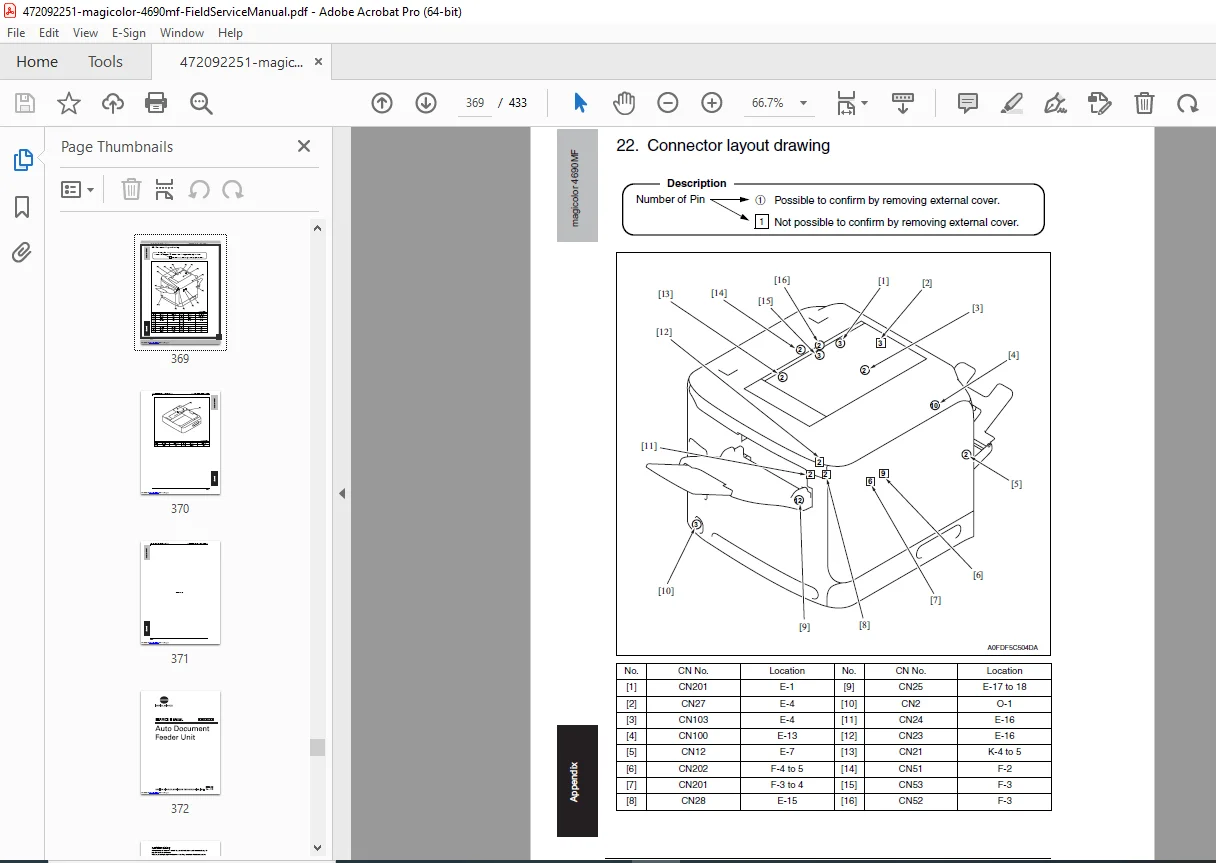
- Connector pinouts
- Service mode functions
- Diagnostic tools
- Test patterns
AUTO DOCUMENT FEEDER UNIT
Outline:
- ADF overview
- Component identification
- Operating principles
- Paper path description
Maintenance:
- ADF cleaning procedures
- Roller replacement
- Sensor cleaning
- Lubrication
- Inspection procedures
Adjustment/Setting:
- Paper feed timing
- Sensor positioning
- Document detection
- Separation adjustment
- Registration adjustment
Troubleshooting:
- ADF jam clearing
- Feed problems
- Double-feed issues
- Sensor failures
- Motor problems
- Communication errors
LOWER FEEDER UNIT
Outline:
- Lower feeder overview
- Component identification
- Paper cassette system
- Capacity specifications
Maintenance:
- Feeder cleaning
- Roller replacement
- Cassette maintenance
- Inspection procedures
Adjustment/Setting:
- Paper size detection
- Feed roller pressure
- Separation adjustment
- Timing adjustments
Troubleshooting:
- Paper feed failures
- Misfeed problems
- Size detection errors
- Sensor issues
🎯 MAGICOLOR 4690MF SPECIFICATIONS:
Multifunction Capabilities: ✅ Color laser printing
✅ Color copying
✅ Color scanning
✅ Fax capability (optional)
✅ Network printing
Print Technology: ✅ Electrophotographic laser printing
✅ 4-drum color system (CMYK)
✅ Separate imaging units
✅ Tandem engine design
Performance: ✅ High-speed color printing
✅ High-resolution output
✅ Duplex printing capability
✅ Network connectivity
Paper Handling: ✅ Standard paper trays
✅ Lower feeder unit (optional)
✅ Auto document feeder
✅ Multiple output options
System Features: ✅ Touch panel control
✅ Embedded web server
✅ Network management
✅ User authentication
✅ Secure print
💡 IDEAL FOR:
✅ Authorized Konica Minolta service centers
✅ Color MFP service technicians
✅ Copier/printer repair specialists
✅ Office equipment service companies
✅ Corporate IT service departments
✅ Managed print service providers
✅ Document imaging service technicians
✅ Multi-function device specialists
✅ Anyone servicing Konica Minolta MFPs
🌟 KEY BENEFITS:
- Massive 433 Pages: Most comprehensive MFP documentation
- Complete MFP Coverage: Main unit, ADF, and lower feeder
- Professional Color MFP: Advanced multifunction system
- Extensive Safety Section: Critical service safety information
- Detailed Maintenance: Component replacement procedures
- Comprehensive Adjustments: Color calibration and settings
- Complete Troubleshooting: Error codes and diagnostic procedures
- Parts Information: Component identification and ordering
- Official KMBT Documentation: Factory service procedures
- Three Major Sections: Main body, ADF, lower feeder
📥 DOWNLOAD INFORMATION:
- Instant Download: Immediate access after purchase
- Format: PDF with bookmarks
- Compatibility: Works on PC, Mac, tablet, smartphone
- Searchable: Full-text search capability
- Printable: Print entire manual or sections
- High Quality: Clear diagrams and schematics
- Professional: Official Konica Minolta documentation
⚠️ IMPORTANT NOTES:
- Professional field service manual for KMBT-trained technicians
- Extensive safety warnings and procedures
- Unauthorized modifications strictly prohibited
- Official Konica Minolta Business Technologies documentation
- Electrical safety compliance mandatory
- High temperature warnings (fuser area)
- ESD precautions required
- Proper tools and equipment essential
🔧 REQUIRED SERVICE EQUIPMENT:
- Digital Multimeter
- Oscilloscope
- Color measurement equipment
- Print quality analyzer
- ESD protection equipment
- Torque wrenches
- Specialized Konica Minolta service tools
- Calibration targets
- Test print software
- Cleaning supplies
- Standard hand tools
🌟 WHY CHOOSE THIS MANUAL?
This is authentic Konica Minolta Business Technologies factory documentation. The magicolor 4690MF represents professional color multifunction printing technology requiring factory-level service procedures to maintain print quality, color accuracy, and system reliability. The manual’s comprehensive 433-page coverage makes it essential for authorized service centers.
Order now for immediate download access to complete Konica Minolta magicolor 4690MF multifunction printer service documentation!