Kyocera FS-C5016N Service Manual PDF Color Laser Printer Repair Guide
Original price was: $95.00.$15.95Current price is: $15.95.
Factory Kyocera FS-C5016N Service Manual PDF covering diagnostics, service mode, self-diagnosis codes, paper feed and drum servicing, fuser unit repair, wiring diagrams, timing charts, test prints, maintenance kit reset, firmware download procedures and disassembly steps. Essential for technicians and repair workshops. Instant download.
Description
Kyocera FS-C5016N Service Manual Color Laser Printer Repair Guide PDF DOWNLOAD
Description
This professionally scanned Kyocera FS-C5016N Color Laser Printer Service Manual PDF is the official factory technical manual used by certified service engineers. It provides detailed servicing procedures, troubleshooting diagnostics, wiring diagrams, disassembly steps, timing charts, repair instructions, and maintenance workflows for the FS-C5016N series.
The manual includes comprehensive mechanical, electrical, firmware, calibration and maintenance coverage, making it invaluable for technicians, refurbishers, field engineers, service centers, and office equipment repair professionals.
📑 BOOKMARKED TABLE OF CONTENTS
SECTION 1 — SPECIFICATION & INSTALLATION
Specifications (desktop tandem electrophotographic printer) — p.1-1-1
— Paper sizes, speeds, warm-up time, memory, power ratings, interfacesParts Names (Overall + Operation Panel diagrams with labels) — p.1-1-3 / p.1-1-4
— Toner units, drum units, cassette, MP tray, interfaces (USB/Parallel/Network)Cross-Section Paper Path Diagram — p.1-1-5
Drum Unit & Storage Precautions — p.1-2-1
Installation Requirements (temperature, humidity, grounding, spacing) — p.1-2-1
Unpacking & Installation Workflow — p.1-3-1
— Installing toner containers (illustrated steps) — p.1-3-3 to p.1-3-4
— Installing waste toner box — p.1-3-5
— Loading paper & size settings — p.1-3-5
— Cable connections & first status print test — p.1-3-6
SECTION 1-4 — SERVICE MODE FUNCTIONS
(Access via MENU key — documented with screen illustrations)
Includes:
Print Status Page (with service counters) — p.1-4-2
Event Log Printing (paper jam & error log history) — p.1-4-7
Color Calibration (manual & auto) — p.1-4-10
Developer/Drum Activation Test Page — p.1-4-11
Maintenance Kit Counter Reset (MK-500 / MK-502) — p.1-4-12
Also includes:
Media type behavior tables (fixing temp, paper modes) — p.1-4-6
NVRAM / memory / option detection data — p.1-4-3 to p.1-4-5
SECTION 1-5 — TROUBLESHOOTING
Paper Misfeed Detection System — p.1-5-1
Self-Diagnostic Codes (mapped & explained) — p.1-5-2
Electrical Problem Diagnosis — p.1-5-18
Image Quality Problems — p.1-5-21
Includes:
Jam location ID codes
Sensor references
Root-cause fault tracing charts
SECTION 1-6 — ASSEMBLY & DISASSEMBLY
Step-by-step illustrated teardown procedures:
Outer Covers removal
Paper Feed Unit / MP Tray Unit
Developer Unit removal
Drum Unit & LED print heads
Primary transfer belt & cleaning unit
Fuser Unit (thermistors, heater lamps, rollers) — p.1-6-17 to p.1-6-18
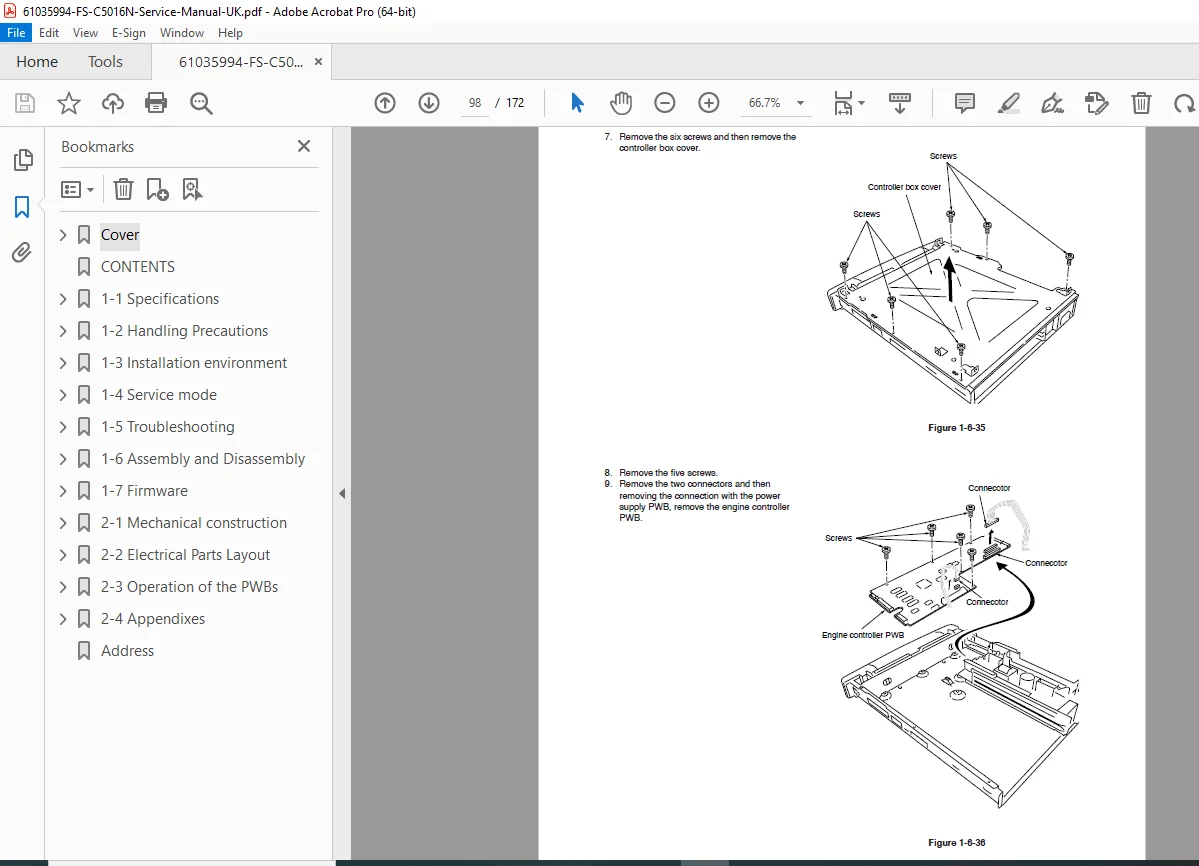
High-Voltage & Controller PWBs
Drive units, toner motors, ozone filters, waste duct
Every section includes:
✔ safety cautions
✔ fastening points
✔ reconnection checks
SECTION 1-7 — FIRMWARE
Firmware file format
Parallel interface flashing
Memory-card firmware update method
Message data update
SECTION 2 — MECHANICAL & ELECTRICAL THEORY
Paper Feed & MP Tray Transport — p.2-1-1
Developer & Drum Systems — p.2-1-7
Primary & Secondary Transfer — p.2-1-18
Fuser Section (heat & pressure rollers) — p.2-1-25
Electrical Parts Layout — p.2-2-1
PWB Operation Flow
Power Supply & Heater Control — p.2-3-4
SECTION 2-4 — APPENDICES
Timing Charts (A4 / Legal / MP Tray / Slow Mode)
Wiring Diagram — p.2-4-11
Repetitive Defects Gauge — p.2-4-13
🧾 FILE DETAILS
| Field | Details |
|---|---|
| Manual Name | Kyocera FS-C5016N Service Manual (UK) |
| Models Covered | FS-C5016N Color Laser Printer Series |
| Year / Publication | June 2003 — Revision updates included |
| PDF Quality | Clear scan, searchable text, diagrams & bookmarks |
| Total Pages | 172 pages |
🎯 Who This Manual Helps
Printer repair technicians
Copier & office equipment service engineers
Refurbishers & resale workshops
IT hardware maintenance teams
This factory service manual delivers true technician-level repair knowledge, including disassembly procedures, diagnostic codes, wiring diagrams, maintenance resets, and troubleshooting workflows — everything needed to repair, restore, and maintain the Kyocera FS-C5016N to peak performance. Download instantly and start servicing today.