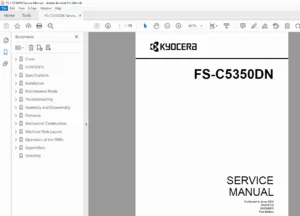
Kyocera FS-C5350DN Color Printer Service Repair Manual – PDF
Original price was: $85.00.$17.95Current price is: $17.95.
This is the official Kyocera FS-C5350DN Service Manual (Rev. 1, Dec 2009), the essential guide for professional maintenance and repair. It includes detailed instructions for the Kyocera FS-C5350DN maintenance kit counter reset procedure and comprehensive troubleshooting for error codes like F000 (Main PWB Communication Error) and 6000 (Fuser Heater Error). Technicians will find step-by-step guides for Kyocera FS-C5350DN developer unit replacement, solving image defects like white streaks, and performing firmware updates via USB.
Description
Kyocera FS-C5350DN Color Printer Service Repair Manual – PDF DOWNLOAD
Description
The Kyocera FS-C5350DN Service Manual is the definitive technical resource for servicing this high-performance color laser printer. Designed for certified service technicians, it covers every aspect of the machine’s operation, from installation and setup to deep component-level diagnostics and repair.
This manual provides critical maintenance procedures, including the Kyocera FS-C5350DN maintenance kit counter reset procedure, ensuring accurate tracking of consumable life. It features an extensive troubleshooting section with specific solutions for common issues, such as fixing white streaks on Kyocera FS-C5350DN prints and resolving error codes like 7401 (Developing Unit K Error) and F040 (Engine PWB Communication Error).
For hardware repairs, the guide offers detailed disassembly and reassembly instructions for major components, including the fuser unit, transfer belt, and main circuit boards (PWBs). It also includes essential calibration steps for Kyocera FS-C5350DN color registration to maintain optimal print quality.
📋 Table of Contents & Key Sections
1-1 Specifications
General Specifications: Printing method (Electrophotographic 4-color), 30 ppm print speed, and paper handling capacities.
Part Names: Detailed diagrams of the operation panel, front/rear covers, and internal cross-sections.
1-2 Installation
Environment: Temperature/humidity limits and placement requirements.
Unpacking & Setup: Procedures for removing packing materials and installing toner containers.
Optional Equipment: Installing memory expansion (DIMM), hard disk, and memory cards.
1-3 Maintenance Mode
Service Mode: Accessing the hidden service menu.
Status Pages: Printing service status pages and event logs.
Maintenance Functions:
>>Maintenance: Resetting the maintenance kit counter.>>DEV-SET: Entering developer unit initial values.>>DEV-CLN: Developer refreshing procedure.>>Drum: Drum surface refreshing.
1-4 Troubleshooting
Self-Diagnostic Codes: Comprehensive list of error codes (e.g., C6000 Fuser Error, C7401 Developer Unit Error).
Image Quality Problems: Solutions for blank pages, black pages, vertical/horizontal streaks, spots, and color misalignment.
Electric Problems: Diagnosing power failures, fan motor issues, and sensor malfunctions.
Mechanical Problems: resolving paper jams, noise, and paper feed failures.
1-5 Assembly and Disassembly
Precautions: Safety warnings for handling high-voltage components and lasers.
Outer Covers: Removal of left, right, and top covers.
Paper Feed Section: Replacing pickup rollers and retard rollers.
Developing Section: Kyocera FS-C5350DN developer unit replacement guide.
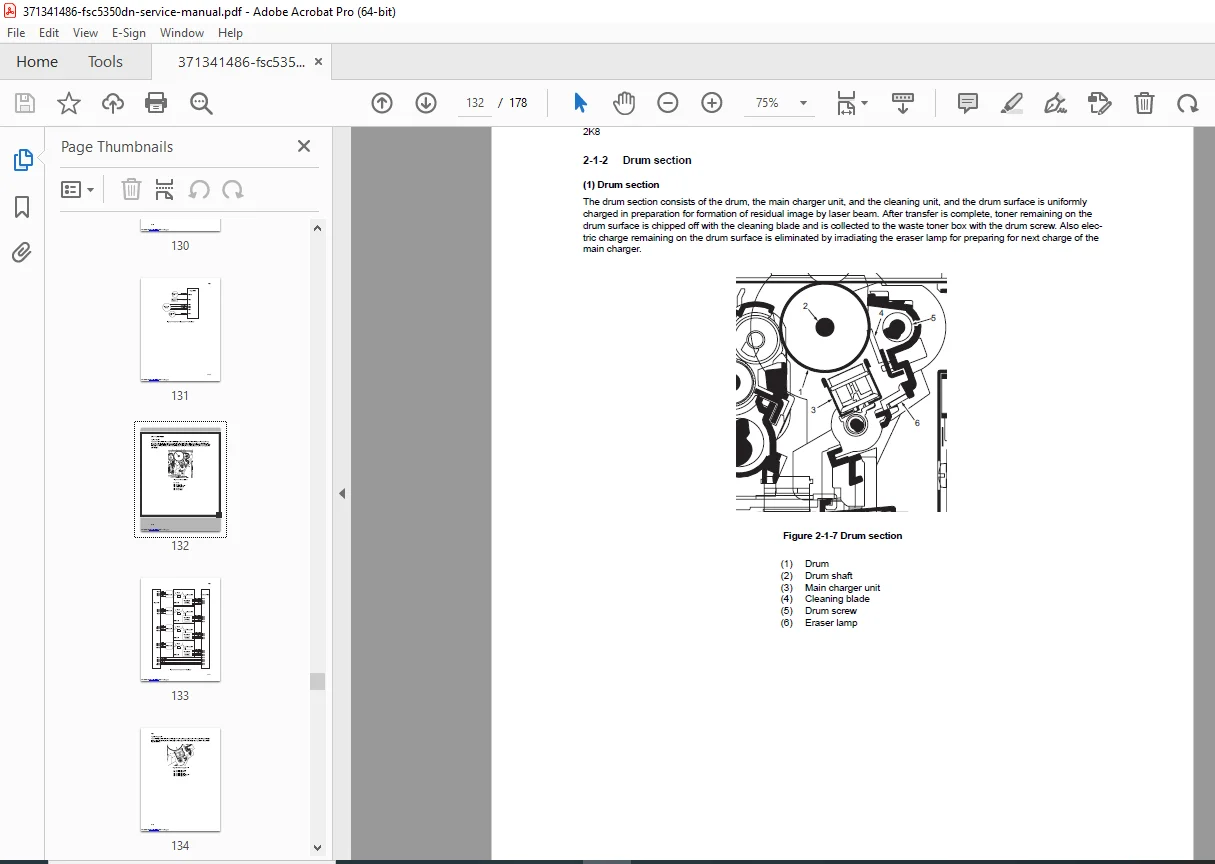
Drum Section: Removing and installing drum units and main chargers.
Transfer/Separation: Replacing the intermediate transfer unit and transfer roller.
Fuser Section: Fuser unit removal and installation.
PWBs: Replacing Main, Engine, and Power Source boards.
1-6 Firmware
Update Procedures: FS-C5350DN firmware update via USB memory or CompactFlash card.
2-1 Mechanical Construction
System Overview: Detailed explanation of paper feed, drum, exposure, developing, and fuser systems.
2-2 Electrical Parts Layout
Component Locations: Maps of switches, sensors, motors, and fans.
2-3 Operation of the PWBs
Circuit Descriptions: Power source, Engine, and Drum Relay PWB logic.
2-4 Appendixes
Wiring Diagram: Complete system schematics.
Repetitive Defects Gauge: Ruler for identifying faulty rollers based on image defect spacing.
🗃️ File Details
Manual Name: Kyocera FS-C5350DN Service Manual
Models Covered: Kyocera FS-C5350DN
Year: December 2009 (Rev. 1)
Manual PDF Quality: High Quality (Text-searchable, clear diagrams and schematics)
No. of Pages: 177