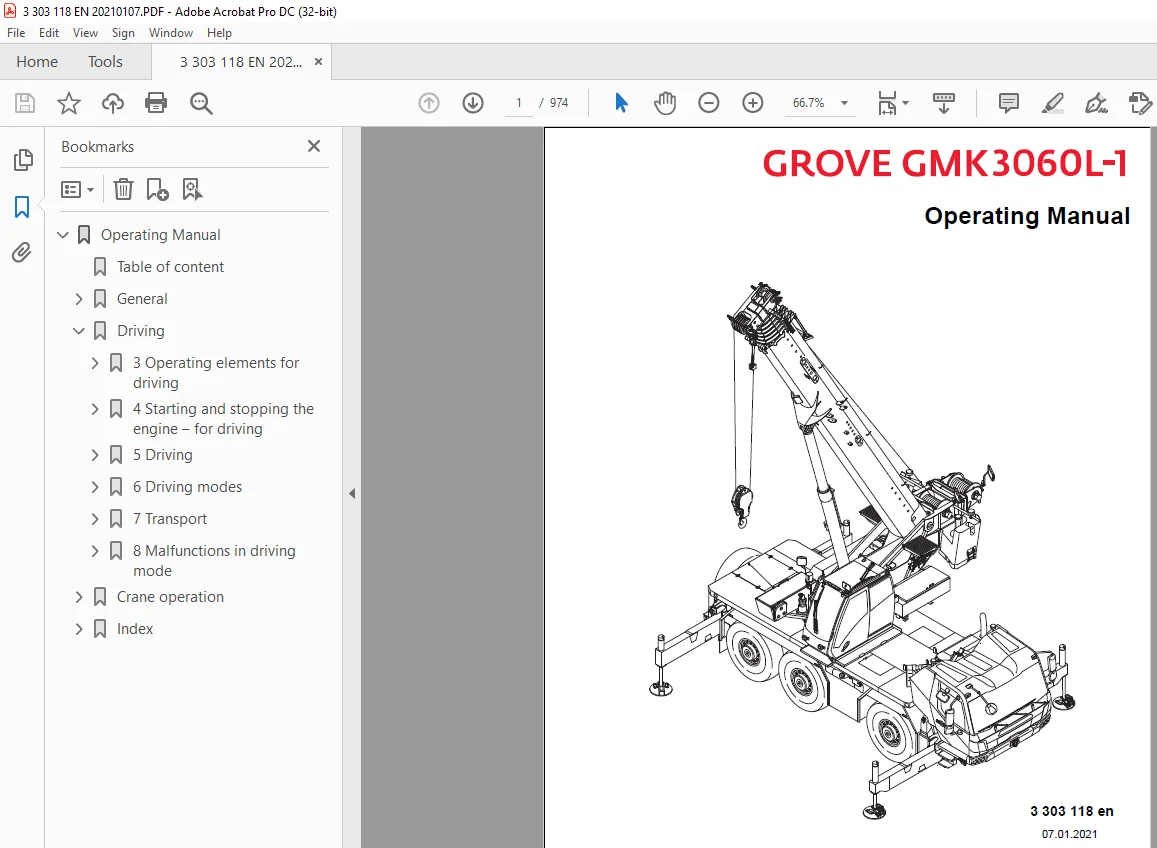
Manitowoc Grove GMK3060L-1 Operating Manual 3303118 PDF
$34.95
The Manitowoc Grove GMK3060L-1 Operating Manual (3303118) is a crucial guide, offering detailed instructions for safe and efficient operation of the GMK3060L-1 model. Conveniently available as a downloadable PDF for user reference.
Description
Manitowoc Grove GMK3060L-1 Operating Manual 3303118 – PDF DOWNLOAD
FILE DETAILS:
Manitowoc Grove GMK3060L-1 Operating Manual 3303118 – PDF DOWNLOAD
Language : English
Pages :974
Downloadable : Yes
File Type : PDF
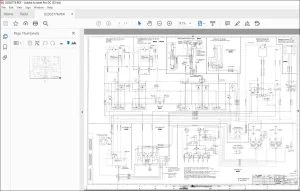
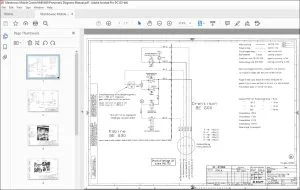
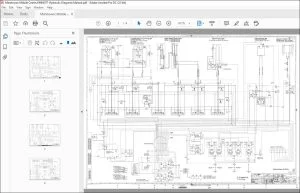
IMAGES PREVIEW OF THE MANUAL:
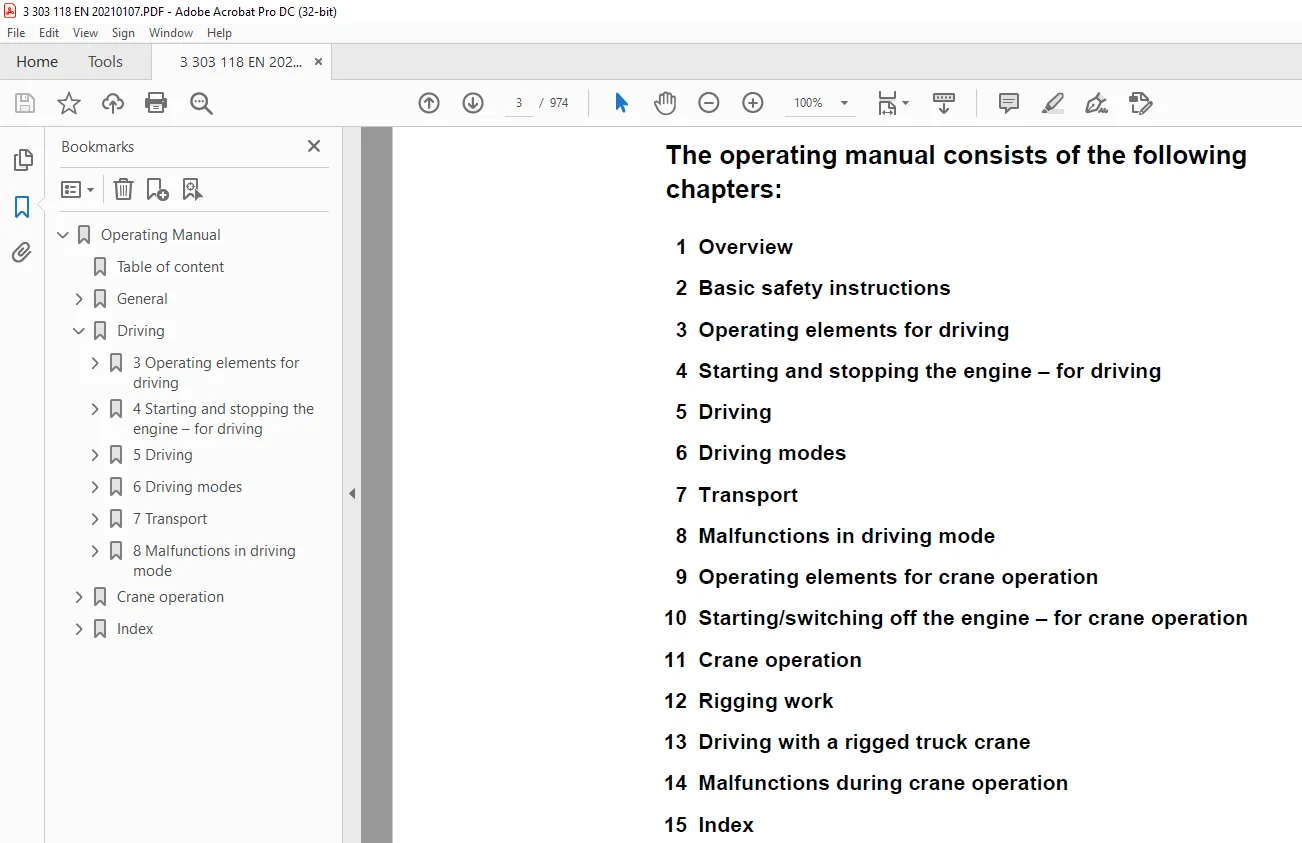
TABLE OF CONTENTS:
Manitowoc Grove GMK3060L-1 Operating Manual 3303118 – PDF DOWNLOAD
Operating Manual 1
Table of content 5
General 35
1 Overview 35
Accidents 35
Branch offices 37
Manitowoc Crane Care 37
Dealer list 37
Warranty specifications 37
Terms used 38
Technical data 41
Maximum lifting capacity (ASME B 30 5) 41
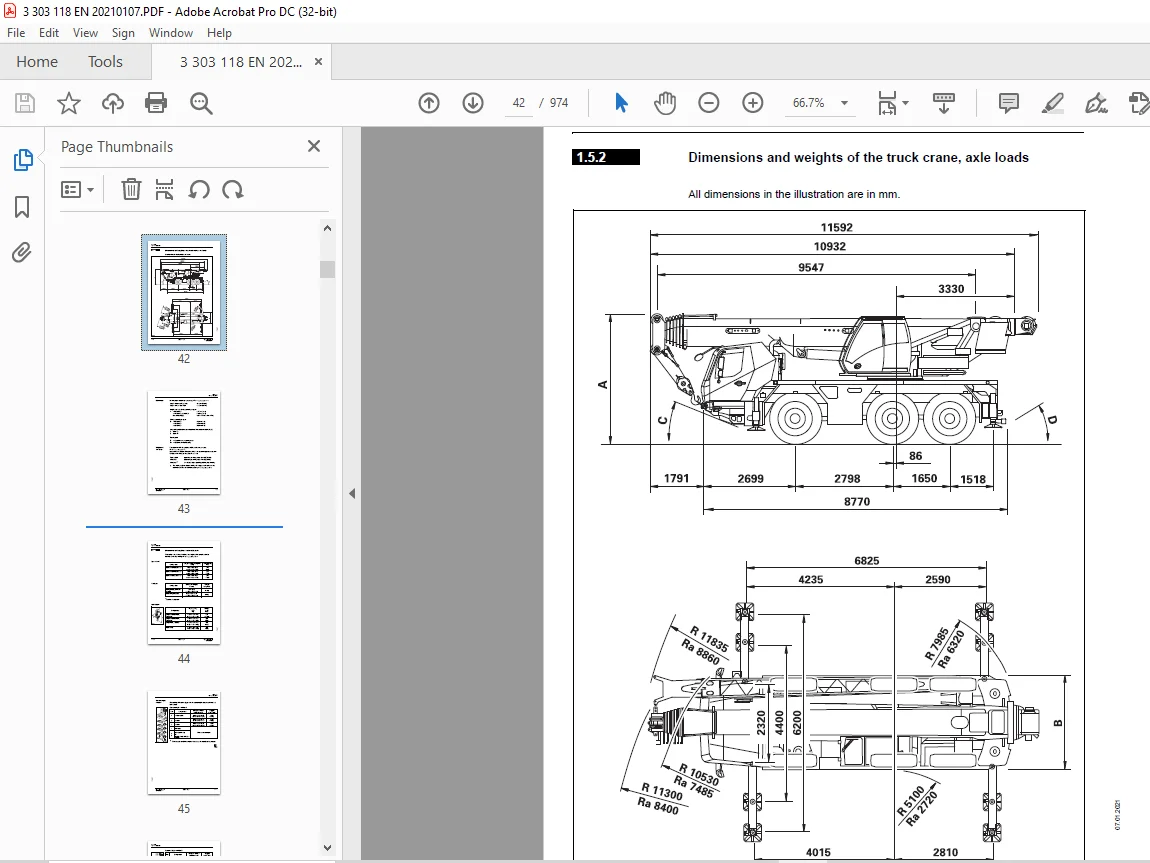
Dimensions and weights of the truck crane, axle loads 42
Dimensions 43
Weight and axle loads 43
Dimensions and weights of removable parts 44
Spare wheel 44
Outrigger 44
Hook blocks 44
Counterweight sections 45
Auxiliary hoist 46
Carrier 47
Engine 47
Transmission 47
Transfer case 47
Axle lines 47
Steering 48
Tyres 48
Turning radii 48
Outrigger 49
Electrical system 50
Tools 50
Towing couplings 50
Driving speeds 50
Climbing ability 50
Superstructure 51
Main hoist 51
Auxiliary hoist 51
Slewing gear 51
Derricking gear 51
Main boom 52
Lattice extension 52
Operating speeds 52
Documentation supplied 53
Questions on documentation 54
Notes on the operating manual 55
What do the symbols used mean? 55
How is the operating manual structured? 57
Division 57
Structure of the chapters 57
Structure of the pages 58
How do I find the information I need? 59
Cross-references example 60
What information is available for operations planning? 62
Conversion table for US units of measurement 63
Training – Information 65
Identification 66
EC Declaration of Conformity 68
Notes on the engine 69
Information on the engine 69
2 Basic safety instructions 71
Observe the safety manual 71
Intended use 72
Improper use 73
Driving 75
3 Operating elements for driving 75
Overview – Information 75
Overview – Exterior of the truck crane 76
Outrigger control units 81
Overview – driver’s cab 82
Overview – front 82
Overview – rear 84
Operating elements, upper 86
Tachograph 87
Operating elements, left 88
Operating elements, right 89
Control unit, centre 90
Driving position display 94
Operating elements, steering column/wheel 96
Lateral operating elements 97
Transmission operating elements 99
Operating elements, heating and air-conditioning system 100
Standard 100
Auxiliary heater 101
Operating elements, doors 102
Operating elements, rear 105
Operating elements, crane control 106
Operating elements, CCS 106
CCS – menu-dependent displays 108
CCS – Start menu 109
CCS – Overview menu groups 110
Menu group, carrier 112
Suspension/level adjustment menu 113
Driving menu 114
Exhaust system menu 115
Air intake inhibitor menu 116
Settings menu group 117
Set display brightness menu 118
Information menu group 119
Operating hours menu 120
Engine/ transmission error menu 121
Crane operation error menu 122
Various controls menu group 123
Brief description of the operating elements 125
Definition of direction information 125
Basic rule 125
General rules for buttons and symbols on the display 126
Engine 127
Steering column 127
Multipurpose switch 127
Control unit, centre 128
CCS display 129
AdBlue (DEF) system 130
Control unit, centre 130
CCS display 130
Exhaust emission control/dry conditioning 132
Control unit, centre 132
CCS display 132
Air intake inhibitor 133
Battery master switch 133
Electrical system 134
Crane control CCS 136
Transmission 138
Transmission control unit 138
Driving position display 141
Reversing camera 142
Reversing lamp 143
BirdView system 270° 144
Final drive 145
Brakes 147
Service brake 147
Additional brakes 148
Parking brake 149
Steering/separate steering 150
Control unit, centre 150
Driver’s door 151
CCS display 151
Suspension 155
CCS display 155
Lighting/windscreen wipers/horn 156
Steering column 156
Control unit, centre 156
CCS display 159
Roof 159
Level adjustment system 160
CCS display 162
Tachograph/speedometer 163
Tachograph 163
Cover 163
Speedometer 163
Diagnostics 164
Front flap 164
Windows and doors 165
Window winder 165
Window crank 165
Doors 166
Access aids and ladders 167
Access aids 167
Ladders 168
4 Starting and stopping the engine – for driving 173
Starting the engine – from the driver’s cab 175
CHECKLIST: Starting the engine 175
CHECKLIST: At low temperatures 178
Refuelling 179
Fuel tank 179
AdBlue (DEF) tank 180
Checks before starting the engine 181
At the hydraulic tank 181
Battery master switch 182
Switch the ignition on 182
Lamp test/equalisation of the switching states 183
Lamp test 183
Switching the switching state 183
Display – setting the brightness 184
In the driver’s cab 184
In the crane cab 184
Adjust brightness 184
Temperature on the display 184
Starting the engine 185
Without suction air pre-heating 186
With suction air pre-heating 187
Inspections after starting the engine 188
Starting the engine – at the outrigger control units 191
Prerequisites 191
Starting the engine 191
Switching off the engine 193
In the driver’s cab 193
After switching off 193
On the outrigger control units 193
With emergency stop switches 194
Resetting the emergency stop switch 194
Air intake inhibitor 195
Opening the air intake inhibitor 195
5 Driving 197
Before driving 197
CHECKLIST: checks before on-road driving 197
Checking the condition of the truck crane 203
Electrical system 203
Checking the storage compartments 203
Adjusting the mirror 204
Warning plates for vehicle width 205
Checking the vehicle height 205
Supply pressure 206
Parking brake 207
Additional rear light 208
Adjusting the seat and the steering column 209
Adjusting the driver’s seat 209
Adjusting the passenger seat 210
Adjusting the steering column 211
Switching the suspension on/off 212
Opening the menu 212
Switching on the suspension 213
Switching off the suspension 213
Setting the tachograph 214
Prerequisites 214
In the event of malfunctions 214
Setting the tachograph 215
Displaying and resetting operating hours 219
Settings/indications on the driving display 220
Operating the transmission 221
Switching on 221
Switching the transmission to the neutral position 222
Selecting the direction of travel and starting gear 223
Selecting the driving direction 223
Selecting the starting gear 224
Changing operating mode 225
Changing to automatic mode 225
Changing to manual mode 225
Starting 226
Driving and changing gears 227
In Automatic operating mode 227
In Manual operating mode 228
Changing the driving direction 229
Stopping 229
Stopping for a long period of time 229
DM and RM transmission mode 230
Switching on 230
Switching off 231
On the roller type dynamometer 232
Preheating transmission 232
Driving and parking off the truck crane 233
Checking while driving 233
Brakes 233
ABS system 233
Steering 234
Warning messages 234
Cruise control 235
Switching on 235
Switching off 236
Driving downhill 237
Starting 237
Inspections when driving downhill 238
Downshifting 238
Additional brakes 239
Driving uphill 240
Starting 240
Driving 240
Torque reduction 241
AdBlue (DEF) supply 241
System malfunctions 242
Overriding torque reduction 243
Cleaning the exhaust system 245
Automatic cleaning 245
Manual cleaning 246
Disabling cleaning 247
Off-road driving 249
Adjustments to the transmission 249
Connections 249
Changing the vehicle level 249
Rocking the vehicle free and towing 249
Longitudinal and transverse differential locks 250
Operating the level adjustment system 252
Opening the menu 252
Adjusting the on-road level 253
Pre-selecting suspension struts 253
Changing the vehicle level 254
Viewing the current inclination 255
Exiting the menu 255
Freeing a stuck truck crane 256
Rocking the truck crane free 256
Towing free forwards 257
Towing free in reverse gear 257
Separate steering 259
Switching to separate steering 260
Switching to normal steering mode 263
Switching the truck crane off 265
At each standstill 265
For each standstill for more than 8 hours 266
Securing against rolling away 267
Heating and air-conditioning system 269
Standard heating system 269
Switching on 269
Heating 269
Switching off 273
Air-conditioning system 274
Notes 274
Switching on 275
Switching off 277
Auxiliary water heating system 278
Auxiliary air heater – driver’s cab 281
Auxiliary air heater – battery 283
Radio 284
Towing a trailer 285
Effects on the axle loads 285
Coupling the trailer 286
Connecting the supply lines 287
Removing the supply lines 288
Uncoupling the trailer 288
Checking the braking force 290
6 Driving modes 291
Driving modes 291
Information about the axle loads 291
Information on how to use the tables 292
Table for a maximum axle load of 12 t (26,500 lbs) 293
Tyres 385/95 R25 293
Tyres 445/95 R25 294
Tyres 525/80 R25 295
Maximum permitted speeds with an axle load of over 12 t (26,500 lbs) 296
Weighing the truck crane 297
Axle groups 298
Weighing procedure 299
Evaluation 300
7 Transport 301
Transport with transport vehicle 301
CHECKLIST: checks before transport 302
Driving the truck crane on to the transport vehicle and lashing down 304
Transport by ship 305
8 Malfunctions in driving mode 307
Emergency stop switch 307
Procedure during malfunctions 308
What to do when malfunctions occur during road traffic 308
Warning and error messages 309
Warning or malfunction messages on the instrument panel 309
Meaning of the lamps 309
Warning messages on the driving mode display 314
Error messages 314
Warning messages on the CCS display 316
Representation of the symbol frame 316
Symbols on the CCS display 317
Error messages on the CCS display 329
Exiting the menu 330
Troubleshooting 331
Engine malfunctions 331
Faults on the AdBlue (DEF) system 333
Malfunctions of the differential locks 333
Malfunctions on the gearbox 334
Malfunctions of the steering 335
Malfunctions of the service brake 336
Malfunctions of the level adjustment system 337
Malfunctions in the hydraulic system/hydraulic oil cooler 337
Emergency operation and breakdown assistance 339
Externally starting the truck crane 339
Battery charger 340
Prerequisites 340
Towing away the truck crane 341
In the case of engine/ transmission damage 341
Longer towing distances 344
Tow starting 344
Wheel change 345
Removing a damaged wheel 345
On the spare wheel holder 346
Mounting a wheel 347
Inflating the tyres yourself 349
Connecting the filling hose 349
Inflating the tyres 350
Remove the filling hose 350
Tilting/lowering the driver’s cab 351
Prerequisites and information on tilting 351
Tilting/lowering the driver’s cab 353
Operating the hand pump 353
Tilting the driver’s cab 354
Lowering the driver’s cab 355
Fuses on the carrier 357
Notes on changing fuses 357
Fuses in the driver’s cab 358
Fuses in the battery box 364
Crane operation 365
9 Operating elements for crane operation 365
Overview of the operating elements 365
Overview – Exterior of the truck crane 366
Hand-held control 370
Outrigger control units 371
Menu-independent buttons 371
Outrigger menu 372
Overview – crane cab 374
Side panel operating elements 376
Operating elements, rear 378
Operating elements, control panels 380
Left 380
Right 381
Control lever configuration 382
Version 1 382
Version 2 383
Operating elements, heating and air-conditioning system 384
Operating elements, crane control 386
Operating elements, CCS 386
CCS – menu-dependent displays 388
CCS – Start menu 389
RCL display 390
Slewing ranges/ working radii display 391
CCS – Overview menu groups 392
Superstructure menu group 396
Superstructure lock menu 397
Counterweight menu 398
Menu group outrigger/driving 399
Outrigger menu 400
Driving menu 404
Exhaust system menu 406
Air intake inhibitor menu 407
RCL/Telescoping menu group 409
Enter rigging mode/telescope status menu 410
Pre-selection telescoping menu 414
Lifting capacity tables menu 416
Telescoping semi-automation menu 417
Manual telescoping menu 418
Active working range limiter menu group 419
Overall height menu 420
Working radius menu 421
Slewing angle menu 422
Hoist rope travel limitation menu 423
Information menu group 1 424
Hydraulic pressure and fuel consumption menu 425
Engine/Additional equipment menu group 426
Economy menu 427
Remote control menu 428
Spotlights menu 429
Telescoping emergency program menu group 430
Telescoping emergency program menu 431
Unknown telescoping menu 432
Settings menu group 433
Crane cab menu 434
Set display brightness and date/time menu 435
Switch units menu 436
Set control lever characteristic curve menu 437
Power unit speeds menu 438
Information menu group 2 439
Operating hours menu 440
Engine/ transmission error menu 441
Crane operation error menu 442
Program version menu 443
Various controls 444
Query menus 445
Operating elements, RCL 446
Menu-independent displays 447
RCL – menus 448
Monitoring menu 448
Datalogger menu 450
Lifting capacity tables menu 450
Brief description of the operating elements 451
Definition of direction information 451
Basic rule 451
General rules for buttons and symbols on the display 452
Engine 453
CCS display 453
Side panel 453
Economy menu 454
AdBlue (DEF) system/Exhaust gas emission control system 455
CCS display 455
Air intake inhibitor 456
CCS display 456
Seat contact switch and dead man’s switch 457
Crane control CCS 458
Outrigger – crane cab 463
Control panels 463
CCS display 464
Outrigger control units 466
General information 466
Outrigger menu 467
Inclination indicators 469
Outrigger pressure displays 470
Outrigger menu 470
Outriggers control units 470
Anemometer displays 470
Counterweight menu 471
CCS display 474
Main hoist 475
Control panels 475
CCS display 475
Auxiliary hoist 477
Control panels 477
CCS display 478
Slewing gear 479
Control panels 479
CCS display 480
Derricking gear 481
Control panels 481
CCS display 482
Side panel 482
Telescoping mechanism 483
Control panels 483
CCS display 484
Telescoping semi- automation menu 484
Manual telescoping menu 486
Hydraulic system 489
CCS display 489
Superstructure lock menu 490
Turntable lock 490
Houselock 492
CCS display 492
Remote control 493
Rated capacity limiter (RCL) 494
CCS display 494
RCL display 503
RCL override – version A 504
RCL override – version B 505
Electrical system 506
Lighting, windscreen wiper/washing system 507
Lighting 507
Windscreen wiper/ washing system 509
Horn 510
Hand-held control 511
Engine control panel 511
Horn 511
Pre-select emergency operation 512
Windows and doors 513
Windows 513
Rear window 513
Crane cab door 514
Diagnostics 515
Other 515
Short description of the operating elements – driving from the crane cab 517
Driving menu 517
Transmission 519
Final drive 521
Brakes 522
CCS display 522
Side panel from above 522
Steering 524
CCS display 524
Control panels 528
10 Starting/switching off the engine – for crane operation 529
When starting the engine for the first time in the day 530
Starting the engine – from the crane cab 531
Checking the fuel level and AdBlue (DEF) level 531
Fuel 531
AdBlue (DEF) 531
Checks before starting the engine 532
Checks on the carrier 532
Checking the hand-held control 532
Switch the ignition on 532
Control lever deflection query 533
Switching the switching state 534
Display – setting the brightness 535
Starting the engine 535
Inspections after starting the engine 536
Setting idling speed 537
Starting the engine – with the hand-held control 538
Switching off the engine 538
When the hand-held control is connected 538
From the crane cab 539
Ignition lock 539
With the idling button 539
After switching off 539
Using the emergency stop switches 540
Resetting the emergency stop switch 540
11 Crane operation 541
Before operating the crane 541
CHECKLIST: Checks before operating the crane 541
Checking the condition of the truck crane 545
Crane cab heater fuel tank 545
Visual inspection 545
Checking the position of the hoist ropes 546
Checking the electrical system 547
Adjusting the crane cab seat and control panels 548
Crane cab seat 548
Control panels 549
Adjusting the front panel 549
Checking the safety equipment 551
Rated capacity limiter 551
Lifting limit switch 551
Emergency stop switch 552
Seat contact switch 553
Earthing the load 555
Preheating hydraulic fluid 556
Locking/unlocking the turntable 557
Locking points 557
Lock turntable 558
Unlock the turntable 558
Switching the houselock on/off 559
Switching on the houselock 559
Switching off the houselock 561
Setting the time 562
Standard slewing range type 563
Permissible slewing ranges and operating positions 563
360° slewing range 563
Operating position 0° to the rear 563
180° to the front rigging position 563
Free-on-wheels operating position 564
Slewing range type MAXbase 565
Specifications in the lifting capacity tables 567
Enabled slewing ranges 568
Lifting capacities and slewing ranges for outrigger spans without separate lifting capacity tables 570
Operation of the rated capacity limiter 571
Switch on the RCL 572
Switching on 572
Entering rigging mode 574
Notes on Input 574
Enter the slewing range type 575
Entering individual components 576
Entering the RCL code 582
Pre-selecting telescoping 582
Confirming the rigging mode and lifting capacity table 583
Slewing range type Standard 583
Slewing range type MAXbase 585
Checks before operating the crane 587
Monitoring menu 587
Checking the rigging mode 587
Hoist checks 590
Display during the crane operation 591
On the RCL display 591
On the CCS display 595
RCL early warning 599
RCL shutdown 599
Shutdown due to overload 599
Displaying the lifting capacity tables 601
Slewing range type Standard 601
Slewing range type MAXbase 603
RCL override – version A 605
Overview status display 605
When rigging 606
To raise the boom 607
In emergencies 608
RCL override – version B 609
Datalogger 610
Export data 610
Display the data 611
Crane operation with main boom 615
Checks during crane operation 615
Horizontal alignment 615
Safe distances 615
Checking the wind speed 616
Deformation of the main boom due to direct sunlight 617
Main hoist 619
Switching on the main hoist 620
Lifting and lowering 621
Maximum permissible hoist rope speed 622
Switching off the main hoist 622
Auxiliary hoist 623
Switching on the auxiliary hoist 623
Lifting and lowering 624
Maximum permissible hoist rope speed 625
Switching off the auxiliary hoist 625
Lifting limit switch and lowering limit switch 626
Lifting limit switch 626
Lowering limit switch 628
Derricking gear 629
Switching on the derricking gear 629
Raising and lowering the boom 630
Maximum derricking speed 631
Releasing the raising function again 631
Switching off the derricking gear 632
Lowering the main boom to a horizontal position 632
Telescoping mechanism 633
Overview 635
Telescoping process 636
Assignment for display 638
Fixed length, intermediate length, telescoping length 639
Telescoping 640
Telescoping sequence 640
Checks prior to starting operations 641
Switching on the telescoping mechanism 642
Function of the control lever 642
Switching off the telescoping mechanism 644
Manual telescoping 645
Checking the initial position 645
Unlocking the telescoping cylinder 647
Extending/ retracting the telescoping cylinder 649
Lock telescoping cylinder 650
Unlocking the telescopic section 651
Telescoping the telescopic section 652
Locking the telescopic section 653
Locking the telescopic section for on-road driving 654
Telescoping with semi-automaton 654
Telescoping with pre-selection 656
High-speed mode 657
Derricking gear/ telescoping mechanism 657
Hoists 658
Slewing gear 659
Slewing gear brake 659
Switching on the slewing gear 660
Releasing the slewing gear brake 660
Applying the slewing gear brake 660
Turning 661
Maximum slewing speed 662
Braking the slewing movement 663
Slewing gear freewheel 663
Switching off the slewing gear 664
Slewing speed – reduction on and off 665
Switching reduction off 665
Possible movement combinations 666
Settings and displays for crane operation 667
Inclining the crane cab 667
Setting idling speed 668
Adjusting the wiper stroke interval of the windscreen wiper 668
Limiting the power unit speeds 669
Economy mode 670
Switching on 670
Ending 672
Switching off 672
Switching units of measure 673
Setting the characteristic curves for the control levers 674
Using the slewable spotlights 675
Manually swinging 675
Automatic load tracking 676
Displaying the operating hours 677
Working range limiter 679
Viewing current settings 680
On the RCL display 680
In the CCS Start menu 681
Opening the working range limiter menu 681
Enter limit values – for the overall height 682
Enter limit values – for the working radius 684
Enter limit values – for the slewing range 686
Enter limit values – for the hoist rope travel 689
Shutdown by working range limiter 691
Work break 693
In case of short work breaks 693
In case of work breaks of longer than 8 hours 694
To secure the truck crane 694
Heating and air-conditioning system 695
Heating system 695
Switching on 696
Heating 697
Air distribution 698
Ventilating 700
Switching off 701
UniControl unit 702
Switching on 702
Displays and menus 703
Switching off 703
Settings 704
Basic settings 704
When the heating system is switched on 705
When the heating system is switched off 706
For manual start 707
For ventilation 708
Automatic heating mode 708
Changing automatic heating mode 709
Error messages 710
Air-conditioning system 711
Notes 711
Switching on 712
Switching off 713
TELEMATIC system 714
12 Rigging work 715
Rigging work checklists for crane operation with the main boom 715
CHECKLIST: Rigging 715
CHECKLIST: Unrigging 721
Selecting the suitable site 725
Determining the required load-bearing area 725
Safe distance from slopes and pits 728
Earthing the truck crane 729
Safe distance from overhead power lines 730
Outriggers – Overview – Standard slewing range type 733
Representation in the lifting capacity tables 733
Enabled outrigger spans 734
Outriggers – Overview – MAXbase slewing range type 735
Definitions 735
Representation in the lifting capacity tables 737
Enabled outrigger spans 739
Operating the outriggers 743
CHECKLIST: Extending the outriggers 743
CHECKLIST: Retracting the outriggers 745
Preparing the truck crane 746
Driver’s cab 746
Crane cab 746
Setting the spans 748
For on-road driving 749
Extending/retracting outrigger beams 750
From the control units 751
From the crane cab 753
Moving the outrigger pads into operating/driving position 754
Enlarging the load-bearing area 755
Extending/retracting outrigger cylinders 756
From the control units 757
From the crane cab 758
Levelling the truck crane on outriggers 759
Inclination indicators 759
Prerequisites 760
Manual alignment 761
Automatic alignment 762
Levelling the free-on-wheels truck crane 763
Outrigger pressure display 765
Rigging/unrigging the counterweight 767
Information on rigging 767
When rigging 767
When unrigging 768
Counterweight sections 769
Identification 770
Slinging points on the counterweight sections 771
CHECKLIST: Rigging the counterweight 773
CHECKLIST: Unrigging the counterweight 774
Assembling counterweight versions – on the turntable 776
Assembling counterweight versions – on the counterweight platform 777
Setting down the 1 0 t base plate 778
Counterweight hoist unit 781
Counterweight menu 781
Extending/ retracting the lifting cylinders 782
Rigging automatic mode 784
Unrigging automatic mode 786
Cancelling automatic mode 787
Removing/installing the counterweight on the turntable 788
Removal 788
Installing 789
Setting down the counterweight for driving 789
Slewing with rigged counterweight 791
Rigging auxiliary hoist/0 5 t plate 793
Slinging points 793
Securing with a guide rope 794
CHECKLIST: Installing the auxiliary hoist/removing the 0 5 t plate 795
CHECKLIST: Removing the auxiliary hoist/installing the 0 5 t plate 797
Establishing/disconnecting the connection between the auxiliary hoist and the turntable 799
Establishing/disconnecting the hydraulic connection 800
Establishing/disconnecting electrical connection 801
Making/breaking the connection to the central lubrication 802
Check that the auxiliary hoist is functioning properly 803
Slewing direction 803
Slewing indicator 803
Rigging aid for the hoist rope 804
Establishing/disconnecting the connection between the 0 5 t section and the turntable 806
Transporting the auxiliary hoist/0 5 t plate 807
Rigging work on the main boom 809
Hook block on the bumper 809
Picking up the hook block 809
Attaching the hook block 810
Hook block on a separate vehicle 811
Picking up the hook block 812
Setting down the hook block 812
Reeving and unreeving the hoist rope 814
Reeving the hoist rope 816
Unreeving the hoist rope 819
Possible reeving methods on the main boom 821
With 4 head sheaves 821
With 5 head sheaves 823
With 5 head sheaves 824
With 6 head sheaves 827
Installing/removing the lifting limit switch 831
Installing lifting limit switch 831
Removing the lifting limit switch 834
Locking/unlocking the lifting limit switch 836
Locking 836
Releasing locking 836
Anemometer and air traffic control light 837
Installing 837
Removal 839
Other rigging works 841
Folding the mirrors in and out, and adjusting them 841
Cameras for crane operation 843
Camera on main boom 843
Camera on the hoists 845
Camera on the driver’s cab 845
Operating the camera 846
Step at the crane cab 848
13 Driving with a rigged truck crane 849
Driving distance 849
Permissible rigging modes and axle loads 850
Axle load table 850
To drive without a load 854
To drive with a load 855
Axle loads 855
Before driving the rigged truck crane 856
Checking the tyre pressures and wind speed 856
Secure the superstructure against slewing 856
Putting the truck crane on the wheels 857
Driving from the driver’s cab 859
Preparing to drive 859
Transmission 859
Switching on separate steering 859
Connections 860
While driving 860
After driving 861
Driving from the crane cab 863
Preparing to drive 864
Opening/closing the driving menu 865
Opening the menu 865
Selecting the operating mode 865
Crane’s hydraulic system Driving mode 867
Closing menu 867
Steering 868
Switching on 868
Display and steering direction 868
Changing the steering direction 869
Displays when steering 869
Separate steering 870
Normal steering 873
Operating the transmission 874
Selecting the transmission mode 874
While driving 875
DM and RM transmission mode 875
Transmission mode D 875
Warning messages 875
Possible connections 876
Longitudinal/ transverse differential locks 876
After driving 878
14 Malfunctions during crane operation 879
Emergency stop switch 879
What to do when malfunctions occur during crane operation 880
The load can be set down 880
Load cannot be set down 880
Warning and error messages 881
Program version 881
Warning messages on the CCS display 881
Error messages on the CCS display 882
Warning messages on the RCL display 884
Troubleshooting 891
Engine malfunctions 891
Malfunctions on the main hoist/auxiliary hoist 891
Malfunctions in the hoist cameras 892
Malfunctions in the main boom camera 892
Malfunctions on the derricking gear 893
Malfunctions in the telescoping mechanism 894
Malfunctions on the slewing gear 895
Malfunctions on the counterweight hoist unit 896
Malfunctions in the hydraulic system/hydraulic oil cooler 896
Malfunctions when operating with the hand-held control 897
Malfunctions for tilting the crane cab 897
Malfunctions of the outriggers 898
Malfunctions on the turntable lock 898
Malfunctions on the CCS/RCL control units 899
Malfunctions when driving from the crane cab 899
Malfunctions in the TELEMATIC system 900
Emergency operations and programs 901
Mechanical emergency activation for retracting 902
Checks before emergency activation 902
Procedure 902
Mechanical emergency activation 903
Telescoping emergency program 905
Opening telescoping emergency program menu 905
Description of the displays 906
Checks in the emergency program 909
Retraction of the telescoping with emergency program 913
Tables for approaching the locking points 916
Entering the current telescoping 918
Emergency operation with the hand-held control 920
Sockets 920
Connection 921
Button combinations 922
Emergency operation 923
Notes on slewing in emergency operation 925
For the Standard slewing range type 925
For the MAXbase slewing range type 926
Rotate for overridden slewing gear shutdown 927
Hydraulic emergency operation with the hand pump 929
Connect/Disconnect hose connection 930
Establishing the hydraulic circuits required 931
Switching over valves 931
For lifting/ lowering the load 932
Performing emergency activation 933
After the emergency activation 934
Hydraulic emergency operation as per DGUV 935
Applications and function 935
CHECKLIST: Emergency operation 937
CHECKLIST: after emergency operation 938
For self-supply – connecting/disconnecting hoses 939
For external supply – connecting/disconnecting the transformer 940
Establishing the hydraulic circuits required 941
Valves at the control panel 941
For lifting/ lowering 942
For slewing 943
Performing emergency operation 944
Lift/lower 944
Turning 945
Derricking 946
Emergency supply of another crane 947
For emergency supply 947
After emergency supply 947
Switching emergency operation on/off 948
Fuses in the crane cab 949
Notes on changing fuses 949
Index 955
A 957
B 957
C 958
D 960
E 962
F 963
G 963
H 963
I 965
L 965
M 965
O 966
R 967
S 968
T 969
W 971
Questions? Email us: [email protected]
S.M