
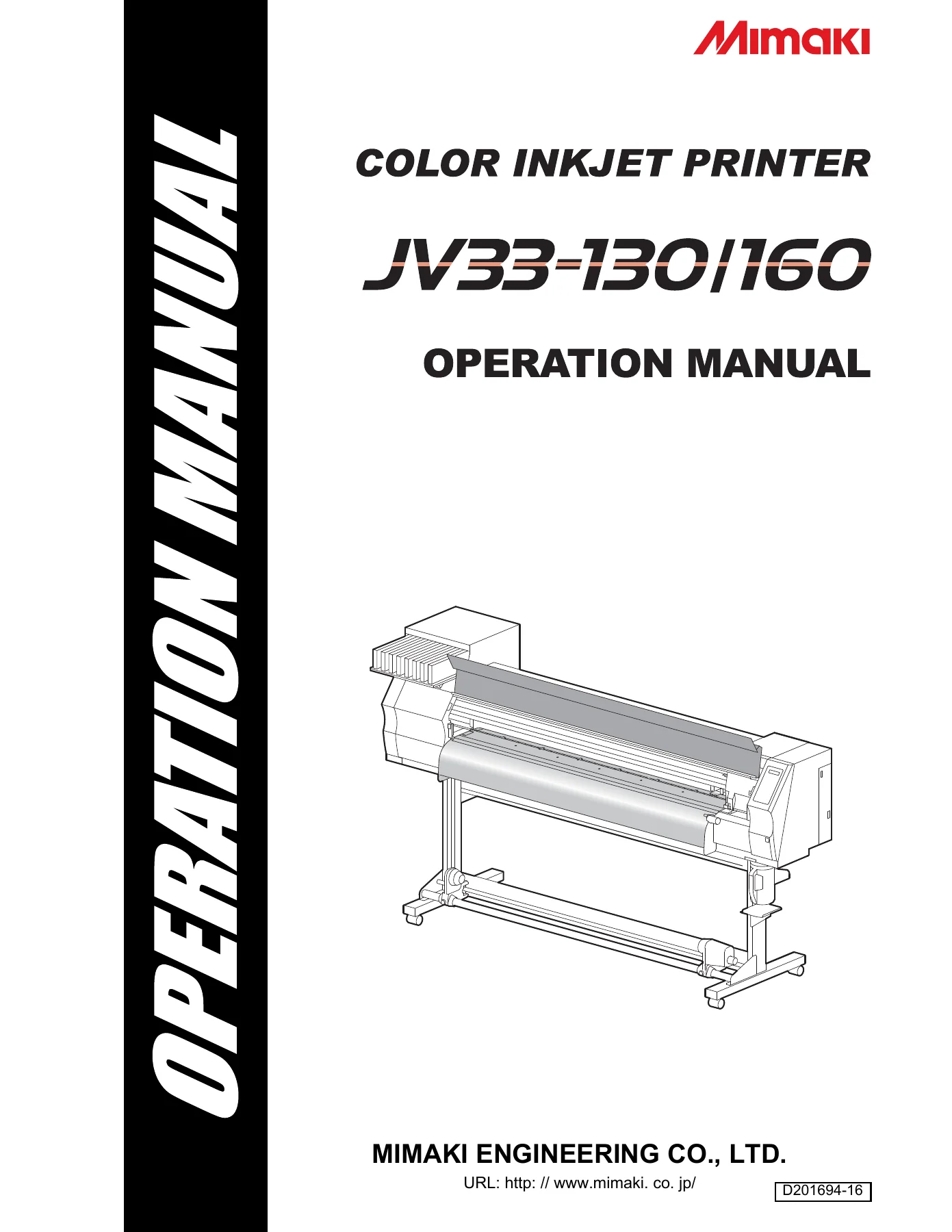
Mimaki JV33-130 JV33-160 Color Inkjet Printer Operation Manual PDF Download
Original price was: $40.95.$26.95Current price is: $26.95.
Complete Mimaki JV33-130 / JV33-160 color inkjet printer Operation Manual (doc D201694-16). Covers installation, media setup, heaters, test printing, head cleaning, routine maintenance and troubleshooting in one 202-page PDF.
Description
Mimaki JV33-130 / JV33-160 Operation Manual – D201694-16
This is the full operation manual for the Mimaki JV33-130 and Mimaki JV33-160 colour inkjet printers, published by MIMAKI ENGINEERING CO., LTD. under document number D201694-16. Everything a JV33 owner or operator needs to run, adjust and maintain the machine is collected in a single 202-page PDF: from the initial install and cable connections right through to daily print routines, heater settings, head cleaning cycles and error-code troubleshooting. It is written for the operator who actually stands at the panel — the language is procedural, the illustrations are labelled, and every function on the machine is referenced to the menu it lives in.
File Details
- Manual type: Operation Manual
- Brand / manufacturer: MIMAKI ENGINEERING CO., LTD.
- Models covered: JV33-130, JV33-160
- Document number: D201694-16
- Language: English
- Page count: 202
- File format: PDF
Chapters Covered
- Chapter 1 — Installation and Setup
- Chapter 2 — Basic Operations
- Chapter 3 — Convenient Use
- Chapter 4 — Routine Maintenance
- Chapter 5 — Troubleshooting
- Chapter 6 — Appendix
Chapter 1 — Installation and Setup
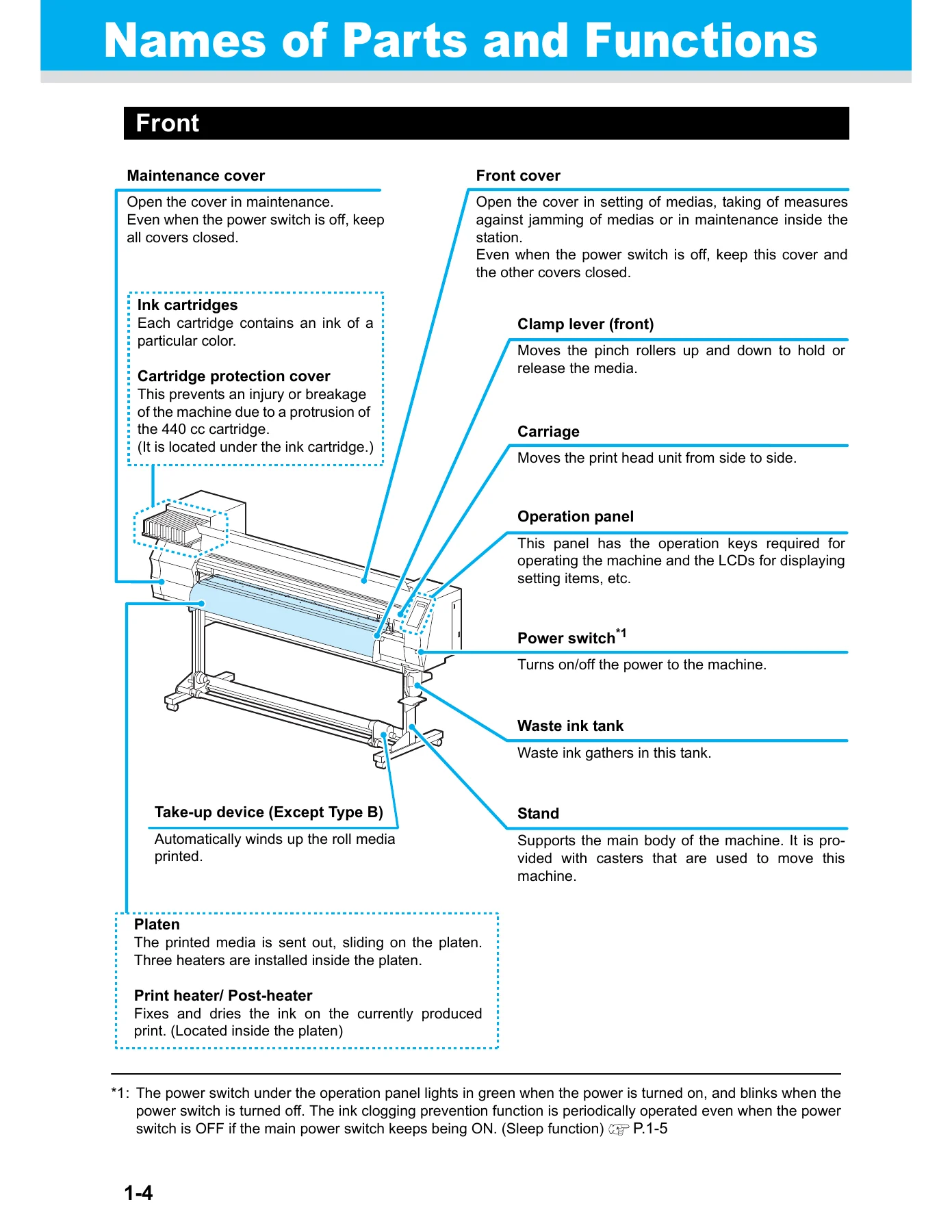
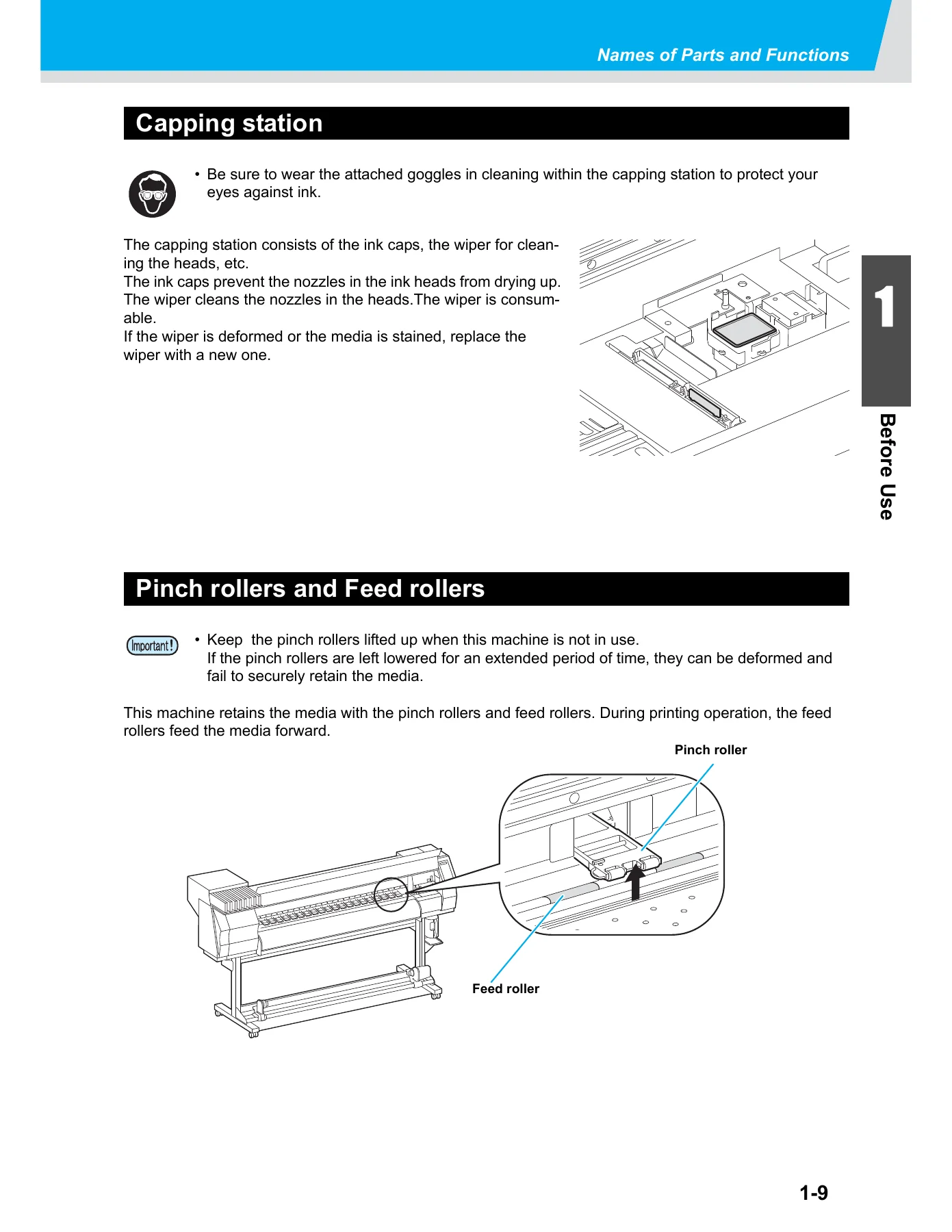
Where to site the JV33-130 or JV33-160, the minimum working and environmental envelope (20 to 35 °C operating window), and how to move the machine on its castors. The chapter walks through the names and functions of every major assembly — front cover, maintenance cover, ink cartridges and cartridge protection cover, clamp lever, carriage, operation panel, waste ink tank, take-up device, stand, platen and the Pre-heater / Print heater / Post-heater arrangement. It also covers USB 2.0 cable connection, the correct sequence for the AC power cable and grounded socket, inserting the ink cartridges (including the IC-chip orientation), the ink cartridge lamp states, the media sensor location at the rear of the platen, the capping station, and the pinch roller and feed roller layout. Usable media sizes, roll weight and diameter limits, roll end treatment and general media handling cautions are all listed. The chapter closes with the four machine modes — NOT-READY, LOCAL, FUNCTION and REMOTE.
Chapter 2 — Basic Operations
Everyday operation of the JV33 is mapped out here. It starts with the User Type system (Types 1 to 4) and the items that can be registered against each type. Then it covers turning the main power switch and the front power switch on and off, the sleep-mode nozzle clogging prevention function, and the correct shut-down sequence to leave the head parked on the capping station. Media setup is covered in detail: adjusting the head height (2 mm / 3 mm L range and the 4 mm / 5 mm H range), setting a roll media onto the roll holders for both 2-inch and 3-inch cores, threading the media through the platen and pinch rollers, using the media press, preparing and tensioning the take-up device, and setting leaf media. Printing origin changes, heater preparation, temperature setting and confirmation, normal test printing and the white-ink test pattern, head cleaning (NORMAL, SOFT, HARD and spot color maintenance), sending drawing data, starting and pausing a print, clearing received data, and cutting the media are all documented step by step.
Chapter 3 — Convenient Use
This is the setup chapter. It explains how to register the drawing conditions into a User Type (Type registration), how to set media compensation by printing the two-band correction pattern and dialling in the value, how to change the Heater set temperature and set the STANDBY and OFF TIME timers, and how to dial in the print mode — DRAFT and FINE quality, scanning direction (Bi-D / Uni-D), Logical-seek, WhiteLay Print, ink layers, drying time, left and right margins, Priority (host or panel), Auto Cleaning, In-printing Cleaning, and Media Detection. Machine Setup and Machine Setup 2 sections cover the deodorize fan, dryness feeding, stamp setup, test draw arrange, room temperature operation, confirmation feeding, time setting, unit setup (temperature and length), machine name for multi-unit USB identification, key buzzer, ink expiry month extension, cartridge priority, and ink supply path switching for the optional bulk ink system. Machine information display (error history, maintenance history, print-mode history, version, serial number) is covered too.
Chapter 4 — Routine Maintenance
The maintenance chapter an owner will reach for most often. It opens with cleaning precautions and the correct cleaning solution for each ink family (ES3, SS21, aqueous pigment, sublimation dye, Eco-PA1). It then documents cleaning of the exterior, platen, media sensor and media press; maintenance of the capping station including the wiper and ink caps, wiper replacement, and the PUMP TUBE WASH and CUSTODY WASH routines; cleaning of the heads and surrounding parts; recovery when nozzles stay clogged after cleaning (FILL UP INK and DISCHARGE & WASH); re-priming ink after a wash; and DROP POSITION adjustment when dot placement shifts. Nozzle clogging prevention while powered off is covered through the Sleep Setup refresh, tube wash and cleaning intervals, and the Routine Setup routines for standby wiping, refreshing, pump tube washing and cleaning. Other maintenance functions include the wiper replacement warning time, media remaining display, white ink maintenance levels 1 to 3, sublimation transfer ink handling, waste ink tank exchange, ink type and colour changeovers, and cutter blade replacement.
Chapter 5 — Troubleshooting
Diagnostic flow charts for the situations that stop a JV33 in its tracks: power does not turn on, the machine does not start printing, media jams or staining, the HEAT or CONSTANT LED fails to light, poor image quality, and clogged nozzles. The chapter also lists every warning message and every error message the machine can display — including cover-open warnings, media not detected, wiper replacement prompts, ink NEAR END and INK END, expiration warnings, spot colour maintenance prompts, waste ink tank checks, room temperature errors, ROM / RAM / power supply errors, head errors, linear encoder errors, command errors, USB communication errors and motor over-current alarms — with the suggested cause and the corrective action for each.
Chapter 6 — Appendix
Reference data for the machine: full JV33-130 and JV33-160 specifications (print width, media thickness, roll outside diameter, roll weight, dimensions, weight, power, noise, accuracy), ink specifications, a sheet for gathering information before contacting service, the location and part numbers of the warning labels, and the complete function flowchart showing how the SET UP, MACHINE SETUP, MAINTENANCE, SLEEP SETUP and ROUTINE SETUP menus nest.
Why This JV33 Manual Matters in the Workshop
The JV33 is a solvent and aqueous inkjet platform that lives on its calibration. Two things decide whether the machine earns its keep: clean nozzles and correct media feed. Both are procedural — and both are documented in this manual with values, not vague advice. The MEDIA COMP. pattern tells you exactly how to read the two bands and how many points to shift the value; the DROP POSITION routine tells you which pattern to print and how to pick the correction value for Bi-directional work; the head height table spells out which lever position belongs with which media thickness; and the Heater chapter gives you the reference temperatures for ES3 and SS21 across glossy PVC, tarpaulin and FF. Following those numbers is the difference between production print and a roll of scrap.
Beyond daily calibration, this Mimaki JV33-130 JV33-160 operation manual covers the maintenance tasks that actually extend the life of the head — how often to wipe, which cleaning type to run for a missing line versus a bent line, when to run spot colour maintenance on silver or white ES3 ink, how to wash the pump tube, and how to custody-wash the machine before a long shutdown. It also tells you what every error code means before you call service, which on its own can save a callout.
IMAGES PREVIEW
Instant PDF Delivery
This Mimaki JV33 operation manual is delivered as an instant-download PDF. There is no shipping, no waiting and no physical binder to lose. Open it on a laptop on the shop floor, on a tablet next to the printer, or on a phone at the back of the machine; print the pages you need — the test printing procedures, the heater reference table, the error-code list — and keep them where you work. Whether you are running a JV33-130 or a JV33-160, the procedures, set values and diagnostic messages in this PDF are the ones the machine expects you to use.
Reviews
There are no reviews yet.