Nihon Kohden CNS-6201 Service Manual Central Monitor Repair Guide PDF Download
Original price was: $95.00.$19.95Current price is: $19.95.
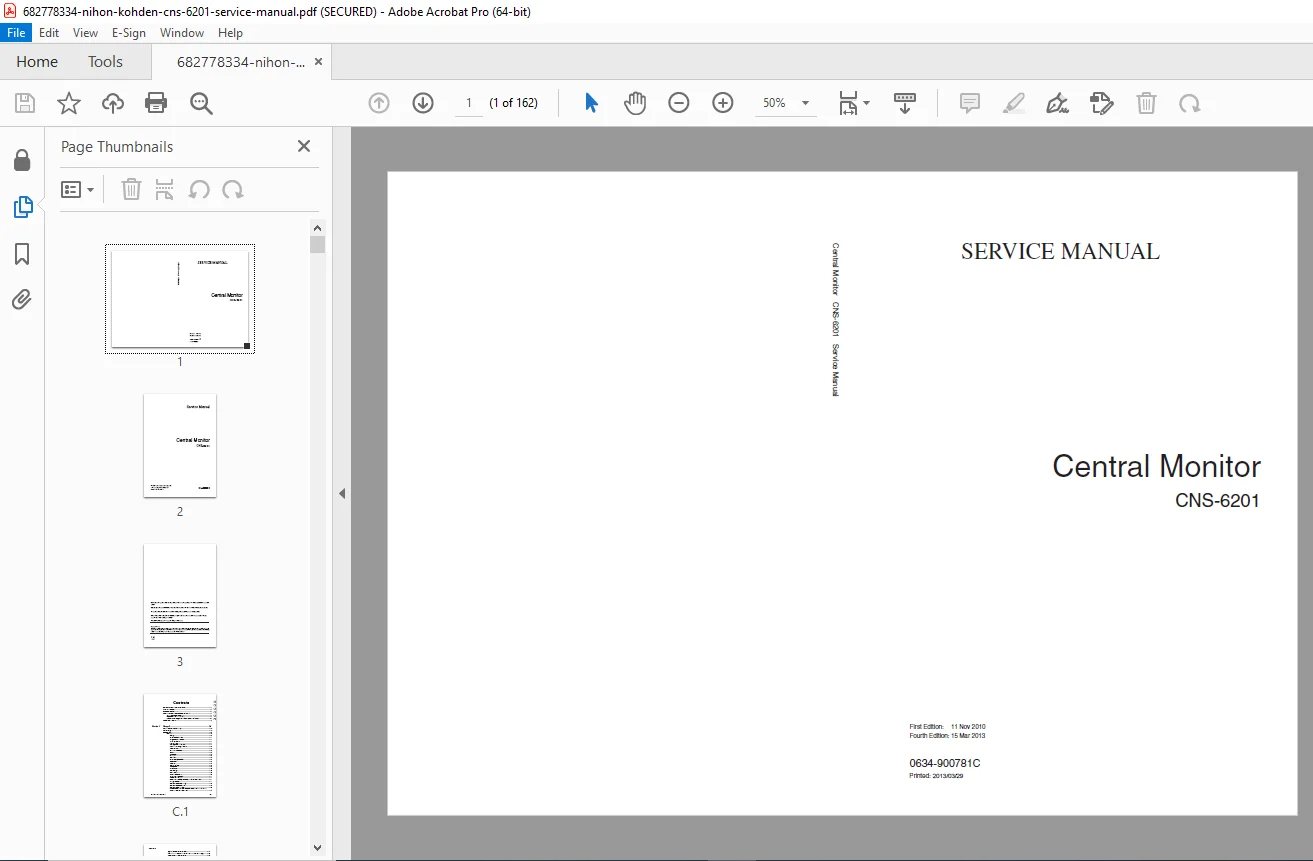
Official factory service manual for Nihon Kohden CNS-6201 Central Monitor system. This comprehensive 162-page technical guide provides complete maintenance procedures, troubleshooting flowcharts, disassembly instructions, and parts lists for biomedical technicians. Includes EMC compliance data, system specifications, software installation procedures, and component replacement guides. Essential documentation for hospital clinical engineering departments servicing central monitoring stations.
Description
Nihon Kohden CNS-6201 Service Manual Central Monitor Repair Guide PDF Download
DESCRIPTION
Professional Service Documentation for Nihon Kohden CNS-6201 Central Patient Monitoring System
This Nihon Kohden CNS-6201 service manual is the official factory technical resource for biomedical equipment technicians and clinical engineering professionals maintaining the CNS-6201 Central Monitor system. With 162 pages of comprehensive technical documentation, this Nihon Kohden repair guide provides complete troubleshooting procedures, disassembly instructions, software installation guides, and parts identification essential for professional-grade central monitoring system maintenance.
FILE DETAILS
| Detail | Information |
|---|---|
| Manual Name | Service Manual Central Monitor CNS-6201 |
| Equipment Model | Nihon Kohden CNS-6201 Central Monitor |
| Manufacturer | Nihon Kohden Corporation (NKC) |
| Part Number | 0634-900781C |
| First Edition | November 11, 2010 |
| This Edition | Fourth Edition – March 15, 2013 |
| Total Pages | 162 |
| PDF Quality | High-resolution factory original document |
| Language | English |
| File Size | 13.7 MB |
| Format | Searchable PDF with copy protection |
| Page Size | A3 format for detailed diagrams |
COMPLETE TABLE OF CONTENTS
SECTION 1: GENERAL (Pages 1.1-1.15)
- General Information on Servicing – Introduction to CNS-6201 service requirements
- Service Policy – Authorized service guidelines and warranty considerations
- Complete Specifications:
- Display Functions:
- Full Disclosure Window specifications
- Arrhythmia Recall Window capabilities
- ST Recall Window features
- Trend Window parameters
- Hemodynamics List Window
- ECG 12 Lead Analysis Window
- Report Window functionality
- Overview Bed Window specifications
- Alarm System:
- Alarm priority levels
- Alarm conditions and thresholds
- Audio and visual alarm specifications
- Alarm propagation through network
- Recording Capabilities:
- Continuous recording specifications
- Event recording parameters
- Alarm recording features
- Report printing capabilities
- Printing Functions:
- Network printer support
- Report formats and layouts
- Print quality specifications
- Operation Specifications:
- User interface details
- Touch screen specifications
- Mouse and keyboard support
- Sound and Light Output:
- Audio specifications
- Visual indicator specifications
- Alarm tone patterns
- Data Output:
- Network protocols supported
- Data export formats
- Integration capabilities
- Network Specifications:
- Network topology requirements
- Communication protocols
- Data transmission rates
- Network security features
- System Settings:
- Configuration options
- User preferences
- Default parameters
- Data Saving:
- Storage capacity specifications
- Backup procedures
- Data retention policies
- Display Functions:
- Performance Specifications:
- LCD Display characteristics
- Response time specifications
- Update rates
- Processing capabilities
- Environmental Specifications:
- Operating temperature range
- Storage temperature range
- Humidity specifications
- Altitude limitations
- Environmental protection ratings
- Power Requirements:
- Input voltage specifications
- Power consumption
- Fuse ratings
- Battery backup specifications (if applicable)
- Acoustic Energy (Noise):
- Sound pressure level measurements
- Acoustic noise specifications
- Mechanical Strength:
- Shock and vibration resistance
- Impact protection specifications
- Dimensions and Weight:
- Physical dimensions (without protrusions)
- Weight specifications
- Mounting requirements
- Safety Standards:
- IEC 60601-1 compliance
- Safety classification
- Patient isolation specifications
- Leakage current limits
- Electromagnetic Compatibility:
- Electromagnetic Emissions:
- RF emissions (CISPR 11)
- Harmonic emissions (IEC 61000-3-2)
- Voltage fluctuations (IEC 61000-3-3)
- Electromagnetic Immunity:
- Electrostatic discharge immunity
- Radiated RF immunity
- Conducted RF immunity
- Electrical fast transient/burst immunity
- Surge immunity
- Voltage dips and interruptions immunity
- Power frequency magnetic field immunity
- Recommended Separation Distances:
- Portable RF communications equipment separation
- Mobile RF equipment guidelines
- Electromagnetic Emissions:
SECTION 2: TROUBLESHOOTING (Pages 2.1-2.20)
- General Troubleshooting Approach:
- Systematic diagnostic methodology
- Safety precautions during troubleshooting
- Required test equipment and tools
- Documentation of failures
- System Troubleshooting:
- Power-Related Issues:
- Unit won’t power on
- Intermittent power failures
- Battery backup problems
- Power supply failures
- Display Problems:
- No display / blank screen
- Distorted display
- Incorrect colors
- Backlight failures
- Touch screen not responding
- Communication Failures:
- Network connection lost
- Cannot connect to bedside monitors
- Data transmission errors
- Network timeout issues
- Intermittent communication
- Alarm System Issues:
- Alarms not sounding
- Alarm tones incorrect
- Visual alarms not displaying
- Alarm propagation failures
- False alarms
- Recording Problems:
- Printer not responding
- Recording quality issues
- Paper feed problems
- Incomplete recordings
- Data Storage Issues:
- Cannot save data
- Data retrieval failures
- Database errors
- Backup failures
- Software Problems:
- Application crashes
- Freezing or hanging
- Slow performance
- Software errors and messages
- Hardware Component Failures:
- Processing unit failures
- Memory errors
- Storage device failures
- Interface card problems
- Power-Related Issues:
- Error Code Reference:
- Complete error message listings
- Error code interpretations
- Probable causes for each error
- Corrective action procedures
- Diagnostic Procedures:
- Built-in self-test procedures
- Component testing methods
- Signal verification
- Network diagnostics
SECTION 3: DISASSEMBLY AND ASSEMBLY (Pages 3.1-3.30)
- Before You Begin:
- Safety Cautions and Notes:
- ESD (Electrostatic Discharge) protection requirements
- Power disconnection procedures
- Patient safety considerations
- Workspace preparation
- Screws in Use:
- Screw type identification
- Torque specifications
- Screw location reference
- Safety Cautions and Notes:
- Complete Disassembly Procedures:
- External Component Removal:
- Cover removal procedures
- Panel removal instructions
- Mounting bracket removal
- Cable disconnection sequences
- Display Assembly:
- LCD display removal
- Touch screen removal
- Backlight assembly service
- Display bezel removal
- Processing Unit:
- Motherboard removal and installation
- CPU and cooling system service
- Memory module replacement
- Storage device replacement
- Power Supply:
- Power supply unit removal
- Power distribution board service
- Fuse replacement
- Battery backup service
- Interface Boards:
- Network interface card removal
- Communication board service
- Expansion card installation
- Peripheral Devices:
- Printer mechanism service
- Audio speaker replacement
- Fan assembly replacement
- Cable Management:
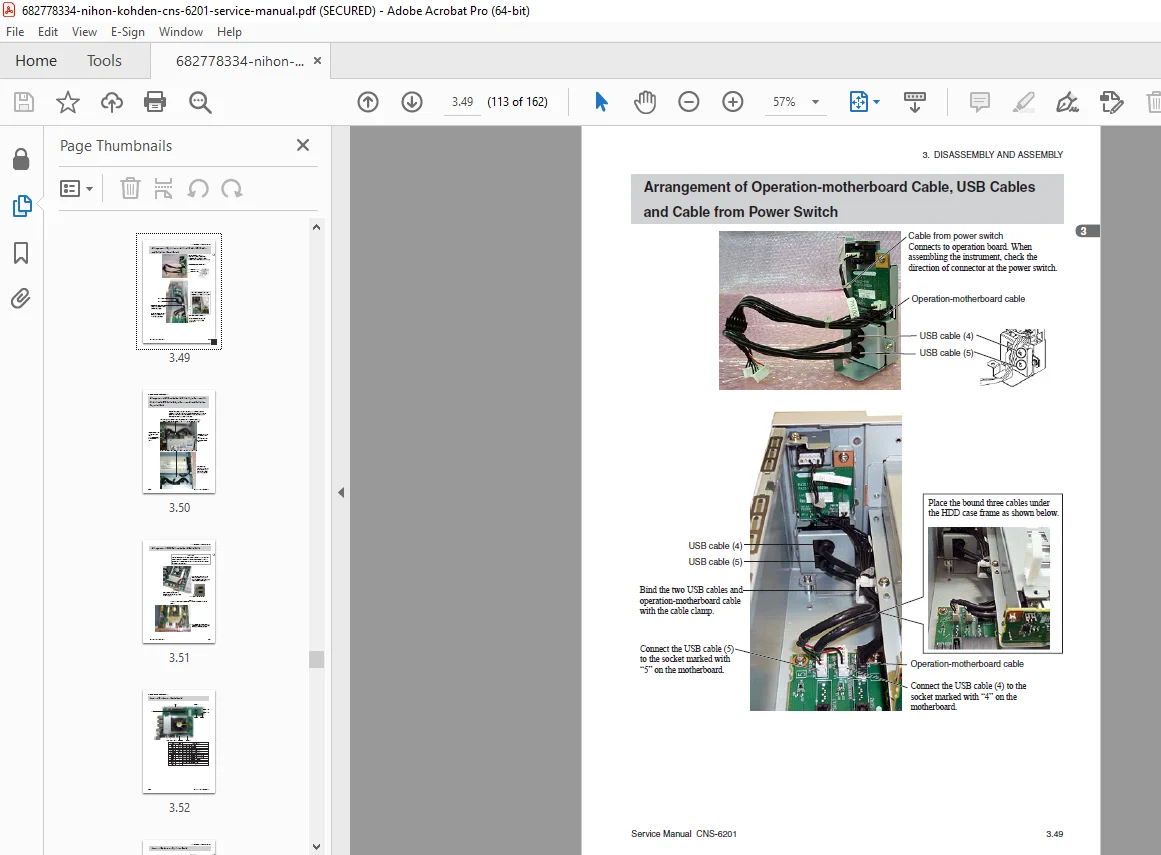
- Internal cable routing
- Connector identification
- Cable harness replacement
- External Component Removal:
- Reassembly Procedures:
- Assembly sequence guidelines
- Alignment and adjustment procedures
- Cable connection verification
- Fastener torque specifications
- Detailed Exploded View Diagrams:
- Main assembly breakdowns
- Sub-assembly components
- Fastener locations
- Cable routing illustrations
SECTION 4: SOFTWARE INSTALLATION (Pages 4.1-4.15)
- Backing Up Settings:
- Before Exchanging Central Monitor Processing Units:
- Configuration backup procedures
- User settings preservation
- Database backup methods
- Network settings documentation
- Backing Up to USB Thumb Drive:
- USB backup procedures
- File structure and formats
- Backup verification
- Restore procedures
- Before Exchanging Central Monitor Processing Units:
- Operating System Installation:
- OS preparation procedures
- Hard drive formatting
- OS installation steps
- Driver installation
- System configuration
- CNS Software Installation:
- Software version identification
- Installation prerequisites
- Step-by-step installation procedures
- License activation
- Initial configuration
- System Updates:
- Firmware update procedures
- Software patch installation
- Database updates
- Version verification
- Configuration Restoration:
- Restoring backed-up settings
- Network reconfiguration
- User account restoration
- Testing after restoration
- Post-Installation Verification:
- System functionality checks
- Network connectivity testing
- Alarm system verification
- Display calibration
- Performance testing
SECTION 5: MAINTENANCE (Pages 5.1-5.10)
- Restarting the Central Monitor:
- Normal shutdown procedures
- Restart procedures
- Emergency restart protocols
- Recovery from system failures
- Components To Be Replaced Periodically:
- Consumable Parts:
- Battery replacement intervals
- Fan filter cleaning and replacement
- Thermal compound renewal
- Periodic Replacement Schedule:
- Hard drive replacement guidelines
- Fan assembly replacement intervals
- Power supply replacement criteria
- Battery backup replacement schedule
- Consumable Parts:
- Maintenance Check Items and Schedule:
- Daily Maintenance:
- Visual inspection checklist
- Display cleaning procedures
- Alarm function verification
- Weekly Maintenance:
- System performance checks
- Network connectivity verification
- Backup system testing
- Monthly Maintenance:
- Comprehensive system testing
- Alarm system full verification
- Recording function testing
- Network performance analysis
- Quarterly Maintenance:
- Deep cleaning procedures
- Fan and ventilation inspection
- Cable connection inspection
- Software performance optimization
- Annual Maintenance:
- Complete system overhaul checklist
- Component replacement assessment
- Electrical safety testing
- Calibration verification
- Software version updates
- Daily Maintenance:
- Cleaning Procedures:
- Display cleaning methods and approved solutions
- Case and panel cleaning
- Ventilation cleaning
- Connector cleaning
- Preventive Maintenance:
- System optimization procedures
- Database maintenance
- Log file management
- Disk defragmentation
SECTION 6: REPLACEABLE PARTS LIST (Pages 6.1-6.20)
- Locations of Replaceable Parts:
- Front View Components:
- Display assembly parts
- Control panel components
- Indicator lights
- Rear View Components:
- Power supply connections
- Network interfaces
- Communication ports
- Internal Component Locations:
- Motherboard and CPU
- Memory modules
- Storage devices
- Interface cards
- Power supply unit
- Cooling fans
- Front View Components:
- Complete List of Replaceable Parts:
- Mechanical Components:
- Screws, bolts, and fasteners with part numbers
- Brackets and mounting hardware
- Covers and panels
- Handles and feet
- Electronic Assemblies:
- Main processing board with part number
- Display assembly with part number
- Power supply unit with part number
- Interface cards with part numbers
- Memory modules with specifications
- Storage devices with specifications
- Cables and Harnesses:
- Power cables with part numbers
- Data cables with part numbers
- Internal harnesses with part numbers
- Consumable Items:
- Batteries with part numbers
- Fuses with ratings and part numbers
- Fan filters with part numbers
- Recording paper (if applicable)
- Peripheral Components:
- Printer assemblies
- Speakers
- Cooling fans
- Mechanical Components:
- Part Number Cross-Reference:
- Current part numbers
- Superseded part numbers
- Equivalent parts
- Ordering information
- Recommended Spare Parts Inventory:
- Critical spare parts list
- Recommended quantities
- Storage requirements
WHO NEEDS THIS NIHON KOHDEN CNS-6201 SERVICE MANUAL?
✓ Biomedical Equipment Technicians (BMETs) – Service and maintain central monitoring stations in hospital critical care environments
✓ Clinical Engineering Departments – Ensure continuous operation of central patient monitoring infrastructure
✓ Hospital IT and Technical Services – Support network-based medical monitoring systems
✓ Independent Medical Equipment Service Companies – Provide authorized-level service for Nihon Kohden equipment
✓ Critical Care Technology Managers – Understand system capabilities and maintenance requirements
✓ Healthcare Technology Management (HTM) Professionals – Maintain compliance with regulatory and safety standards
✓ Biomedical Engineering Training Centers – Teach central monitoring system servicing techniques
✓ Hospital Administrators – Understand maintenance requirements for equipment budget planning
KEY BENEFITS OF THIS CENTRAL MONITOR SERVICE MANUAL
Official Factory Documentation – Authentic Nihon Kohden technical manual with manufacturer-approved procedures ensuring accurate service information.
Complete System Coverage – All CNS-6201 subsystems covered including display, network, alarms, recording, and processing units.
Reduce Service Costs – Perform more maintenance and repairs in-house, reducing dependence on expensive third-party service contracts.
Minimize Critical Downtime – Quick diagnostic procedures and troubleshooting flowcharts restore monitoring systems rapidly in life-critical environments.
Safety Compliance – Follow manufacturer-approved safety protocols essential for working with patient monitoring equipment.
Accurate Parts Identification – Official part numbers and exploded diagrams ensure ordering correct replacement components.
EMC Compliance Data – Complete electromagnetic compatibility specifications for regulatory compliance and safe installation.
Software Support – Detailed OS and application installation procedures for system recovery and upgrades.
NIHON KOHDEN CNS-6201 CENTRAL MONITOR SYSTEM
The Nihon Kohden CNS-6201 is an advanced central patient monitoring station designed for critical care environments including ICUs, CCUs, emergency departments, and surgical recovery units. This networked monitoring system provides real-time surveillance of multiple patient bedside monitors simultaneously, offering comprehensive alarm management, trend analysis, and data recording capabilities.
This CNS-6201 technical documentation covers the complete system architecture including the processing unit, high-resolution display, network interfaces, alarm management systems, and recording capabilities that enable clinical staff to monitor patient status across entire hospital units from a centralized location.
TECHNICAL SYSTEM HIGHLIGHTS
Display Technology:
- High-resolution LCD display for multiple patient waveforms
- Touch screen interface for intuitive operation
- Full disclosure waveform review capability
- Customizable screen layouts
- Color-coded alarm indicators
Network Architecture:
- Ethernet-based patient monitor network
- Real-time data transmission
- Redundant communication paths
- Secure data transmission
- Integration with hospital information systems
Alarm Management:
- Multi-level alarm priority system
- Audio and visual alarm indicators
- Alarm history and event logging
- Configurable alarm limits
- Network-wide alarm propagation
Data Recording:
- Continuous waveform storage
- Event-triggered recording
- Trend data archival
- Report generation and printing
- Long-term data retention
COMMON SERVICE SCENARIOS COVERED
This manual provides solutions for:
- Network Communication Failures – Diagnostic procedures for bedside monitor connectivity
- Display Problems – LCD troubleshooting, backlight service, touch screen calibration
- Alarm System Issues – Audio/visual alarm verification and repair procedures
- Software Crashes – System recovery and reinstallation procedures
- Hardware Component Failures – Motherboard, memory, storage device replacement
- Power Supply Problems – AC power and battery backup troubleshooting
- Recording Malfunctions – Printer service and recording quality issues
- Database Errors – Data backup, recovery, and database maintenance
- System Performance – Optimization procedures and resource management
SAFETY AND REGULATORY COMPLIANCE
The manual emphasizes critical safety information:
- IEC 60601-1 medical electrical equipment safety standards
- Patient isolation requirements and verification
- Leakage current testing procedures
- EMC compliance (IEC 60601-1-2) specifications
- Electrical safety testing protocols
- Proper grounding and installation
- Defibrillator protection requirements
- Network security and patient data protection
EMC (ELECTROMAGNETIC COMPATIBILITY) SPECIFICATIONS
Comprehensive EMC data includes:
- Electromagnetic emissions test results
- Electromagnetic immunity specifications
- Recommended separation distances from RF equipment
- Installation guidelines for EMC compliance
- Troubleshooting electromagnetic interference
- Shielding and grounding requirements
This information is critical for:
- Hospital equipment installation planning
- Regulatory compliance documentation
- Troubleshooting interference issues
- Safe operation in complex electromagnetic environments
SOFTWARE INSTALLATION AND RECOVERY
Detailed procedures for:
- Complete operating system installation
- CNS software application installation
- Configuration backup before service
- Settings restoration after component replacement
- Database backup and recovery
- Network reconfiguration
- License activation
- Post-installation testing and verification
Essential for:
- Hard drive replacement
- System upgrades
- Disaster recovery
- Motherboard replacement
- System migration
PREVENTIVE MAINTENANCE PROGRAM
The manual provides comprehensive maintenance schedules:
- Daily operational checks
- Weekly system verification
- Monthly performance testing
- Quarterly deep maintenance
- Annual comprehensive inspection
Maintenance procedures include:
- Display cleaning and calibration
- Network connectivity testing
- Alarm system verification
- Battery backup testing
- Cooling system inspection
- Data backup verification
- Software performance optimization
INTENDED AUDIENCE
This manual is designed for qualified biomedical equipment technicians and clinical engineering professionals with knowledge of:
- Medical electrical equipment safety standards
- Computer hardware and operating systems
- Network systems and protocols
- Electronic troubleshooting techniques
- Hospital critical care environment requirements
- Patient monitoring system architecture
DOCUMENT AUTHENTICITY & COPYRIGHT
This is the official factory service manual produced by Nihon Kohden Corporation for authorized service centers and biomedical engineering departments. The PDF format preserves all technical diagrams, schematics, and procedural information from the manufacturer.
Copyright Notice: The entire contents are copyrighted by Nihon Kohden. All rights reserved. This is the Fourth Edition (March 15, 2013) representing the most current service information available for the CNS-6201 central monitoring system.
WARRANTY CONSIDERATIONS
The manual includes important warranty policy information:
- One-year warranty coverage details
- Warranty limitations and exclusions
- Authorized service requirements
- Impact of unauthorized modifications
- Proper service documentation requirements
Understanding warranty terms is essential for:
- Maintaining warranty coverage
- Avoiding warranty violations
- Proper service record keeping
- Cost management for repairs
INSTANT DIGITAL DELIVERY
Upon purchase, you receive immediate download access to this complete Nihon Kohden CNS-6201 service manual in PDF format. No shipping delays, no waiting for physical delivery. Compatible with all devices – computers, tablets, and smartphones for use in the biomedical shop or at bedside. Print specific sections for your service toolkit or maintain the entire searchable manual on your mobile device for on-site reference.
🏥 Central monitoring system downtime in critical care environments isn’t an option. Having the official factory service manual can mean the difference between rapid repair and extended patient monitoring outages. Equip your biomedical engineering team with the professional-grade technical documentation trusted by Nihon Kohden-authorized service centers worldwide. Download instantly and restore life-critical patient monitoring infrastructure faster!
Value Justification:
- Critical Infrastructure Equipment – Central monitoring stations are essential for ICU/CCU patient surveillance ($30,000-$80,000 systems)
- Professional Healthcare Market – Biomedical engineering departments and clinical engineering require certified manufacturer documentation
- Service Cost Savings – One prevented service call ($400-$1,200) or avoided system replacement pays for manual many times
- 162 Pages of Technical Content – Comprehensive coverage with detailed procedures, diagrams, and troubleshooting
- Factory Original Fourth Edition – Most current authentic Nihon Kohden documentation (2013 edition)
- Critical Care Application – Central monitoring downtime affects entire patient care units
- Specialized Market – Limited availability of Nihon Kohden CNS-6201 specific service documentation
- EMC Compliance Data – Regulatory compliance information valuable for hospital engineering
- Software Installation Procedures – Complete OS and application reinstallation guides
- A3 Format – Large format pages with detailed diagrams and schematics
Market Justification:
- Hospital biomedical departments have equipment service budgets for professional documentation
- Central monitoring systems are critical infrastructure requiring expert maintenance
- Official manufacturer documentation required for warranty compliance
- Preventing system downtime justifies premium pricing
- Limited competition for model-specific Nihon Kohden CNS-6201 documentation
- Service contracts for central monitoring are extremely expensive ($5,000-$15,000 annually)
- In-house capability reduces dependency on vendor service contracts
- Regulatory compliance and accreditation require proper documentation