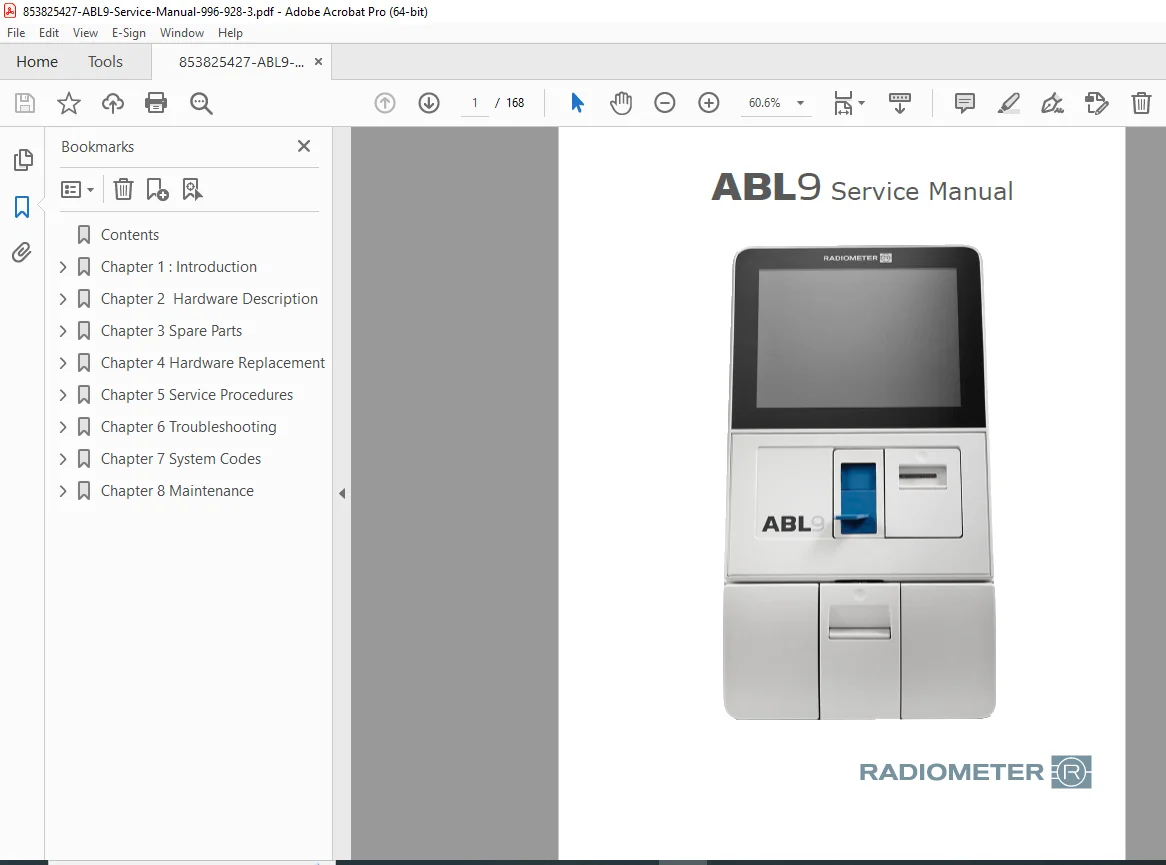
Radiometer ABL9 Blood Gas Analyzer Service Manual PDF
Original price was: $65.00.$18.95Current price is: $18.95.
Complete Radiometer ABL9 blood gas analyzer service manual (996-928-3) with hardware replacement procedures, circuit diagrams, troubleshooting guides, error codes, software installation, calibration procedures, and maintenance protocols for clinical laboratory equipment repair and service.
Description
Radiometer ABL9 Blood Gas Analyzer Service Manual 996-928-3 PDF Download
DESCRIPTION:
This comprehensive Radiometer ABL9 blood gas analyzer service manual (Document 996-928-3) provides complete technical documentation for servicing, repairing, and maintaining the ABL9 point-of-care blood gas testing system. Essential for biomedical technicians, hospital clinical engineering staff, and medical equipment service professionals working on critical care laboratory analyzers.
Equipment Overview:
The Radiometer ABL9 is an advanced blood gas, electrolyte, and metabolite analyzer used in hospital laboratories, ICUs, emergency departments, and point-of-care testing facilities. This manual provides comprehensive service information for maintaining optimal analyzer performance and ensuring accurate patient test results.
Manual Contents:
CHAPTER 1: INTRODUCTION (Pages 1-4)
- Warnings and cautions for service personnel
- Service policy and warranty information
- Spare parts and accessories guidelines
- Electrostatic discharge (ESD) protection procedures
- Installation test requirements
- Repair level classifications
- Computer unit and printed circuit board handling
- Power supply service precautions
- Display unit and printer assembly service
- Required tools and equipment
- WEEE (Waste of Electrical and Electronic Equipment) compliance
- Windows® 8 Embedded (WES8) firewall configuration
- Windows® 8 Embedded (WES8) hot-fixes
- ABL9 identification and serial number location
CHAPTER 2: HARDWARE DESCRIPTION (Pages 5-14)
- ABL9 front and rear views with component identification
- ABL9 Sensor Cassette (SC9) specifications and function
- ABL9 Solution Pack (SP9) description and installation
- ABL9 Interface Board layout and connections
- ABL9 CPU specifications and architecture
- ABL9 Display Assembly components
- ABL9 Power Supply ratings and connections
- ABL9 Sensor Module design and operation
- ABL9 Sensor Connector Board pinout diagrams
CHAPTER 3: SPARE PARTS (Pages 15-24)
- Spare part categories and ordering information
- Main housing components with part numbers:
- Module frame assemblies
- Latch plates and mechanisms
- Molded base components
- Main frame parts
- Rear cover assemblies
- Main electronics components:
- CPU and CPU fan
- CFast memory cards
- Power supply modules
- Display assembly and brackets
- Printer assembly and control boards
- Interface boards and brackets
- Analyzer ID boards
- USB adapter boards
- SP interface cables with opto sensors
- Spring board assemblies
- Sensor module components:
- SC door units
- Sensor luers and waste luers
- Sensor connector boards
- Spring pin connectors
- Opto sensors
- SC door dampers
- Fluidics components:
- Valve manifolds
- Stepper motors (waste pump and solution pump)
- Pump heads (waste and sample)
- Solution and waste tubing assemblies
CHAPTER 4: HARDWARE REPLACEMENT (Pages 25-82) Complete step-by-step removal and installation procedures with photos:
Hardware Replacement – Main Housing:
- ABL9 module frame removal
- ABL9 latch plate removal
- ABL9 molded base removal
- ABL9 main frame removal
- ABL9 rear cover removal
Hardware Replacement – Main Electronics:
- ABL9 CPU removal and installation
- ABL9 CPU fan removal
- ABL9 CFast card removal (memory)
- ABL9 power supply removal
- ABL9 display assembly and display bracket removal
- ABL9 printer assembly and printer control board removal
- ABL9 interface board and interface board bracket removal
- ABL9 analyzer ID board removal
- ABL9 USB adapter board removal
- ABL9 SP interface cable with opto sensor removal
- ABL9 spring board assembly removal
Hardware Replacement – Sensor Module:
- ABL9 SC door unit removal
- ABL9 sensor module waste luer removal
- ABL9 sensor luer removal
- ABL9 sensor module removal and replacement
- ABL9 sensor connector board and spring pin connector removal
- ABL9 opto sensor, SC inlet removal
- ABL9 SC door damper removal
- ABL9 opto sensor, SC door removal
Hardware Replacement – Fluidics Components:
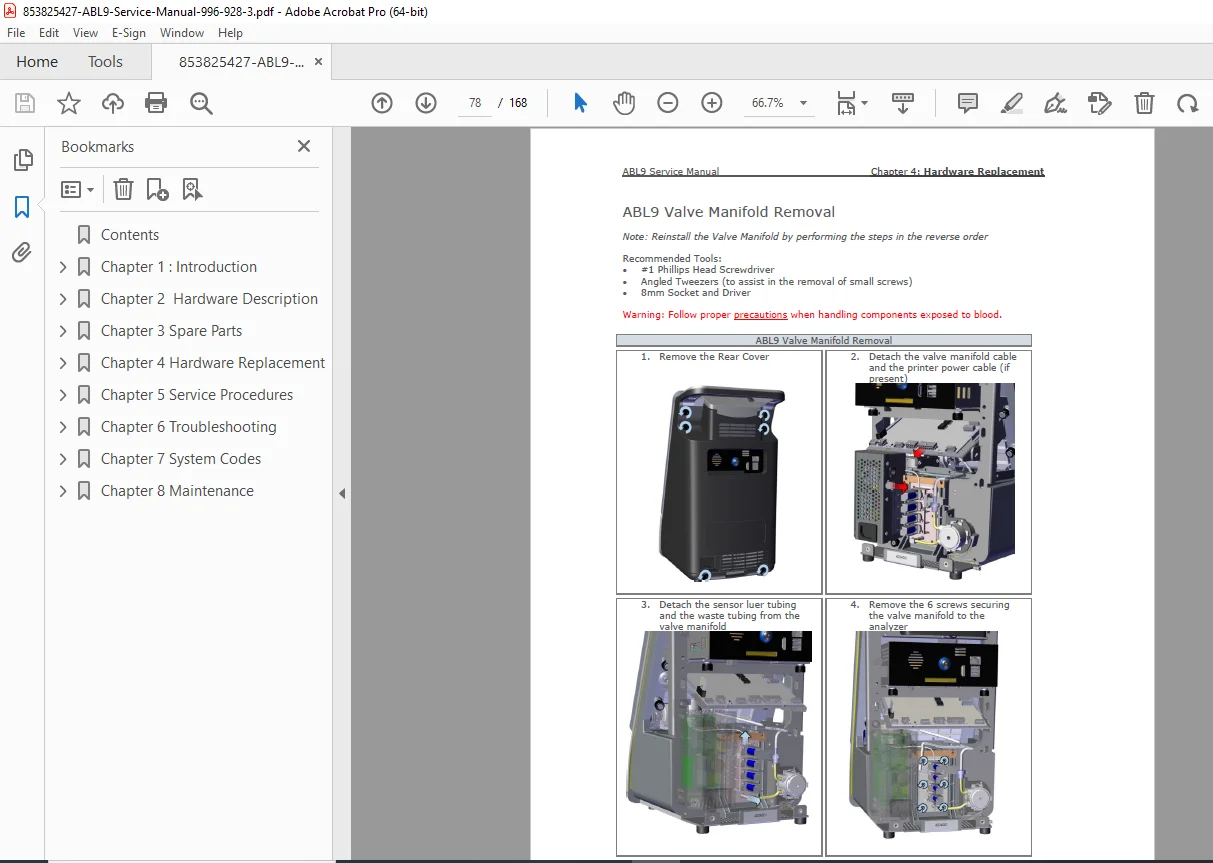
- ABL9 valve manifold removal
- ABL9 valve manifold waste luer removal
- ABL9 [waste pump] stepper motor removal
- ABL9 waste pump head removal
- ABL9 [solution pump] stepper motor removal
- ABL9 sample pump head removal
- ABL9 solution and waste tubing removal
CHAPTER 5: SERVICE PROCEDURES (Pages 83-118)
- Software installation complete guide:
- Creating the ABL9 OS deployment tool
- Installing the Windows® OS step-by-step
- Windows® activation procedures
- Installing the ABL9 application software
- Upgrading the application software
- Language conversion procedures
- Interface board zeroing procedure for calibration
- Entering the Windows® OS (service mode access)
- Exporting system logs for diagnostics
- Export service data for analysis
- Factory reset procedures
- Reset SP (Solution Pack) procedures
- Option keys installation and activation
- Installing the ABL9 printer assembly
- Installing an external printer
- Enabling a printer configuration
- Enabling RiliBÄK ranges (German quality control)
- Enabling dialysis sample feature
- Changing device name and network settings
CHAPTER 6: TROUBLESHOOTING (Pages 119-132)
- ABL9 system notifications:
- Critical notification messages
- Non-critical notification messages
- Workflow errors
- Critical system errors
- ABL9 system log interpretation
- Supplementary logging for advanced diagnostics
- Diagnostics screen detailed navigation:
- Outputs tab [Valves] testing
- Outputs tab [Pump pouch buttons] controls
- Outputs tab [Aspirate and waste pump buttons]
- Inputs tab sensor verification
- Memory chips tab status check
- Calibration tab parameters
- ABL9 wet section troubleshooting
CHAPTER 7: SYSTEM CODES (Pages 133-152) Complete error code reference with solutions:
- 1000-1099 / Measurement error codes
- 9000-9099 / Analyzer system codes
- 9100-9199 / SP (Solution Pack) codes
- 9200-9299 / SC (Sensor Cassette) codes
- 9300-9314 / Temperature error codes
- 9315-9324 / System check codes
- 9325-9349 / Calibration error codes
- 9350-9399 / Air system codes
- 9400-9499 / MQC (Material Quality Control) codes
- 9500-9699 / General error codes
CHAPTER 8: MAINTENANCE (Pages 153-160)
- Warnings and cautions for maintenance
- Analyzer cleaning and disinfection:
- Cleaning – housing procedures
- Disinfection – housing protocols
- Disinfection – waste path cleaning
- Long-term storage procedures
- ABL9 annual maintenance checklist
- ABL9 maintenance kits:
- REF 905-973 Maintenance Kit, ABL9
- REF 905-974 Tubing Kit, ABL9
Key Features of This Service Manual:
✓ Complete blood gas analyzer troubleshooting with error code reference ✓ Detailed hardware replacement procedures with step-by-step photos ✓ Comprehensive Windows® OS and application software installation guide ✓ Circuit board layouts and component identification ✓ Calibration and zeroing procedures for accuracy verification ✓ Fluidics system service and pump replacement instructions ✓ Sensor cassette and solution pack troubleshooting ✓ Preventive maintenance schedules and procedures ✓ Original Radiometer Medical ApS technical documentation
Applications:
This Radiometer ABL9 service manual is essential for maintaining blood gas analyzers used in:
- Hospital clinical laboratories
- Intensive Care Units (ICU)
- Emergency departments
- Operating rooms
- Neonatal intensive care units (NICU)
- Point-of-care testing facilities
- Cardiac catheterization labs
- Dialysis centers
Ideal For:
- Biomedical equipment technicians (BMET)
- Hospital clinical engineering departments
- Medical equipment service companies
- Laboratory equipment specialists
- Healthcare technology management (HTM) professionals
- Field service engineers
- In-house hospital maintenance teams
This comprehensive service manual provides the technical knowledge required to maintain critical blood gas testing equipment, ensuring accurate patient diagnostics and minimal downtime in clinical settings.
FILE DETAILS:
| Specification | Details |
|---|---|
| Manual Name | ABL9 Service Manual |
| Document Number | 996-928-3 |
| Equipment Type | Blood Gas, Electrolyte, and Metabolite Analyzer |
| Manufacturer | Radiometer Medical ApS |
| Model | ABL9 |
| Operating System | Windows® 8 Embedded (WES8) |
| Year | 2020 (Document creation date: June 2020) |
| Total Pages | 168 pages |
| File Size | 12.3 MB |
| PDF Quality | High-quality original manufacturer documentation with photos and diagrams |
| Language | English |
| File Format | Searchable PDF (Letter size) |