Ricoh DX 2330 / DX 2430 Service Manual – Repair, Maintenance & SP Modes
Original price was: $85.00.$15.95Current price is: $15.95.
This official Ricoh DX 2330 / DX 2430 Service Manual (Chassis C274) is the definitive resource for technicians. It covers troubleshooting Ricoh DX 2430 error codes, complete disassembly, and master feed adjustment. Includes detailed SP Mode tables, maintenance schedules, and electrical schematics to keep your digital duplicator running efficiently. Covers Ricoh, Gestetner, and Lanier equivalents.
Description
Ricoh DX 2330 / DX 2430 Service Manual – Repair, Maintenance & SP Modes PDF DOWNLOAD
Description
Product Overview Ensure the high-speed performance of your digital duplicator with the complete Ricoh DX 2330 / DX 2430 Service Manual. This technical reference is essential for service providers and IT staff maintaining the C274 chassis series. It goes beyond basic operation to provide board-level diagnostics and mechanical repair procedures.
Whether you are resolving paper jams, performing a DX 2330 thermal head voltage adjustment, or diagnosing image quality issues, this manual provides the factory specifications you need. It includes a comprehensive section on troubleshooting Ricoh DX 2430 error codes (SC codes) and accessing the Service Program (SP) modes for advanced configuration.
Key Features:
Installation & Setup: Detailed procedures for unpacking, drum installation, and optional accessories like the Printer Unit VC-20.
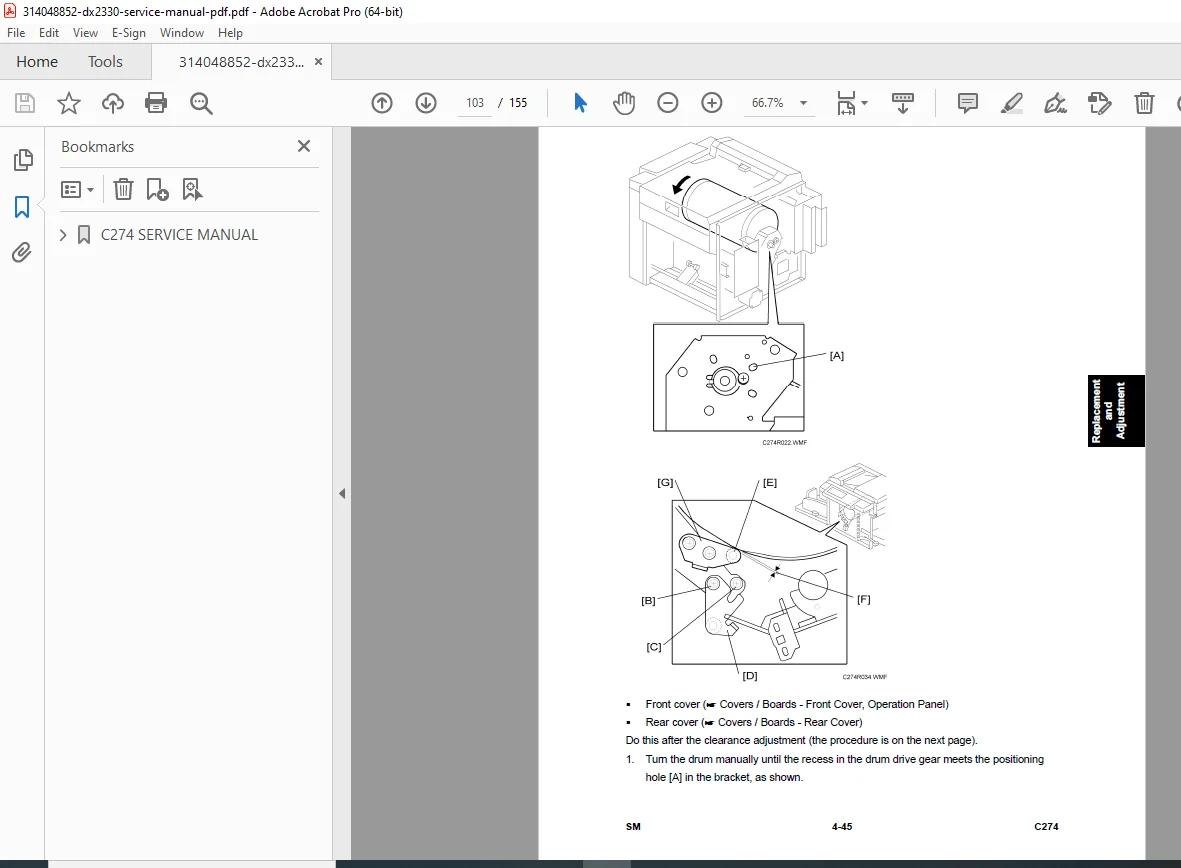
Mechanical Repair: Step-by-step disassembly guides for the Master Making Unit, Paper Feed, Drum, and Press Roller.
Image Adjustment: Instructions for fine-tuning registration position, master writing position, and scanning speed using DIP switches.
Electrical Diagnostics: Complete table of Ricoh Priport maintenance schedule, fuse locations, LED status indicators, and test points.
Service Modes: Full explanation of SP Mode tables for input/output checks and firmware updates.
Table of Contents & Categorized Index:
1. Product Information
Specifications & Component Layout
Electrical & Drive Layouts
2. Installation
Main Unit Setup
Optional Drum & Printer Unit Installation
3. Preventive Maintenance
Maintenance Tables (Cleaning & Lubrication Schedule)
4. Replacement and Adjustment
Image Adjustment:
Master Feeding Speed (DIPSW103)
Paper Registration Position
Thermal Head Energy Control
Covers & Boards: MPU, PSU, Front/Rear Covers
Scanner: CIS, Feed Rollers, Document Sensor
Master Feed:
Thermal Head Replacement
DX 2330 thermal head voltage adjustment
Master End Sensor
Paper Feed: Feed Roller, Friction Pad, Separation Pressure
Printing: Press Roller, Registration Roller, Printing Pressure
Drum: Cloth Screen, Metal Screen, Ink Pump, Doctor Roller Gap
Paper Delivery: Exit Pawl & Belt Adjustment
Firmware Update: Procedures
5. System Maintenance Reference
Service Program Mode: Input/Output Modes, Test Modes
SP Mode Tables (Bit switches, Sensors)
6. Troubleshooting
Service Call Conditions (SC Codes)
Electrical Component Defects (Sensors, Switches, Solenoids)
Fuse & LED Tables
File Details
Manual Name: Ricoh C274 Service Manual (DX 2330 / DX 2430)
Models Covered:
Ricoh: DX 2330, DX 2430
Gestetner: DX 2330, DX 2430
Lanier: LDD745, LDD735
Savin: (Equivalent C274 Models)
Year: 2010 (Revised Edition)
File Quality: High-Quality PDF (Text Searchable, Vector Illustrations)
No. of Pages: 155 Pages