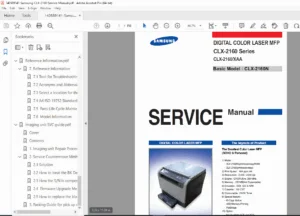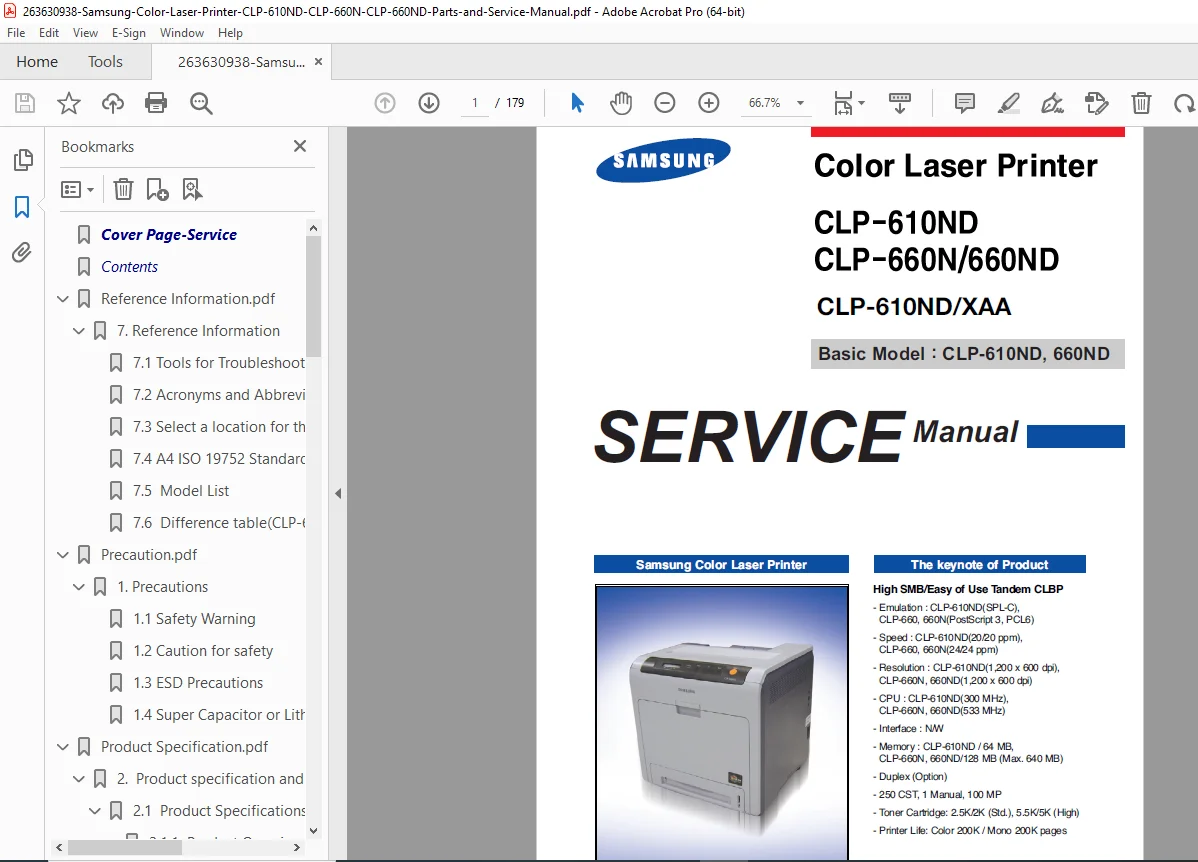
Samsung CLP-610ND CLP-660N CLP-660ND Color Laser Printer Service Manual PDF
Original price was: $95.00.$13.95Current price is: $13.95.
Official Samsung service manual for CLP-610ND, CLP-660N, and CLP-660ND color laser printers. Covers full specifications, CRU/FRU maintenance lists, disassembly of all major assemblies (HVPS, main board, SMPS, fuser, LSU, pick-up roller), error messages, image quality troubleshooting, paper feed fault flow charts, exploded views, parts lists, and complete system/connection diagrams. 179 pages, instant PDF download.
Description
Samsung CLP-610ND CLP-660N CLP-660ND Color Laser Printer Service Manual PDF DOWNLOAD
DESCRIPTION
Samsung CLP-610ND / CLP-660N / CLP-660ND Color Laser Printer — Official Service Manual (PDF)
This is the official Samsung Electronics factory service manual for the Samsung CLP-610ND, CLP-660N, and CLP-660ND color laser beam printers (CLBP). Published by Samsung Electronics and covering both the 20 ppm (CLP-610 Series) and 24 ppm (CLP-660 Series) tandem color laser platforms, this is the exact technical reference used by Samsung-authorised service engineers for all disassembly, adjustment, troubleshooting, parts identification, and component replacement on these machines.
Whether you’re a printer technician replacing a Samsung CLP-660ND fuser or PTB transfer belt, an IT service engineer diagnosing LSU motor errors or CTD calibration faults, or a repair workshop chasing a CLP-610ND image quality problem or paper jam, this Samsung CLP-610ND CLP-660ND service manual PDF gives you the complete factory-level procedures and schematics the moment you download it.
📋 File Details
| Detail | Info |
|---|---|
| Manual Title | Samsung Color Laser Printer Service Manual |
| Models Covered | Samsung CLP-610ND, CLP-660N, CLP-660ND (Basic Model: CLP-610ND, CLP-660ND) |
| Publisher | Samsung Electronics |
| Year | 2007 (original), revised 2011 |
| Language | English |
| Pages | 179 Pages |
| PDF Quality | Original factory digital file — clean, A4 format, fully readable |
| File Size | ~15.8 MB |
Table of Contents
Chapter 1 — Precautions
- Safety Warning
- Caution for Safety (installation, maintenance, handling precautions)
- ESD Precautions — proper handling of printed board assemblies (PBA)
- Super Capacitor / Lithium Battery Precautions
Chapter 2 — Product Specifications and Features
2.1 Product Specifications
2.1.1 Product Overview
| CLP-610 Series | CLP-660 Series | |
|---|---|---|
| Concept | High SMB / Easy of Use Tandem CLBP | High SMB / Easy of Use Tandem CLBP |
| Print Speed | 20/20 ppm (colour/mono) | 24/24 ppm (colour/mono) |
| Resolution | 1,200 × 1,200 dpi effective | 1,200 × 1,200 dpi effective |
| CPU | Samsung CHORUS3 360 MHz | MIPS 533 MHz + Samsung SPGPxm |
| Emulation | SPL-C, PCL6 | PostScript 3, PCL6, SPL-C |
| Memory Std/Max | 128 MB / 384 MB | 128 MB / 640 MB |
| Duplex | Standard (CLP-610ND) | Optional/Standard (660N/660ND) |
2.1.2 Full Specifications
2.1.2.1 — General Print Engine:
| Parameter | CLP-610ND | CLP-660N/660ND |
|---|---|---|
| Simplex Speed (A4) | Up to 20 ppm B&W / 20 ppm Colour | Up to 24 ppm B&W / 24 ppm Colour |
| Duplex Speed (A4) | 10 ipm B&W / 10 ipm Colour | 12 ipm B&W / 12 ipm Colour |
| Warm-Up Time | Less than 40 sec | Less than 30 sec |
| FPOT B&W (from Ready) | Less than 20 sec | Less than 14 sec |
| FPOT Colour (from Ready) | Less than 20 sec | Less than 14 sec |
| Optical Resolution | 600 × 600 dpi | 600 × 600 dpi |
| Best Output | Up to 2,400 × 600 effective | Up to 2,400 × 600 effective (PCL6) / 1,200 × 600 (PS3) |
2.1.2.2 — Controller & Software:
- Fonts: 45 scalable + 1 bitmap PCL (CLP-610ND); 45 scalable + 1 bitmap PCL + 136 PS (CLP-660)
- OS Support: Windows 98/Me/2000/XP/2003/Vista; Linux (Red Hat, Mandrake, SuSE, Fedora); Mac OS 10.3–10.4
- Driver features: Watermark, Overlay, N-up, Poster, Duplex, Quality modes (Best/Normal/Draft), Colour/Greyscale, Copies, Colour spec, Adaptive colour matching
- Network management: Set IP, Samsung Web Admin Service 4.0 (SWAS 4.0)
2.1.2.3 — Interface:
- USB 2.0, Ethernet 10/100 Base-TX
- Protocols: TCP/IP, SNMPv2/v3, IPP, HTTP 1.1
- Network OS: Windows 2000/XP/2003/Vista, NetWare 5.x/6.x, Mac OS (TCP/IP), Linux, HP-UX, Solaris, SunOS, SCO UNIX
- User interface: LCD + 6 keys, 1 status LED (Green/Red)
2.1.2.4 — Paper Handling:
- Standard input: 250-sheet cassette tray + 100-sheet MP tray
- Max input capacity: 850 sheets @ 75 g/m²
- Optional cassette: 500 sheets @ 75 g/m²
- Output: 200 sheets face-down
- Media sizes: 76 × 127 mm (3″ × 5″) to 216 × 356 mm (8.5″ × 14″)
- Media types: Plain, Thick, Thin, Cotton, Bond, Card Stock, Labels, Preprinted, Colour, Envelope, Recycled
- Media weight: 16–43 lb (60–163 g/m²)
2.1.2.5 — CRU (Customer Replaceable Units):
| CRU | Part Numbers | Yield |
|---|---|---|
| K Toner Standard | CLP-K660A | 2,500 pages (ISO/IEC 19798) |
| K Toner High Yield | CLP-K660B | 5,500 pages |
| C/M/Y Toner Standard | CLP-C660A / CLP-M660A / CLP-Y660A | 2,000 pages each |
| C/M/Y Toner High Yield | CLP-C660B / CLP-M660B / CLP-Y660B | 5,000 pages each |
| Paper Transfer Belt (PTB) | CLP-T660B | 50,000 pages |
2.1.2.6 — FRU (Field Replaceable Units):
| FRU | Life |
|---|---|
| Fuser Unit | 100,000 pages |
| Pick-up Roller | 70,000 pages |
| Friction Pad | 70,000 pages |
2.1.2.7 — Reliability:
- Max Monthly Duty: 65,000 pages (CLP-610ND) / 80,000 pages (CLP-660)
- MPBF: 58,000 pages
- MTTR: < 30 min
- Set Life Cycle: 200,000 images or 5 years
- System records: Total page count (colour/mono), fuser life, PTB life, toner life (CMYK), pickup roller life
2.1.2.8 — Environmental:
| Parameter | CLP-610ND | CLP-660N/660ND |
|---|---|---|
| Acoustic Noise (Printing) | < 51 dBA | < 53 dBA |
| Acoustic Noise (Standby) | < 29 dBA | < 29 dBA |
| Input Voltage | 110–127 VAC or 220–240 VAC, 50/60 Hz | Same |
| Power (Ready) | < 120 W | < 120 W |
| Power (Average Printing) | < 450 W | < 600 W |
| Power (Peak) | < 1,400 W | < 1,900 W |
| Power (Sleep) | < 17 W | < 17 W |
| Ozone Emission | < 2.0 mg/hr | < 2.0 mg/hr |
| Dimensions (W × D × H) | 432 × 432 × 426 mm | 432 × 432 × 426 mm |
| Weight (with consumables) | 25.6 kg | 25.6 kg |
| Operating Temperature | 15–32.5°C | 15–32.5°C |
| Operating Humidity | 10–80% RH | 10–80% RH |
2.2 System Overview
- System structure diagrams (CLP-610 and CLP-660 series)
- H/W Configuration — Engine & Controller architecture
- CLP-610 vs CLP-660 difference table
Chapter 3 — Disassembly and Reassembly
3.1 Precautions When Replacing Parts
- Assembling and disassembling precautions
- Precautions when handling PBA (printed board assembly)
- Releasing plastic latches technique
3.2 Parts for Maintenance and Repair
- Replacement interval for life-limited parts
- Printer cleaning procedure (IPA, lint-free cloth, vacuum)
3.3 Special Service Parts — identification and handling
3.4 Disassembly Procedure (10 sub-procedures with step-by-step illustrated instructions):
| # | Assembly | Procedure |
|---|---|---|
| 3.4.1 | Cover Unit | Full cover disassembly — all external covers |
| 3.4.2 | HVPS Board | High Voltage Power Supply board removal |
| 3.4.3 | Main Board | Main controller board removal |
| 3.4.4 | SMPS Board | Switching Mode Power Supply board removal |
| 3.4.5 | Fuser Control Board | Fuser control board removal |
| 3.4.6 | LSU Unit | Laser Scanning Unit removal |
| 3.4.7 | CRUM | Customer Replaceable Unit Memory chip service |
| 3.4.8 | Fuser Drive Unit | Fuser drive mechanism removal |
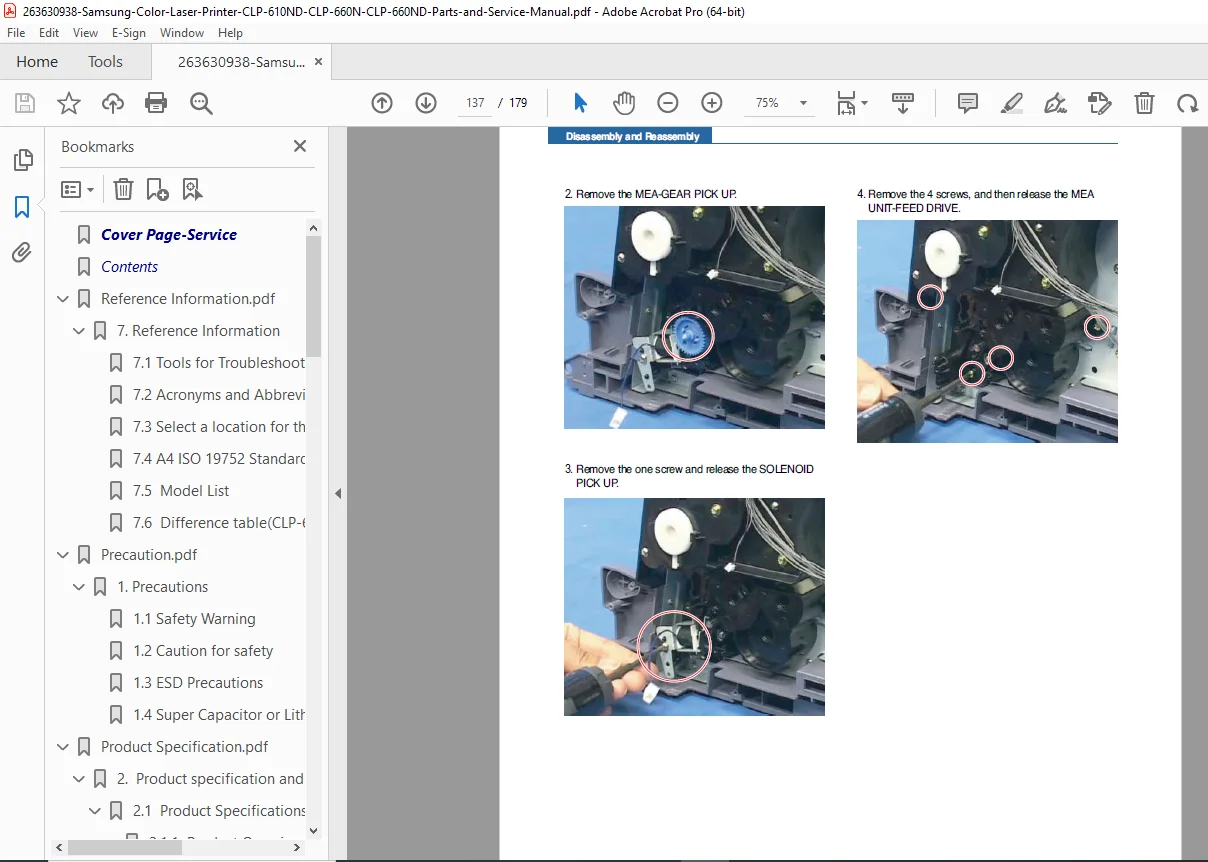
| 3.4.9 | Pick-up Roller | Pick-up roller removal and replacement |
| 3.4.10 | Feed Drive | Paper feed drive removal |
Chapter 4 — Alignment & Troubleshooting
4.1 Alignment and Adjustments
- Control panel operation overview
- LED Function — all LED states and meanings
- Jam Removal — step-by-step jam clearing procedures
4.1.4 System Setup
- All printer system configuration procedures
4.1.5 Error Messages — complete error message table with explanations and solutions, including:
| Error Message | Cause |
|---|---|
| Cassette Out / Paper Empty | Tray not closed / No paper |
| ADC Not Confirm Error | ADC (Analog to Digital Converter) fault |
| ADC Slope Error | ADC temperature slope out of range |
| CTD Calibration Error | Colour Toner Density calibration invalid value |
| Deve Motor Locked | Developer motor fault |
| Door Open | Front or top cover not latched |
| Duplex Jam 0 / 1 / 2 | Duplex unit paper jams |
| Fuser Fan Locked | Fuser fan fault |
| Humidity Open/Out Cycle Power | Humidity sensor out of range |
| Inner Temp Open/Short Cycle Power | Internal temperature sensor fault |
| Install Transfer Belt | PTB not installed |
| Install Toner / Invalid Toner | Toner cartridge missing or incompatible |
| Invalid Transfer Belt | PTB incompatible with machine |
| IP Conflict | Network IP address conflict |
| Low Heat Error | Fuser under-temperature |
| LSU C-Hsync Err. | LSU laser beam detection device fault |
| LSU C-Motor Err. | LSU motor fault |
| LSU Hsync Error | LSU laser beam detection fault |
| LSU M-Hsync Err. | LSU laser beam detection fault |
| LSU M-Motor Err. | LSU motor fault |
| …and many more error messages |
4.2 Troubleshooting
4.2.1 Procedure for Checking Symptoms — systematic diagnostic approach
4.2.2 Image Quality — Causes and Solutions (12 fault types):
| # | Symptom | Roller Pitch References |
|---|---|---|
| 1 | Vertical Black Line / Band | PTB damage, contaminated paper charge roller |
| 2 | Vertical White Line | OPC drum scratch, toner cartridge fault |
| 3 | Horizontal Black Bands | Roller contamination — Charge Roller (26.7mm), Supply Roller (40.8mm/43mm), Developing Roller (30.6mm/32.5mm), Transfer Roller (45mm), Paper Charge Roller (26.7mm), OPC Drum (75.4mm), Fusing Belt (125.6mm), Gap-Ring (39mm) |
| 4 | Black / White Spots | Periodic spots at roller pitch intervals |
| 5 | Light Image | Toner, HVPS, density settings |
| 6 | Dark Image / Black | OPC, HVPS, density settings |
| 7 | Uneven Density | Left-right density variation |
| 8 | Strain on Face of Page | Background staining |
| 9 | Strains on Back of Page | At 43.9 mm or 75.5 mm intervals — PTB cleaning defect / PTB belt damage |
| 10 | Uneven Density (L/R) | Density variation diagnostics |
| 11 | Blank Page Print-out | No image on output |
| 12 | Ghost | At 75.4 mm (OPC drum) or 33 mm (developing roller) intervals |
4.2.3 Paper Feeding — Causes and Solutions (5 fault types):
- Wrong print position
- JAM 0 — paper does not exit cassette / feeds into printer
- JAM 1 — paper jammed in front of or inside fuser
- JAM 2 — paper jammed at fuser exit / discharge roller
- Paper wrapped in fuser (concertina jam)
4.2.4 OPE (Operator Panel) Problems:
- Nothing displayed on LCD
- OPE fault diagnosis
4.2.5 Other Problems — miscellaneous fault diagnosis
Chapter 5 — Exploded Views & Parts List (15 assembly sections)
| Section | Assembly |
|---|---|
| 5.1 | Main |
| 5.2 | Cover Unit |
| 5.3 | Top Cover |
| 5.4 | OPE Unit |
| 5.5 | Front Cover |
| 5.6 | Exit Cover |
| 5.7 | MP Tray |
| 5.8 | Frame |
| 5.9 | Feed Drive |
| 5.10 | Fuser Drive |
| 5.11 | Fuser |
| 5.12 | PTB Unit |
| 5.13 | Cassette |
| 5.14 | SCF Unit |
| 5.15 | SCF Cassette |
Each section includes illustrated exploded view diagrams with numbered part references and corresponding part number tables.
Chapter 6 — System Diagrams
6.1 Block Diagrams:
- 6.1.1 — CLP-660 24 ppm Main Controller Block Diagram
- 6.1.2 — CLP-610 20 ppm Main Controller Block Diagram
- 6.1.3 — CLP-610N / 610ND Engine Controller Block Diagram
- 6.1.4 — CLP-660N / 660ND Engine Controller Block Diagram
6.2 Connection Diagram:
- 6.2.1 — Full connection diagram (all PCBs and connectors)
- 6.2.2 — Complete pin assignment tables for all connectors
Chapter 7 — Reference Information
- Tools for troubleshooting (DVM, drivers, IPA cleaning equipment, tweezers, vacuum, cotton swab)
- Full Acronyms and Abbreviations table (ADC, ASIC, BLDC, CLBP, CMYK, CTD sensor, EEPROM, FPOT, GDI, HVPS, ITB, LSU, MPBF, NVRAM, OPC, PBA, PCL, SMPS, SPL-C, SURF, and more)
- Select a location for the printer — environment requirements
- A4 ISO 19752 Standard Test Pattern
- Full Model List
- CLP-610 vs CLP-660 difference table
🔧 Who Needs This Manual?
- ✅ Printer technicians replacing Samsung CLP-660ND fuser, PTB, LSU, HVPS, or SMPS
- ✅ Engineers diagnosing Samsung CLP-610ND LSU motor errors, CTD calibration faults, or drum ghost imaging
- ✅ Service workshops tracing CLP-660N paper jams (JAM 0, JAM 1, JAM 2) or duplex jam faults
- ✅ Repair technicians using roller pitch data for image band and spot fault diagnosis
- ✅ Parts teams identifying components using illustrated exploded views and Samsung part numbers
- ✅ Anyone needing a Samsung CLP-610ND CLP-660ND service manual PDF without delay
Ghost images, vertical bands, LSU errors, JAM faults — this manual has the exact Samsung-factory flow chart, roller pitch reference, and step-by-step procedure to fix every fault on the CLP-610ND, CLP-660N, and CLP-660ND. Download instantly and stop guessing — have the right part number, the right disassembly step, and the right diagnosis on your screen before your next service call.