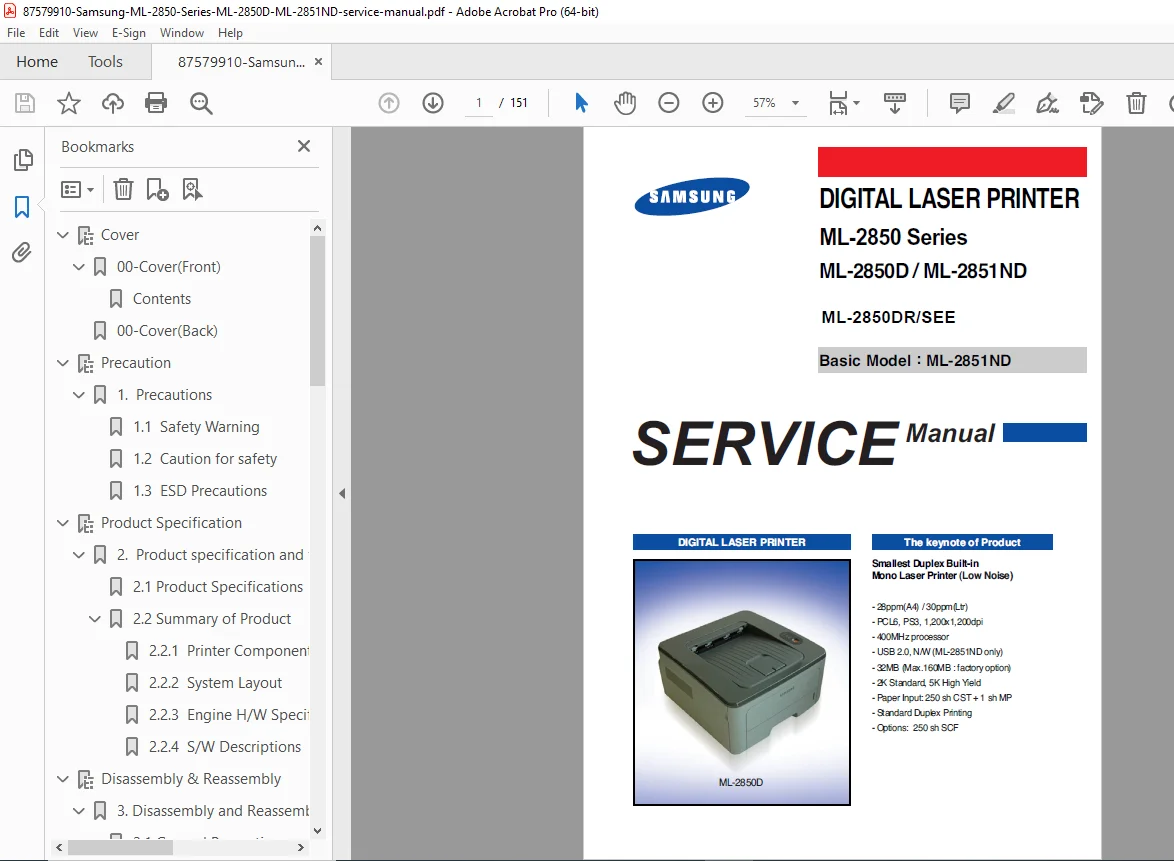
Samsung ML-2850D ML-2851ND Laser Printer Service Manual PDF
Original price was: $95.00.$15.95Current price is: $15.95.
Complete factory service manual for Samsung ML-2850 Series monochrome laser printers including ML-2850D, ML-2851ND, and ML-2850DR models. Includes detailed disassembly procedures, component specifications, troubleshooting flowcharts, error code diagnostics, alignment adjustments, exploded parts diagrams, electrical schematics, and complete parts lists. Essential technical documentation for printer technicians and service professionals. Instant PDF download.
Description
Samsung ML-2850D ML-2851ND Laser Printer Service Manual Repair Guide PDF DOWNLOAD
Description
Samsung ML-2850 Series Laser Printer Complete Service Manual – Professional Technical Documentation
This comprehensive Samsung ML-2850 service manual PDF provides complete service information, disassembly procedures, troubleshooting guides, and parts identification for the Samsung ML-2850 Series monochrome laser printers. This professional-grade laser printer repair guide covers ML-2850D, ML-2851ND, and ML-2850DR/SEE models with detailed technical specifications, diagnostic procedures, and maintenance instructions essential for printer service technicians and repair professionals.
File Details
- Manual Name: Samsung ML-2850 Series Service Manual
- Models Covered: ML-2850D, ML-2851ND, ML-2850DR/SEE
- Basic Service Model: ML-2851ND
- Manufacturer: Samsung Electronics Co., Ltd.
- Version: 1.00
- Code: 2850-DRSEE
- Total Pages: 151 pages
- PDF Quality: High-quality optimized factory original
- Language: English
- Publication Date: August 2007
- Document Format: A4 size
Product Specifications Overview
Key Features:
- Print Speed: 28ppm (A4) / 30ppm (Letter)
- Resolution: 1,200 x 1,200 dpi
- Processor: 400MHz
- Memory: 32MB standard (Max 160MB factory option)
- Connectivity: USB 2.0, Network (ML-2851ND only)
- Page Description Languages: PCL6, PostScript 3
- Paper Capacity: 250-sheet cassette + 1-sheet MP tray
- Standard Duplex Printing: Built-in automatic duplex unit
- Toner Yield: 2K standard, 5K high yield
- Optional: 250-sheet SCF (Second Cassette Feeder)
Complete Table of Contents
Section 1: Precautions (Pages 1-1 to 1-5)
- 1.1 Safety Warnings
- High voltage safety procedures
- Hot surface warnings
- Laser safety precautions
- Mechanical hazards
- 1.2 Cautions for Safety
- Service personnel requirements
- Tool safety guidelines
- Component handling procedures
- Power-on servicing warnings
- 1.3 ESD Precautions
- Electrostatic discharge protection
- Grounding requirements
- Component handling techniques
- Anti-static equipment usage
Section 2: Product Specifications and Features (Pages 2-1 to 2-27)
- 2.1 Product Specifications
- 2.1.1 Product Overview
- Feature highlights
- Market positioning
- Smallest duplex built-in mono laser printer
- Low noise operation
- 2.1.2 Detailed Specifications
- Print specifications
- Paper handling capabilities
- Physical dimensions
- Environmental requirements
- Power consumption data
- 2.1.3 Model Comparison Table
- ML-2850D vs ML-2851ND differences
- Feature matrix
- Network capability comparison
- 2.1.1 Product Overview
- 2.2 Summary of Product
- 2.2.1 Printer Components
- Front view component identification
- Rear view component identification
- Control panel layout and functions
- External port locations
- 2.2.2 System Layout
- Paper Feeding System
- Basic cassette (250 sheets)
- MP tray operation
- Friction pad separation method
- Pick-up roller functions
- Registration roller operation
- Duplex unit design
- SCF (Second Cassette Feeder) operation
- Transfer System
- Transfer roller specifications
- Life span: 50,000 sheets (16-27°C)
- Toner transfer process
- Driver Assembly
- Main motor: DC 24V, 2170 RPM
- Power transmission system
- Fuser and duplex drive
- Fuser Unit
- Halogen lamp: 750 Watt ±5%
- Heat roller operation
- Pressure roller specifications
- Thermistor monitoring
- Non-contact type thermostat
- Teflon coating details
- Paper Feeding System
- 2.2.3 Engine Hardware Specifications
- LSU (Laser Scanning Unit) details
- Developer unit specifications
- OPC drum characteristics
- High voltage power supply
- Drive mechanisms
- 2.2.4 Software Descriptions
- Firmware architecture
- Controller operation
- Print job processing
- Network protocols (ML-2851ND)
- 2.2.1 Printer Components
Section 3: Disassembly and Reassembly (Pages 3-1 to 3-11)
- 3.1 General Precautions on Disassembly
- Service safety guidelines
- Proper tool usage
- Component marking procedures
- Cable management
- 3.2 Used Screw List
- Screw type identification
- Location reference
- Torque specifications
- 3.3 Cover Unit Disassembly
- 3.3.1 Cassette & Front Cover
- Removal sequence
- Mounting points
- Reassembly notes
- 3.3.2 Duplex Unit & Cover-Top/Cover-Rear
- Step-by-step procedures
- Connection points
- Cable routing
- 3.3.3 Cover-Side-Left/Right
- Side panel removal
- Clip locations
- Alignment tips
- 3.3.1 Cassette & Front Cover
- 3.4 Fuser Assembly
- Fuser removal procedures
- High temperature warnings
- Cable disconnection
- Installation guidelines
- 3.5 LSU (Laser Scanning Unit)
- LSU removal process
- Mirror and lens protection
- Alignment considerations
- 3.6 Drive Assembly
- Motor removal
- Gear train disassembly
- Belt replacement
- 3.7 Main PBA/SMPS/HVPS
- Main board removal
- Power supply disconnection
- High voltage power supply service
- 3.8 Holder-Pad Disassembly
- Separation pad removal
- Replacement procedures
- 3.9 Transfer Roller
- Transfer roller removal
- Cleaning procedures
- Installation alignment
Section 4: Alignment & Troubleshooting (Pages 4-1 to 4-58)
- 4.1 Alignment and Adjustments
- 4.1.1 Sample Pattern
- Test print procedures
- Pattern interpretation
- Quality assessment
- 4.1.2 Control Panel
- Error LED indicators
- Online LED status
- Cancel button functions
- 4.1.3 Consumables and Replacement Parts
- Toner cartridge specifications
- Replacement intervals
- Genuine vs. compatible parts
- 4.1.4 LED Status Error Messages
- Error LED blinking patterns
- Status code interpretation
- Quick diagnosis reference
- 4.1.5 Abnormal Image Printing and Defective Roller
- Print quality issues identification
- Roller wear patterns
- Cleaning procedures
- 4.1.6 How to Use DCU (Diagnostic Control Unit)
- DCU Code System
- Normal operating codes (61, 00-05, 20-22, 30, 40, 50, 69)
- Error codes (60, 62, 64, 65, 68, 70, 71, 72, 73, 95, 96)
- Self-Diagnostic Mode
- Entry procedure
- Test code descriptions:
- 00: Main Motor Operating
- 01: Main High Voltage On (THV-)
- 02: Transfer High Voltage On (THV-)
- 03: Transfer High Voltage Reference (THV+)
- 04: DEV/Supply High Voltage Test
- 05: LSU Operating System
- DCU Code System
- 4.1.7 Paper Jam
- Jam location identification
- Clearing procedures
- Prevention techniques
- 4.1.8 Download & Reset F/W
- Firmware update procedures
- Reset methods
- Recovery procedures
- 4.1.1 Sample Pattern
- 4.2 Troubleshooting
- 4.2.1 Procedure of Checking the Symptoms
- Systematic diagnostic approach
- Symptom classification
- Component testing sequence
- 4.2.2 The Cause and Solution of Bad Image
- Print quality defects
- Toner distribution issues
- Fuser problems
- LSU alignment issues
- 4.2.3 The Cause and Solution of Bad Discharge
- Paper exit problems
- Delivery mechanism faults
- Sensor malfunctions
- 4.2.4 The Cause and Solution of Malfunction
- Power issues
- Communication errors
- Motor failures
- Electronic component faults
- 4.2.5 Toner Cartridge Service
- Cartridge installation
- Imaging unit maintenance
- OPC drum care
- 4.2.6 Software Environment Issues
- Driver problems
- Network configuration (ML-2851ND)
- Compatibility issues
- 4.2.1 Procedure of Checking the Symptoms
Section 5: Exploded Views & Parts Lists (Pages 5-1 to 5-27)
- 5.1 Main Assembly
- Complete unit breakdown
- Part number identification
- 5.2 Top Cover
- Cover components
- Hinge assemblies
- 5.3 Cover Assembly
- Side panels
- Access doors
- 5.4 Front Cover
- Front panel components
- MP tray assembly
- 5.5 Rear Cover
- Rear panel parts
- Connector access
- 5.6 Frame
- Main frame structure
- Mounting brackets
- 5.7 Main Drive
- Motor assembly
- Gear train components
- Drive belts
- 5.8 Rear Guide
- Paper path components
- Guide assemblies
- 5.9 Fuser
- Fuser unit breakdown
- Heating elements
- Roller assemblies
- 5.10 Duplex Unit
- Duplex mechanism parts
- Reversing assemblies
- 5.11 Cassette
- Paper tray components
- Guide adjustments
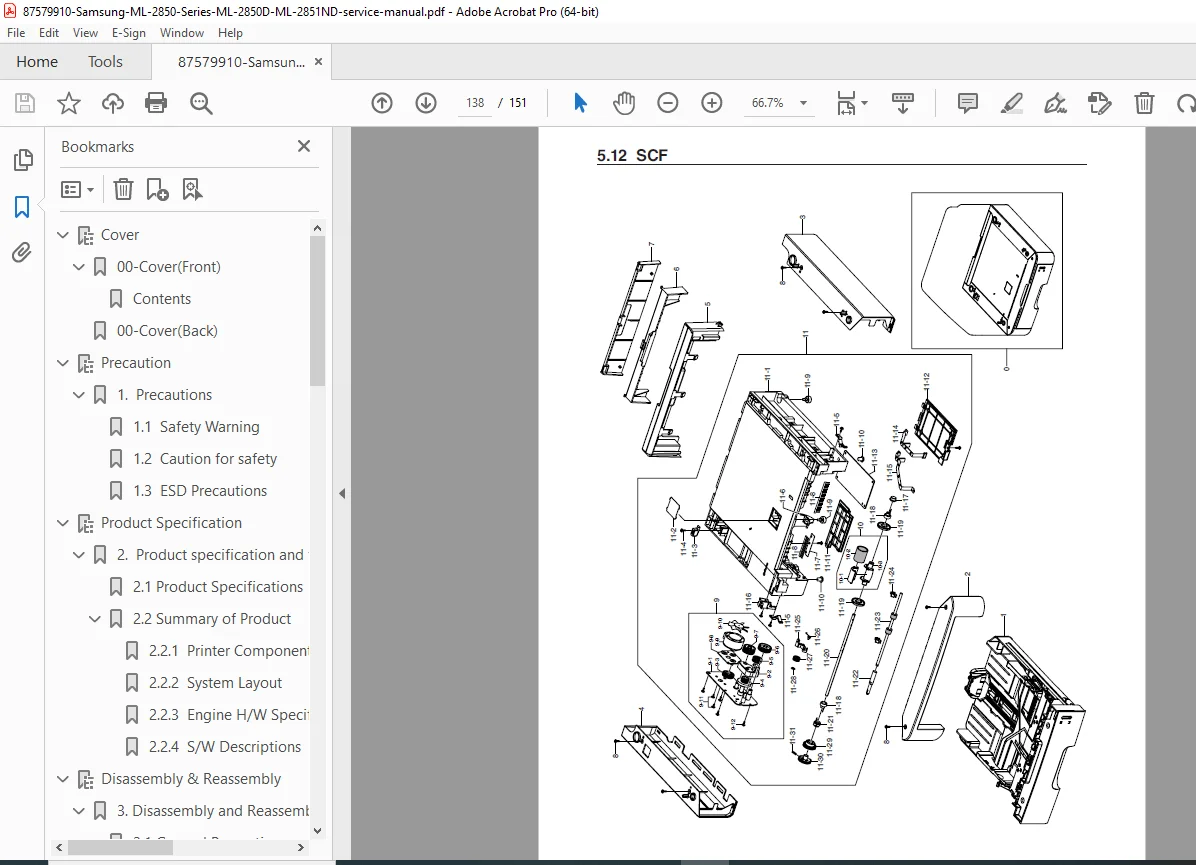
- 5.12 SCF (Second Cassette Feeder)
- Optional tray parts
- Feed mechanism
Section 6: System Diagrams (Pages 6-1 to 6-2)
- 6.1 Block Diagram
- System architecture
- Component interconnections
- Signal flow
- 6.2 Connection Diagram
- Electrical connections
- Cable routing
- Connector pinouts
Section 7: Reference Information (Pages 7-1 to 7-9)
- 7.1 Tools for Troubleshooting
- Required service tools
- Specialized equipment
- Test instruments
- 7.2 Acronyms and Abbreviations
- Technical terminology
- Component abbreviations
- 7.3 Select a Location for the Printer
- Environmental requirements
- Clearance specifications
- Ventilation needs
- 7.4 Sample Test Patterns
- Print quality test pages
- Alignment patterns
- Diagnostic prints
- 7.5 LAN (Optional Function)
- Network setup (ML-2851ND)
- TCP/IP configuration
- Network troubleshooting
- 7.6 Information of Model’s Code
- Model designation system
- Regional variations
- 7.7 Parts Life Cycle Maintenance Table
- 7.7.1 Component Life Cycle Table
- Replacement intervals
- Maintenance schedules
- 7.7.2 Toner Cartridge Criterion
- Yield specifications
- Quality standards
- 7.7.1 Component Life Cycle Table
- 7.8 Model Information
- 7.8.1 Understanding Model Code
- Code structure explanation
- Feature identification
- 7.8.2 Understanding Material Code & Name
- Part numbering system
- Material classifications
- 7.8.1 Understanding Model Code
Key Service Features
Diagnostic Capabilities:
- Complete DCU (Diagnostic Control Unit) code reference
- Self-diagnostic mode testing (codes 00-05)
- Error code identification and troubleshooting
- High voltage testing procedures
- Component-level diagnostics
Error Code Coverage:
- Fuser Errors: 60 (Open), 62 (Low Heat), 68 (Over Heat)
- Paper Jams: 70 (No Paper), 71 (Jam 0), 72 (Jam 1), 73 (Jam 2)
- Component Errors: 64 (Cover Open), 65 (CRU Error)
- LSU Errors: 95, 96 (LSU Not Ready)
Service Procedures:
- Step-by-step disassembly with photos
- Component replacement guidelines
- Adjustment and alignment procedures
- Firmware update and reset methods
- Print quality troubleshooting
Who Needs This Manual?
- Printer Service Technicians – Complete technical reference for professional repairs
- Computer Repair Shops – Essential documentation for Samsung printer service
- IT Department Staff – In-house maintenance capability reduces costs
- Office Equipment Dealers – Installation and service support
- Technical Schools – Educational resource for printer repair training
- Small Business Owners – DIY maintenance and troubleshooting
Why Choose This Digital Download?
This Samsung ML-2850 service manual PDF is the official factory service documentation used by authorized Samsung service centers worldwide. Stop paying expensive hourly rates for simple repairs you can handle yourself with proper documentation. This manual provides the exact technical information needed to diagnose and repair Samsung ML-2850 series printers like a professional.
Instant download means immediate access to 151 pages of detailed service procedures, exploded parts diagrams, electrical schematics, and comprehensive troubleshooting guides. Keep this essential reference on your computer, tablet, or smartphone for quick access during repairs. With complete DCU diagnostic codes and self-test procedures, you’ll quickly identify and resolve printer issues, saving time and money on every repair!
Pricing Rationale:
- Consumer/small business laser printer (moderate value)
- 151 pages of comprehensive service content
- Professional factory service manual
- Target audience: technicians and repair shops
- Replaces expensive factory documentation (typically $50-100)
- More accessible than industrial/commercial equipment
- Common printer model with good market demand
- Competitive with similar laser printer service manuals
- Lower than specialized medical/industrial equipment manuals