Samsung ML-4551ND Laser Printer Service Manual Repair Guide PDF
Original price was: $85.00.$18.95Current price is: $18.95.
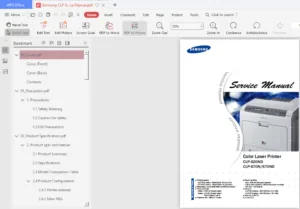
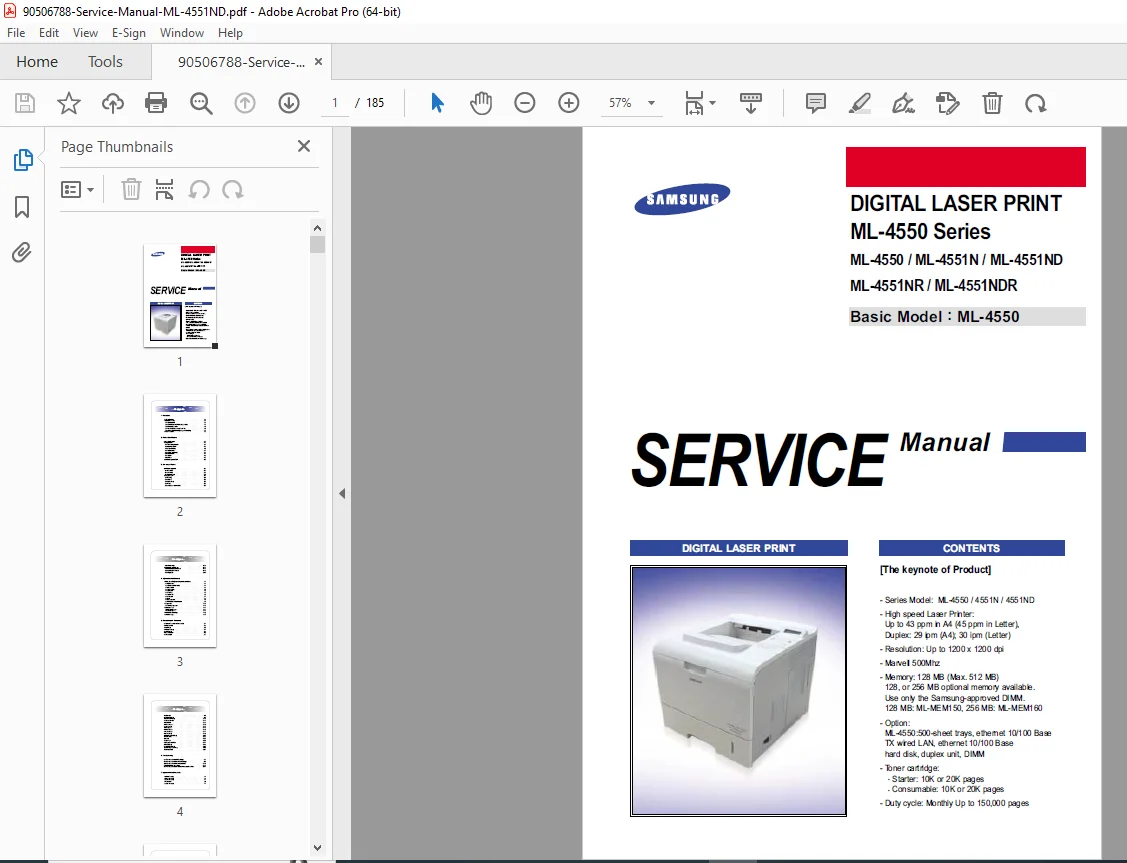
Complete factory service manual for Samsung ML-4550 series printers including ML-4550, ML-4551N, ML-4551ND, ML-4551NR, and ML-4551NDR models. Professional technical documentation with detailed disassembly procedures, troubleshooting guides, exploded diagrams, schematic circuits, and repair instructions. Covers 43ppm high-speed laser printer with duplex printing, 1200×1200 dpi resolution, and 128MB memory. Essential resource for technicians performing maintenance, component replacement, and diagnostic testing on these commercial-grade monochrome laser printers.
Description
Samsung ML-4551ND Laser Printer Service Manual Repair Guide PDF DOWNLOAD
DESCRIPTION
This comprehensive Samsung ML-4551ND service manual provides complete technical documentation for professional repair and maintenance of the ML-4550 series laser printers. This official factory manual is the definitive resource for technicians, service centers, and qualified personnel working with these high-performance commercial printing systems.
Models Covered
This service manual covers the complete ML-4550 family:
- ML-4550 (Base Model)
- ML-4551N (Network Model)
- ML-4551ND (Network with Duplex)
- ML-4551NR (Network with Duplex and Retard)
- ML-4551NDR (Network with Duplex, Retard)
Key Product Specifications
- Print Speed: Up to 43 ppm (A4) / 45 ppm (Letter)
- Duplex Speed: 29 ipm (A4) / 30 ipm (Letter)
- Resolution: Up to 1200 x 1200 dpi
- Processor: Marvell 500MHz
- Memory: 128 MB standard (Expandable to 512 MB)
- Monthly Duty Cycle: Up to 150,000 pages
- Toner Cartridge: 10K or 20K page capacity
Complete Manual Contents
1. Safety Precautions & Warnings
- Safety warnings and caution guidelines
- Toxic material handling
- Electric shock and fire safety precautions
- Handling and assembly/disassembly precautions
- ESD (Electrostatic Discharge) protection procedures
- Bodily injury prevention protocols
2. Product Specifications
- Product overview and technical specifications
- General specifications
- Controller & software details
- Paper handling specifications
- Consumables information
- Reliability and service parameters
- Environmental requirements
- Optional equipment specifications
- Model comparison tables
3. System Summary & Components
- Front view components identification
- Rear view layout and connections
- Control panel operation and functions
- System layout including:
- Paper feeding mechanisms
- Transfer assembly
- Driver assembly
- Fuser unit
- LSU (Laser Scanner Unit)
- Print cartridge system
- Engine hardware specifications:
- ML-4550 PCL Main Board
- SMPS & HVPS boards
- Engine firmware details
4. Alignment, Adjustments & Diagnostics
- EDC (Engine Diagnostic Control) Mode:
- EDC setup procedures
- Entrance methods
- Cover status monitoring
- Sensor status checking
- Motor testing procedures
- Fan testing
- Clutch/solenoid testing
- Fuser control diagnostics
- LSU diagnostics
- Developer control tests
- Print test patterns
- Option version checking
- Paper path troubleshooting
- Paper jam clearing procedures
- Sample patterns for testing
- Information and demo pages
- Periodic defective image analysis
- Error message interpretation
5. Disassembly & Reassembly Procedures Detailed step-by-step instructions with diagrams for:
- Transfer roller removal
- MPF (Multi-Purpose Feeder) assembly
- Holder pad assembly
- Retard assembly
- Feed2 idle unit
- Right and left covers
- Main PBA (Printed Board Assembly)
- Main drive assembly
- Developer drive assembly
- Connector PBA
- Solenoids
- Rear, top, open, and inner covers
- Fuser assembly
- Duplex solenoid assembly
- Exit roller
- LSU (Laser Scanner Unit)
- DC fan
- Toner sensor PBA
- Registration assembly
- MP pick-up assembly
- Pick-up & Feed2 assembly
- Engine shield
6. Comprehensive Troubleshooting
- Bad image causes and solutions
- Discharge problems diagnosis and repair
- Malfunction troubleshooting guides
- Toner cartridge maintenance procedures
- Software environment issues and solutions
- Common problems and their resolutions
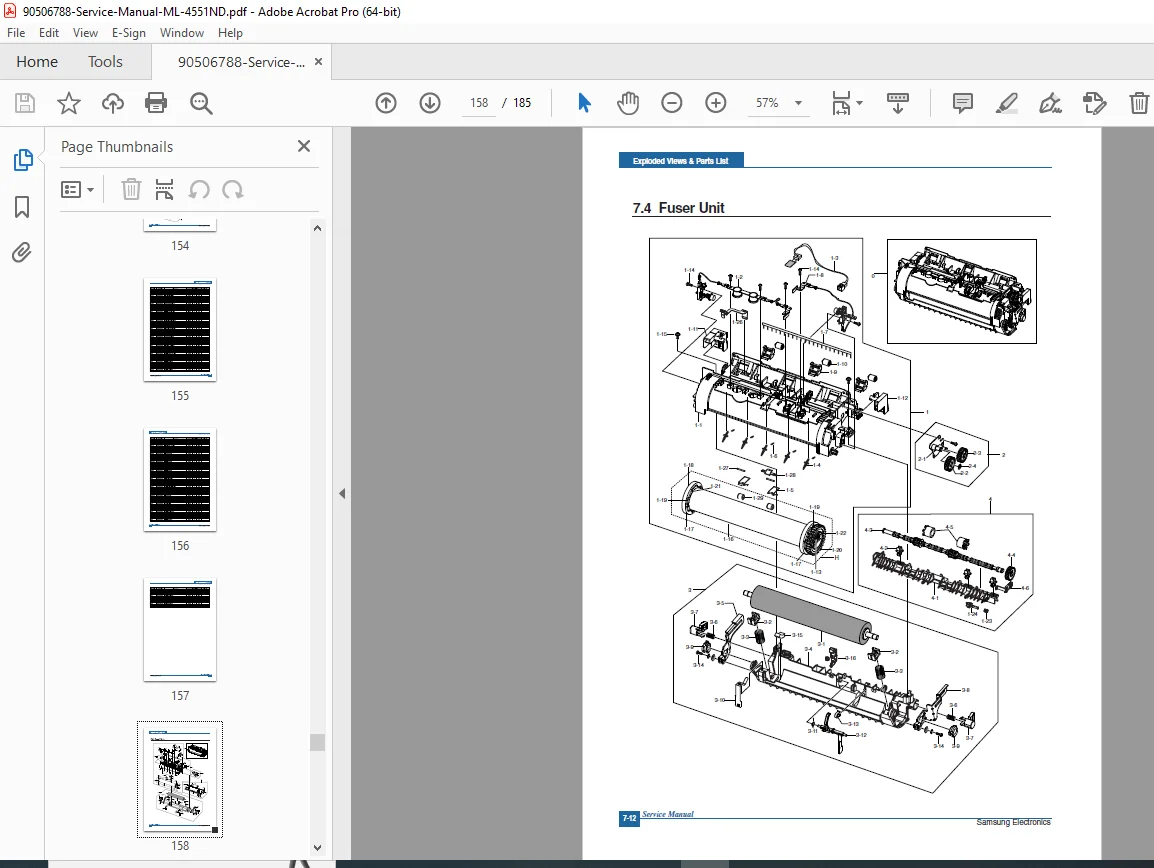
7. Exploded Views & Parts Lists Detailed exploded diagrams with part numbers for:
- Main assembly
- Cover assembly
- Frame assembly
- Fuser unit
- REGI assembly
- Main motor assembly
- Developer motor assembly
- Exit solenoid assembly
- Cassette assembly
- Duplex unit
- SCF (Special Control Function) unit
8. Block Diagrams
- Complete system block diagram
- Signal flow illustrations
- Component interconnections
9. Connection Diagrams
- Comprehensive wiring diagrams
- Cable routing information
- Connector pin-outs
10. Schematic Diagrams Professional electronic schematics for:
- Main board circuitry
- DIMM board
- CRUM (Customer Replaceable Unit Monitor) board
- EMPTY board
- HVPS (High Voltage Power Supply)
- Control panel
- SCF unit
- Toner sensor
- HDD (Hard Disk Drive) option
11. Reference Information
- Troubleshooting tools and equipment
- Technical acronyms and abbreviations
- Printer location selection guidelines
- Sample test patterns (A4 ISO 19752 standard)
- LAN configuration (optional function)
- LED status indicators
Technical Specifications Covered
Optional Equipment Support:
- 500-sheet paper trays
- Ethernet 10/100 Base TX wired LAN
- Hard disk drive
- Duplex unit
- DIMM memory expansion (ML-MEM150: 128MB, ML-MEM160: 256MB)
Consumables Information:
- Starter toner: 10K or 20K pages
- Replacement toner: 10K or 20K pages
- Print cartridge specifications
Who Should Use This Manual?
This professional service manual is designed for:
- Certified printer technicians
- Electronics repair specialists
- IT service departments
- Printer service centers
- Qualified maintenance personnel
- Advanced users performing their own repairs
Manual Features
✓ Factory-authorized technical content
✓ Step-by-step repair procedures
✓ High-quality exploded view diagrams
✓ Complete electrical schematics
✓ Detailed troubleshooting flowcharts
✓ Parts identification and numbering
✓ Diagnostic mode instructions
✓ Preventive maintenance guidelines
✓ Safety protocols throughout
This manual provides everything needed to diagnose, repair, and maintain Samsung ML-4550 series laser printers to factory specifications. With 185 pages of professional technical documentation, technicians have access to the same information used by Samsung-authorized service centers worldwide.
FILE DETAILS
Manual Name: Samsung ML-4551ND Service Manual
Models Covered: ML-4550, ML-4551N, ML-4551ND, ML-4551NR, ML-4551NDR
Year: 2008 (March 2006 original version, updated 2008)
Manual Quality: Excellent – Clear text, detailed diagrams, professional formatting
Number of Pages: 185 pages
File Format: PDF
File Size: 12.1 MB
Language: English
Version: 1.00
Code: JC-0168R