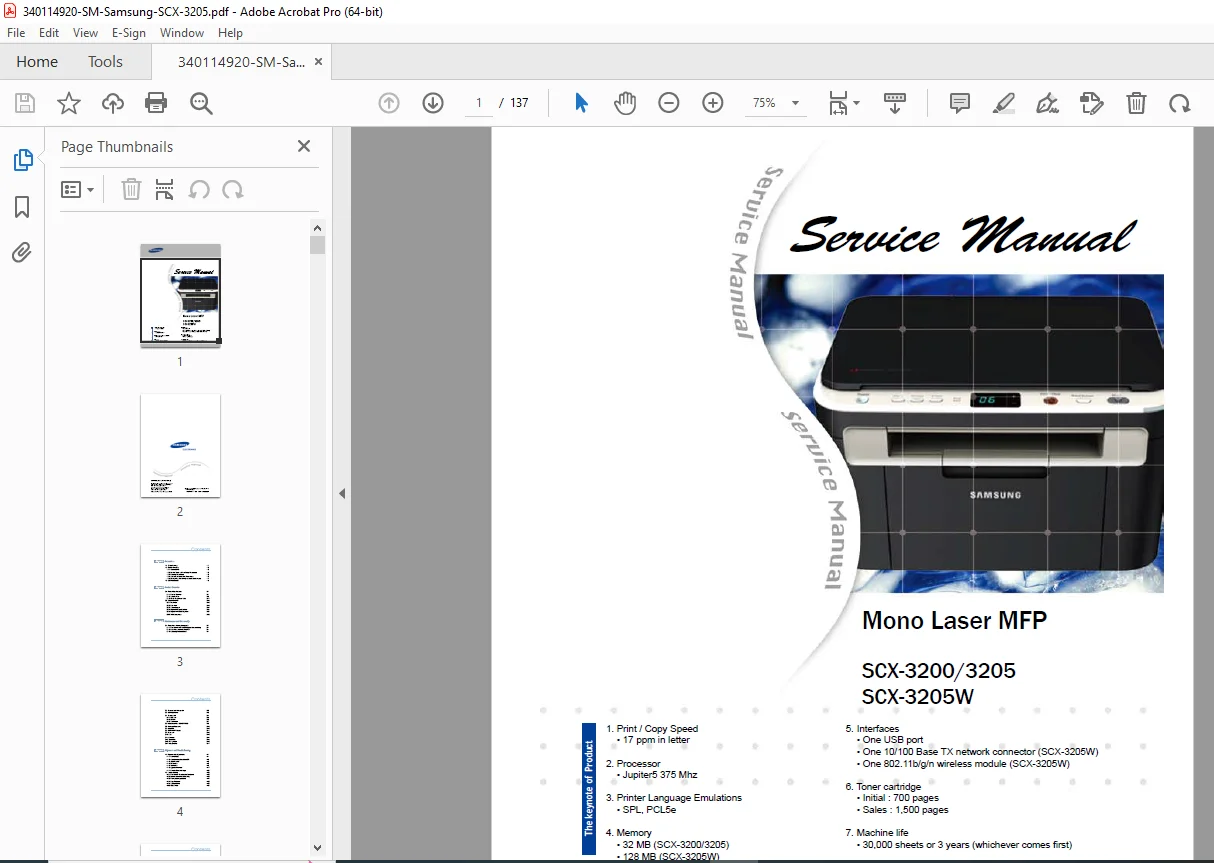
Samsung SCX-3200 SCX-3205 SCX-3205W Service Manual Repair Guide PDF
Original price was: $95.00.$18.95Current price is: $18.95.
Complete Samsung service manual for SCX-3200, SCX-3205, and SCX-3205W mono laser multifunction printers. Comprehensive technical documentation covering specifications, disassembly procedures, component replacement, troubleshooting, error codes, and print quality diagnostics. Includes system diagrams, alignment adjustments, EDC/Tech modes, firmware upgrade procedures, and parts lists with exploded views. Essential repair guide for technicians servicing Samsung laser MFP copiers.
Description
Samsung SCX-3200 SCX-3205 SCX-3205W Service Manual Repair Guide PDF DOWNLOAD
DESCRIPTION
Samsung SCX-3200/3205/3205W Official Service Manual
This professional-grade factory service manual provides complete technical documentation for Samsung SCX-3200 Series mono laser multifunction printers, including standard and wireless network models. Essential reference for printer repair technicians, IT support professionals, and service centers.
📋 FILE DETAILS
| Specification | Details |
|---|---|
| Manual Name | Samsung Mono Laser MFP Service Manual |
| Models Covered | SCX-3200, SCX-3205, SCX-3205W |
| Document Code | 3200-00000E Version 1.00 |
| Release Date | February 2010 |
| Pages | 137 pages |
| PDF Quality | High-resolution factory documentation with diagrams |
| File Size | 22.5 MB |
📖 COMPREHENSIVE MANUAL CONTENTS
CHAPTER 1: Safety Precautions & Warnings
- Safety warning requirements
- Toxic material handling
- Electric shock and fire safety precautions
- Handling precautions for service work
- Assembly/disassembly safety procedures
- Bodily injury prevention guidelines
- ESD (Electrostatic Discharge) Precautions
- Proper grounding techniques
- Anti-static equipment requirements
- Component handling procedures
CHAPTER 2: Product Overview & Specifications
Product Specifications:
- Print/Copy Speed: 17 ppm (Letter size)
- Processor: Jupiter5 375 MHz
- Printer Languages: SPL, PCL5e emulation
- Memory:
- SCX-3200/3205: 32 MB
- SCX-3205W: 128 MB
- Interfaces:
- USB port (all models)
- 10/100 Base TX network (SCX-3205W)
- 802.11 b/g/n wireless module (SCX-3205W)
Toner Cartridge Information:
- Initial cartridge: 700 pages
- Replacement cartridge: 1,500 pages
- Machine life: 30,000 sheets or 3 years
Model Comparison Table:
- Feature differences between models
- Network capabilities comparison
- Memory specifications
- Wireless vs. wired configurations
System Overview:
- Front view detailed component identification
- Rear view connector locations
- System layout internal component mapping
- Engine hardware specifications
- Engine firmware control algorithms
- Software descriptions for all subsystems
CHAPTER 3: Maintenance & Disassembly (30+ pages)
Component Replacement Procedures:
Scanner Unit Disassembly:
- ✓ OPE (Optical Processing Engine) unit removal
- ✓ CIS (Contact Image Sensor) unit replacement
- ✓ Scan motor removal and installation
- ✓ Scanner glass cleaning procedures
Cover Removal Procedures:
- Left/right cover disassembly
- Middle cover and cover-open sensor
- Front and rear cover removal
- Screw identification guide
Critical Component Replacement:
- Main PBA (Printed Board Assembly) removal
- SMPS (Switching Mode Power Supply) board replacement
- HVPS (High Voltage Power Supply) board service
- Fuser unit complete replacement procedure
- LSU (Laser Scanning Unit) removal and alignment
- Drive unit disassembly and reassembly
- Step motor replacement
- Pick-up roller replacement and adjustment
- Transfer roller service procedures
Precautions:
- Part replacement safety guidelines
- PBA handling precautions
- Plastic latch release techniques
- Screw type identification chart
CHAPTER 4: Alignment & Troubleshooting (60+ pages)
Control Panel Operations:
- Button functions and combinations
- Status LED interpretation guide
- Ready states
- Error conditions
- Processing indicators
JAM Removal Procedures:
- Paper jam location identification
- Systematic jam clearing methods
- Feed path inspection
Advanced Diagnostic Modes:
EDC Mode (Engine Diagnostic Code):
- Accessing EDC mode
- Reading diagnostic codes
- Component testing procedures
- Sensor calibration
Tech Mode:
- Service technician menu access
- Configuration parameters
- Test print patterns
- Adjustment procedures
Firmware Upgrade:
- Step-by-step firmware update process
- USB firmware loading
- Version verification
- Troubleshooting failed updates
Periodic Defective Image Analysis:
- Image defect pattern recognition
- Component correlation to defects
- Measurement techniques
- Replacement recommendations
Comprehensive Troubleshooting Guide:
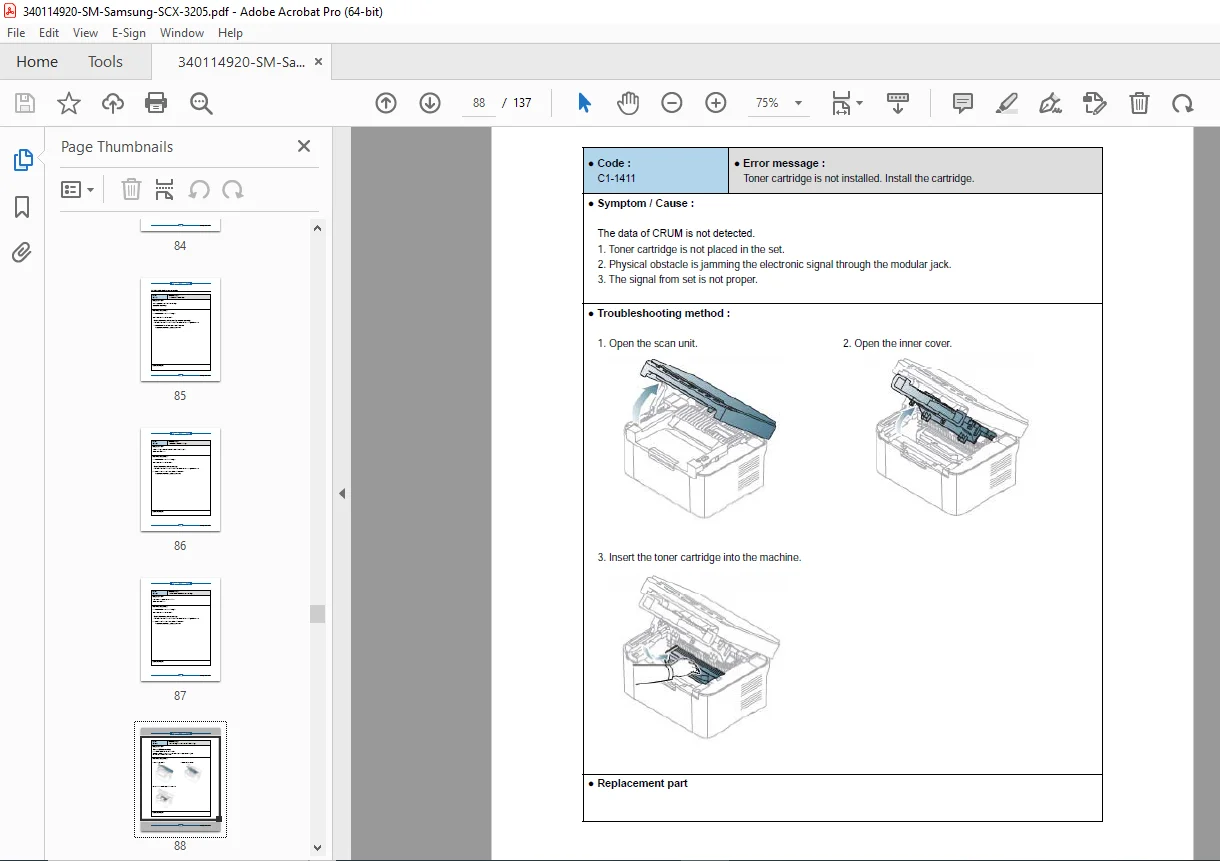
Error Code Reference:
- Complete error code listing
- Symptom descriptions
- Probable causes
- Step-by-step resolution procedures
- Component testing methods
Print Quality Problems:
- Blank pages – causes and solutions
- Light/faded prints – toner and exposure issues
- Dark prints – charge/development problems
- Spots and marks – drum and cleaning issues
- Smudging and smearing – fuser temperature problems
- Vertical lines – drum scratches and defects
- Horizontal lines – registration and feed issues
- Background scatter – charge roller contamination
- Toner scatter – high voltage problems
- Ghosting – cleaning blade issues
- Wrinkled paper – fuser pressure problems
Copy Problems:
- Copy quality issues
- ADF (Auto Document Feeder) malfunctions
- Scanner calibration errors
- Original detection failures
Scan Problems:
- USB scan failures
- Network scan errors (SCX-3205W)
- Resolution and color issues
- Software communication problems
Other System Errors:
- Power supply failures
- Motor malfunctions
- Sensor errors
- Communication failures
CHAPTER 5: System Diagrams
Block Diagram:
- Complete system architecture
- Data flow pathways
- Component interconnections
- Signal processing flow
Connection Diagrams:
- Main PBA connections
- SMPS/HVPS wiring
- Motor connections
- Sensor wiring harness
- Interface connector pinouts
- Power distribution
CHAPTER 6: Reference Information
Tools for Troubleshooting:
- Required service tools list
- Multimeter specifications
- Torque requirements
- Specialized tools needed
Acronyms & Abbreviations:
- Technical term definitions
- Component abbreviations
- Service code meanings
Service Parts Reference:
- Part number listings
- Replacement intervals
- Consumables specifications
ISO Standard Patterns:
- A4 ISO 19798 standard test page
- A4 ISO 19752 toner coverage pattern
- Print quality evaluation methods
Installation Requirements:
- Location selection guidelines
- Environmental specifications
- Space clearance requirements
- Ventilation needs
ATTACHED: Exploded Views & Parts List
- Complete illustrated parts breakdown
- Part numbers for all components
- Assembly relationship diagrams
- Service part identification
🔧 KEY SPECIFICATIONS
Print Engine:
- Laser scanning technology
- 600 x 600 dpi resolution
- Mono (black & white) printing
- Letter/A4 paper handling
Paper Handling:
- Input tray capacity
- Output tray capacity
- Supported media types
- Paper weight range
Connectivity:
- SCX-3200/3205: USB 2.0
- SCX-3205W: USB 2.0 + Ethernet + WiFi 802.11 b/g/n
Operating Environment:
- Temperature range
- Humidity specifications
- Power requirements
💡 DIAGNOSTIC CAPABILITIES
Built-in Diagnostics:
- Self-test print function
- Engine test patterns
- Component function tests
- Sensor verification tests
Error Detection:
- Real-time error monitoring
- LED status indicators
- Detailed error code system
- Troubleshooting flowcharts
Calibration Procedures:
- Density adjustment
- Registration alignment
- Scanner calibration
- Color balance (if applicable)
👥 ESSENTIAL FOR SERVICE PROFESSIONALS
This manual is critical for:
- Printer Repair Technicians performing component-level repairs
- IT Support Staff managing office equipment
- Service Center Personnel conducting warranty repairs
- Maintenance Engineers in corporate environments
- Training Instructors teaching printer repair
- Refurbishment Specialists rebuilding used units
🛠️ MAINTENANCE INFORMATION
Preventive Maintenance:
- Cleaning schedules
- Roller replacement intervals
- Lubrication points
- Inspection procedures
Component Lifespan:
- Drum unit life expectancy
- Fuser unit replacement cycle
- Transfer roller durability
- Pick-up roller wear indicators
Consumables:
- Toner cartridge specifications
- Imaging unit details
- Maintenance kit contents
📐 TECHNICAL SUPPORT RESOURCES
Global Service Partner Network (GSPN):
- North America portal access
- Latin America support
- Europe service network
- Asia regional support
- Middle East & Africa resources
- CIS (Commonwealth of Independent States)
Online Support:
- Regional service portal URLs
- Parts ordering systems
- Technical bulletin access
⚙️ WIRELESS MODEL FEATURES (SCX-3205W)
Network Configuration:
- WiFi setup procedures
- IP address assignment
- Network security settings
- Wireless troubleshooting
Enhanced Memory:
- 128 MB for network printing
- Improved processing speed
- Multiple job handling
🔍 TROUBLESHOOTING FEATURES
Systematic Diagnosis:
- Symptom identification flowcharts
- Step-by-step testing procedures
- Voltage and resistance measurements
- Component isolation techniques
Quality Control:
- Print sample analysis
- Defect pattern recognition
- Component correlation charts
- Replacement decision trees
⚡ INSTANT DOWNLOAD – BEGIN REPAIRS IMMEDIATELY! This complete 137-page Samsung factory service manual provides everything you need to diagnose, repair, and maintain SCX-3200 series multifunction printers. From simple roller replacements to complex electronic troubleshooting, every procedure is documented with detailed diagrams and step-by-step instructions. Download now and gain professional-level expertise for Samsung laser printer repair!
Pricing Rationale:
- 137 pages of detailed technical content
- Covers 3 printer models (SCX-3200/3205/3205W)
- Factory original service documentation
- Complete disassembly/assembly procedures
- Comprehensive error code database
- Exploded parts diagrams included
- Professional repair technician resource
- Small office/home office equipment category