
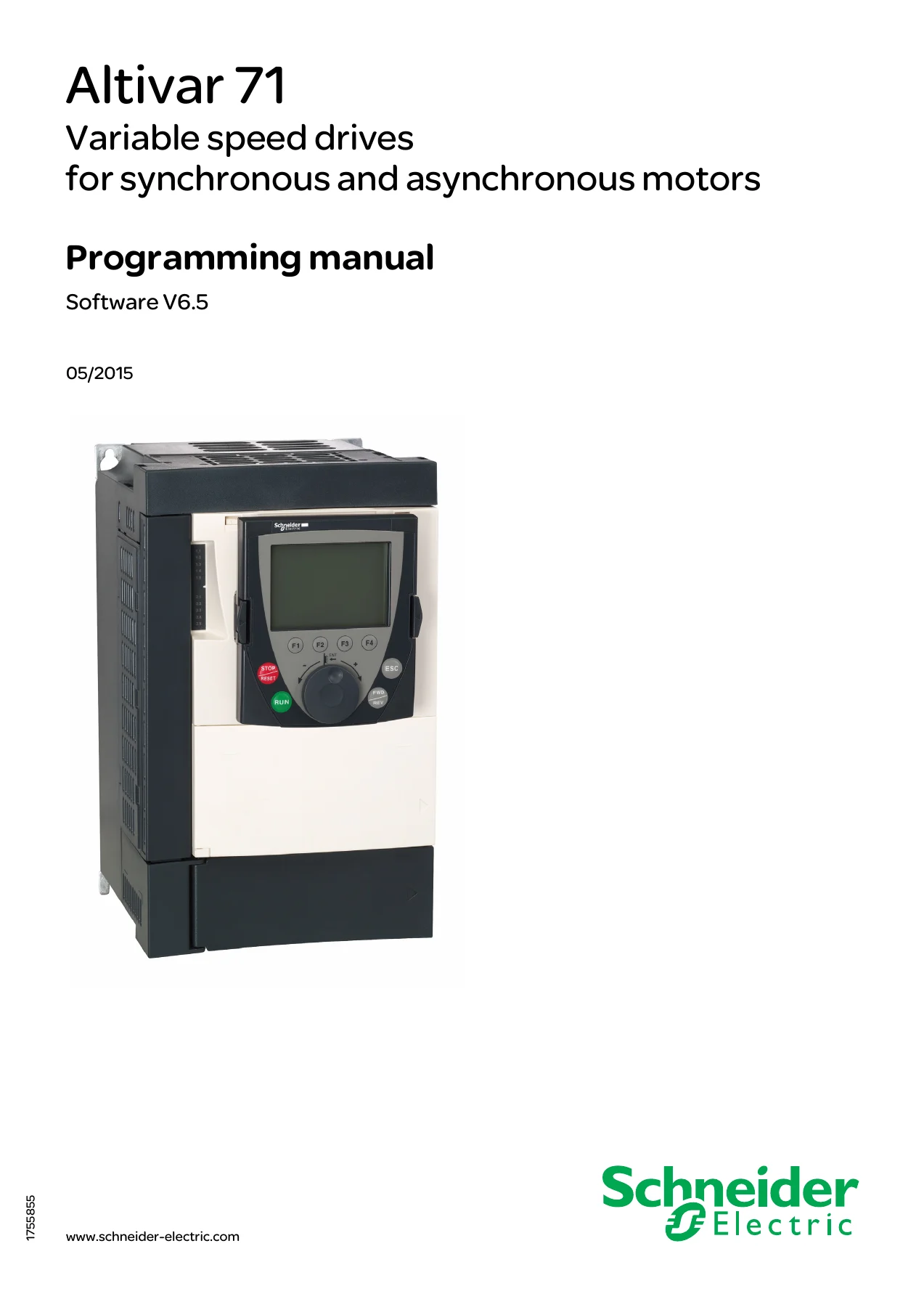
Schneider Electric Altivar 71 Programming Manual Software V6.5 PDF
Original price was: $39.95.$24.95Current price is: $24.95.
Programming manual for Schneider Electric Altivar 71 drives, software V6.5, covering menus, parameters, I/O configuration, motor control, application functions, fault management, communication, diagnostics, and display configuration.
Description
File Details
- Manual type: Programming manual
- Brand: Schneider Electric
- Model: Altivar 71
- Software version: V6.5
- Document number: 1755855
- Date: 05/2015
- Language: English
- Page count: 297
- File format: PDF
Chapters Covered
- Safety instructions and related Altivar 71 technical documents
- Software version enhancements from V1.2 through V6.5
- Drive factory settings and option card factory settings
- Application selection tables for hoisting, lifts, handling, packing, textiles, wood, high inertia, and process machinery
- Turning on and configuring the drive
- Starting, test on a low power motor, using motors in parallel, and ATV71Y undervoltage notes
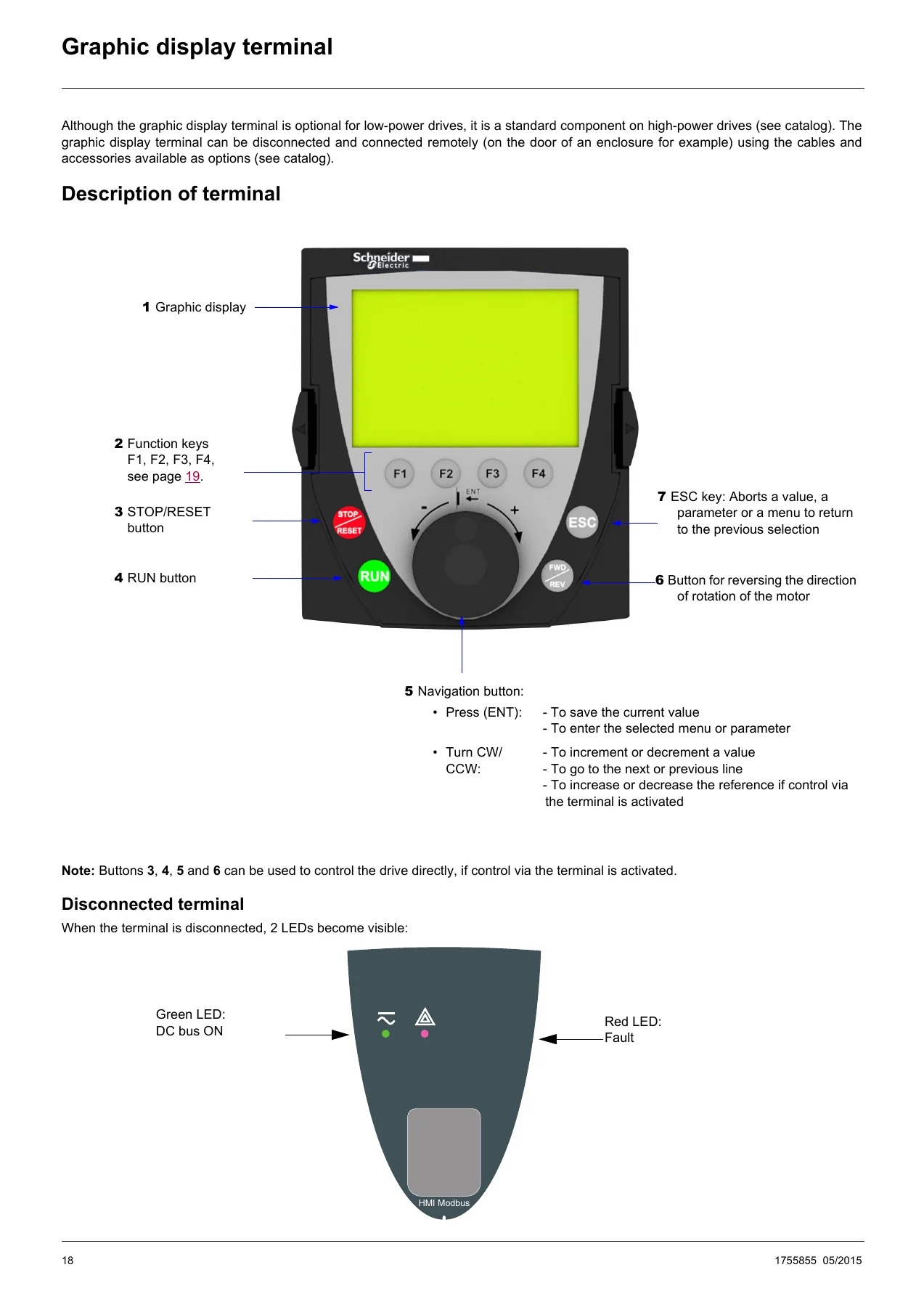
- Graphic display terminal description, screen layout, function keys, and navigation
- Integrated display terminal functions and key operation
- Access level, parameter table structure, and quick navigation
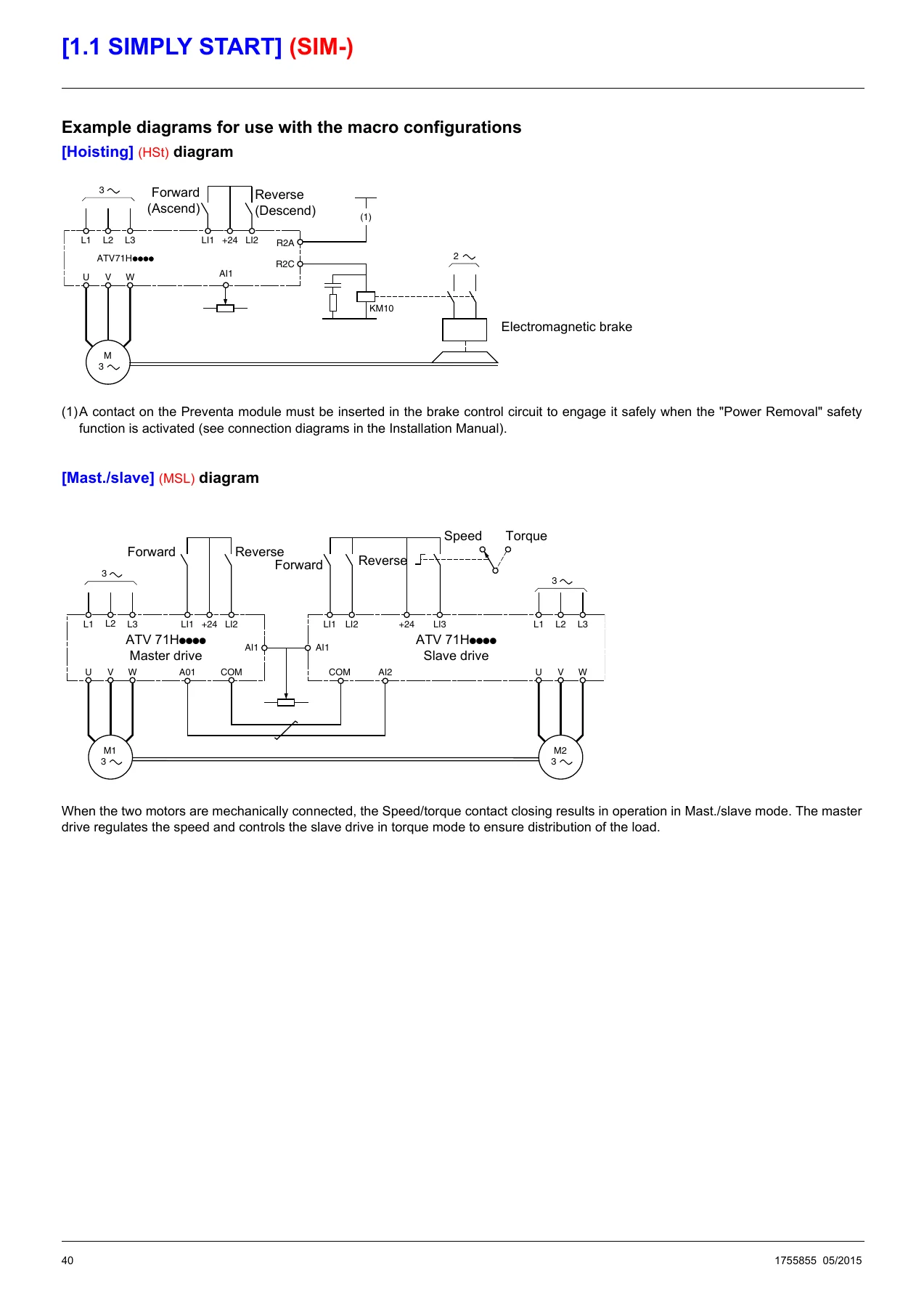
- [1.1 SIMPLY START] menu, macro configuration, and motor nameplate settings
- [1.2 MONITORING] menu, I/O maps, communication map, alarm groups, and drive internal states
- [1.3 SETTINGS] menu, ramps, speed loop, DC injection, switching frequency, preset speeds, PID settings, brake settings, thresholds, skip frequencies, and load correction
- [1.4 MOTOR CONTROL] menu, motor control types, V/F profiles, synchronous motor parameters, encoder configuration, ENA system, sinus filter, switching frequency, motor surge limit, braking balance, and load sharing
- [1.5 INPUTS / OUTPUTS CFG] menu, 2/3 wire control, analog inputs, virtual AI, pulse input, encoder input, relay and logic output configuration, analog outputs, and alarm group definitions
- [1.6 COMMAND] menu, command and reference channels, profiles, command switching, reference switching, copy channel, and graphic display terminal key assignments
- [1.7 APPLICATION FUNCT.] menu, reference switch, reference operations, ramps, stop configuration, auto DC injection, JOG, preset speeds, +/- speed, memo reference, fluxing by LI, limit switches, brake logic control, weight measurement, high-speed hoisting, rope slack, PID regulator, torque control, torque limitation, 2nd current limit, line contactor command, output contactor command, positioning by sensors, parameter set switching, multimotors and configuration switching, auto tuning by LI, traverse control, evacuation, half floor, DC bus supply, and regen connection
- [1.8 FAULT MANAGEMENT] menu, PTC management, fault reset, automatic restart, catch on the fly, motor thermal protection, output phase loss, input phase loss, drive overheat, thermal alarm stop, external fault, undervoltage management, IGBT tests, 4-20 mA loss, fault inhibition, communication fault management, encoder fault, torque or current limit detection, frequency meter, dynamic load detection, braking resistor protection, brake unit protection, auto tuning fault, cards pairing, fallback speed, ramp divider, and DC injection
- [1.9 COMMUNICATION] menu, communication scanner input and output, Modbus HMI, Modbus network, CANopen, communication card, and forced local mode
- [1.10 DIAGNOSTICS] menu, fault history, current fault list, more fault info, test procedures, and service message
- [1.11 IDENTIFICATION] menu
- [1.12 FACTORY SETTINGS] menu
- [1.13 USER MENU] menu
- [1.14 PROGRAMMABLE CARD] menu
- [3. OPEN/SAVE AS] menu
- [4. PASSWORD] menu
- [6 MONITORING CONFIG.] menu
- [7 DISPLAY CONFIG.] menu
- Maintenance, fault display, clearing faults, and fault causes and remedies
- User settings tables and indexes of functions and parameter codes
The Schneider Electric Altivar 71 Programming Manual Software V6.5 PDF is organized around the drive menus and parameter structure rather than a generic theory sequence. It starts with safety, document references, factory settings, and terminal operation, then moves through the programming menus used to configure an Altivar 71 drive. Each menu section lists parameter codes, adjustment ranges, factory settings, and practical notes. The application functions section is especially broad, covering hoisting, lifts, handling, PID control, torque control, positioning, parameter switching, and multi-motor configurations. The fault management and diagnostics sections provide fault names, probable causes, remedies, and test procedures, while the communication and display configuration sections cover Modbus, CANopen, forced local mode, monitoring screens, and user menu customization.
Programming Workflow Supported
This Altivar 71 programming manual supports the practical sequence of preparing a drive for an application: selecting 2-wire or 3-wire control, choosing a macro configuration, entering motor nameplate data, performing auto-tuning, setting motor thermal current, adjusting acceleration and deceleration ramps, and defining the speed variation range. It also explains access levels, parameter types, quick navigation, and how to move between display terminal screens. For technicians already familiar with the drive, the menu-based layout allows direct lookup of parameter codes and configuration values, including advanced motor control, I/O scaling, relay and logic output assignments, and application-specific functions.
Fault Management and Diagnostics
The manual documents fault management configuration and troubleshooting in detail. It covers PTC probe management, fault reset, automatic restart, catch on the fly, motor thermal protection, output and input phase loss, drive overheating, external faults, undervoltage management, IGBT tests, 4-20 mA loss, communication faults, encoder faults, torque and current limit detection, frequency meter settings, dynamic load detection, braking resistor protection, and card pairing. The diagnostics menu section describes fault history, current fault lists, additional fault information, and test procedures. The troubleshooting chapter lists fault codes, names, probable causes, and remedies, which makes the PDF useful during commissioning, maintenance, and fault finding.
Application Functions and I/O Configuration
Configuration coverage includes analog and digital inputs and outputs, virtual analog input via communication bus, pulse input, encoder input, relay outputs, logic outputs, analog output scaling, alarm groups, and forced local mode. Application functions include preset speeds, JOG, +/- speed, brake logic control, load measurement, high-speed hoisting, rope slack, PID regulator with manual/automatic operation, torque control, torque limitation, line and output contactor commands, positioning by sensors or limit switches, stop at distance calculated after deceleration limit switch, parameter set switching, multi-motor and configuration switching, traverse control, evacuation, half floor, DC bus supply, and regen connection.
Put the Altivar 71 Programming Manual to Work
IMAGES PREVIEW
With this PDF, a technician can configure an Altivar 71 drive, set motor and application parameters, assign I/O, adjust ramps and speed loops, set up PID or torque control, configure communication and display options, and diagnose faults using the documented causes and remedies. Correct parameter settings and fault procedures matter because drive behavior, motor protection, braking, and application safety depend on the values entered during commissioning. The manual provides the menu structure, parameter ranges, factory settings, and application notes needed to make those settings deliberately rather than by trial and error. Delivery is instant PDF download after payment, with no shipping, and the file can be viewed on a computer, tablet, or phone and printed for workshop use.
Reviews
There are no reviews yet.