Toshiba NB200 Series Maintenance & Service Manual – PDF
Original price was: $95.00.$28.95Current price is: $28.95.
Fix and service the Toshiba NB200 with confidence. This maintenance manual covers hardware overview, power/battery details, step-by-step troubleshooting flowcharts (display, keyboard, WLAN, HDD/SSD, Bluetooth, LAN, etc.), diagnostic tests/utilities, and replacement/disassembly procedures (HDD, RAM, keyboard, display parts, system board). Instant-download, searchable manual.
Description
Toshiba NB200 Series Maintenance & Service Manual – PDF DOWNLOAD
Description
If you’re repairing, upgrading, or diagnosing a Toshiba NB200 (Atom N270/N280 platform), this manual gives you the factory-style procedures techs use—clear sectioning, troubleshooting logic, and replacement steps.
⭐ What this manual helps you do
Identify core hardware features/specs (CPU, RAM, storage, battery system)
Follow guided troubleshooting flowcharts for major subsystems
Run tests & diagnostics (SDRAM/HDD/SSD/keyboard/touchpad/LCD/audio/WLAN/BT/LAN/webcam, etc.)
Perform replacement/disassembly procedures for common parts (HDD/SSD, RAM, keyboard, wireless card, display assembly parts, system board, and more)
🧾 Manual Contents (neatly organized)
Chapter 1 — Hardware Overview
Features
2.5-inch HDD
Power supply
Batteries (main battery / charging control / RTC battery)
Chapter 2 — Troubleshooting Procedures
Troubleshooting intro + flowcharts
Power supply troubleshooting
Display troubleshooting
Keyboard troubleshooting
External USB devices troubleshooting
TouchPad troubleshooting
Speaker troubleshooting
Wireless LAN troubleshooting
Camera troubleshooting
Bluetooth troubleshooting
2-in-1 card troubleshooting
HDD/SSD troubleshooting
CRT external display troubleshooting
LAN troubleshooting
3G troubleshooting
Chapter 3 — Tests & Diagnostics
How to run diagnostics + utilities
Tests for: SDRAM, HDD/SSD, keyboard, touchpad, LCD, audio, LAN, WLAN, Bluetooth, webcam, mic, etc.
Chapter 4 — Replacement Procedures (Disassembly / Reassembly)
Before you start (tools/handling)
Battery pack removal
HDD removal
Memory module removal
Keyboard removal
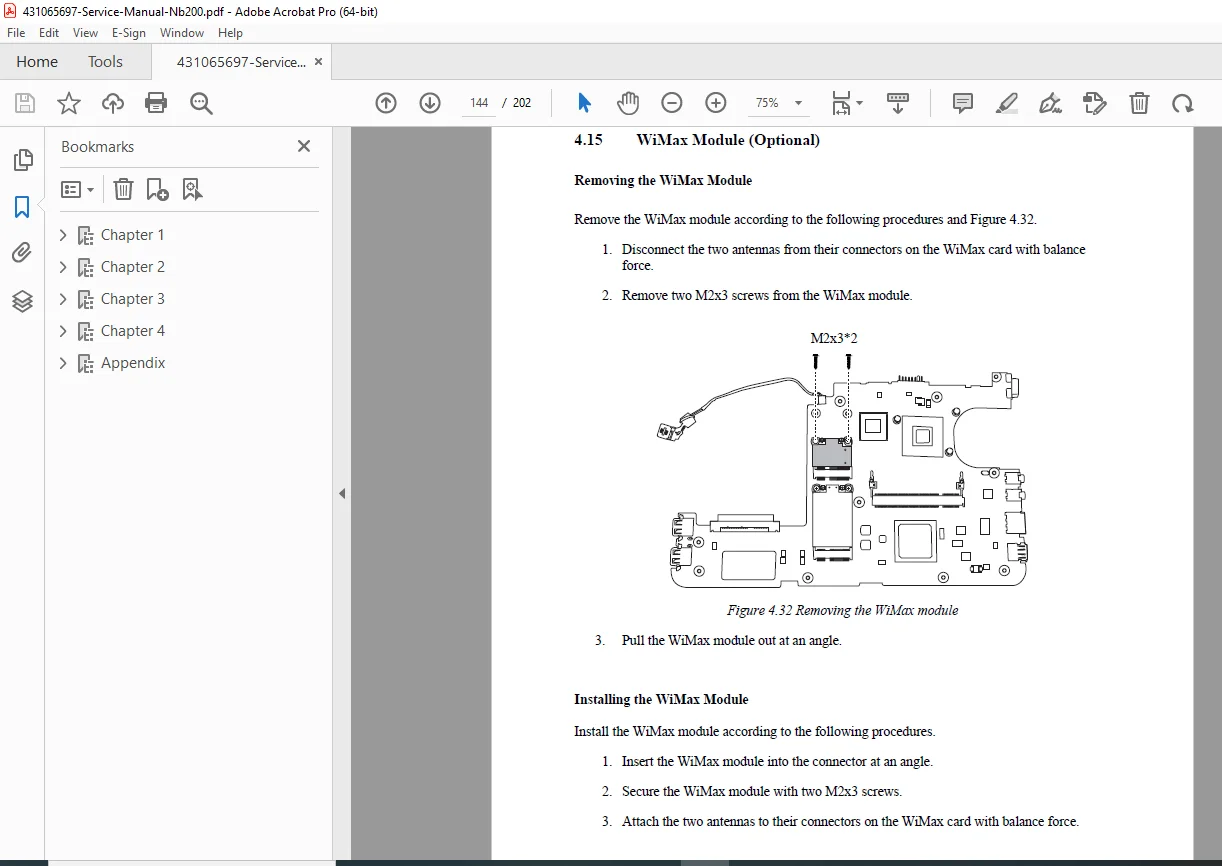
Wireless LAN / 3G / GPS / WiMax card removal
Heat sink removal
CPU removal
Top cover removal
Display assembly removal
LCD parts removal
System board removal
Appendices (extra tech value)
LCD handling precautions (cleaning, storage, transport)
System board layout diagrams (top/bottom views)
Keyboard layouts (multiple language variants)
Reliability / MTBF table (LCD, keyboard, HDD/SSD, etc.)
📌 File Details
| Item | Details |
|---|---|
| Manual Name | Toshiba NB200 Series Maintenance & Service Manual |
| Models Covered | Toshiba NB200 Series |
| Year | Not specified in manual |
| PDF Quality | Searchable / text-based (clear section formatting) |
| Pages | 202 pages |
Stop guessing and start fixing—get the same troubleshooting flowcharts, diagnostics, and replacement steps technicians use for the Toshiba NB200. Download now and get your NB200 repaired faster and cleaner.