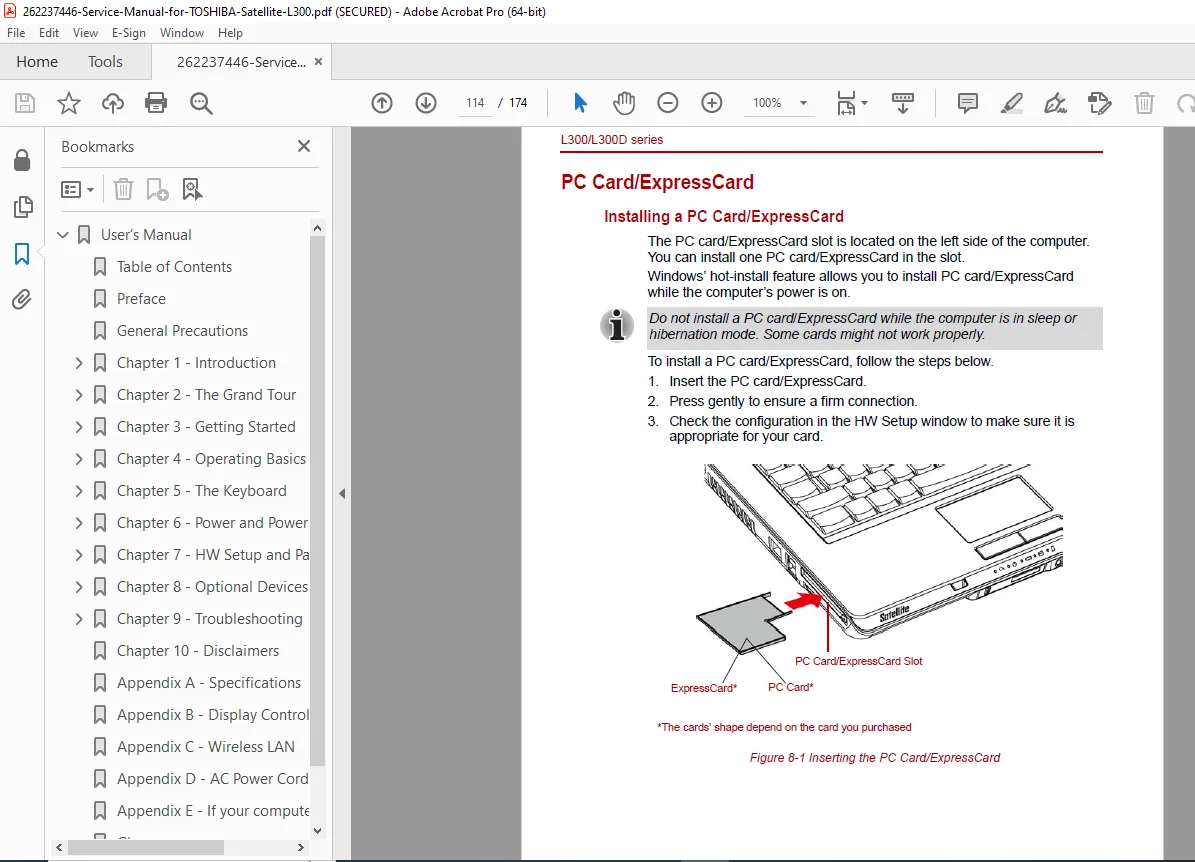
Toshiba Satellite L300/L300D Series User’s Manual PDF
Original price was: $95.00.$18.95Current price is: $18.95.
Official Toshiba Satellite L300/L300D series user’s manual (2008) in high-quality PDF. Complete guide covering setup, features, operation, troubleshooting and specifications for L300 and L300D laptops. 174 pages of detailed instructions, diagrams and safety information. Instant download – perfect for owners needing the original Toshiba Satellite L300/L300D user manual PDF.
Description
Toshiba Satellite L300/L300D Series User’s Manual PDF DOWNLOAD
Description
Get the complete official Toshiba Satellite L300/L300D Series Portable Personal Computer User’s Manual (First edition, April 2008) in crisp, searchable PDF format. This 174-page guide is the authentic Toshiba resource for all L300 and L300D series laptops, providing everything you need to set up, operate, and maintain your device.
Whether you’re troubleshooting, exploring features, or simply want the original documentation, this Toshiba Satellite L300/L300D user manual PDF is the definitive reference.
Table of Contents (exactly as printed in the manual):
Preface General Precautions
Chapter 1 Introduction
- Equipment checklist . . . . . . . . . . . . . . . . . . . . . . . . . . . . . . . . . . . . . . 1-1
- Features . . . . . . . . . . . . . . . . . . . . . . . . . . . . . . . . . . . . . . . . . . . . . . . . 1-2
- Special features . . . . . . . . . . . . . . . . . . . . . . . . . . . . . . . . . . . . . . . . . . 1-9
- TOSHIBA Value Added Package . . . . . . . . . . . . . . . . . . . . . . . . . . . 1-11
- Utilities and applications . . . . . . . . . . . . . . . . . . . . . . . . . . . . . . . . . . 1-12
- Options . . . . . . . . . . . . . . . . . . . . . . . . . . . . . . . . . . . . . . . . . . . . . . . . 1-13
Chapter 2 The Grand Tour
- Front with the display closed . . . . . . . . . . . . . . . . . . . . . . . . . . . . . . . 2-1
- Left side . . . . . . . . . . . . . . . . . . . . . . . . . . . . . . . . . . . . . . . . . . . . . . . . 2-2
- Right side . . . . . . . . . . . . . . . . . . . . . . . . . . . . . . . . . . . . . . . . . . . . . . . 2-4
- Back side . . . . . . . . . . . . . . . . . . . . . . . . . . . . . . . . . . . . . . . . . . . . . . . 2-5
- Underside . . . . . . . . . . . . . . . . . . . . . . . . . . . . . . . . . . . . . . . . . . . . . . . 2-6
- Front with the display open . . . . . . . . . . . . . . . . . . . . . . . . . . . . . . . . 2-7
- Function Button . . . . . . . . . . . . . . . . . . . . . . . . . . . . . . . . . . . . . . . . . . 2-9
- System indicators . . . . . . . . . . . . . . . . . . . . . . . . . . . . . . . . . . . . . . . 2-10
- Keyboard indicators . . . . . . . . . . . . . . . . . . . . . . . . . . . . . . . . . . . . . 2-11
- Optical disc drive . . . . . . . . . . . . . . . . . . . . . . . . . . . . . . . . . . . . . . . 2-12
- AC adaptor . . . . . . . . . . . . . . . . . . . . . . . . . . . . . . . . . . . . . . . . . . . . . 2-13
Chapter 3 Getting Started
- Connecting the AC adaptor . . . . . . . . . . . . . . . . . . . . . . . . . . . . . . . . 3-2
- Opening the display . . . . . . . . . . . . . . . . . . . . . . . . . . . . . . . . . . . . . . 3-3
- Turning on the power . . . . . . . . . . . . . . . . . . . . . . . . . . . . . . . . . . . . . 3-3
- Starting up for the first time . . . . . . . . . . . . . . . . . . . . . . . . . . . . . . . 3-4
- Turning off the power . . . . . . . . . . . . . . . . . . . . . . . . . . . . . . . . . . . . . 3-4
- Restarting the computer . . . . . . . . . . . . . . . . . . . . . . . . . . . . . . . . . . 3-7
- System recovery options . . . . . . . . . . . . . . . . . . . . . . . . . . . . . . . . . . 3-8
- Restoring the pre-installed Software . . . . . . . . . . . . . . . . . . . . . . . . 3-8
(The manual continues with additional chapters on operating basics, hardware utilities, troubleshooting, specifications, and more.)
File Details
- Manual Name: TOSHIBA L300/L300D series Portable Personal Computer User’s Manual
- Models Covered: Toshiba Satellite L300 and L300D series
- Year: 2008 (First edition April 2008)
- PDF Quality: High-resolution, fully searchable, original scan
- Number of Pages: 174
Don’t waste time searching for scattered information online – own the complete official Toshiba Satellite L300/L300D user manual PDF today. Instant download means you can start using it in minutes to get the most out of your classic laptop!