Xerox Phaser 6121MFP Service Manual PDF (Error Codes & Repair Guide)
Original price was: $85.00.$18.95Current price is: $18.95.
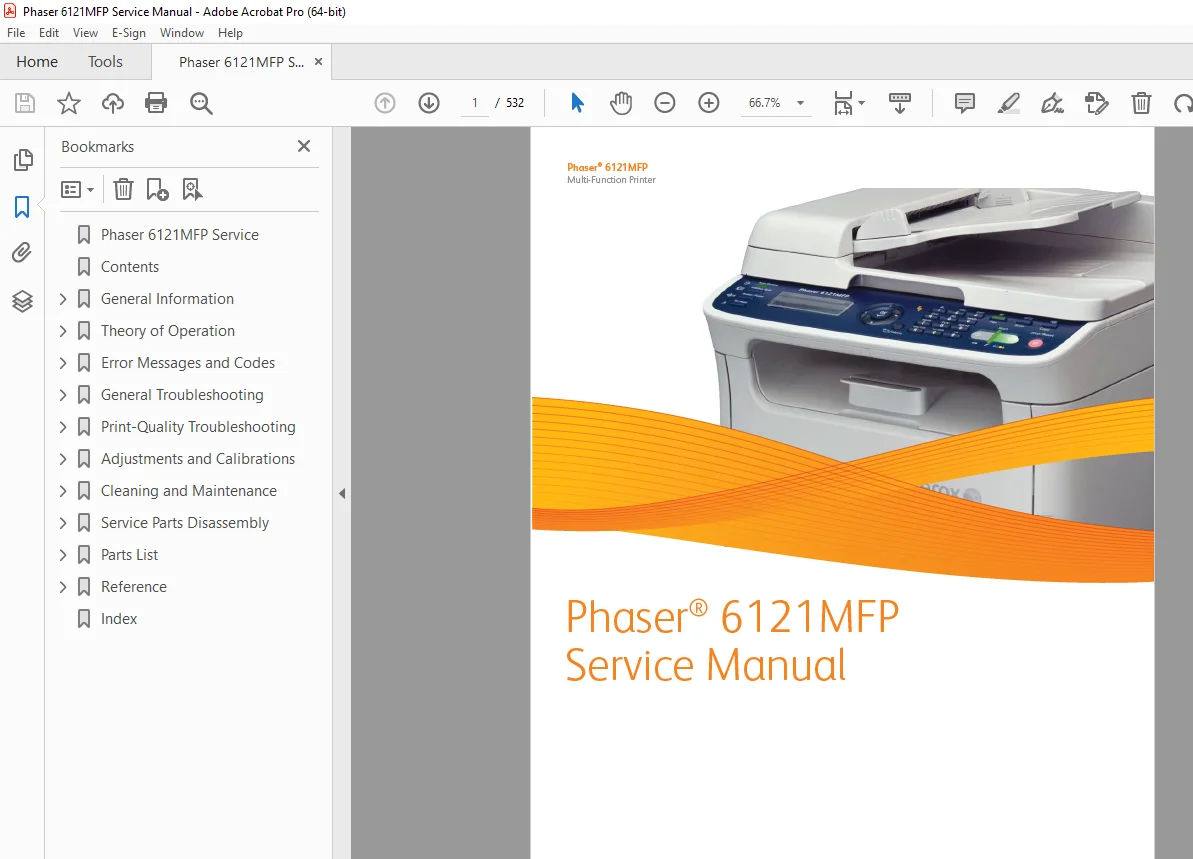
This is the complete 532-page official Xerox Phaser 6121MFP service manual PDF (First Printing, May 2009). It covers the full Phaser 6121MFP/S, 6121MFP/N, and 6121MFP/D multi-function printers with detailed theory of operation, Phaser 6121MFP error codes and jam codes, general troubleshooting, image-quality fixes, step-by-step disassembly, and full Xerox Phaser 6121MFP wiring diagrams and service parts information.
Description
Xerox Phaser 6121MFP Service Manual PDF (Error Codes & Repair Guide) DOWNLOAD
Description
This official Xerox Phaser 6121MFP service manual PDF is the primary factory document used by Xerox technicians to repair, maintain, and troubleshoot the Phaser 6121MFP series multi-function printers. It is a 532-page, searchable, bookmarked PDF that covers the Phaser 6121MFP/S, Phaser 6121MFP/N and Phaser 6121MFP/D configurations in full detail, including print, copy, scan and fax functions.
217820785-Xerox-Phaser-6121MFP-…
Prepared by Xerox GPDG Worldwide Product Training and Information and first printed in May 2009, this manual combines safety information, theory of operation, complete Phaser 6121MFP error codes, jam and service call diagnostics, wiring diagrams, and detailed service parts disassembly procedures in one reference.
1. Introductory, Safety & Regulatory Information
The opening section explains how to use the Phaser 6121MFP service manual safely and correctly:
About this Service Manual
Purpose of the manual as the main reference for repairing and troubleshooting the printer and options.
Manual Organization
Overview of chapters and how to navigate them.
Symbols & Safety
Symbols marked on the product, power safety precautions, ESD precautions, service safety summary, and regulatory specifications.
This section is essential background before attempting any Xerox Phaser 6121MFP repair or disassembly task.
2. Chapter 1 – General Information
Chapter 1 introduces the Phaser 6121MFP platform and its key specifications:
Printer Introduction & Technical Support
Basic product overview and where to obtain additional Xerox support.
Printer Configurations
Details on the 6121MFP/S (3-in-1 USB), 6121MFP/N and 6121MFP/D (networked 4-in-1 with ADF and options such as duplex and Tray 2).
Parts of the Printer
Labeled front and rear views: ADF, trays, front door, control panel, document glass, power switch, USB and Ethernet ports, fax line jacks, etc.
Options
Duplex unit and 500-sheet lower feeder unit (Tray 2) with diagrams and part names.
Control Panel
Layout and function of all keys and indicators (copy, scan, fax, status lights, etc.).
Maintenance Items & Consumables
Toner cartridges (standard & high capacity yields), imaging unit, and other maintenance items with typical print life.
Specifications
Printer, performance, controller, electrical, environmental, media and tray specifications, including:
Type: desktop full-color laser MFP
1200 × 600 dpi printing, 5/20 ppm (color/mono)
Supported paper sizes, media weights and tray capacities.
This chapter is ideal when you need a Phaser 6121MFP specification sheet or want to verify supported media, duty cycle, or environment before installation.
3. Chapter 2 – Theory of Operation
Chapter 2 explains how the Phaser 6121MFP actually works internally.
Key sections include:
Operational Overview & System Control
Overall control architecture and interaction between controller, engine, scanner and fax subsystems.
Paper Path of the Printer
Detailed print engine paper path, ADF paper path, and sensor locations.
Major Assemblies & Functions
Main engine component overview:
Fuser
Scanner
Laser unit
Imaging unit and PC drum
Toner cartridges and toner cartridge rack
Intermediate transfer belt / transfer belt
Transfer roller
Process Control & Environment
Toner density and process control logic, temperature/humidity sensor, system thermal regulation, and waste toner collection system.
Media Handling Assemblies
Tray 1 feeder, output tray, ADF, duplex unit, and optional 500-sheet feeder (Tray 2).
Use this chapter when troubleshooting complex image quality issues, engine timing problems, or transfer/fusing behavior.
4. Chapter 3 – Error Messages and Codes
This chapter is the heart of the Phaser 6121MFP error codes and troubleshooting section.
Accessing the Error Log
How to view the stored error log / history list on the control panel.
Error Messages
Full listing of:
Jam errors
Service call messages (hex and numeric codes)
Scan errors
Fax errors
Other warning and status messages
Jam Error Procedures
Initial checks, jam location mapping and step-by-step jam clearing / component inspection procedures.
Service Call Error Troubleshooting Procedures
Detailed logic trees and actions for codes such as:
0001 Main Motor Failure
001B Toner Rack Failure
0045 Scanner Fan Failure, 004C Exhaust Fan Failure, 004E LVPS Fan Failure
0092 Transfer Belt Failure, 0094 Transfer Roll Failure
0300/0310 Laser Motor/Unit Failures
0500/0502/0510/0520 Fuser and Thermistor Failures
0650 Scanner Home Failure
0F51 Waste Toner Failure
133C Fax Modem Failure, 13C0 Print Control Board Malfunction, 13E2 Engine ROM Failure, 3FFF Control ROM Failure, CF01 Controller Failure, and more.
If your printer shows a service code or jam message, this is the section you’ll use most often.
5. General Troubleshooting, Image Quality & Wiring
Subsequent chapters (4, 5, 6 & 7 – titles beyond the truncated TOC) expand on:
General Troubleshooting
Systematic diagnostic flows for symptoms like no power, no print, communication failures, ADF issues, fax problems, etc.
Image Quality
Remedies for light/dark prints, banding, streaks, backgrounding, color mis-registration, and contamination issues, using test prints and component checks.
Wiring Data / Xerox Phaser 6121MFP Wiring Diagram
Complete wiring diagrams, connector pinouts and signal references referenced in the front matter as part of the manual’s “parts lists and wiring diagrams”.
Service Tables & Diagnostics
Service mode access, diagnostic tests, NVRAM and firmware-related functions (referenced by the manual’s description of diagnosis and repair, plus later firmware update appendix).
These sections are used when a single error code is not enough and a full Phaser 6121MFP troubleshooting workflow is required.
6. Chapter 8 – Service Parts Disassembly
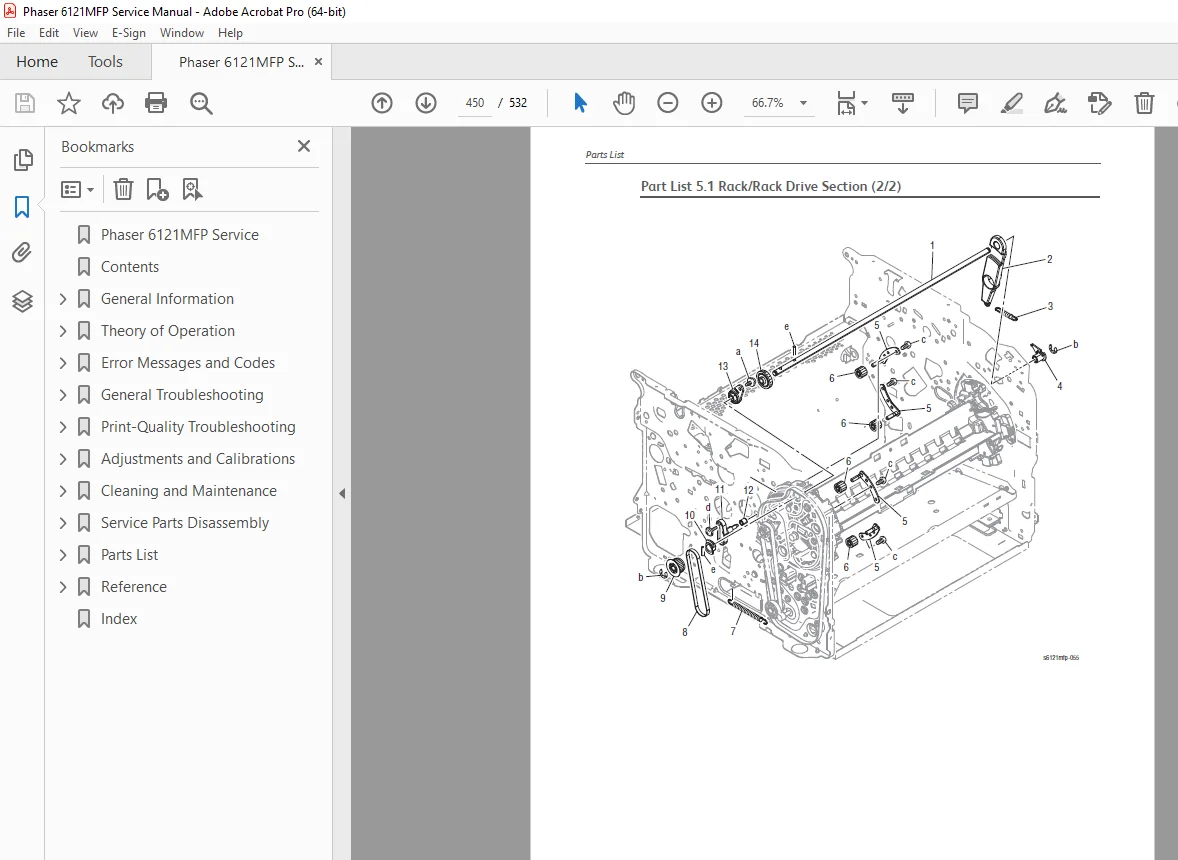
Chapter 8 focuses on step-by-step disassembly procedures for all major service parts, with clear line art and part references.
217820785-Xerox-Phaser-6121MFP-…
Examples include:
ADF pick-up roller, feed roller and pick pad (with clip, shaft, pin and C-ring removal steps).
Detailed procedures for:
ADF and scanner parts
Toner cartridges and transfer assemblies
Fuser, rollers, fans and drive components
Doors, covers and panel items
Every procedure is broken into numbered steps with caution notes and reference to the corresponding parts list diagrams.
7. Appendix A – Control Panel Menus, Firmware Update & Index
The appendices group together front-panel and reference information:
217820785-Xerox-Phaser-6121MFP-…
Control Panel Menus
System Menu
Admin Menu
Copy Menu
Scan Menu
Fax Menu
Firmware Update
Control-panel path and menu options for initiating a Phaser 6121MFP firmware update from storage media.
Acronyms & Abbreviations
Quick reference list of all abbreviations used in the manual.
Index
Alphabetical index to quickly jump to specific topics, components or error codes.
Ideal Users
This Xerox Phaser 6121MFP service manual PDF is ideal for:
Field technicians and independent repair shops working on Phaser 6121MFP/S, 6121MFP/N or 6121MFP/D units.
Advanced office IT staff maintaining small fleets of Xerox color MFPs.
Anyone needing authoritative Phaser 6121MFP disassembly, error code tables, wiring diagrams and parts information in a single, searchable PDF.
File Details
Manual Name: Xerox Phaser 6121MFP Service Manual
Models Covered: Phaser 6121MFP series – 6121MFP/S, 6121MFP/N, 6121MFP/D
Year: 2009 (First Printing: May 2009)
Manual PDF Quality: High-quality, fully searchable factory PDF with bookmarks and clickable table of contents
No. of Pages: 532 pages (approx.)