
Canon Ir1530 Copier Service Repair Manual – PDF DOWNLOAD
Original price was: $29.95.$19.95Current price is: $19.95.
Canon Ir1530 Copier Service Repair Manual
Description
Canon Ir1530 Copier Service Repair Manual
FILE DETAILS:
LANGUAGE:ENGLISH
PAGES:488
DOWNLOADABLE:YES
FILE TYPE:PDF
CANON IR1530 COPIER SERVICE REPAIR MANUAL – PDF DOWNLOAD:
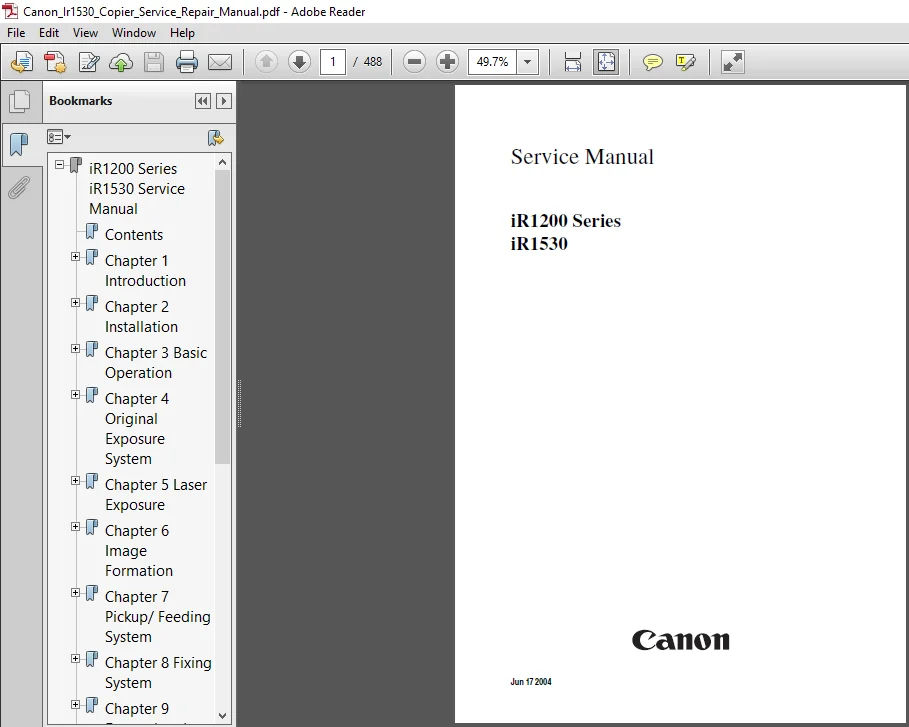
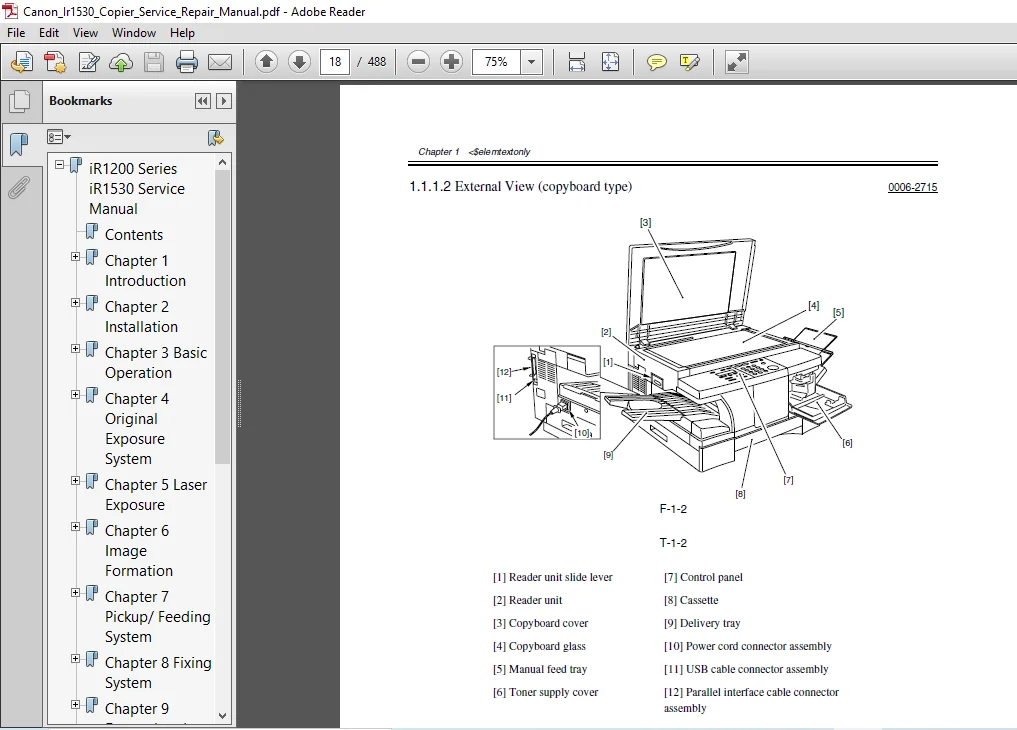
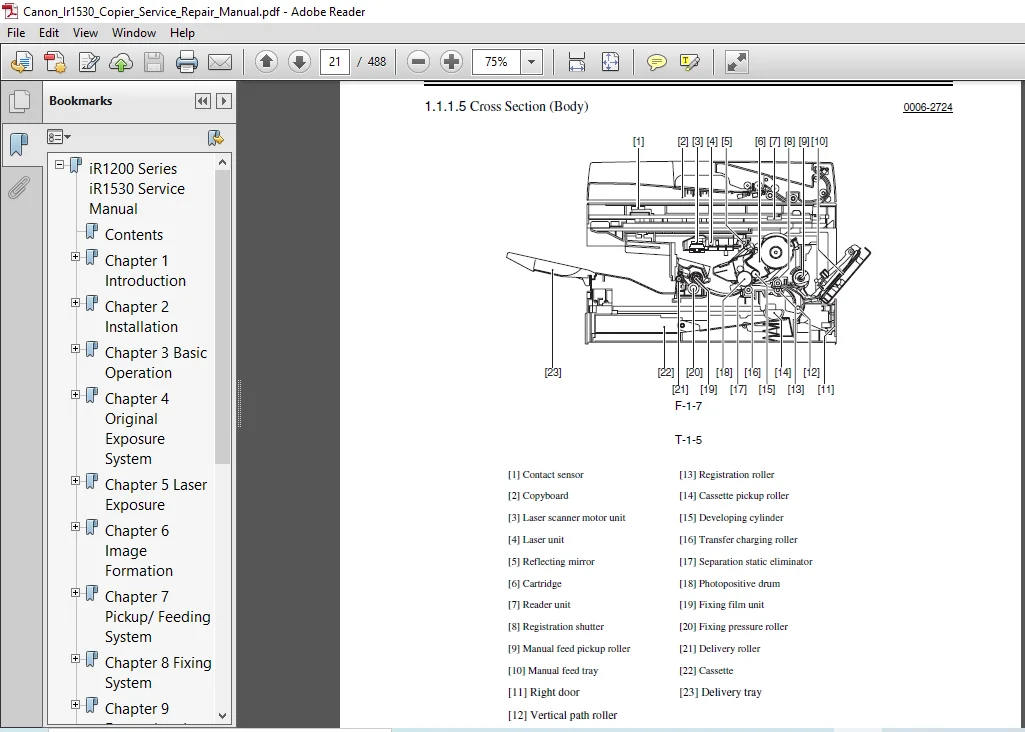
IMAGES PREVIEW OF THE MANUAL:
DESCRIPTION:
Canon Ir1530 Copier Service Repair Manual
Application
This manual has been issued by Canon Inc. for qualified persons to learn technical theory, installation, maintenance, and repair of products. This manual covers all localities where the products are sold. For this reason, there may be information in this manual that does not apply to your locality.
Corrections
This manual may contain technical inaccuracies or typographical errors due to improvements or changes in products. When changes occur in applicable products or in the contents of this manual, Canon will release technical information as the need arises. In the event of major changes in the contents of this manual over a long or short period, Canon will issue a new edition of this manual.
The following paragraph does not apply to any countries where such provisions are inconsistent with local law.
Trademarks
The product names and company names used in this manual are the registered trademarks of the individual companies.
Copyright
This manual is copyrighted with all rights reserved. Under the copyright laws, this manual may not be copied, reproduced or translated into another language, in whole or in part, without the written consent of Canon Inc.
The following rules apply throughout this Service Manual:
1. Each chapter contains sections explaining the purpose of specific functions and the relationship between electrical and mechanical systems with reference to the timing of operation.
In the diagrams, represents the path of mechanical drive; where a signal name accompanies the symbol , the arrow indicates the direction of the electric signal. The expression “turn on the power” means flipping on the power switch, closing the front door, and closing the delivery unit door, which results in supplying the machine with power.
2. In the digital circuits, ‘1’is used to indicate that the voltage level of a given signal is “High”, while ‘0’ is used to indicate “Low”.(The voltage value, however, differs from circuit to circuit.) In addition, the asterisk (*) as in “DRMD*” indicates that the DRMD signal goes on when ‘0’. In practically all cases, the internal mechanisms of a microprocessor cannot be checked in the field. Therefore, the operations of the microprocessors used in the machines are not discussed: they are explained in terms of from sensors to the input of the DC controller PCB and from the output of the DC controller PCB to the loads.
The descriptions in this Service Manual are subject to change without notice for product improvement or other purposes, and major changes will be communicated in the form of Service Information bulletins. All service persons are expected to have a good understanding of the contents of this Service Manual and all relevant
Service Information bulletins and be able to identify and isolate faults in the machine
TABLE OF CONTENTS:
Canon Ir1530 Copier Service Repair Manual
iR1200 Series iR1530 Service Manual.................  1
	Contents........................................  7
	Chapter 1 Introduction.......................... 13
		1.1 Product Specifications.................. 17
	Chapter 2 Installation.......................... 81
		2.1 Making Pre-Checks....................... 85
		2.2 Unpacking and Installation.............. 86
		2.3 Connection to Telephone Line............ 91
		2.4 Checking the Images/Operations.......... 92
		2.5 Relocating the Machine.................. 93
	Chapter 3 Basic Operation....................... 95
		3.1 Construction............................ 99
		3.2 Basic Sequence..........................109
	Chapter 4 Original Exposure System..............111
		4.1 Construction............................115
		4.2 Parts Replacement Procedure.............116
	Chapter 5 Laser Exposure........................125
		5.1 Construction............................129
		5.2 Parts Replacement Procedure.............130
	Chapter 6 Image Formation.......................135
		6.1 Construction............................139
		6.2 Parts Replacement Procedure.............140
	Chapter 7 Pickup/ Feeding System................147
		7.1 Construction............................151
		7.2 Detecting Jams..........................152
		7.3 Cassette Pick-Up Unit...................154
		7.4 Manual Feed Pickup Unit.................156
		7.5 Delivery................................158
		7.6 Parts Replacement Procedure.............160
	Chapter 8 Fixing System.........................181
		8.1 Construction............................185
		8.2 Various Control Mechanisms..............186
		8.3 Protective Functions....................188
		8.4 Parts Replacement Procedure.............190
	Chapter 9 External and Controls.................205
		9.1 Fans....................................211
		9.2 Power Supply System.....................212
		9.3 Parts Replacement Procedure.............220
	Chapter 10 Original Feeding System..............253
		10.1 Basic Construcion......................259
		10.2 Basic Operation........................260
		10.3 Detection Jams.........................262
		10.4 Parts Replacement Procedure............264
	Chapter 11 Maintenance and Inspection...........309
		11.1 Periodically Replaced Parts............313
		11.2 Durables and Consumables...............314
		11.3 Scheduled Servicing Basic Procedure....315
		11.4 Cleaning...............................316
	Chapter 12 Standards and Adjustments............321
		12.1 Image Adjustments......................325
		12.2 Scanning System........................327
		12.3 Fixing System..........................328
		12.4 Electrical Components..................329
		12.5 ADF....................................330
	Chapter 13 Correcting Faulty Images.............335
		13.1 Making lnitial Checks..................339
		13.2 Outline of Electrical Components.......344
	Chapter 14 Self Diagnosis.......................351
		14.1 Error Code Table.......................355
		14.2 FAX Error Codes........................361
	Chapter 15 Service Mode.........................405
		15.1 Outline................................409
		15.2 Service Mode Table.....................420
	Chapter 16 Service Tools........................481
		16.1 List of Special Tools..................485
		16.2 List of Solvents and Oils..............486
PLEASE NOTE:
- This is the SAME MANUAL used by the dealerships to diagnose your vehicle
- No waiting for couriers / posts as this is a PDF manual and you can download it within 2 minutes time once you make the payment.
- Your payment is all safe and the delivery of the manual is INSTANT – You will be taken to the DOWNLOAD PAGE.
- So have no hesitations whatsoever and write to us about any queries you may have : heydownloadss @gmail.com
Jaiden Reece –
Normally works fairly well.
Wade Ray –