Canon iR5000/iR6000 imageRunner Copier Service Manual PDF – Complete Guide
Original price was: $75.00.$21.95Current price is: $21.95.
Official Canon factory service manual for iR5000 and iR6000 imageRunner digital copiers. This comprehensive 839-page technical manual covers complete maintenance, troubleshooting, disassembly/assembly, adjustments, and repair procedures.
Includes detailed specifications, circuit diagrams, parts identification, timing charts, error codes, and diagnostic procedures. Covers 50/60 ppm models with hard disk, DADF, paper deck options, and finishing accessories. Essential for technicians servicing these professional Canon copiers.
Description
Canon iR5000/iR6000 imageRunner Copier Service Manual PDF – Complete Guide DOWNLOAD
DESCRIPTION
This is the official Canon iR5000/iR6000 Service Manual (Part Number FY8-13GS-000, Revision 0, July 2000) published by Canon Inc. This massive 839-page comprehensive technical manual provides complete service information for Canon’s imageRunner 5000 and imageRunner 6000 professional digital copying systems and their accessories.
Models Covered
This Canon iR5000 iR6000 copier service manual covers:
- Canon iR5000 – 50 copies per minute digital copier/printer
- Canon iR6000 – 60 copies per minute digital copier/printer
- Paper Deck-G1 – High-capacity paper feeder
- Shift Tray-B1 – Offset stacking tray
- DADF-D1 – Duplexing Automatic Document Feeder (standard)
Compatible accessories covered include Finisher-F1, Saddle Finisher-F2, Copy Tray-C1, and Puncher Units.
Key Specifications
iR5000 Copier Specifications:
- Copying Speed: 50 copies/min (A4, 1-on-N, from cassette/deck)
- Reading Resolution: 600 × 600 dpi
- Printing Resolution: 1200* × 600 dpi (copier mode with smoothing ON)
- Printing Resolution: 2400* × 600 dpi (printer mode) *Equivalent
- First Copy Time: 3.5 seconds or less
- Warm-Up Time: 120 seconds or less (23°C/73°F)
- Copy Method: Indirect electrostatic photographic method
- Charging Method: Corona charging
- Exposure Method: Laser scanning
- Developing Method: Dry, 1-component toner
- Fixing Method: Heat-roll fixing
iR6000 Copier Specifications:
- Copying Speed: 60 copies/min (A4, 1-on-N, from cassette/deck)
- All other specifications same as iR5000
General Features:
- Hard Disk: 6.4 GB or 5.1 GB standard (memory-based sorting)
- Memory: SDRAM for image processing
- Originals: Sheet, book, 3-D objects (2 kg max)
- Original Size: Up to A3/11″×17″ (279.4×431.8 mm)
- Paper Sizes: A3 to A5R, 11″×17″ to 5.5″×8.5″R
- Paper Capacity: Up to 3,500 sheets with optional decks
- Duplexing: Stackless duplexing mechanism
- Magnification: Reduce 25% to 100%; Enlarge 100% to 400%
- Copy Quantity: 1 to 999 copies
Environmental Specifications:
- Operating Temperature: 15 to 30°C (59 to 86°F)
- Operating Humidity: 5% to 80% RH
- Atmospheric Pressure: 810.6 to 1013.3 hPa (0.8 to 1.0 atm)
- Power Supply: Varies by region
- Ozone Concentration: 0.05 ppm or less
Comprehensive Manual Contents
This Canon imageRunner 5000 6000 repair guide is organized into four major parts with detailed chapters:
PART 1: SYSTEM UNIT
Chapter 1: General Description
- High-speed, high-quality copying features
- Hard disk functionality and benefits
- Stackless duplexing mechanism operation
- Large-capacity paper source system
- Complete specifications for copier and accessories
- External view and cross-section diagrams
- Control panel layout and functions
- Extension Mode and User Mode settings
- System construction and functional flow
- Electrical circuitry overview
- Major PCB inputs/outputs and wiring diagrams
- Routine user maintenance procedures
Chapter 2: Main Controller
- Functional construction of main controller
- Main Controller PCB architecture
- Hard disk drive specifications and operation
- Start-up sequence and initialization
- Digital image processing system
- Input image processing (edge emphasis, editing, density conversion)
- Binary processing (error diffusion, dither screen)
- Image memory control (compression/decompression, rotation)
- SDRAM operation
- Output image processing (smoothing, thickening)
- Soft counter system
- Power supply control modes (Standby, Power Save, Low Power, Sleep, Off)
- Power management transitions
Chapter 3: Installation
- Site selection criteria and requirements
- Unpacking procedures and precautions
- Step-by-step installation instructions
- Scanner mounting procedures
- Fixing assembly installation
- Charging assembly checks
- Developing assembly mounting
- Pickup assembly installation
- Deck locking plate mounting
- Toner supply procedures
- Cassette setup and paper size changes
- Image and operation verification
- Environment switch configuration
- Relocation procedures
- Optional component installation (Control Card IV, NE Controller-A1)
PART 2: BASIC OPERATION
Chapter 1: Reader Unit
- Scanner construction and operation
- CCD sensor system
- Lamp and mirror assembly
- Original detection sensors
- Image reading sequence
- Timing charts
Chapter 2: Image Formation System
- Laser scanner unit operation
- Photosensitive drum system
- Primary charging process
- Laser exposure principles
- Developing assembly operation
- Transfer process
- Separation system
- Pre-transfer charging
- Drum cleaning mechanism
- Timing of image formation cycle
Chapter 3: Paper Feed/Conveyance System
- Cassette feed mechanism (upper/lower/multi-purpose)
- Paper deck feeding system
- Registration roller operation
- Paper path sensors
- Conveyance timing
- Multi-path paper routing
- Duplex paper path
- Paper jam detection
Chapter 4: Image Fixing System
- Heat-roll fixing assembly
- Temperature control system
- Pressure roller operation
- Release oil application
- Fixing heater circuits
- Safety thermostat
- Jam detection in fixing area
Chapter 5: Sorter/Finisher Interface
- Output tray operations
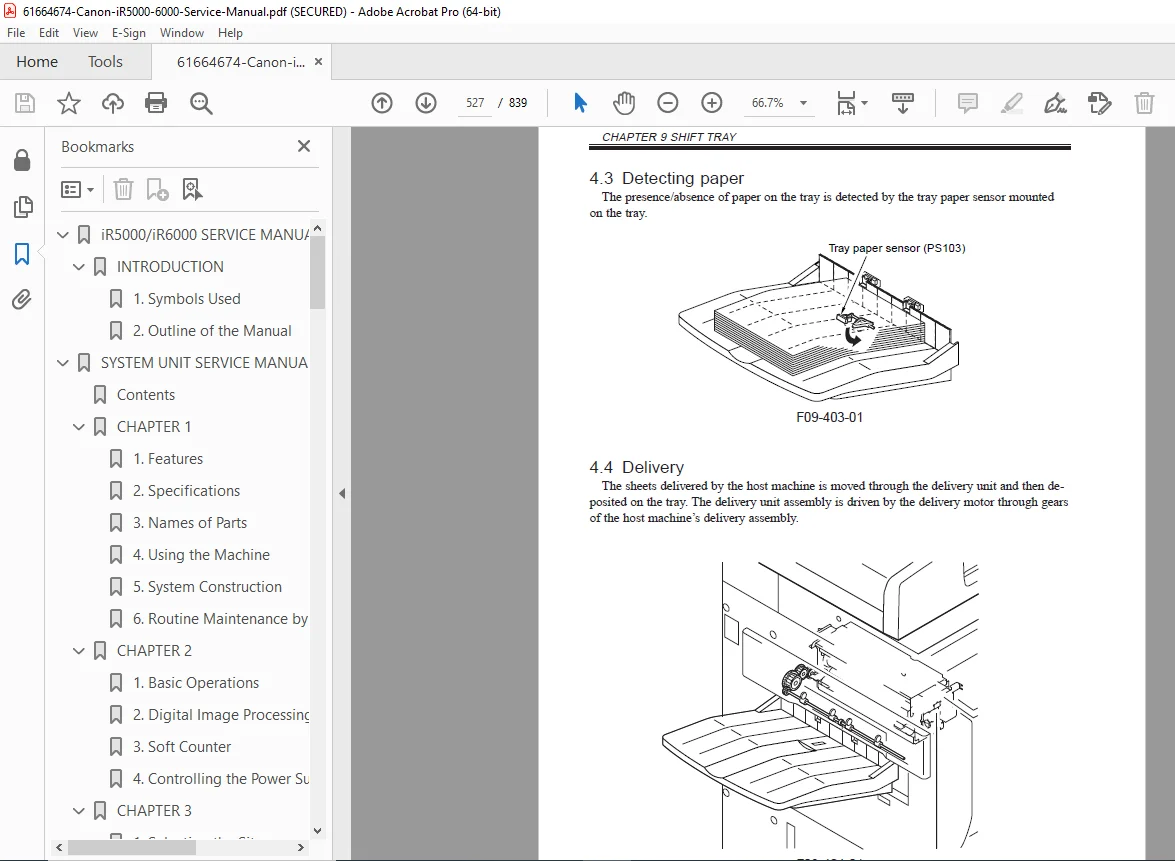
- Shift tray mechanism
- Communication with finishers
- Delivery roller operation
- Output sensor system
PART 3: DISASSEMBLY/ASSEMBLY
Chapter 1: Reader Unit
- Scanner disassembly procedures
- Lamp replacement
- Mirror cleaning and adjustment
- CCD sensor removal
- Cable routing
- Assembly procedures
- Optical adjustment
Chapter 2: Image Formation System
- Drum cartridge removal/installation
- Developing assembly disassembly
- Primary charger service
- Transfer charger service
- Laser scanner unit disassembly
- Polygon motor replacement
- Beam detect sensor adjustment
- Cleaner assembly service
Chapter 3: Paper Feed System
- Cassette mechanism disassembly
- Feed roller replacement
- Registration roller service
- Conveyance roller replacement
- Sensor adjustment
- Paper deck disassembly
- Multi-purpose tray service
Chapter 4: Fixing Assembly
- Fixing unit removal
- Heat roller replacement
- Pressure roller service
- Thermistor replacement
- Heater lamp replacement
- Safety mechanisms
- Oil application system service
Chapter 5: Electrical Components
- DC controller PCB removal
- High-voltage power supply service
- Low-voltage power supply service
- Main controller PCB access
- Hard disk drive replacement
- Fan motor replacement
- Connector identification
PART 4: TROUBLESHOOTING
Chapter 1: Maintenance and Inspection
- Periodically replaced parts table
- Consumables and durables list
- Scheduled servicing chart
- Preventive maintenance procedures
- Inspection intervals
- Replacement part numbers
Chapter 2: Image Adjustment Basic Procedures
- Density adjustment methods
- Registration adjustment
- Image position correction
- Magnification calibration
- Gradation adjustment
- Color balance (if applicable)
Chapter 3: Standards and Adjustments
- Mechanical adjustment standards
- Electrical adjustment procedures
- Sensor calibration
- Motor speed adjustment
- Pressure settings
- Temperature calibration
- Voltage measurements
Chapter 4: Troubleshooting Image Faults/Malfunctions
- Image quality problems (density, lines, spots, blur)
- Paper feed jams
- Copy defects systematic diagnosis
- Scanner problems
- Fixing problems
- Multiple copy issues
- Duplex copying problems
- Network printing issues
Chapter 5: Service Mode
- How to enter service mode
- Service mode menu structure
- Counter display and reset
- Adjustment modes
- Test patterns
- Component testing functions
- Complete list of service modes with descriptions
Chapter 6: Self Diagnosis
- Error code list (complete)
- Error causes and solutions
- LED indicator meanings
- Display error messages
- Timing charts for error detection
- Sensor check procedures
- Communication error diagnosis
Appendix:
- General timing charts for all operations
- General circuit diagrams
- Power supply schematics
- Control signal flow
- Connector pinouts
- Wiring harness routing
- Grounding points
Special Features Covered
Digital Image Processing:
- 600×600 dpi scanning with advanced processing
- Edge emphasis algorithms
- Editing functions (masking, trimming)
- LUT (Look-Up Table) density conversion
- Error diffusion binary processing
- T-BIC (Text/Binary Image Control)
- Dither screen processing
- Compression/decompression routines
- Image rotation capabilities
- Smoothing technology (equivalent 1200×600 dpi output)
Hard Disk System:
- Memory-based sort copying (read once, print multiple copies)
- Job storage and retrieval
- Sample copy printing
- Print queue management
- Hard disk maintenance
- Data security features
Multi-Function Capabilities:
- Copy mode operation
- Printer mode (PCL, PostScript)
- Scan mode (SEND function)
- Mail box functionality
- Department ID management
Network Features:
- Optional NE Controller-A1 installation
- Network printing setup
- PDL (Page Description Language) processing
- Print job handling
Safety and Service Information
This manual includes comprehensive safety sections:
- Electrical shock prevention
- Fire hazard warnings
- High-voltage area identification
- Proper grounding procedures
- Power disconnection requirements
- Hot surface warnings (fixing assembly)
- Laser safety information
- Toner handling precautions
- Ozone filter maintenance
Important Service Notes: ⚠ Always turn off main power switch and disconnect power plug before disassembly
⚠ Check that Execution/Memory lamp is off before powering down (prevents data loss)
⚠ Cassette and drum heaters remain powered when environment switch is ON
⚠ Front cover open does not remove all power when main switch is ON
Who Needs This Canon Digital Copier Maintenance Manual PDF?
This service manual is essential for:
- Authorized Canon service technicians
- Commercial copier repair specialists
- In-house maintenance personnel at large offices
- Technical training centers
- Copy center service departments
- Anyone performing component-level repair on Canon iR5000/iR6000 systems
Manual Organization Features:
✓ Comprehensive Coverage – 839 pages of detailed technical information
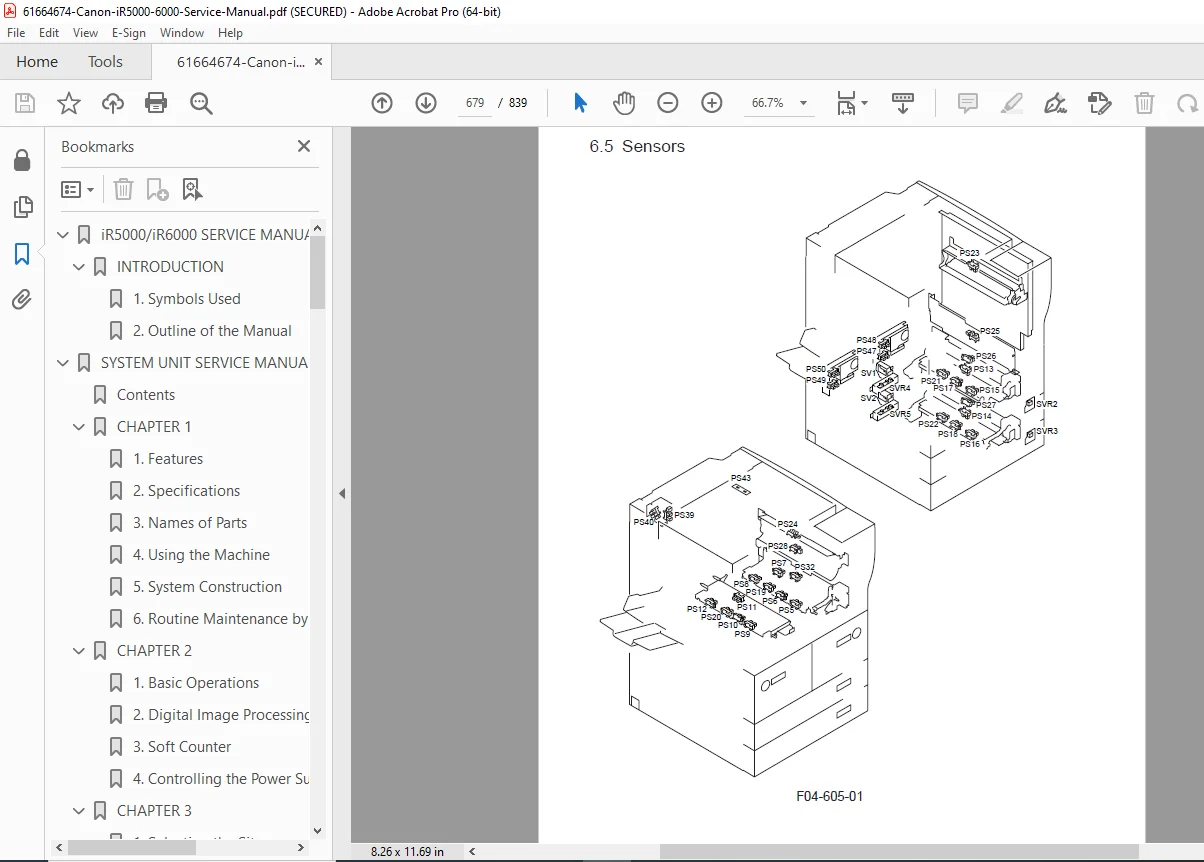
✓ Clear Diagrams – Exploded views, cross-sections, timing charts
✓ Step-by-Step Procedures – Detailed disassembly/assembly instructions
✓ Complete Schematics – Electrical circuits and wiring diagrams
✓ Troubleshooting Trees – Systematic fault isolation procedures
✓ Error Code Database – Complete list with causes and solutions
✓ Service Modes – Full documentation of diagnostic functions
✓ Adjustment Procedures – Precise specifications and methods
✓ Parts Identification – Clear naming and location reference
FILE DETAILS
| Detail | Specification |
|---|---|
| Manual Name | Canon iR5000/iR6000 Service Manual |
| Models Covered | iR5000 (50 ppm), iR6000 (60 ppm), Paper Deck-G1, Shift Tray-B1 |
| Manual Part Number | FY8-13GS-000 |
| Revision | Revision 0 |
| Publication Date | July 2000 |
| Pages | 839 pages |
| PDF Quality | High-quality professional scan with clear text and diagrams |
| File Size | 15.2 MB |
| Language | English |
| Page Size | A4 (595 x 842 pts) |
| Copyright | Canon Inc. 2000 |