Canon Laser Shot LBP2900 Service Manual PDF (LBP3000/2900 Series)
Original price was: $95.00.$13.95Current price is: $13.95.
Download the Canon Laser Shot LBP2900 / LBP3000-2900 Series service manual PDF for professional repair and diagnostics. Includes product specs, laser exposure & image formation theory, paper pickup/jam detection, disassembly/assembly procedures, maintenance & cleaning, and error code table (E000/E100/E197/E747) for faster troubleshooting.
Description
Canon Laser Shot LBP2900 Service Manual (LBP3000/2900 Series) PDF DOWNLOAD
Description
If you need a reliable Canon printer repair manual for accurate fault-finding and step-by-step teardown guidance, this LBP3000/2900 Series (LBP2900) Service Manual PDF is built for technicians. It explains how the printer works block-by-block (engine control, laser exposure, image formation, pickup/feed, fixing/delivery, external controls) and provides the repair procedures to match.
🔍 What this service manual covers (Bookmarks / Contents)
Chapter 1 — Product Description
Features (high-speed compact mono printer; on-demand fixing benefits)
Product specifications / machine specifications
Name of parts (external view, cross section view)
Using the machine (control panel: power lamp, paper lamp, paper key)
Safety (laser safety, toner safety, laser unit handling)
Chapter 2 — Technical Reference
Functional configuration / system blocks
Basic sequence (basic operation sequence; power-on sequence)
Laser exposure system (laser activation timing, horizontal sync control, APC, scanner motor control)
Image formation system (construction, printing process blocks/steps, high-voltage control)
Pickup & feeding system (jam detection + multi-purpose pickup behavior)
External & controls system (power supply + protective functions)
Engine control system (video controller / engine controller)
Fixing unit / delivery system (temperature control + protective mechanisms)
Chapter 3 — Disassembly and Assembly
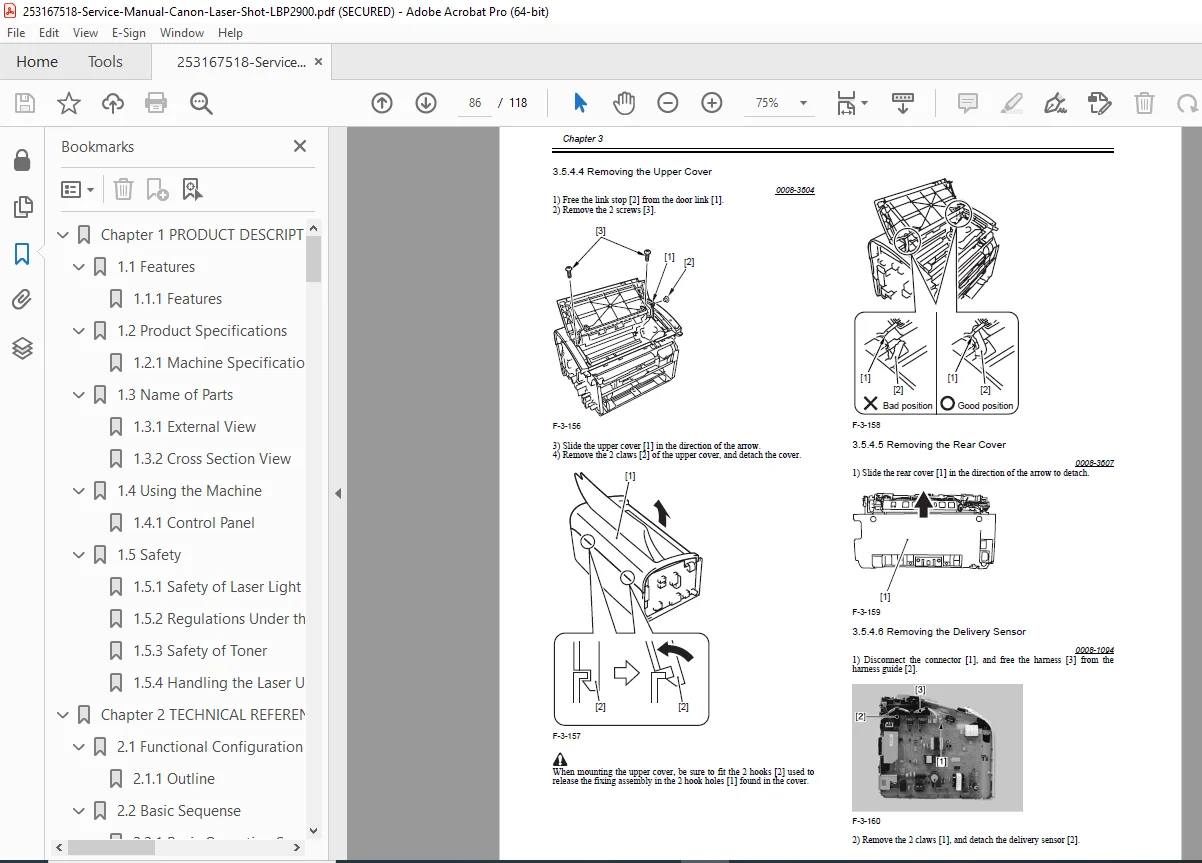
Covers removal: rear/right/left/front/upper covers
Boards: engine controller PCB, video controller PCB, power supply PCB
Sensors: top sensor / paper sensors procedures
Laser scanner unit removal
Pickup unit / rollers / solenoid / separation pad / main motor
Fixing system: fixing unit, fixing film unit, pressure roller, delivery sensor
Chapter 4 — Maintenance and Inspection
Periodically replaced parts
Consumables
Periodical service + cleaning (external covers + printer unit)
Chapter 5 — Troubleshooting
Measurement & adjustment (mechanical adjustment checks)
Service tools (special tools; solvent/oil list)
Location of connectors
Error code table + service messages (status window)
Examples of included service error codes
E000 (fixing/thermistor/heater related checks + part replacement guidance)
E100 (laser scanner assembly fault checks)
E197 (engine communication error)
E747 (video controller memory fault)
Chapter 6 — Appendix
Outline of electrical components:
Clutch/Solenoid
Motor
Sensor
Switch
Lamps/Heaters/others + PCBs
📌 File Details
| Item | Details |
|---|---|
| Manual name | LBP3000/2900 Series Service Manual (LBP2900) |
| Models covered | Canon LBP3000/2900 Series (focus: LBP2900) |
| Year | Mar 10, 2005 (Copyright © 2001) |
| Manual PDF quality | Good scanned manual with clear text + diagrams |
| No. of pages | 118 pages |
Stop guessing and fix it correctly the first time—get the complete LBP2900 service manual PDF with specs, teardown steps, and error-code troubleshooting. Buy now for instant download and start diagnosing and repairing immediately.