

FANUC iHMI Home Screen Operator Manual B-64644EN/08
Original price was: $39.95.$23.95Current price is: $23.95.
The complete FANUC iHMI Home Screen Operator Manual (B-64644EN/08). Master the next-generation user interface for Series 30i-B, 31i-B, 32i-B, 0i-F Plus, and PANEL iH / iH Pro systems with step-by-step guides on tool management, collision avoidance, data logging, and system maintenance.
Description
FANUC iHMI Home Screen Operator Manual (B-64644EN/08)
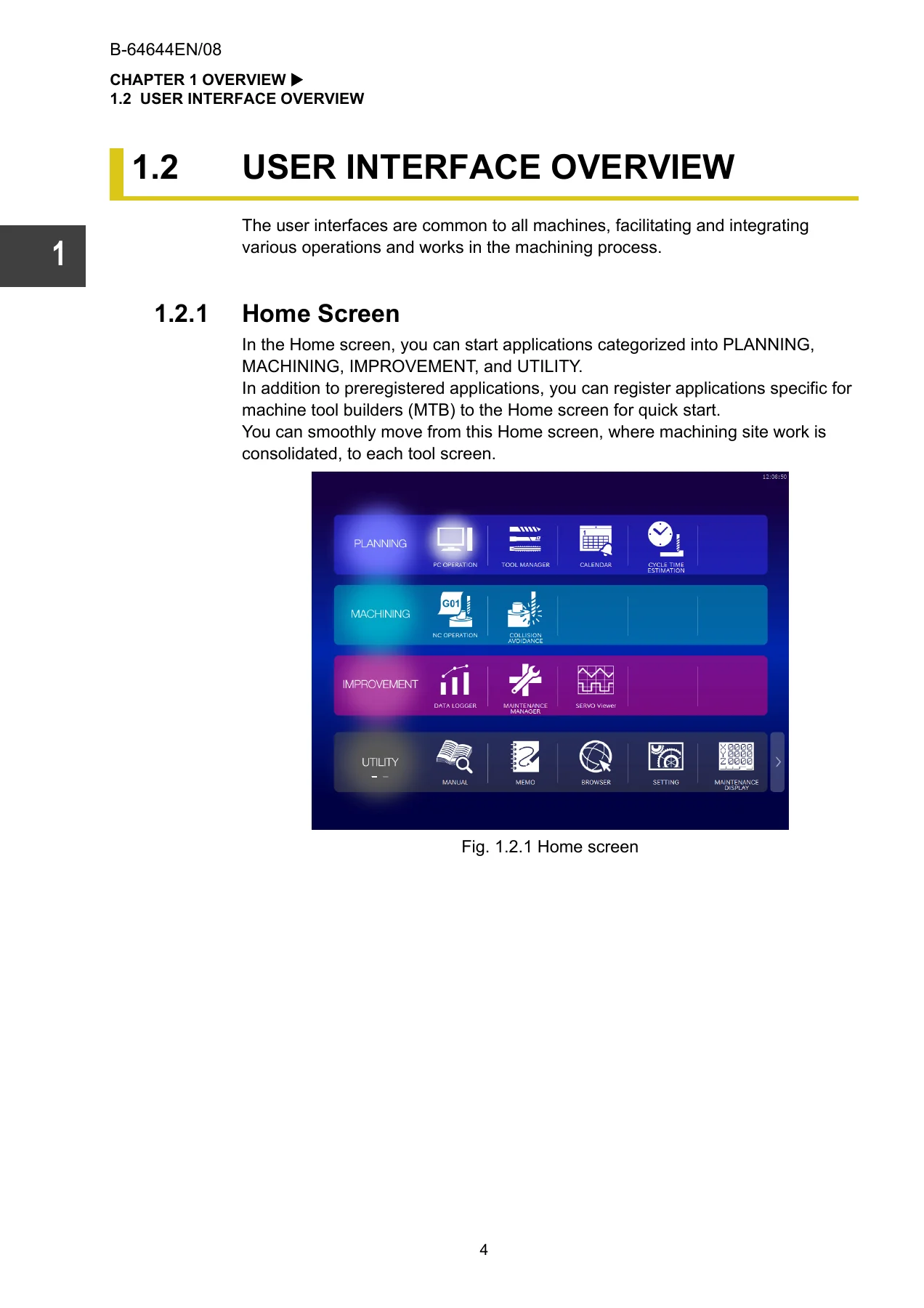
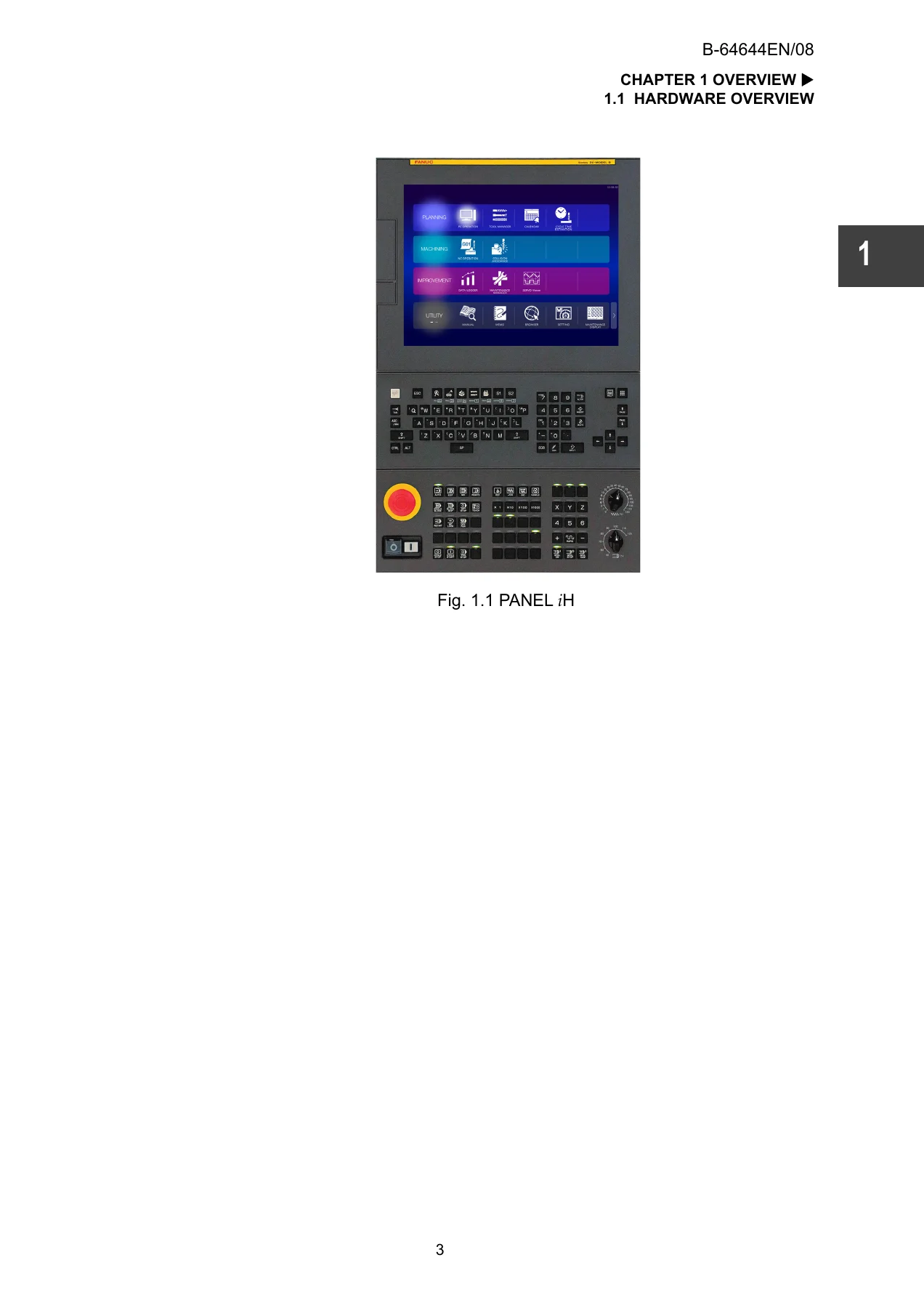
This comprehensive operator manual is your essential guide to navigating and mastering the FANUC iHMI (Intelligent Human Machine Interface). Designed for operators, technicians, and maintenance personnel, this document details the modernized user interface that integrates the PDCA cycle into PLANNING, MACHINING, IMPROVEMENT, and UTILITY areas. Whether you are working with a PANEL iH or PANEL iH Pro, this manual provides the step-by-step instructions required to operate complex CNC machinery efficiently and safely.
File Details
- Manual Type: Operator’s Manual
- Brand: FANUC
- Covered Models: Series 30i-MODEL B, 31i-MODEL B, 32i-MODEL B, 0i-TF Plus, 0i-MF Plus, 30i-B Plus, 31i-B Plus, 32i-B Plus
- Document Number: B-64644EN/08
- Edition: 08
- Date: Sep., 2021
- Language: English
- Page Count: 684 pages
- File Format: PDF
Chapters Covered
- OVERVIEW: Hardware overview, user interface, Home Screen, and application concepts.
- BASIC OPERATION: Common operations, screen information display, application menus, and the Information Center.
- OPERATING THE PLANNING AREA: PC OPERATION, TOOL MANAGER (tool database, multi-edge tools, magazine management), CALENDAR, and CYCLE TIME ESTIMATION.
- OPERATING THE MACHINING AREA: Machine Collision Avoidance Function, 3D Interference Check Function, and Remote iPendant.
- OPERATING THE IMPROVEMENT AREA: DATA LOGGER, MAINTENANCE MANAGER (CNC, machine, and user maintenance), and SERVO Viewer.
- OPERATING THE UTILITY AREA: MANUAL VIEWER, MEMO FUNCTION (Whiteboard), WEB BROWSER, SETTINGS, and MAINTENANCE DISPLAY.
- APPENDIX: Manual viewer settings, maintenance item setting data, tool information, live update, correspondence tables, and operation history items.
Deep Dive into the iHMI Interface and Operations
The FANUC iHMI represents a significant leap forward in CNC usability, and this manual is your roadmap to its powerful features. In the PLANNING area, you will learn how to centralize tool information using the TOOL MANAGER, manage multi-edge tools, and handle magazine properties. The manual provides intricate details on registering tool data, life management, and setting up catalog data, ensuring your tooling is always optimized. For schedule management, the CALENDAR function allows you to register and track maintenance or production schedules, with notifications delivered directly to the Information Center.
In the MACHINING area, the manual covers the highly advanced Machine Collision Avoidance Function and the 3D Interference Check Function. These crucial safety systems rely on accurately defined blanks, jigs, and 3D machine models. The manual walks you through the simple and detail edit modes for defining these geometries, setting up monitoring parameters, and understanding the alarms generated during a simulated collision. This section is vital for preventing costly damage to your machine and workpieces.
The IMPROVEMENT area focuses on proactive maintenance and data analysis. The DATA LOGGER function allows you to collect and analyze CNC data, such as axis speeds, loads, and macro variables, storing them in an external database. This data feeds directly into the MAINTENANCE MANAGER, which monitors the health of fans, batteries, and amplifiers, notifying you before an abnormality becomes a critical failure. Additionally, the SERVO Viewer is detailed, showing you how to analyze waveforms for position, speed, and torque, allowing you to fine-tune machining conditions and reduce cycle times.
Finally, the UTILITY area equips you with essential tools for daily tasks. The MANUAL VIEWER lets you manage and search PDF and HTML manuals directly on the CNC screen. The MEMO function provides a digital whiteboard for sketching, inserting images, and leaving notes for the next operator. The WEB BROWSER allows you to access online machining knowledge or MTLinki pages without leaving the machine, while the SETTINGS area covers everything from language and theme customization to screenshot capture and touch panel calibration.
Who This Manual Is For
This manual is specifically designed for machine operators, CNC programmers, maintenance technicians, and machine tool builders (MTB) who need to understand the operational nuances of the FANUC iHMI. Because the iHMI is a highly visual and application-driven interface, having the exact procedural steps for every screen is critical for minimizing downtime and maximizing productivity. Whether you are performing a routine tool life check, importing tool presetter data, or troubleshooting a 3D interference alarm, this document is your primary reference.
Your Complete Guide to FANUC iHMI Operations
Navigating modern CNC equipment requires precise knowledge, and relying on guesswork can lead to damaged tools, scrapped workpieces, or unintended machine behavior. This FANUC iHMI Home Screen Operator Manual provides the exact procedures, parameters, and diagnostic steps needed to operate your machine with confidence. From defining complex 3D interference models to managing tool databases and analyzing servo waveforms, this manual covers the full spectrum of iHMI capabilities.
IMAGES PREVIEW
Upon completing your purchase, you will instantly receive a high-quality PDF download. There are no shipping fees or waiting periods. You can access this manual on any device—laptop, tablet, or smartphone—and print any necessary pages to keep at the machine. Equip yourself with the knowledge to fully leverage the FANUC iHMI and keep your operations running smoothly.
Reviews
There are no reviews yet.