Fujifilm DR-ID 300CL Service Manual Software Install, Upgrade & Migration PDF
Original price was: $65.00.$15.95Current price is: $15.95.
Ensure your medical imaging systems run on the latest standards with this Fujifilm DR-ID 300CL Service Manual (Software Installation & Upgrade). This detailed PDF guide covers critical procedures for uninstalling and upgrading applications, migrating system data (V5.0 to V12.0+), and configuring SQL Server 2012. Essential for biomedical engineers and IT administrators managing DR-ID 300CL, PPU-AP, and CR-IR 348CL migrations.
Description
Fujifilm DR-ID 300CL Service Manual Software Install, Upgrade & Migration PDF DOWNLOAD
DESCRIPTION
Master the Software Administration of Your Fujifilm Digital Radiography Systems
This Fujifilm DR-ID 300CL Service Manual (focused on Appendices IN7, IN8, and IN9) is the definitive technical resource for installing, maintaining, and upgrading the software environment of the DR-ID 300CL console. Whether you are performing a complex system migration from V4.0, upgrading to V12.0, or configuring security protocols, this manual provides factory-level instructions.
The guide is indispensable for biomedical technicians and hospital IT staff responsible for maintaining the DR Console, PPU-AP, and associated optional software.
Critical Service Topics Covered:
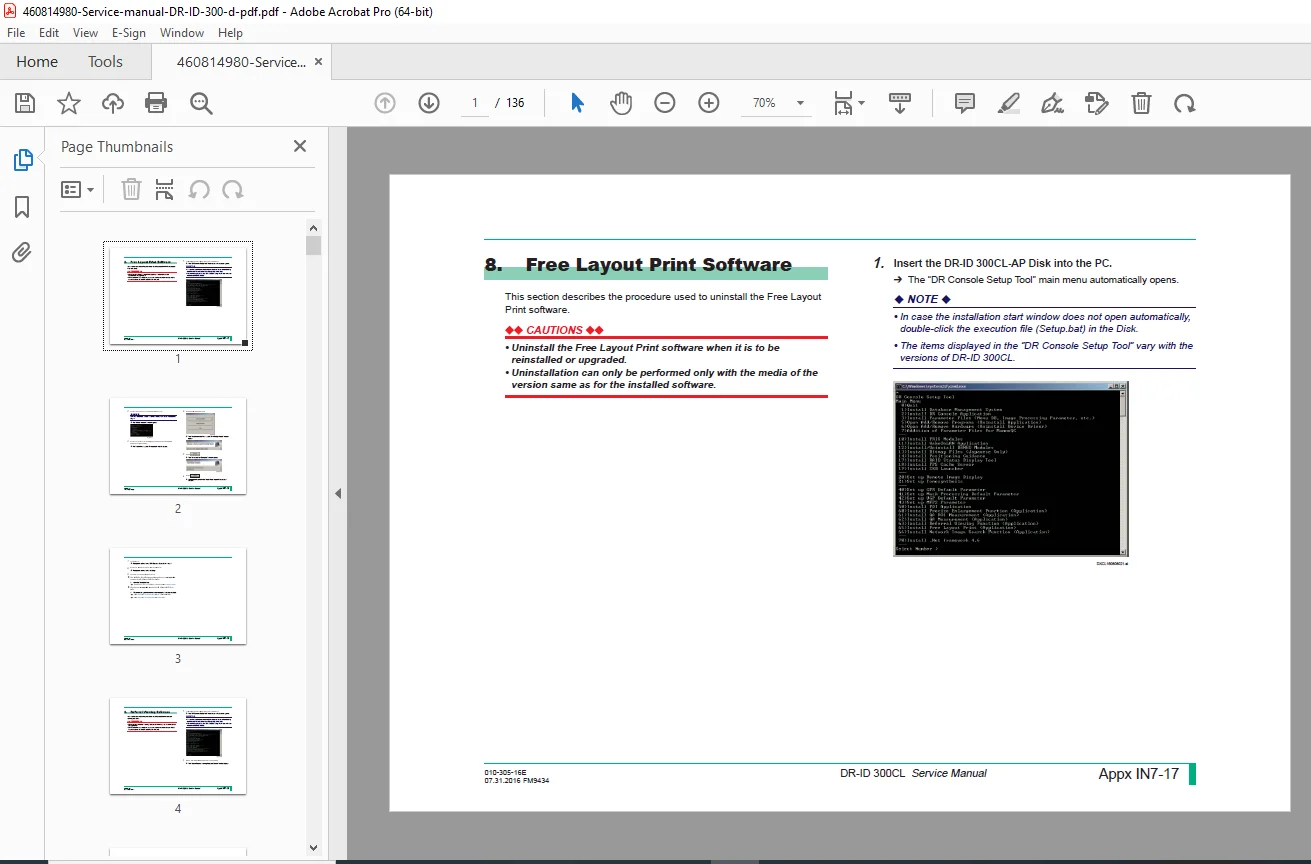
Software Uninstallation: Step-by-step removal guides for Free Layout Print, Referral Viewing, PPS Cache Server, Network Image Search, and QA Measurement software.
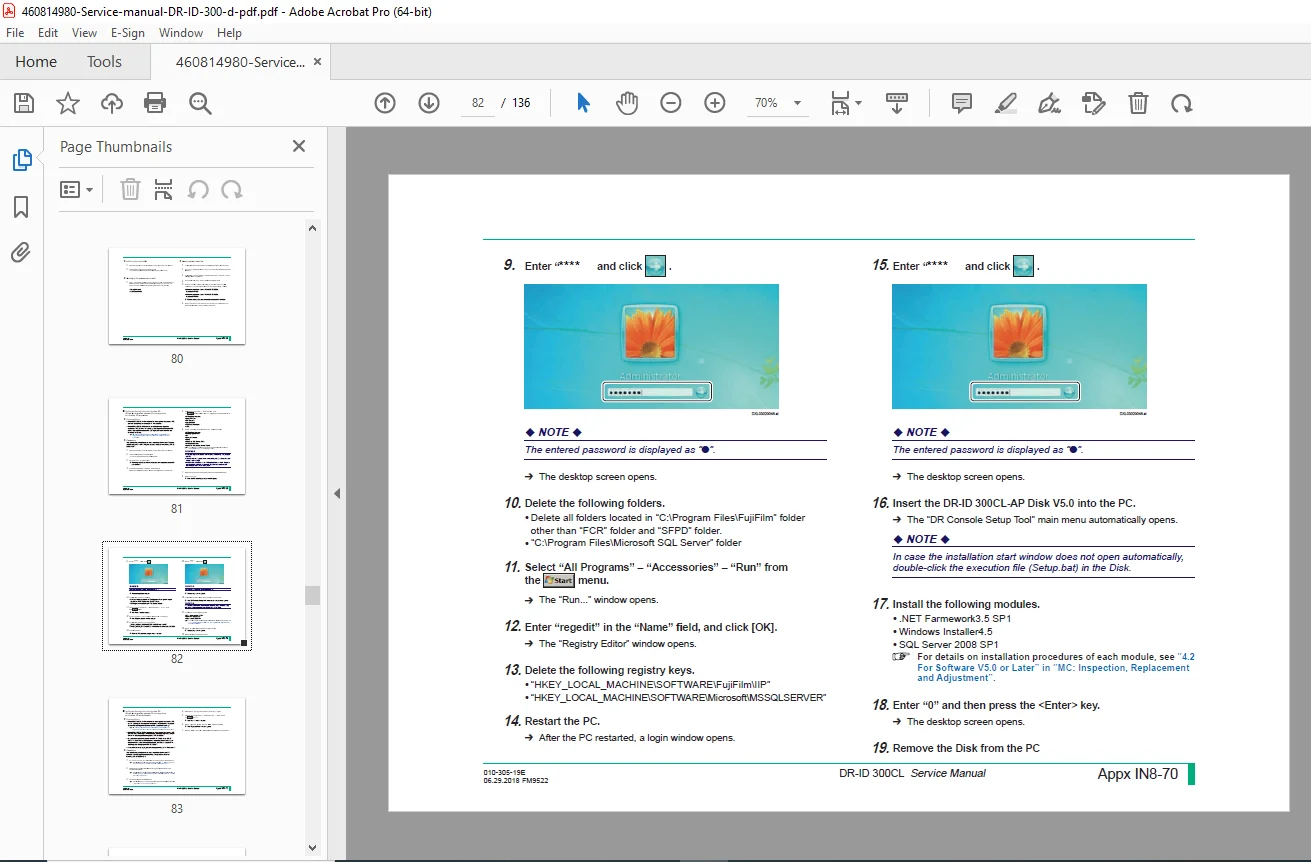
System Upgrades: Comprehensive paths for upgrading from V4.0/V5.0 all the way to V12.0 and later. Includes instructions for SQL Server 2012 SP3 installation and .NET Framework 4.6 setup.
System Migration: Detailed procedures for migrating data and settings from CR-IR 348CL or older DR-ID 300CL versions to the latest platforms. Covers exposure menu transfer, image processing parameter conversion, and patient database migration.
PPU-AP Administration: Specific instructions for backing up Windows 7, installing PPU-AP, and configuring magnification offset parameters.
Security Configuration: Best practices for password management and enabling secure logon prompts for Windows Vista, 7, and 10.
Table of Contents Overview:
Appendix 7: Uninstalling the AP
Optional Software Removal:
Free Layout Print Software
Referral Viewing Software
PPS Cache Server
Network Image Search Software
QA ROI & QA Measurement Software
Appendix 8: Upgrading the AP
Upgrade Procedures:
Precautions for upgrading (V5.0 – V11.0+)
SQL Server: Installing & Upgrading to SQL Server 2012 SP3
DR-ID 300CL-AP: Installation & Configuration
Image Processing: Converting parameters & FNC2/Virtual Grid support
System Migration:
Migration from CR-IR 348CL & DR-ID 101CL
Using Menu Import Export Tool
Backing up & Restoring System Configurations
PPU-AP Upgrade:
Backing up Windows Services
Installing PPU-AP V2.0+
Appendix 9: Setup for Security Enhancement
Replacing Default Passwords
Configuring Logon Security (Windows 7/10)
Password Policy Settings
FILE DETAILS
Manual Name: DR-ID 300CL Service Manual (Appendices IN7, IN8, IN9)
Models Covered: Fujifilm DR-ID 300CL, CR-IR 348CL (Migration), PPU-PC
Software Versions: Covers upgrades up to V12.0 (2018)
File Type: High-Quality Searchable PDF
Total Pages: 136 pages
Eliminate software errors and ensure data integrity. Download this Fujifilm DR-ID 300CL Software Service Manual today to access the official upgrade paths and migration tools used by factory engineers. Keep your imaging systems secure and up-to-date—download now and upgrade with confidence!