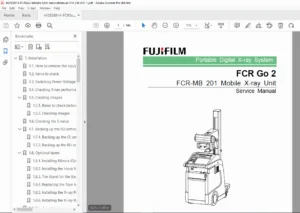
Fujifilm FCR Go 2 / FCR-MB 201 Console Service Manual – Portable X-Ray PDF
Original price was: $65.00.$24.95Current price is: $24.95.
Official Fujifilm FCR Go 2 and FCR-MB 201 Console Service Manual detailing setup, calibration, error codes, troubleshooting, and maintenance for the portable computed radiography (CR) X-ray system. Includes safety precautions, installation steps, preventive maintenance, error message tables, and service utilities essential for field engineers
Description
Fujifilm FCR Go 2 / FCR-MB 201 Console Service Manual – Portable X-Ray – PDF DOWNLOAD
Description
Overview
The FCR Go 2 Portable Digital X-Ray System is a FUJIFILM Computed Radiography platform designed for mobile radiographic imaging in hospitals and clinics.
This factory Service Manual (Document No. 014-238-01E) provides comprehensive guidance for installation, preventive maintenance, performance checks, and troubleshooting of the FCR-MB 201 console and related subsystems.
Chapters & Contents
1. Safety Precautions
Warnings, cautions, and operation hazards
Static protection and grounding requirements
Protective measures for laser radiation
Handling procedures for sensitive electronics
Personal data protection and disposal requirements
2. Product Specifications
| Component | Description |
|---|---|
| Model | FCR Go 2 / FCR-MB 201 Console |
| Power Input | 100–240 V AC (50/60 Hz) |
| Dimensions | PC: 92.6×314×340 mm / LCD: 270×346×73 mm |
| Weight | PC: ~6.8 kg / LCD: ~3.8 kg |
| Storage | SSD used as internal drive (referred as “HDD”) |
| Interfaces | Barcode & magnetic card readers, DICOM network |
| Optional Items | DICOM Print, MWM, MPPS, ID Online, QA/Annotation Keys 701565684-Cr-Go-Manual-Service |
3. Installation Procedures
Hardware setup: connection to hub, RU, and other devices
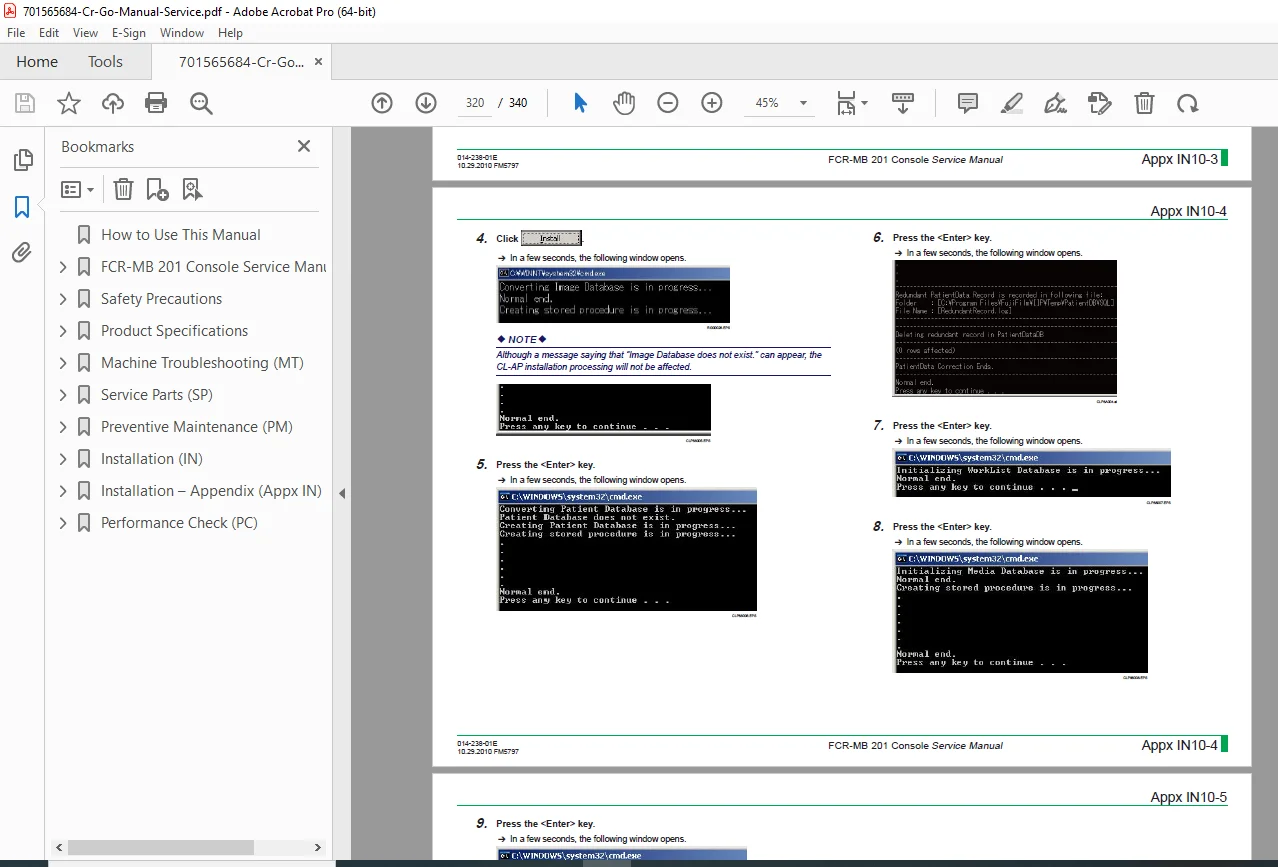
Software setup: OS initialization, touch panel configuration, DICOM key registration
Service Utility configuration:
CL system information setup
IP address configuration
Monitor optimization and menu database updates
Network setup: RU host name, CL IP address, wireless LAN settings
Peripheral configuration: Barcode/Magnetic card reader setup and format examples
4. Preventive Maintenance (PM)
Routine inspections and cleaning (LCD, filter, vent)
Functional checks:
Image input to HDD
Image output to film/media
Image transfer and DICOM connection
Backup procedures for settings and calibration data
Verification of system date/time and log clearing
5. Troubleshooting (MT)
CL Error Message Table: Extensive list of event codes and causes (10000–13011)
Registry corruption, database errors, DICOM tag faults
Connection issues between CL (Console) and RU (Reader Unit)
Memory allocation, pipe creation, and COM interface errors
Recommended Remedies:
System restart
Reinstallation or reinitialization of image databases
Reconnection of devices or replacement of damaged media
701565684-Cr-Go-Manual-Service
6. Performance Check (PC)
Image Modality Test
QA Functionality Verification
Printer Connection Test
CSL/IDT Function and Configuration Checks
DICOM Communication Validation
System Configuration List (PC-7 section)
Appendices
Touch Panel Calibration
RU Configuration Setup
Network Integration & Hostname Changes
Software Upgrades & Security Enhancement
Uninstallation and Reinstallation of Console Software
Technical Highlights
| Feature | Specification |
|---|---|
| System Type | Portable Computed Radiography (CR) |
| Image Transfer Protocol | DICOM 3.0 (Print, MWM, MPPS, Commit) |
| Display | Touchscreen LCD, adjustable via service utility |
| Data Storage | Solid State Drive (HDD equivalent) |
| Operating Environment | 10–35°C / 30–80% RH |
| Calibration Tools Required | Digital Multimeter, Network Calibration Software |
Who Should Use This Manual
Authorized FUJIFILM service engineers, biomedical technicians, and hospital IT specialists responsible for installation, service, and maintenance of the FCR Go 2 portable X-ray system.
File Details
Manual Name: FCR-MB 201 Console Service Manual
Document No.: 014-238-01E
Edition: First Edition (October 29, 2010)
Manufacturer: FUJIFILM Corporation, Japan
Pages: ~340
Format: High-quality, OCR-searchable PDF
Language: English