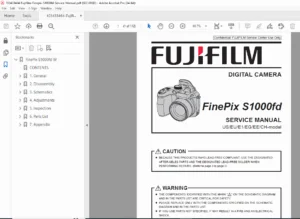
Fujifilm FinePix S1500 Service Manual: Disassembly, Schematics & Adjustments – PDF
Original price was: $65.00.$14.95Current price is: $14.95.
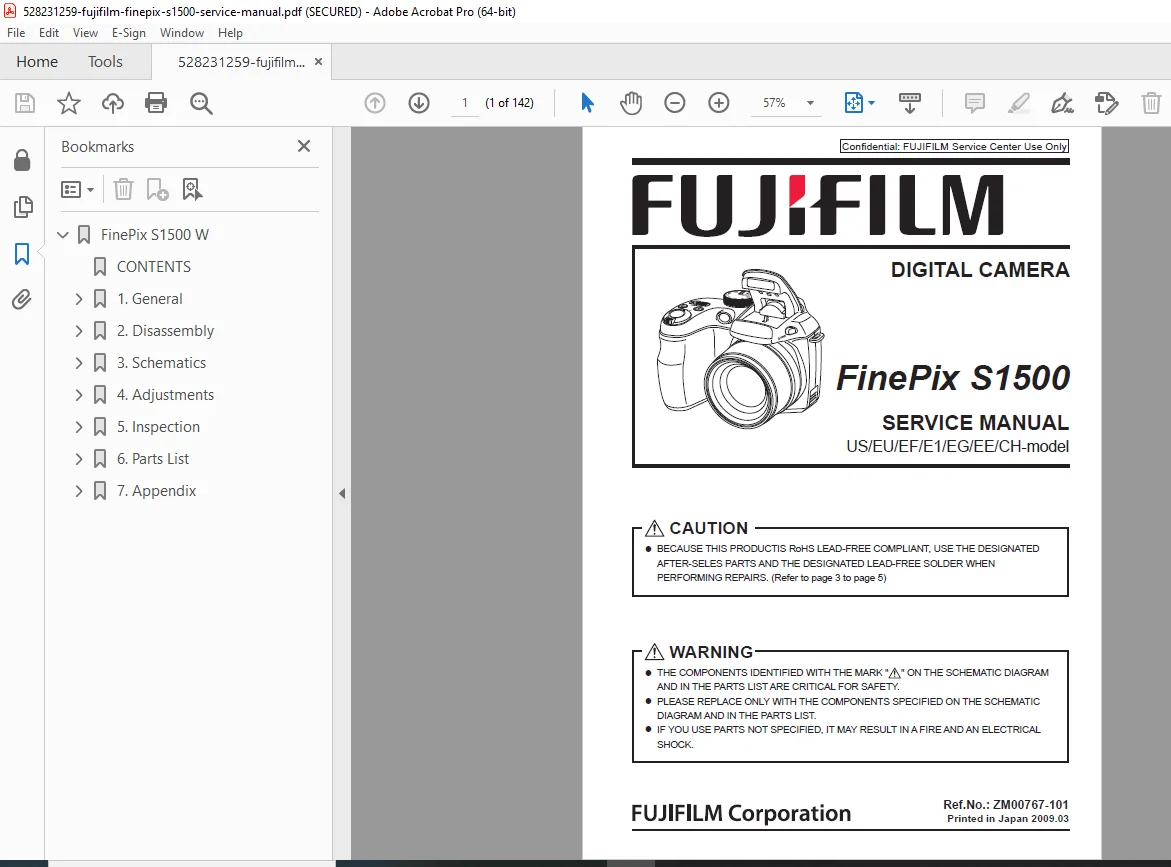
Official Fujifilm FinePix S1500 service manual for 10MP 12x optical zoom digital camera (2009). This comprehensive 70+ page technical manual covers disassembly procedures, component replacement, circuit diagrams for all PWB blocks (CCD, DCDC, Motor, Process, OIS, Flash), factory calibration procedures, AF/shutter adjustment, ISO sensitivity calibration, CCD defect correction, lens data writing, firmware download, lead-free soldering techniques, wiring schematics, parts lists, and complete service information for qualified technicians.
Description
Fujifilm FinePix S1500 Service Manual: Disassembly, Schematics & Adjustments – PDF DOWNLOAD
DESCRIPTION
This is the official Fujifilm FinePix S1500 Service Manual – the definitive factory technical guide for deep-level repair, maintenance, and calibration of the FinePix S1500 digital camera (2009 model year). This comprehensive 70+ page professional resource provides camera service technicians with all necessary information to perform component-level repairs, precision adjustments, and factory-specified calibration procedures to ensure the camera operates to original manufacturer specifications.
Product Overview
Fujifilm FinePix S1500 Digital Camera:
The FinePix S1500 represents Fujifilm’s advanced bridge camera featuring 10-megapixel resolution, 12x optical zoom capability, and Dual Image Stabilization technology. This prosumer digital camera combines powerful zoom capability with advanced features for enthusiast photographers, incorporating sophisticated electronics, precision optical systems, and complex mechanical components requiring specialized service knowledge for proper maintenance and repair.
Key Applications:
- Photography enthusiast use
- Amateur photography
- Wildlife photography
- Sports photography
- Travel photography
- Event photography
- Portrait photography
- General purpose photography
Camera Specifications
Imaging System:
- 10 Megapixel CCD sensor
- 1/2.3-inch CCD
- 12x optical zoom lens
- Fujinon lens
- Optical Image Stabilization (OIS)
- Dual IS (Optical + Digital)
- ISO sensitivity range
- Auto focus system
Lens:
- 12x optical zoom
- Focal length specifications
- Aperture range
- Macro capability
- Optical construction
Features:
- LCD monitor
- Electronic viewfinder
- Face detection
- Scene recognition
- Multiple shooting modes
- HD movie recording
- Flash system
Models Covered
FinePix S1500 Variants:
- US model
- EU model
- EF model
- E1 model
- EG model
- EE model
- CH model
Key Features of the Manual
Comprehensive Technical Coverage:
- Complete disassembly procedures
- Component replacement instructions
- Circuit diagrams and schematics
- Factory calibration procedures
- Adjustment protocols
- Parts identification
- Troubleshooting guidance
- Lead-free soldering techniques
Quality Features:
- High digital quality PDF
- Official factory manual
- Detailed technical illustrations
- Clear procedural diagrams
- Professional technical writing
- Component-level service information
COMPLETE TABLE OF CONTENTS
SECTION 1: GENERAL (Pages 1-X)
Product Specifications:
- 10MP Resolution: CCD sensor specifications
- 12x Optical Zoom: Lens specifications
- Dual IS: Image stabilization technology
- Optical Image Stabilization (OIS)
- Digital Image Stabilization
- Resolution specifications
- Lens focal length range
- Aperture specifications
- ISO sensitivity range
- Shutter speed range
- LCD specifications
- Memory card compatibility
- Battery specifications
- Physical dimensions
- Weight specifications
- Operating temperature range
- Humidity specifications
Explanation of Terms:
- Technical terminology
- Abbreviations and acronyms
- Component naming conventions
- Circuit designations
- PWB (Printed Wiring Board) terminology
- FPC (Flexible Printed Circuit) definitions
- Service mode terminology
External Component Names:
- Front view component identification
- Top view component identification
- Rear view component identification
- Bottom view component identification
- Side view component identification
- LCD screen elements
- Button and control identification
- Port and connector locations
- Lens assembly components
- Flash unit location
- Viewfinder components
SECTION 2: DISASSEMBLY (Pages 2-X)
Disassembly Guide – FinePix S1500:
General Disassembly Precautions:
- ESD (Electrostatic Discharge) protection
- Proper work environment
- Required tools
- Screw organization
- Component handling
- Flex cable precautions
- Connector handling
- Cleaning procedures
Step-by-Step Disassembly Procedures:
Exterior Disassembly:
- Battery door removal
- Memory card door removal
- Grip cover removal
- Decorative covers removal
- Port covers removal
BACK COVER CONST (Construction) Removal:
- Back cover screw locations
- Screw removal sequence
- Flex cable disconnection
- LCD assembly separation
- Button assembly removal
- Connector identification
- Reassembly notes
LENS CONST (Construction) Removal:
- Front cover removal
- Lens barrel access
- Motor disconnection
- Sensor disconnection
- Lens unit removal
- Optical element protection
- Cleaning precautions
- Alignment marks
Main Board Access:
- Top cover removal
- Shielding removal
- Main PWB exposure
- Connector identification
- Board removal procedures
Component Removal Procedures:
- CCD sensor removal
- Flash unit removal
- Motor assemblies removal
- Switch assemblies removal
- Speaker removal
- Microphone removal
- Viewfinder removal
- LCD assembly removal
Lens Assembly Disassembly:
- Zoom mechanism
- Focus mechanism
- Aperture mechanism
- OIS (Optical Image Stabilizer) unit
- Motor assemblies
- Position sensors
- Lens element groups
SECTION 3: SCHEMATICS (Pages 3-X)
Block Diagram:
- System architecture overview
- Major functional blocks
- Signal flow
- Power distribution
- Communication buses
- Processor hierarchy
Overall Connection Diagram:
- Board-to-board connections
- Cable routing
- Connector pinouts
- FPC (Flexible Printed Circuit) connections
- Harness diagrams
Circuit Diagrams – Complete Schematics:
CCD BLOCK:
- CCD sensor circuits
- Timing generation
- Signal processing
- Analog front end
- A/D conversion
- Driver circuits
- Power supply
- Shielding
DCDC BLOCK:
- DC-DC converter circuits
- Voltage regulation
- Power sequencing
- Multiple voltage outputs
- Protection circuits
- Efficiency optimization
MOTOR BLOCK:
- Zoom motor driver
- Focus motor driver
- Aperture motor driver
- OIS motor drivers
- Position feedback
- Control circuits
- Protection circuits
PROCESS BLOCK:
- Image processing circuits
- Main processor
- DSP (Digital Signal Processor)
- Memory interfaces
- Clock generation
- Reset circuits
OIS BLOCK (Optical Image Stabilizer):
- Gyro sensor circuits
- Actuator drivers
- Position sensing
- Control algorithms
- Power supply
- Feedback loops
FLASH BLOCK:
- Flash charging circuit
- Trigger circuit
- Flash capacitor
- Safety circuits
- Control interface
- Protection circuits
FPC/PWB Assembly Schematics:
- Main PWB: Complete main board schematic
- Sub PWB: Sub-board circuits
- LCD PWB: LCD driver circuits
- Button PWB: Switch matrix circuits
- Flash PWB: Flash unit circuits
- Lens FPC: Lens flex circuit
- All interconnection details
Component Values:
- Resistor values
- Capacitor values
- Inductor values
- IC part numbers
- Transistor specifications
- Diode specifications
SECTION 4: ADJUSTMENTS (Pages 4-X)
Factory Adjustment & Calibration Procedures:
Post-Repair Calibration Requirements:
- When calibration is required
- After main PWB replacement
- After lens assembly replacement
- After CCD replacement
- After firmware update
- Calibration sequence
- Verification procedures
PWB Initialization and Software:
MAIN PWB Initialize:
- Factory reset procedures
- EEPROM initialization
- Default parameter loading
- Memory clear procedures
- Verification checks
LENS DATA Write:
- Dedicated lens data writing software
- PC connection setup
- USB interface configuration
- Lens parameter files
- Data transfer procedures
- Lens identification data
- Optical characteristics data
- Calibration constants
- Verification procedures
USB_ID Writing:
- USB identification data
- Device descriptor
- Serial number programming
- USB interface testing
- Verification procedures
Firmware Download:
- Firmware version identification
- Download software setup
- Connection procedures
- Programming sequence
- Verification testing
- Firmware file management
- Troubleshooting download failures
Precision Calibration Procedures:
AF (Auto Focus) Adjustment:
- Focus calibration setup
- Test chart requirements
- Distance specifications
- Lighting requirements
- AF sensor calibration
- Focus accuracy verification
- Near focus adjustment
- Far focus adjustment
- Infinity focus setting
- AF zone calibration
- Multi-point AF calibration
Shutter Adjustment:
- Shutter speed calibration
- High-speed shutter timing
- Low-speed shutter timing
- Shutter accuracy verification
- Mechanical shutter adjustment
- Electronic shutter timing
- Sync speed verification
ISO Sensitivity Adjustment:
- ISO calibration setup
- Reference light source
- Illumination specifications
- ISO range calibration (all ISO settings)
- Gain adjustment
- Noise level verification
- Dynamic range optimization
- White balance correlation
- Color matrix adjustment
CCD Defect Correction:
- Hot pixel detection
- Dead pixel detection
- Defect mapping procedure
- Defect correction algorithm
- Dark frame calibration
- Verification imaging
- Maximum allowable defects
- Quality acceptance criteria
Flash Adjustment:
- Flash output calibration
- Guide number verification
- Flash sync timing
- Pre-flash calibration
- Red-eye reduction testing
- Flash exposure compensation
- TTL (Through The Lens) metering
- Flash ready signal
- Recycling time verification
Additional Calibration Procedures:
- White balance calibration
- Color matrix adjustment
- Lens shading correction
- Electronic viewfinder alignment
- LCD calibration
- Battery voltage calibration
- Temperature sensor calibration
SECTION 5: LEAD-FREE SOLDERING (Pages 5-X)
Fuji S1500 Lead-Free Soldering Repair Guide:
RoHS Compliance:
- RoHS (Restriction of Hazardous Substances) compliance
- Lead-free manufacturing
- Environmental regulations
- Material restrictions
- Compliance verification
Lead-Free Solder Characteristics:
- Solder alloy composition (typically SAC: Tin-Silver-Copper)
- Melting point (higher than lead-based solder)
- Flow characteristics
- Wetting properties
- Joint appearance differences
- Mechanical properties
Required High-Temperature Techniques:
- Higher soldering temperatures required:
- Typical lead-free: 240-260°C (464-500°F)
- vs. Lead-based: 180-200°C (356-392°F)
- Soldering iron temperature settings
- Tip selection for lead-free work
- Heat capacity requirements
- Temperature-controlled station requirements
Soldering Equipment:
- Soldering station specifications
- Temperature range requirements
- Tip types and sizes
- Cleaning methods
- Solder wire specifications
- Flux requirements
- Cleaning solutions
- Inspection tools
Lead-Free Soldering Procedures:
- Surface preparation
- Component placement
- Heat application techniques
- Solder joint formation
- Cooling procedures
- Inspection criteria
- Joint quality standards
Desoldering Procedures:
- Desoldering tools
- Temperature requirements
- Component removal techniques
- Pad protection
- Cleaning procedures
- Pad repair methods
Component Protection:
- Heat-sensitive components
- Maximum temperature exposure
- Dwell time limitations
- Heat sinking methods
- ESD protection during soldering
Quality Inspection:
- Visual inspection criteria
- Good joint characteristics
- Defective joint identification
- Cold joints
- Insufficient solder
- Excess solder
- Bridging
- Flux residue
Safety Precautions:
- Ventilation requirements
- Fume extraction
- Personal protective equipment
- Burn prevention
- Safe handling procedures
RoHS Compliance Maintenance:
- Using correct replacement parts
- Maintaining lead-free status
- Documentation requirements
- Compliance verification after repair
SECTION 6: PARTS LIST (Pages 6-X)
Complete Parts Catalog:
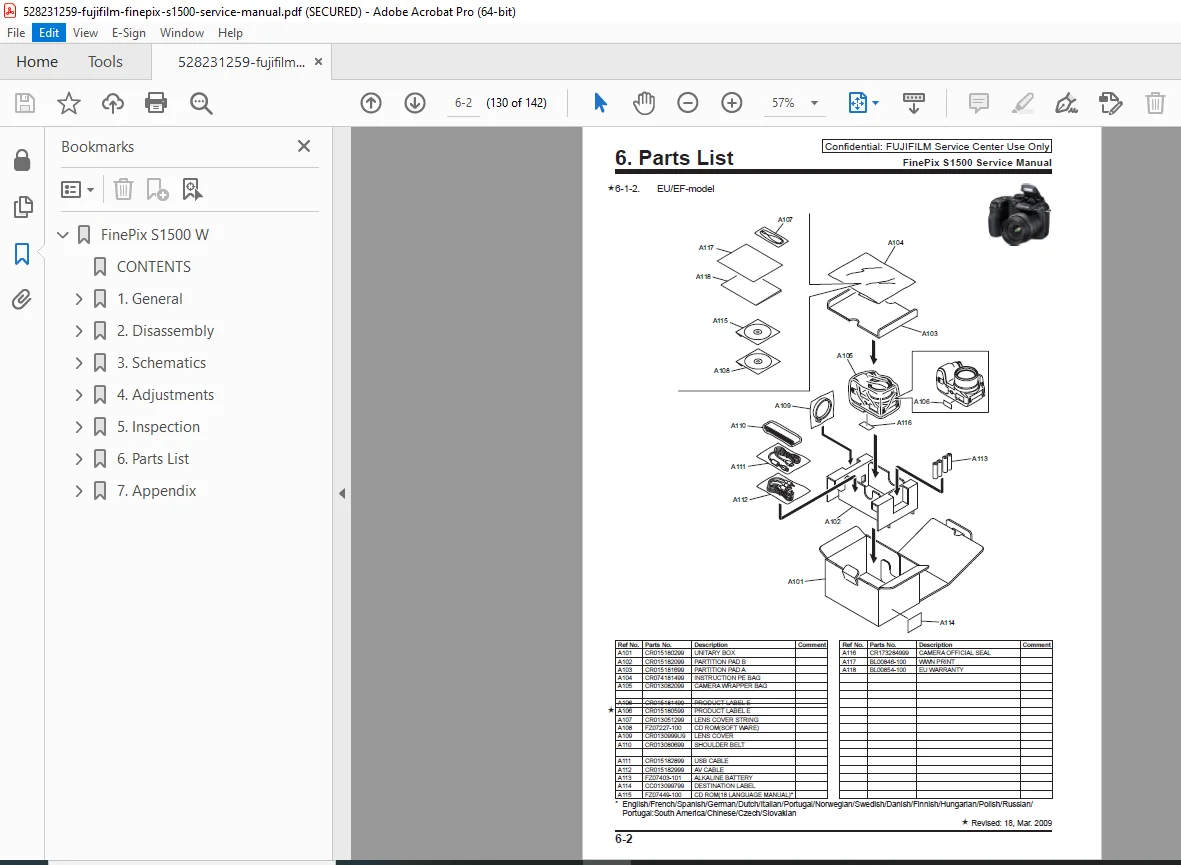
Exploded Views:
- Mechanical Block exploded views:
- Overall assembly diagram
- Sub-assembly breakdowns
- Component relationships
- Hardware identification
- Assembly sequence
Part Numbers and Descriptions:
Mechanical Block Parts:
- Housing components
- Covers and panels
- Lens barrel assemblies
- Mechanical gears
- Springs and clips
- Screws (all types and sizes)
- Brackets and mounts
- Light seals
- Gaskets and seals
- Flex cables (FPC)
- Wire harnesses
- Connectors
Electrical Parts:
- Main PWB Assembly (Part number)
- CCD Unit (Part number)
- Lens Assembly (Part number)
- Flash Unit (Part number)
- LCD Assembly (Part number)
- Button Assemblies (Part numbers)
- Motor assemblies (all types)
- Switches and sensors
- Speakers and microphone
- Battery contacts
- Flash capacitor
- Power supply components
- All IC components
- Discrete components
Parts List Organization:
- Sequential numbering
- Assembly/sub-assembly grouping
- Description column
- Part number column
- Quantity column
- Notes and remarks
- Superseded parts information
- Alternative parts
SECTION 7: TROUBLESHOOTING (Pages 7-X)
Diagnostic Procedures:
- Systematic troubleshooting approach
- Symptom identification
- Component testing
- Circuit tracing
- Voltage measurements
- Signal tracing
Common Problems:
- Power failures
- Display issues
- Focus problems
- Zoom mechanism failures
- Flash failures
- Memory errors
- Communication errors
- Lens errors
- Image quality issues
Error Codes:
- Error code listings
- Error descriptions
- Probable causes
- Corrective actions
Testing Procedures:
- Service mode access
- Self-diagnostic tests
- Component tests
- Function tests
- Performance verification
Who Needs This Manual?
This Fujifilm FinePix S1500 service manual is essential for:
- Authorized Fujifilm service centers
- Independent camera repair technicians
- Electronic repair specialists
- Camera service shops
- Technical training institutions
- Anyone performing authorized component-level repair on FinePix S1500 cameras
Prerequisites:
✓ Electronics repair experience
✓ Camera service training
✓ Understanding of digital camera systems
✓ Micro-soldering skills (lead-free)
✓ ESD handling procedures
✓ Precision mechanical aptitude
✓ Diagnostic equipment proficiency
✓ Optical system knowledge
✓ Firmware programming capability
FILE DETAILS
| Detail | Specification |
|---|---|
| Manual Name | FinePix S1500 SERVICE MANUAL |
| Models Covered | Fujifilm FinePix S1500 (US/EU/EF/E1/EG/EE/CH-model) |
| Year | 2009 |
| Camera Specs | 10MP, 12x Optical Zoom, Dual IS |
| Pages | 142 |
| PDF Quality | High Digital Quality (Official Factory Manual) |
| Language | English |
| Publisher | Fujifilm Corporation |
| Manual Type | Official Factory Service Manual |
| Format | PDF (Digital Download) |