
GE LOGIQ P7/P9 Version R3 Ultrasound User Guide – 5791624-100 Rev 3 PDF
Original price was: $39.95.$24.95Current price is: $24.95.
A 343-page PDF user guide for GE LOGIQ P7/P9 Version R3 ultrasound systems, covering setup, controls, probes, imaging, measurements, presets, connectivity, safety, and routine care.
Description
GE LOGIQ P7/P9 Version R3 User Guide: Practical Reference for the Ultrasound System
The GE LOGIQ P7/P9 Version R3 User Guide is a 343-page PDF manual for the LOGIQ P7 and LOGIQ P9 ultrasound systems running Version R3 software. It brings together operating instructions, console controls, probe handling, exam workflow, measurement tools, system presets, connectivity setup, safety information, and routine care topics documented for this software release. The guide is written for qualified physicians, sonographers, and trained operators who need a single reference for daily system use and for the tasks that surround an ultrasound exam.
Because this is the user guide rather than a service manual, it focuses on safe operation, image optimization, exam measurement workflow, system configuration, and user-level maintenance. It states that only qualified physicians or sonographers should perform diagnostic ultrasound scanning and that the operator should read and understand the manual before using the system. The PDF identifies the document number as 5791624-100, Revision 3, dated 2018/10/01, and notes that it applies to all versions of the Version R3 software for the LOGIQ P7/P9.
File Details
- Manual type: User Guide
- Brand: GE
- Model: LOGIQ P7/P9
- Software version: Version R3
- Document number: 5791624-100
- Revision: Rev. 3
- Revision date: 2018/10/01
- Language: English
- Page count: 343 pages
- File format: PDF
Chapters Covered
- Regulatory Requirements: Conformance Standards; Certifications; Country Specific Approval; Importer Information
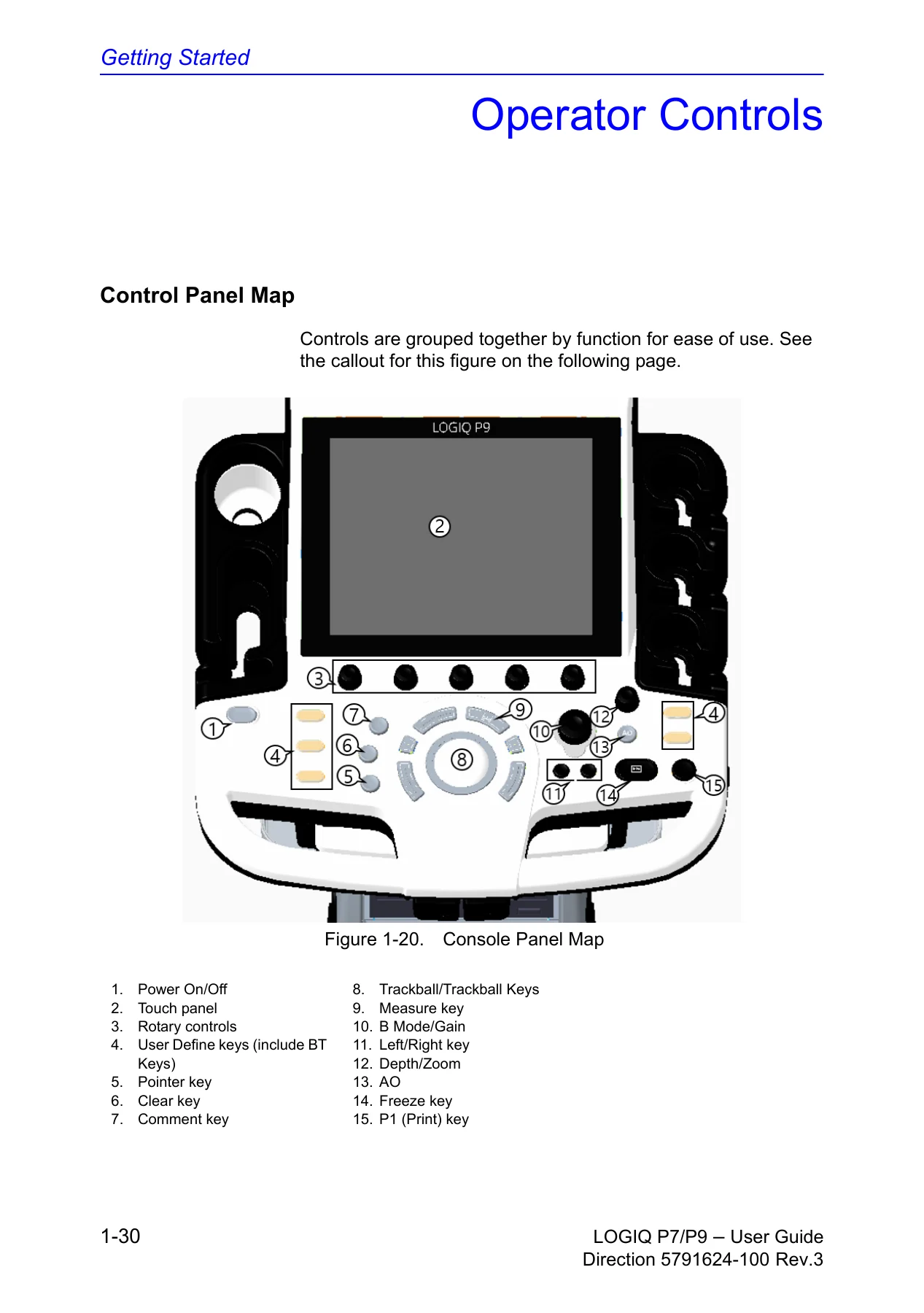
- Chapter 1 – Getting Started: Site Requirements; Console Overview; Operator Controls; Powering the System; Probes; Biopsy Special Concerns; Moving the System; Using MyTrainer+
- Chapter 2 – Performing an Exam: Optimizing the Image; B-Mode Controls; M-Mode Controls; Color Flow Mode Controls; Doppler Mode Controls; 3D Mode; Zooming an Image; Split Screen; Body Patterns; Measurement and Analysis; Clinical Measurement Accuracy; Setting up the Off-Line Paper Printer
- Chapter 3 – After the Exam is Over: Probe Overview; System Presets; Configuring Connectivity; Electronic Documentation; Contact Information; System Data; System Care and Maintenance; Assistance
- Chapter 4 – Safety: Safety Precautions; Device Labels
The guide follows the practical sequence of an ultrasound session. It begins with site requirements, console layout, operator controls, powering the system, and probe connection. It then moves into live scanning controls, image optimization, split-screen layouts, body patterns, measurements, worksheets, and calculation accuracy. After the exam, the manual covers probe care, system presets, connectivity configuration, electronic documentation, contact information, system specifications, cleaning, maintenance schedules, and troubleshooting messages. Safety content appears in a dedicated chapter and is reinforced throughout the operating sections.
How the Guide Supports Daily Scanning
For operators, the guide covers B-mode, M-mode, Color Flow, Doppler, and 3D mode controls. It explains image optimization tools such as depth, gain, focus, Auto Optimize, CrossXBeam, SRI-HD, Coded Harmonic Imaging, frequency, steer, virtual convex, TGC, width, tilt, dynamic range, line density, colorize, PRF, edge enhance, frame average, maps, rejection, rotation, and suppression. The measurement chapter documents distance, circumference, area by ellipse or trace, spline trace, echo level, Doppler velocity, time interval, TAMAX and TAMEAN, volume flow, and M-mode tissue depth and slope measurements. It also explains worksheets, editing, excluding and deleting values, and clinical measurement accuracy. This is the material a sonographer uses to keep exam measurements consistent and to understand what the system is calculating.
The split-screen section explains dual, wide dual, quad, and simultaneous modes, including how active images are selected and how dual calipers behave. Body pattern instructions show how to insert and position body markers. The 3D section describes Easy 3D and Advanced 3D package options and the steps for acquiring a 3D volume. These workflow details are useful when the system is used across different exam types and when operators need to move between live imaging, frozen images, measurements, and review.
Setup, Presets, and Connectivity
The post-exam portion of the GE LOGIQ P7/P9 Version R3 User Guide covers system presets for general settings, display, imaging, measurement, backup and restore, peripherals, user-configurable keys, and system information. It documents connectivity screens for TCPIP, devices, services, dataflow, buttons, removable media, miscellaneous options, Tricefy activation, barcode input, and cloud reporting. The guide also describes electronic documentation access, contact information, system data, physical attributes, environmental requirements, probe descriptions, and options. For a facility that needs to configure print keys, DICOM services, dataflows, or removable media, these sections provide the documented screen flow and parameter names.
Routine care content includes inspecting the system, maintenance schedules, approved cleaning agents, cleaning the cabinet, monitor, touch panel, operator control panel, footswitch, trackball, probe holder, gel warmer, and air filter. Probe cleaning and disinfection instructions are included with warnings about disconnecting the probe before cleaning, avoiding sprays into the system, and following the probe care card. The battery and Power Assistant sections describe battery status icons, offline scanning, power-saving behavior, battery deterioration messages, and disposal guidance. These are user-level tasks that help keep the system ready between exams.
Probe Handling, Biopsy, and Safety Content
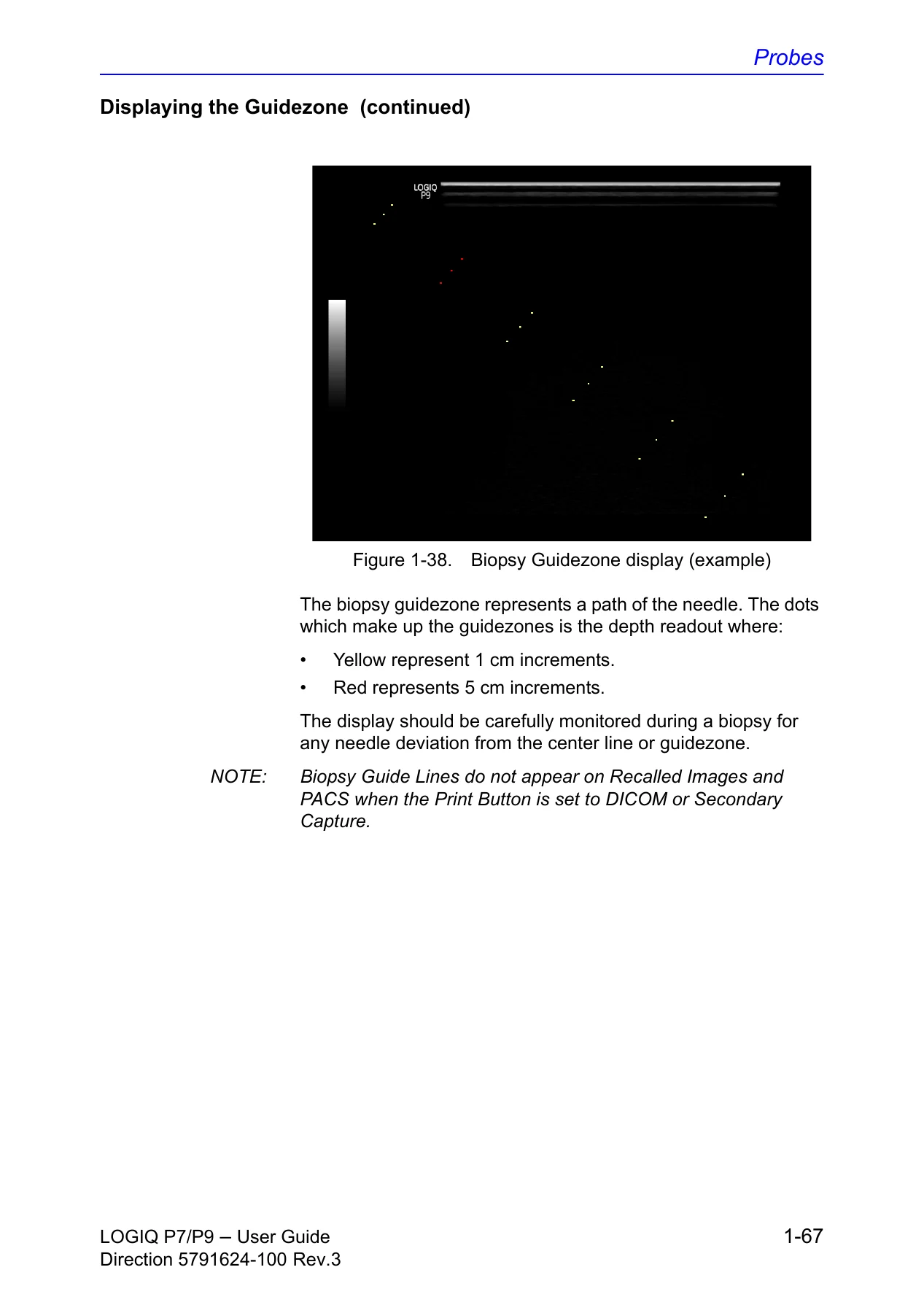
Probe content covers selecting a probe, connecting and disconnecting, activating and deactivating, cable handling, transporting, storing, and probe descriptions. Biopsy sections include guidezone display, biopsy kit selection, bracket and needle guide preparation, sheath use, needle path verification, and precautions for reusable and disposable components. The manual warns that biopsy guidezones assist with probe placement and approximate needle path, but actual needle movement can deviate; it also warns not to freeze the image during a biopsy procedure. These are important user-facing safety points for anyone performing or assisting with ultrasound-guided procedures.
The safety chapter defines precaution levels and hazard symbols and covers patient safety, equipment and personnel safety, classifications, electromagnetic compatibility, patient environmental devices, acoustic output, and device labels. It states that the system is not intended for ophthalmic use or any use causing the acoustic beam to pass through the eye. It also includes electrical, biological, moving, explosion, fire, and acoustic output hazards. This user guide is not a service manual for internal repair; it repeatedly directs servicing to qualified service personnel and states that there are no user-serviceable components inside the console. That distinction matters for buyers who need operating and workflow guidance rather than board-level repair instructions.
Who This GE LOGIQ P7/P9 Version R3 User Guide Is For
This PDF is aimed at qualified physicians, sonographers, and trained operators who use the LOGIQ P7/P9 for ultrasound evaluation. It also supports application specialists, training coordinators, and biomedical teams who need to review the documented user-level controls, presets, connectivity screens, safety precautions, and cleaning procedures. The manual notes that not all features, products, probes, or peripherals described may be available or cleared for sale in all markets, and that orders are based on individually agreed specifications. It is therefore a reference for the documented Version R3 software and the system configuration it describes, not a substitute for facility protocols or local regulatory requirements.
Get the GE LOGIQ P7/P9 Version R3 User Guide PDF
IMAGES PREVIEW
This GE LOGIQ P7/P9 Version R3 User Guide gives you the documented controls, exam workflow, measurement methods, presets, connectivity screens, safety precautions, and care procedures in one PDF. Instead of hunting through separate notes, you can reference the manual when setting up the console, choosing a probe, optimizing an image, completing measurements, configuring a dataflow, or reviewing cleaning and maintenance steps. It helps support correct operation and consistent technique, and it is useful for training and quick review. The file is delivered as an instant PDF download after purchase, with no shipping, and can be viewed on a computer, tablet, or phone and printed when a paper copy is more convenient.

Reviews
There are no reviews yet.