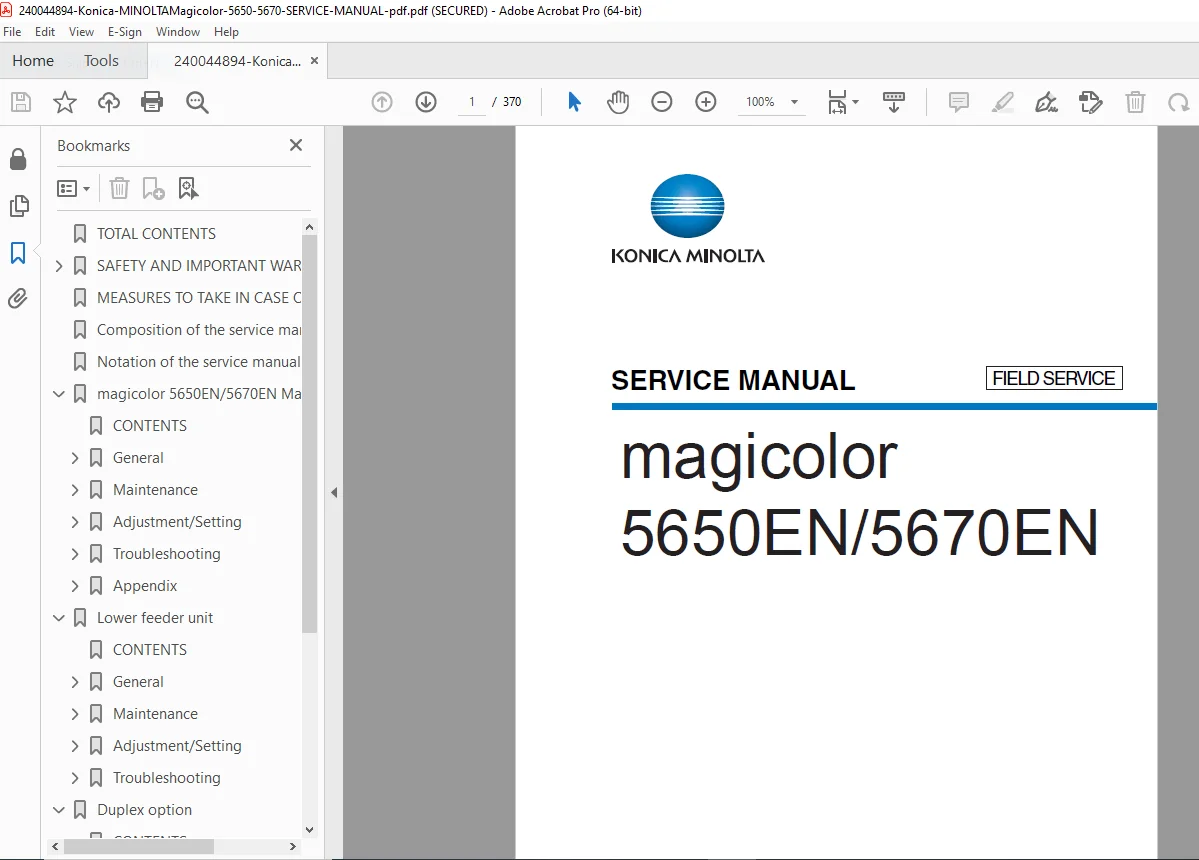
Konica Minolta Magicolor 5650 5670 Service Manual Color Printer Repair PDF
Original price was: $95.00.$18.95Current price is: $18.95.
Complete Konica Minolta factory service manual for magicolor 5650EN/5670EN color laser printers. Professional field service documentation with 370 pages covering maintenance, adjustment, troubleshooting, and repair procedures. Includes detailed sections for main printer, lower feeder unit, duplex option, and staple finisher. Essential for printer technicians with comprehensive safety warnings, disassembly procedures, and parts identification. Instant PDF download for immediate access.
Description
Konica Minolta Magicolor 5650 5670 Service Manual Color Printer Repair PDF DOWNLOAD
DESCRIPTION
Official Konica Minolta Magicolor 5650EN/5670EN Field Service Manual
This comprehensive Konica Minolta magicolor 5650EN/5670EN service manual provides complete factory-level technical documentation for professional printer technicians and service engineers maintaining these high-performance color laser printers. Essential for authorized Konica Minolta service centers, independent printer repair shops, and corporate IT departments servicing office printing equipment.
FILE DETAILS
- Manual Name: Konica Minolta magicolor 5650EN/5670EN Service Manual [Field Service]
- Models Covered:
- magicolor 5650EN
- magicolor 5670EN
- magicolor 5670EN (MPC type)
- Version: 1.0
- Date: April 2008
- Pages: 370 pages
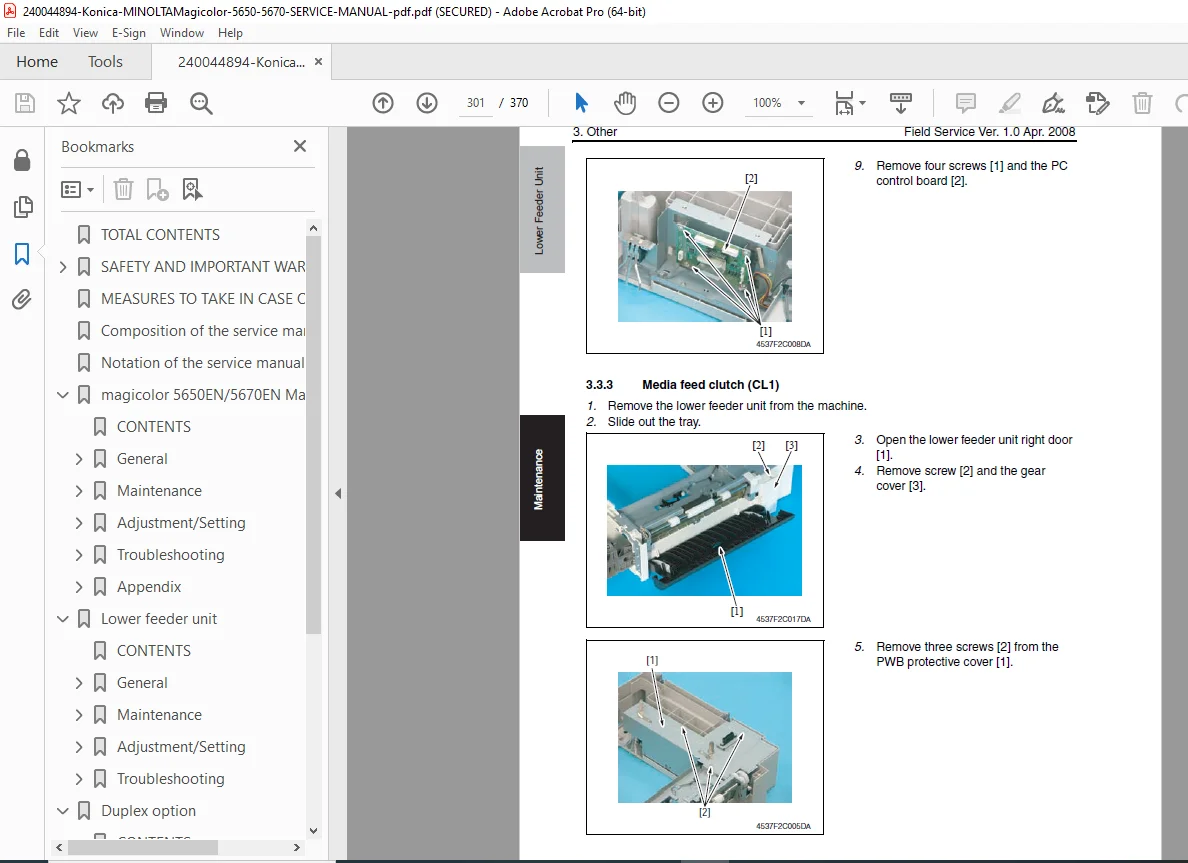
- PDF Quality: High-quality professional field service manual with clear diagrams, exploded views, and technical illustrations
- File Format: Searchable PDF (A5 size)
- Copyright: Konica Minolta Business Technologies
COMPLETE MANUAL STRUCTURE
SAFETY AND IMPORTANT WARNING ITEMS
Important Notice:
- Hazard warnings for service personnel
- KMBT-trained technician requirements
- Service manual limitations and disclaimers
- Personal injury risk warnings
- Product damage prevention
Description Items for Danger, Warning and Caution:
Danger: Action having a high possibility of suffering death or serious injury
Warning: Action having a possibility of suffering death or serious injury
Caution: Action having a possibility of suffering a slight wound, medium trouble, and property damage
Safety Symbols:
- General precaution – Electric hazard, High temperature
- General prohibition – Do not touch with wet hand, Do not disassemble
- General instruction – Unplug, Ground/Earth
Safety Warnings:
[1] Modifications Not Authorized by Konica Minolta:
Prohibited Actions (DANGER):
- Using any cables or power cord not specified by KMBT
- Using any fuse or thermostat not specified by KMBT
- Disabling fuse functions or bridging fuse terminals
- Disabling relay functions
- Disabling safety functions (interlocks, safety circuits)
- Making any modification unless instructed by KMBT
- Using parts not specified by KMBT
[2] Power Plug Selection:
Power Cord Set or Power Plug (WARNING):
- Power supply cord set criteria
- Plug configuration requirements
- Three-conductor cable specifications
- Pin/terminal grounding requirements
- Regulatory compliance
- Conductor connection order:
- Black or Brown: L (line)
- White or Light Blue: N (neutral)
- Green/Yellow: PE (earth)
[3] Checkpoints When Performing On-Site Service:
1. Power Supply:
Connection to Power Supply (WARNING):
- Mains voltage verification
- Direct wall outlet connection (no adapters)
- Dedicated wall outlet requirements
- Multiple device load calculations
- Secure power cord connection
- Proper grounding verification
Power Plug and Cord (WARNING):
- Inlet type connector security
- Power cord damage inspection
- Sheath condition verification
- Dust removal from plug and outlet
- Proper unplugging procedures
- Cable bundling prohibitions
Wiring (WARNING):
- Multi-plug adapter prohibition
- Extension cord specifications
- Extension cable reel warnings
2. Installation Requirements:
Prohibited Installation Places (WARNING):
- Flammable materials proximity
- Water exposure areas
- Volatile materials vicinity
When Not Using the Product for a Long Time (WARNING):
- Extended period shutdown procedures
- Power cord unplugging requirements
- Dust accumulation fire prevention
Ventilation (CAUTION):
- Ozone gas generation during operation
- Room ventilation requirements
- Poorly ventilated room precautions
- High-volume copying ventilation
- Multiple product operation spacing
Stability (CAUTION):
- Caster stopper locking
- Earthquake safety measures
- Sliding prevention
Inspection Before Servicing (CAUTION):
- Documentation review requirements
- Prescribed procedure adherence
- Safety clothing requirements
- Prescribed tools usage
- Power plug disconnection
- Fixing unit high temperature warnings
Work Performed with Product Powered On (WARNING):
- Adjustment safety precautions
- External cover removal warnings
- Live part exposure risks
- Moving gear hazards
- High-voltage drum unit warnings
Safety Checkpoints (WARNING):
- Exterior edge and burr inspection
- Metal parts containment
- Wiring damage verification
- Toner and dust removal from electrical parts
- High-voltage cable inspection
- Electrode unit deterioration checks
- Laser unit safety procedures
- Lithium battery replacement protocols
- AC voltage part installation verification
- Interlock switch functionality testing
- Wiring installation verification
- Component reinstallation confirmation
Handling of Consumables (WARNING):
- Toner and developer safety
- Eye contact prevention
- Dust explosion prevention (fire hazard)
- Used cartridge disposal
Handling of Service Materials (CAUTION):
- Drum cleaner (isopropyl alcohol) flammability
- Roller cleaner (acetone-based) handling
- Solvent evaporation requirements
- Spill cleanup procedures
- Room ventilation during solvent use
[4] Used Batteries Precautions:
- Battery replacement warnings (explosion danger)
- Proper disposal procedures
- Multi-language safety warnings:
- Germany (Deutsch)
- France (Français)
- Denmark (Dansk)
- Finland/Sweden (Suomi/Svenska)
- Norway (Norsk)
[5] Laser Safety:
- Class 1 laser product certification
- Laser exposure prevention
- Safety compliance documentation
Warning Indications on the Machine:
- Physical warning labels
- Safety stickers location
- Hazard identification markings
Measures to Take in Case of an Accident:
- Emergency response procedures
- Incident reporting protocols
- First aid considerations
COMPOSITION AND NOTATION OF SERVICE MANUAL
Composition of the Service Manual:
- Manual organization structure
- Section divisions
- Cross-reference system
Notation of the Service Manual:
- Symbol meanings
- Abbreviations guide
- Technical terminology
- Diagram conventions
MAGICOLOR 5650EN/5670EN MAIN BODY
GENERAL SECTION:
- Product specifications
- System overview
- Component identification
- Architecture description
- Operating principles
- Color laser printing technology
- Paper path diagrams
- Control system overview
MAINTENANCE SECTION:
- Preventive maintenance procedures
- Cleaning schedules
- Consumable replacement intervals
- Parts replacement procedures
- Component disassembly instructions
- Drum unit service
- Fuser unit maintenance
- Transfer unit service
- Developing unit procedures
- Feed roller replacement
- Separation pad replacement
- Pick-up roller service
- Waste toner container service
- Toner cartridge replacement (YMCK)
- Image drum replacement
- Belt cleaning procedures
- Sensor cleaning
- Optical component maintenance
- Corona wire cleaning
- High-voltage contact cleaning
ADJUSTMENT/SETTING SECTION:
- Print quality adjustments
- Color registration calibration
- Density adjustments
- Gradation correction
- Image position adjustment
- Paper feed timing
- Margin adjustments
- Skew correction
- Transfer voltage adjustment
- Fuser temperature calibration
- Laser beam alignment
- Sensor calibration procedures
- Motor speed adjustments
- Timing belt tension
- Clutch adjustments
- Service mode access
- Configuration settings
- Network settings adjustment
- Controller board settings
- NVRAM initialization
TROUBLESHOOTING SECTION:
- Systematic troubleshooting approach
- Symptom-based diagnostics
- Error code interpretation
- Display message troubleshooting
- Jam clearance procedures
- Print quality issues:
- White streaks
- Black streaks
- Uneven density
- Background contamination
- Color misregistration
- Banding
- Ghosting
- Toner scatter
- Poor fixing
- Wrinkled paper
- Paper handling problems:
- Feed failures
- Multiple feeds
- Skewed prints
- Jam locations
- Electrical troubleshooting:
- Power supply failures
- Controller board issues
- Sensor malfunctions
- Motor failures
- Solenoid problems
- Network connectivity issues
- Controller communication errors
APPENDIX SECTION:
- Parts diagrams
- Parts identification
- Exploded assembly views
- Connector locations
- Wiring diagrams
- Circuit schematics
- Voltage test points
- Specifications tables
- Torque specifications
- Clearance specifications
LOWER FEEDER UNIT
GENERAL:
- Lower feeder unit overview
- Paper cassette specifications
- Feed mechanism description
- Component identification
MAINTENANCE:
- Disassembly procedures
- Feed roller replacement
- Separation pad service
- Pick-up roller replacement
- Paper size sensor cleaning
- Media detection adjustment
ADJUSTMENT/SETTING:
- Paper feed timing adjustments
- Cassette alignment
- Sensor calibration
- Feed pressure adjustment
TROUBLESHOOTING:
- Feed failure diagnosis
- Paper jam resolution
- Sensor malfunction diagnosis
- Motor operation verification
DUPLEX OPTION
GENERAL:
- Duplex unit overview
- Paper path description
- Reversing mechanism
- Component layout
MAINTENANCE:
- Duplex unit disassembly
- Roller replacement procedures
- Guide adjustment
- Transport belt service
- Sensor cleaning
TROUBLESHOOTING:
- Duplex jam locations
- Feed timing issues
- Reverse operation failures
- Sensor malfunction diagnosis
- Motor drive problems
STAPLE FINISHER
GENERAL:
- Finisher unit overview
- Stapling mechanism description
- Stacking operation
- Offset function
- Component identification
MAINTENANCE:
- Finisher disassembly procedures
- Staple cartridge replacement
- Stacker mechanism service
- Drive motor replacement
- Sensor cleaning
- Stapler unit removal
- Guide adjustment
- Transport roller service
TROUBLESHOOTING:
- Staple jam clearance
- Stapler malfunction diagnosis
- Stacking errors
- Offset failures
- Sensor issues
- Motor drive problems
- Paper transport failures
- Exit sensor problems
KEY FEATURES OF THIS MANUAL
✓ 370 pages of official Konica Minolta factory documentation
✓ Field service manual for professional technicians
✓ Comprehensive safety warnings in multiple languages
✓ Complete maintenance procedures for all assemblies
✓ Detailed adjustment/setting instructions
✓ Systematic troubleshooting guides
✓ Exploded diagrams for parts identification
✓ Lower feeder unit service procedures
✓ Duplex option maintenance and troubleshooting
✓ Staple finisher complete service documentation
✓ Electrical safety protocols and grounding requirements
✓ Power supply connection and verification procedures
✓ Laser safety compliance information
✓ Color registration calibration procedures
✓ Print quality diagnostic and correction methods
KONICA MINOLTA MAGICOLOR 5650/5670 SPECIFICATIONS
Printer Type:
- High-performance color laser printer
- Network-ready business printing
- Professional office document production
Models:
- magicolor 5650EN – Standard configuration
- magicolor 5670EN – Enhanced performance model
- magicolor 5670EN (MPC type) – Multi-function configuration
Key Features:
- Color laser printing technology
- High-speed output
- Automatic duplex printing (with option)
- Multiple paper tray support
- Staple finishing capability (with finisher)
- Network connectivity
- Professional color output
- High monthly duty cycle
Options Covered:
- Lower feeder unit (additional paper capacity)
- Duplex unit (automatic two-sided printing)
- Staple finisher (document finishing)
WHO NEEDS THIS MANUAL?
- Authorized Konica Minolta Service Technicians
- Independent Printer Repair Shops
- Corporate IT Support Teams
- Office Equipment Maintenance Personnel
- Printer Refurbishment Specialists
- Technical Training Centers
- Multi-Vendor Service Organizations
- Fleet Maintenance Departments
CRITICAL SERVICE PROCEDURES INCLUDED
Major Component Replacement:
- Image drum cartridge replacement
- Fuser unit replacement
- Transfer belt unit service
- Developing unit replacement
- Feed roller assemblies
- Waste toner container
Electrical Troubleshooting:
- Controller board diagnostics
- Power supply verification
- Sensor testing procedures
- Motor operation checks
- High-voltage system testing
Adjustments & Calibration:
- Color registration calibration
- Print density adjustment
- Gradation correction
- Paper feed timing
- Transfer voltage optimization
- Fuser temperature calibration
Print Quality Diagnostics:
- Streaking and banding resolution
- Color misregistration correction
- Background contamination elimination
- Fixing quality improvement
- Image defect diagnosis
Preventive Maintenance:
- Cleaning schedules
- Consumable replacement intervals
- Inspection procedures
- Lubrication points
INSTANT DOWNLOAD – MINIMIZE PRINTER DOWNTIME
Stop losing productivity to broken color printers! This official Konica Minolta factory field service manual gives you immediate access to complete repair procedures for the magicolor 5650EN and 5670EN series, including all major options (lower feeder, duplex unit, staple finisher). Whether you’re troubleshooting print quality issues, replacing drum units, calibrating color registration, or performing preventive maintenance, you’ll have the exact same professional documentation used by Konica Minolta authorized service centers worldwide. Download instantly and get your color laser printers back in service with factory specifications and procedures!
Pricing Rationale: This is a comprehensive 370-page official factory field service manual for the Konica Minolta magicolor 5650EN and 5670EN color laser printers – professional-grade office color printing systems commonly deployed in corporate and business environments. Official manufacturer service manuals for color laser printers typically cost $100-200+ from Konica Minolta. This field service manual provides complete technical documentation including extensive safety warnings and protocols, detailed maintenance procedures for the main printer body and all major options (lower feeder, duplex unit, staple finisher), comprehensive adjustment and calibration procedures for color registration and print quality, systematic troubleshooting guides, and complete parts identification with exploded diagrams. The multi-section organization covering main unit plus three major options, combined with professional-level service procedures and the critical nature of color printing in business environments, justifies premium pricing. At $34.95, this represents exceptional value for printer technicians, IT departments, and repair shops who need immediate access to complete factory documentation to minimize equipment downtime and maintain professional color printing capabilities.