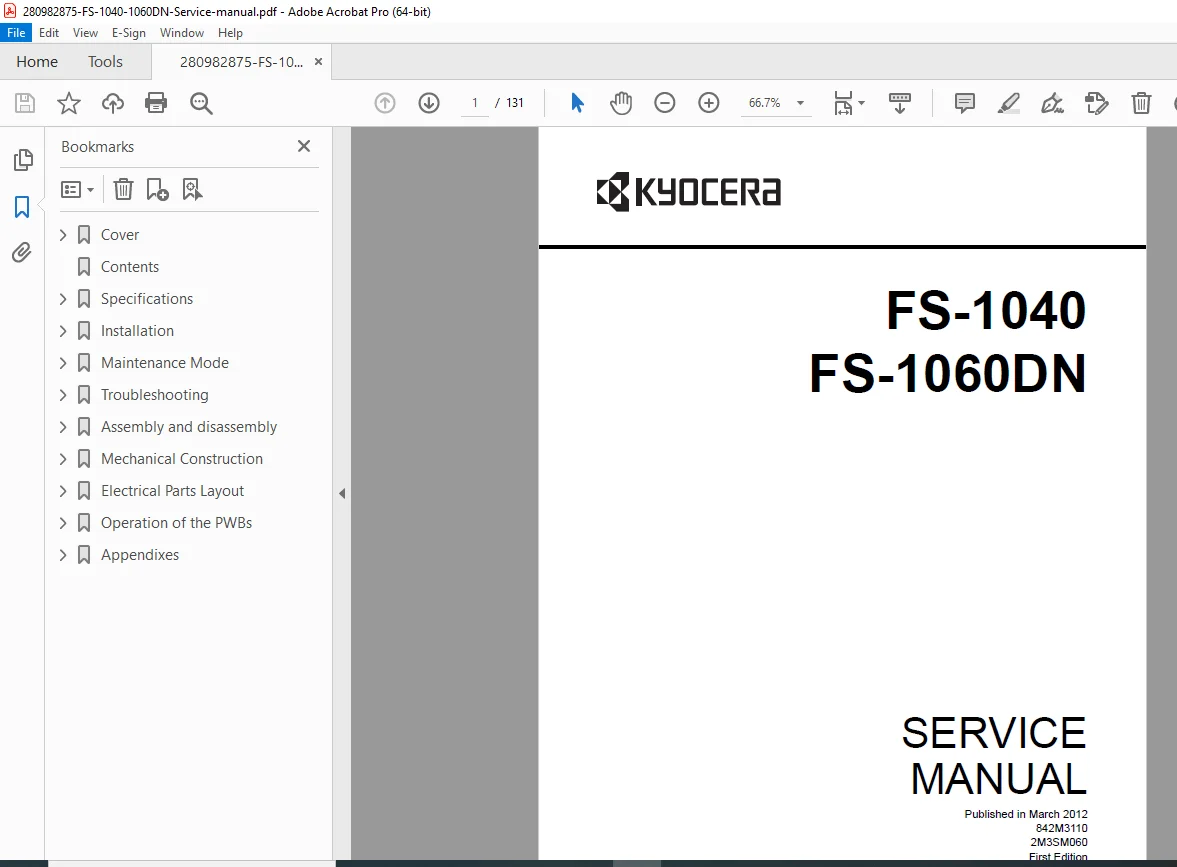
Kyocera FS-1040 FS-1060DN Laser Printer Service Manual PDF
Original price was: $85.00.$16.95Current price is: $16.95.
Official Kyocera FS-1040/FS-1060DN service manual for professional printer technicians. This comprehensive 131-page PDF covers complete maintenance, troubleshooting, assembly/disassembly procedures, and self-diagnostic codes for Kyocera monochrome laser printers. Includes detailed specifications, image formation problem diagnosis, electrical/mechanical troubleshooting, PWB replacement procedures, and maintenance mode operations. Essential technical documentation for repair and servicing of FS-1040 (20 ppm) and FS-1060DN (25 ppm) models.
Description
Kyocera FS-1040 FS-1060DN Laser Printer Service Manual PDF DOWNLOAD
DESCRIPTION
Kyocera FS-1040/FS-1060DN Laser Printer Service Manual – Complete Technical Documentation
This is the official factory service manual for the Kyocera FS-1040 and FS-1060DN monochrome laser printer series. Published by Kyocera Mita Corporation in March 2012, this professional-grade technical reference is essential for printer technicians, service centers, and IT professionals who maintain and repair these reliable desktop laser printers.
📋 FILE DETAILS
- Manual Name: FS-1040/FS-1060DN Service Manual
- Models Covered: Kyocera FS-1040 (20/21 ppm), Kyocera FS-1060DN (25/26 ppm)
- Publication Date: March 2012 (First Edition)
- Part Numbers: 842M3110, 2M3SM060
- Total Pages: 131 pages
- File Format: PDF
- PDF Quality: High-quality official manual (optimized)
- Language: English
- Page Size: A4 format
🔧 COMPREHENSIVE COVERAGE INCLUDES:
Section 1-1: Complete Specifications & Machine Overview
FS-1040 Specifications (20/21 ppm model):
- Print speed: 20 sheets/min (A4), 21 sheets/min (Letter)
- Resolution: 600 × 600 dpi
- Printing method: Electrophotography with laser scan
- Paper weight: 60-220 g/m²
- Paper types: Plain, Preprinted, Labels, Bond, Recycled, Vellum, Rough, Letterhead, Color, Prepunched, Envelope, Cardstock, Thick paper, High Quality, Custom 1-8
- Interface: USB Hi-Speed
- Page Description Language: KPSL
FS-1060DN Specifications (25/26 ppm model):
- Print speed: 25 sheets/min (A4), 26 sheets/min (Letter)
- Resolution: 600 × 600 dpi (Fast 1200 mode available)
- Printing method: Electrophotography with laser scan
- Paper weight: 60-220 g/m² (cassette and manual feed tray)
- Paper types: Same extensive range as FS-1040
- Interfaces: USB Hi-Speed + Network (10BASE-T/100BASE-TX)
- Network capable with built-in Ethernet
- Page Description Language: KPSL
Supported Paper Sizes:
- Standard: A4, JIS/ISO B5, A5, Folio, Legal, Letter, Statement, Executive, A6
- Mexican sizes: Oficio II (215.9 × 330.2 mm), Mexican Oficio (216 × 340 mm)
- Envelopes: Monarch, #10, #9, #6-3/4, C5, DL
- Asian: 16K
- Custom: 105 × 148 to 216 × 356 mm (4-1/8 × 5-13/16 to 8-1/2 × 14 inches)
Environmental Specifications:
- Operating temperature: 10 to 32.5°C (50 to 90.5°F)
- Operating humidity: 15 to 80% RH
- Maximum altitude: 3,500 m (11,482.8 ft)
Machine Identification:
- Complete parts names and locations
- Operation panel layout and button functions
- Detailed machine cross-section diagrams for both models
- Component identification guides
Section 1-2: Installation Procedures
Installation Environment:
- Space requirements and clearances
- Power requirements
- Environmental considerations
- Network setup guidelines (FS-1060DN)
Unpacking and Installation:
- Step-by-step installation procedure
- Protective material removal
- Initial setup and configuration
- Cable connections (USB and Network)
- Toner cartridge installation
- Paper loading procedures
- Test print procedures
Section 1-3: Maintenance Mode (Critical for Service)
Executing Maintenance Items:
- How to enter maintenance mode
- Navigation through maintenance menus
- Service technician access procedures
- Complete maintenance item execution guide
Maintenance Menu Structure:
- Setting items configuration
- Service package functions
- Counter management
- Adjustment procedures
- Calibration routines
- Network configuration (FS-1060DN)
- Print quality adjustments
- Diagnostic test patterns
- Service code entry and execution
Section 1-4: Troubleshooting (Comprehensive Diagnostic Guide)
Paper Misfeed Detection:
- Paper misfeed indication methods
- LED indicator patterns
- Misfeed detection conditions
- Sensor activation sequences
- Paper path analysis
- Jam location identification
- Clearing procedures
Self-Diagnostic Function:
- Self-diagnostic function operation
- How to read diagnostic codes
- Complete Self-Diagnostic Code List:
- System error codes
- Communication error codes
- Hardware failure codes
- Sensor error codes
- Motor error codes
- Temperature error codes
- Paper handling error codes
- Code interpretation and troubleshooting steps for each
Image Formation Problems (15 Categories):
- No image appears (entirely white)
- Laser scanner issues
- High voltage problems
- Drum cartridge failures
- Developer issues
- No image appears (entirely black)
- Transfer charging problems
- Primary charging issues
- Exposure lamp failures
- Part of image is missing
- Partial exposure problems
- Polygon motor issues
- Lens contamination
- Gray background
- Developer problems
- Drum wear
- Charging wire contamination
- High voltage bias issues
- White streaks printed vertically
- Drum damage or contamination
- Toner distribution problems
- Developer roller issues
- Black streaks printed vertically
- Drum scratches
- Cleaning blade wear
- Toner leakage
- White or black streaks horizontally
- Paper feed timing issues
- Registration problems
- Transfer belt contamination
- Spots are printed
- Toner spills
- Corona wire contamination
- Drum defects
- Printing incomplete or out of position
- Registration sensor problems
- Paper feed timing issues
- Scanner synchronization
- Paper is wrinkled
- Fuser pressure problems
- Paper path misalignment
- Humidity issues
- Offset occurs
- Fuser temperature problems
- Paper type mismatch
- Transfer voltage issues
- Fusing is loose
- Low fuser temperature
- Thermistor failures
- Heater lamp problems
- Pressure roller issues
- Faint or blurred printing
- Low toner density
- Polygon motor speed issues
- Lens contamination
- Laser power problems
- Dirt on top edge or back of paper
- Paper path contamination
- Transfer roller dirt
- Static eliminator problems
- Spots in printed objects
- Drum photoconductor deterioration
- Foreign matter in paper path
Electrical Problems (Detailed Diagnostics):
- Power supply failures
- Main motor problems
- Laser scanner motor issues
- Fuser heater malfunctions
- High voltage power supply problems
- Sensor failures
- PWB (Printed Wiring Board) issues
- Fan motor failures
- Solenoid problems
- Interface connection issues
- Network problems (FS-1060DN)
- USB communication errors
Mechanical Problems:
- Paper feed failures
- Paper jam causes
- Gear train problems
- Clutch malfunctions
- Drive system issues
- Registration problems
- Duplex unit failures
- Separation pad wear
- Roller contamination
Error Messages:
- Complete error message list
- LCD display messages
- Error code meanings
- Troubleshooting procedures for each error
- How to clear errors
- Preventive measures
Section 1-5: Assembly and Disassembly (Step-by-Step Procedures)
Precautions:
- Safety procedures for disassembly
- ESD (Electrostatic Discharge) protection
- Tool requirements
- Drum handling precautions
- Toner safety guidelines
- How to identify genuine Kyocera Mita toner containers (anti-counterfeit guide)
Outer Covers Removal:
- Top cover detaching and refitting
- Right cover removal procedures
- Left cover removal procedures
- Screw locations and types
- Connector identification
Fuser Section:
- Fuser unit removal procedures
- Fuser lamp replacement
- Thermistor access
- Pressure roller removal
- Heat roller handling
- Fuser cleaning procedures
PWBs (Printed Wiring Boards):
- Main PWB removal and installation
- High Voltage PWB removal procedures
- Power Source PWB replacement
- Operation Panel PWB removal
- Connector locations and pin identification
- Cable routing diagrams
- Reassembly precautions
Other Critical Components:
- Laser Scanner Unit removal and refitting
- Polygon mirror handling
- Laser diode precautions
- Optical path cleaning
- Mirror alignment
- Main Motor Unit removal procedures
- Motor mounting points
- Drive coupling removal
- Gear train access
- Principal Fan Motor installation direction (critical)
- Clutch replacements
- Sensor positioning
Chapter 2: Mechanical and Electrical Systems
Section 2-1: Mechanical Construction
Paper Feed/Conveying Section:
- Cassette paper feed mechanism
- Paper conveying path analysis
- Manual feed section (FS-1060DN only)
- Pickup roller operation
- Separation pad function
- Feed roller timing
- Registration roller operation
Drum Section:
- Photoconductor drum construction
- Drum rotation mechanism
- Primary charging system
- Cleaning blade operation
- Waste toner collection
Developer Section:
- Developer roller construction
- Toner supply mechanism
- Magnetic roller operation
- Doctor blade function
- Toner density control
Optical Section:
- Laser scanner section detailed diagrams
- Polygon mirror motor
- F-theta lens system
- Mirror arrangement
- Beam detect sensor
- Laser diode operation
Transfer/Separation Section:
- Transfer roller mechanism
- Corona discharge system
- Static eliminator operation
- Paper separation method
Fuser Section:
- Heat roller construction
- Pressure roller mechanism
- Thermistor location and function
- Heater lamp specifications
- Temperature control circuit
- Safety thermostat
Duplex Conveying/Eject Section:
- Duplex paper path
- Reversing mechanism
- Exit roller operation
- Paper eject timing
Section 2-2: Electrical Parts Layout
PWBs Location:
- Main PWB position and connectors
- Relay PWB location
- Power source PWB mounting
- Operation panel PWB connections
- High voltage PWB position
Switches and Sensors:
- All sensor locations with part numbers
- Switch positions and functions
- Connector pinouts
- Wiring diagrams
Other Electrical Components:
- Motor locations
- Solenoid positions
- Heater lamp connections
- Fan motor wiring
- Ground points
Section 2-3: Operation of the PWBs
Main PWB Functions:
- CPU operations
- Memory management
- Interface control (USB/Network)
- Motor drive circuits
- Sensor input processing
- Communication protocols
- Timing control
Relay PWB Functions:
- High current switching
- Motor power distribution
- Safety circuits
- Fuser control relay
Power Source PWB:
- AC input processing
- DC voltage generation
- Power supply regulation
- Over-current protection
- Voltage monitoring
Operation Panel PWB:
- Button input processing
- LED indicator control
- LCD display management
- User interface functions
Section 2-4: Appendixes
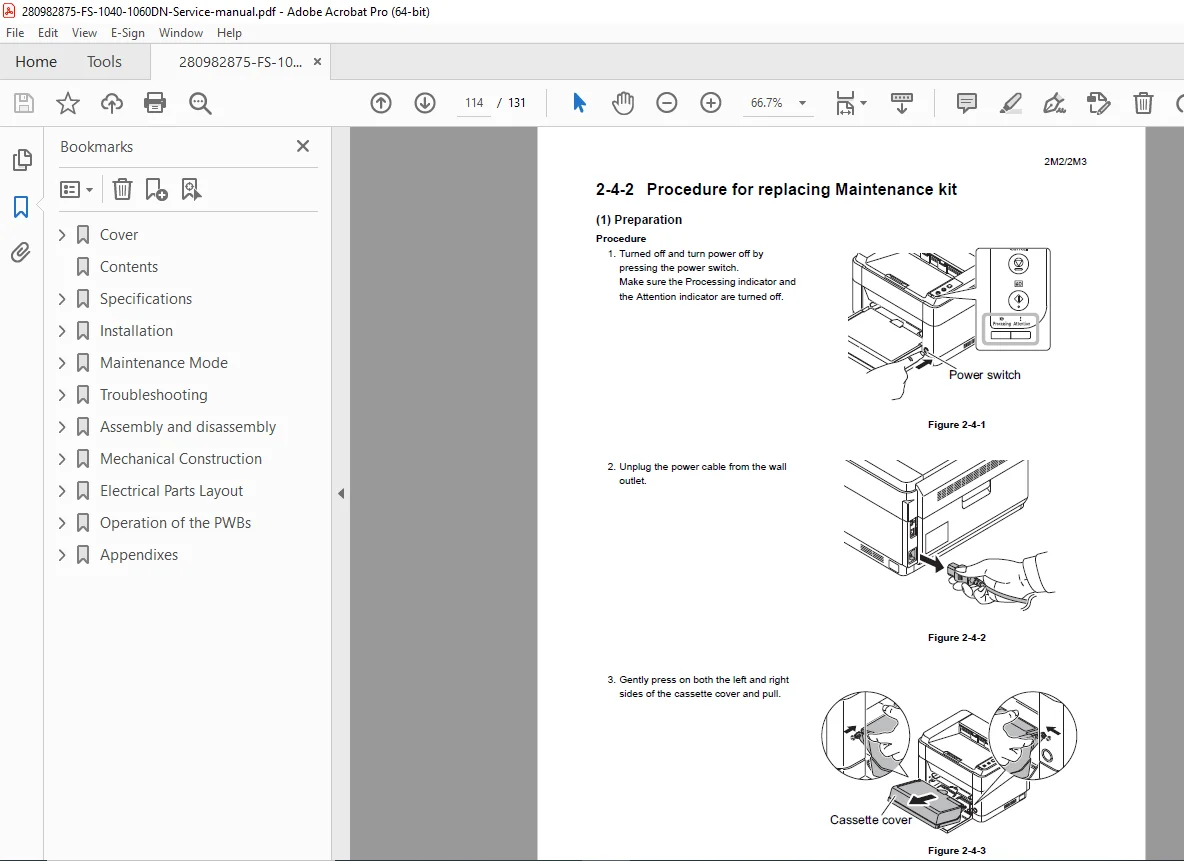
Maintenance Kits:
- Complete maintenance kit contents
- Part numbers for all consumables
- Replacement intervals
- Service life indicators
- Genuine parts identification
💡 IDEAL FOR:
✅ Professional printer technicians
✅ Authorized Kyocera service centers
✅ Independent printer repair specialists
✅ Corporate IT departments
✅ Office equipment repair shops
✅ Technical training programs
✅ Small business IT support
✅ Anyone servicing Kyocera FS-series printers
🌟 KEY BENEFITS:
- Two Models in One Manual: Complete coverage of FS-1040 and FS-1060DN
- Save on Service Costs: Perform repairs in-house instead of expensive service calls
- Minimize Downtime: Quick diagnostic procedures reduce printer downtime
- Professional Quality: Factory-authorized service procedures ensure proper repairs
- Complete Technical Reference: From basic maintenance to major component replacement
- Genuine Parts Identification: Learn to identify authentic Kyocera toner containers
- Network Troubleshooting: Special coverage for FS-1060DN network features
- Step-by-Step Guidance: Clear procedures with diagrams and illustrations
- Error Code Mastery: Understand and resolve all diagnostic codes
- Preventive Maintenance: Keep printers running reliably
📊 DETAILED SPECIFICATIONS COMPARISON:
| Feature | FS-1040 (20/21 ppm) | FS-1060DN (25/26 ppm) |
|---|---|---|
| Print Speed (A4) | 20 ppm | 25 ppm |
| Print Speed (Letter) | 21 ppm | 26 ppm |
| Resolution | 600 × 600 dpi | 600 × 600 dpi (Fast 1200) |
| Interface | USB Hi-Speed | USB + Network (Ethernet) |
| Manual Feed Tray | No | Yes |
| Network Built-in | No | Yes (10/100 BASE-TX) |
| Paper Capacity | Cassette only | Cassette + Manual feed |
⚙️ ADVANCED TECHNICAL CONTENT:
- Complete Wiring Diagrams: All electrical connections documented
- Timing Charts: Paper path timing sequences
- Sensor Logic: Detection conditions for all sensors
- Voltage Specifications: Test points and normal values
- Torque Specifications: Proper tightening values for all screws
- Adjustment Procedures: Factory-calibration methods
- Parts Identification: Exploded view diagrams with part numbers
- Connector Pinouts: All cable connections documented
- Safety Interlocks: Cover switch locations and testing
- Laser Safety: Class 1 laser product information and precautions
📥 DOWNLOAD INFORMATION:
- Instant Download: Immediate access after purchase
- Format: PDF (viewable on all devices)
- Compatibility: Works on PC, Mac, tablet, smartphone
- Searchable: Full-text search capability for quick reference
- Printable: Print entire manual or specific pages
- Bookmarked: Easy navigation to any section
- High Quality: Clear diagrams and illustrations
🔍 COMMON ERROR CODES COVERED:
Service codes for paper jams, fuser errors, communication failures, sensor problems, motor issues, temperature faults, toner-related errors, drum problems, and all system diagnostics with complete troubleshooting procedures.
⚠️ IMPORTANT NOTES:
- This is a technical service manual for trained technicians, not a user guide
- Contains high-voltage safety warnings and laser safety precautions
- Requires basic understanding of printer mechanics and electronics
- Official Kyocera Mita Corporation documentation
- Essential for warranty-compliant repairs
- Includes genuine vs. counterfeit toner identification
- Special attention to ESD-sensitive components
🔧 SAFETY INFORMATION INCLUDED:
- Installation Precautions:
- Proper grounding requirements
- Power supply specifications
- Environmental setup guidelines
- Physical placement requirements
- Maintenance Precautions:
- High-voltage component handling
- Fuser safety (high temperature warnings)
- Laser safety procedures
- Toner handling and disposal
- ESD protection requirements
- Proper tool usage
🌟 WHY CHOOSE THIS MANUAL?
This is the authentic Kyocera factory service manual, not a generic repair guide or third-party documentation. It contains proprietary diagnostic procedures, detailed component-level troubleshooting, official part numbers, and genuine parts identification guides that are unavailable elsewhere. Used by Kyocera-authorized technicians worldwide, this manual provides the professional-grade information needed for quality repairs and reliable maintenance.
The manual’s detailed coverage of both USB-only (FS-1040) and network-capable (FS-1060DN) models makes it an invaluable reference for service centers supporting multiple printer configurations.
Order now for immediate download access to complete Kyocera FS-1040/FS-1060DN service documentation!