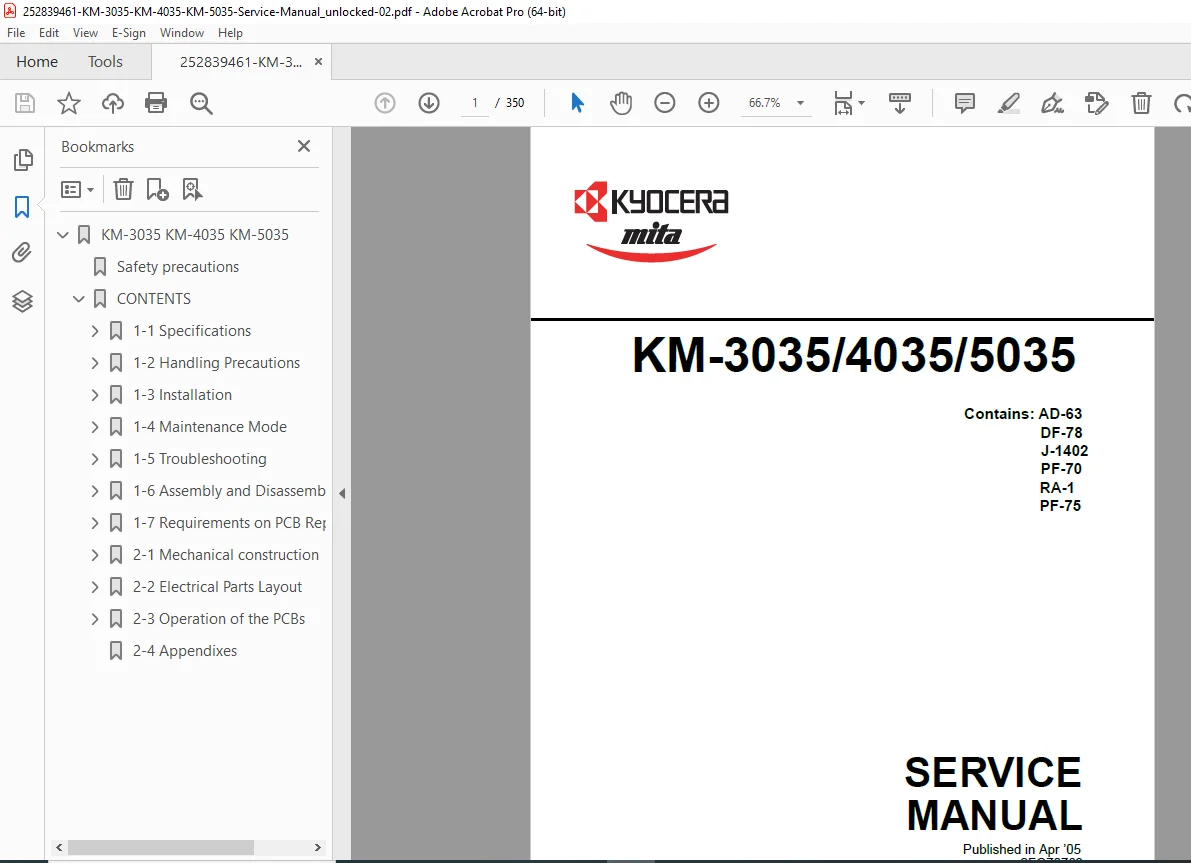
Kyocera KM-3035 KM-4035 KM-5035 Copier Service Manual Repair PDF
Original price was: $85.00.$15.95Current price is: $15.95.
Official Kyocera KM-3035/4035/5035 service manual for professional technicians and service centers. This comprehensive 350-page PDF covers complete maintenance, troubleshooting, assembly/disassembly procedures, and self-diagnostic codes for Kyocera multifunction copiers. Includes detailed instructions for installing and servicing optional accessories: document processor (DF-78), paper feeders (PF-70/PF-75), finishers (1000/3000-sheet), job separator, scanning/printing systems, and more. Essential manual for repair and maintenance
Description
Kyocera KM-3035 KM-4035 KM-5035 Copier Service Manual Repair PDF DOWNLOAD
DESCRIPTION
Kyocera KM-3035/4035/5035 Multifunction Copier Service Manual – Complete Technical Reference
This is the official factory service manual for the Kyocera KM-3035, KM-4035, and KM-5035 digital multifunction copier systems. Published by Kyocera Mita Corporation, this professional-grade technical documentation is essential for service technicians, repair centers, and IT professionals who maintain and service these high-volume business copiers.
📋 FILE DETAILS
- Manual Name: KM-3035/4035/5035 Service Manual
- Models Covered: Kyocera KM-3035 (30 ppm), KM-4035 (40 ppm), KM-5035 (50 ppm)
- Publication Date: April 2005 (Revision 3)
- Part Number: 2FG70763
- Total Pages: 350 pages
- File Format: PDF (unlocked)
- PDF Quality: High-quality scanned official manual
- Language: English
🔧 COMPREHENSIVE COVERAGE INCLUDES:
Section 1-1: Complete Specifications
- Kyocera KM-3035 – 30 pages per minute (A4)
- Kyocera KM-4035 – 40 pages per minute (A4)
- Kyocera KM-5035 – 50 pages per minute (A4)
- Resolution: 600 × 600 dpi
- First copy time: 3.5-3.9 seconds
- Maximum original size: A3/11″ × 17″
- Paper specifications and media types
- Complete parts identification with functional descriptions
- Operation panel layout and controls
- Detailed machine cross-section diagrams
- Complete drive system schematics:
- Drive motor and eject motor drive trains
- Paper feed motor drive train
- Duplex section drive system
Section 1-2: Handling Precautions
- Drum handling and care procedures
- Toner safety and handling guidelines
- Installation environment requirements
- Temperature and humidity specifications
Section 1-3: Installation Procedures (Comprehensive)
- Base Unit Installation:
- Unpacking and setup procedures
- Setting initial copy modes
- Configuration and calibration
- Optional Accessories Installation (Step-by-Step):
- Key Counter installation
- Drawer Heater (option J-1402) installation
- Paper Feeder PF-70 installation procedures
- Large Paper Deck installation
- Booklet Stitcher/Switchback Unit installation (detailed)
- Sheet-Through Document Processor DF-78 installation
- Printing System installation and configuration
- Scanning System installation
- Built-in Finisher installation procedures
- Job Separator installation
- Facsimile System installation
- Hard Disk Drive installation
- 1000-Sheet Finisher complete installation guide
- 3000-Sheet Finisher complete installation guide
Section 1-4: Maintenance Mode (Essential for Service)
- Copier Management Functions:
- Department management setup
- Copy default settings
- Machine default configuration
- Bypass settings
- Original size registration
- User adjustments
- Total counter checking and counter reports
- Document management defaults
- Hard disk management
- Status report printouts
- Language selection functions
- Maintenance Mode Operations:
- How to execute maintenance items
- Complete maintenance mode item list
- Detailed descriptions of all maintenance procedures
- Diagnostic test procedures
- Service adjustments
Section 1-5: Troubleshooting (Extensive)
Paper Misfeed Detection:
- Paper misfeed indication methods
- Detailed misfeed detection conditions
- Complete paper jam troubleshooting procedures
- Sensor diagnostics
Self-Diagnosis System:
- Self-diagnostic function operation
- Complete Self-Diagnostic Code List:
- C-codes (Communication/Mechanical errors)
- F-codes (Fuser/Fixing errors)
- P-codes (Paper handling errors)
- M-codes (Motor/Drive errors)
- S-codes (Sensor errors)
- Code interpretation and resolution procedures
Image Formation Problems (19 Categories):
- No image appears (entirely white)
- No image appears (entirely black)
- Image is too light
- Background is visible
- White line appears longitudinally
- Black line appears longitudinally
- Black line appears laterally
- One side darker than the other
- Black dots appear on image
- Image is blurred
- Leading edge misalignment (consistent)
- Leading edge misalignment (sporadic)
- Paper creases
- Offset occurs
- Image is partly missing
- Fixing is poor
- Image is out of focus
- Image center misalignment
- Image is not square
Electrical Problems (45+ Categories):
- Power switch failures
- Drive motor issues (all motors covered)
- Paper feed motor problems
- Eject motor failures
- Lift motor diagnostics
- Scanner motor troubleshooting
- Cooling fan diagnostics (7 fans)
- Clutch operation problems (all clutches)
- Solenoid failures
- Lamp diagnostics (cleaning and exposure)
- Fixing heater problems
- Charging system diagnostics
- Developing bias issues
- Original size detection errors
- Touch panel problems
- Paper detection sensor failures
- And more…
Mechanical Problems:
- No primary paper feed
- No secondary paper feed
- Skewed paper feed
- Scanner travel issues
- Multiple sheet feeding
- Paper jam causes
- Toner spillage problems
- Abnormal noise diagnostics
Section 1-6: Assembly and Disassembly (Detailed)
Precautions:
- Safety procedures for disassembly
- Running maintenance items during service
- Torque specifications
- Reassembly checklists
Paper Feed Section:
- Forwarding pulley removal/installation
- Paper feed pulley procedures
- Separation pulley replacement
- Bypass forwarding pulleys
- Adjustment after roller and clutch replacement
Complete Component Removal/Installation Procedures:
- All covers and panels
- Control boards and PCBs
- Image formation components
- Drum assemblies
- Developer units
- Transfer systems
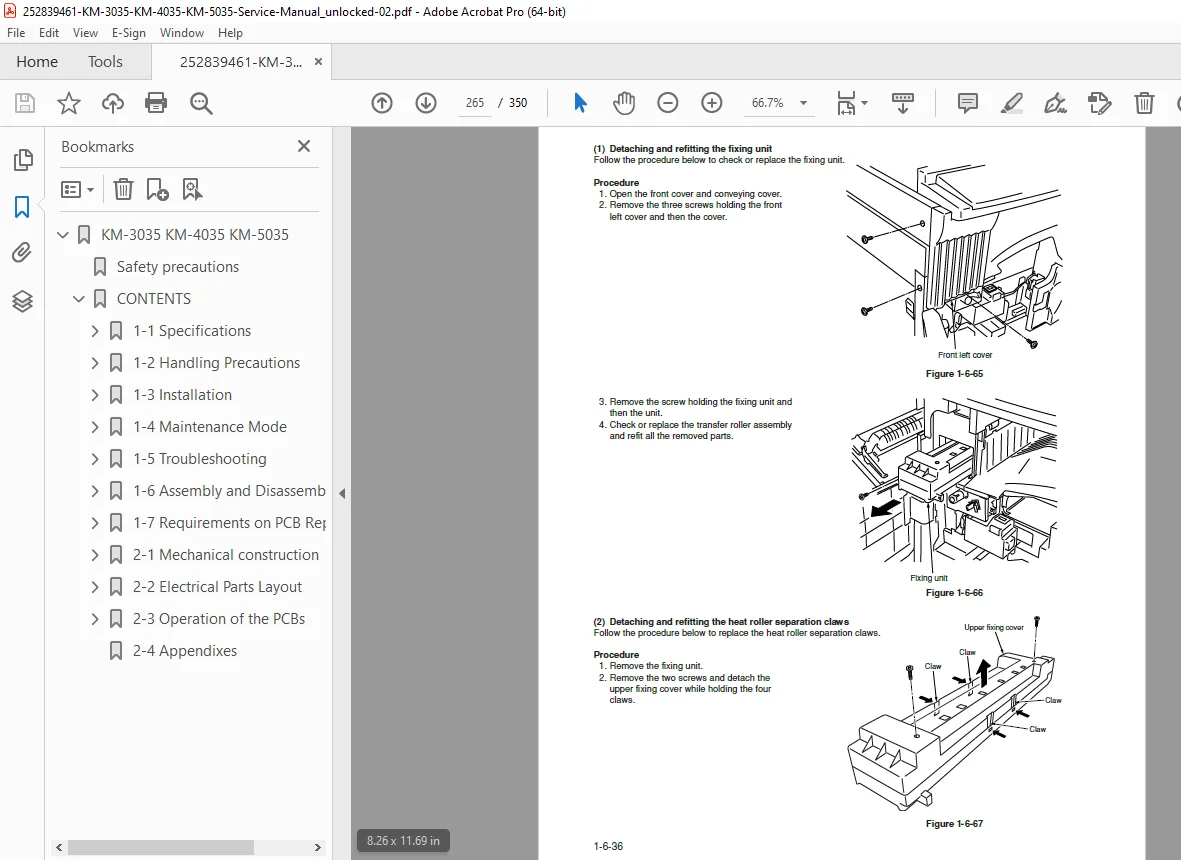
- Fixing assemblies
- Scanner unit
- Optical systems
- All motors and drives
- Clutches and solenoids
- Sensors and switches
- Paper handling mechanisms
- Duplex unit components
Section 2: Optional Equipment Service (If Included)
- Document processor maintenance
- Finisher troubleshooting and repair
- Large capacity paper deck service
- Network interface diagnostics
- Hard disk service procedures
🎯 COVERED OPTIONAL ACCESSORIES:
✅ AD-63 – Document Management System
✅ DF-78 – Sheet-Through Document Processor
✅ J-1402 – Drawer Heater Option
✅ PF-70 – Paper Feeder Unit
✅ PF-75 – Additional Paper Feeder
✅ RA-1 – Ram Module
✅ 1000-Sheet Finisher – High-Capacity Output
✅ 3000-Sheet Finisher – Ultra High-Capacity Output
✅ Built-in Finisher Options
✅ Job Separator
✅ Booklet Stitcher/Switchback Unit
✅ Printing System Integration
✅ Scanning System Integration
✅ Facsimile System Integration
✅ Hard Disk Drive Options
✅ Large Paper Deck
💡 IDEAL FOR:
✅ Authorized Kyocera service technicians
✅ Independent copier repair specialists
✅ Corporate IT service departments
✅ Office equipment repair shops
✅ Technical training centers
✅ Facilities management teams
✅ Anyone maintaining Kyocera KM-series copiers
🌟 KEY BENEFITS:
- Three Models in One Manual: Complete coverage of KM-3035, KM-4035, and KM-5035
- Save on Service Costs: Perform in-house repairs and maintenance
- Reduce Downtime: Quick diagnostic procedures minimize machine downtime
- Professional Quality: Factory-authorized service procedures
- Complete Reference: Everything from basic maintenance to major repairs
- Troubleshooting Shortcuts: Symptom-based diagnostics get to the root cause quickly
- Installation Expertise: Install all optional accessories correctly
- Self-Diagnostic Mastery: Understand and clear all error codes
- Preventive Maintenance: Keep machines running at peak performance
📊 TECHNICAL SPECIFICATIONS COVERED:
KM-3035 (30 ppm model):
- Copy speed: 30 copies/min (A4), 22 copies/min (A4R)
- First copy time: 3.9 seconds
- Resolution: 600 × 600 dpi
KM-4035 (40 ppm model):
- Copy speed: 40 copies/min (A4), 27 copies/min (A4R)
- First copy time: 3.5 seconds
- Resolution: 600 × 600 dpi
KM-5035 (50 ppm model):
- Copy speed: 50 copies/min (A4), 31 copies/min (A4R)
- First copy time: 3.5 seconds
- Resolution: 600 × 600 dpi
Common Specifications:
- Copying system: Indirect electrostatic
- Maximum original: A3/11″ × 17″
- Paper weight: 64-105 g/m² (drawer), 45-200 g/m² (bypass)
- Special media: Transparencies, tracing paper, colored paper, letterhead, envelopes
- Magnification: 25% to 400% (1% increments)
- Multiple copy: 1-999 copies
- Memory capacity: Varies by configuration
- Network capable with optional interface
⚙️ ADVANCED TECHNICAL CONTENT:
- Wiring Diagrams: Complete electrical schematics
- Timing Charts: Paper path timing sequences
- Sensor Locations: All sensor positions and functions
- Voltage Measurements: Test point specifications
- Adjustment Procedures: Factory-specification adjustments
- Parts Catalogs: Component identification and part numbers
- Connector Pinouts: All cable and harness connections
- Firmware Information: System software details
- Network Configuration: LAN setup and troubleshooting
- Safety Interlocks: Switch locations and testing
📥 DOWNLOAD INFORMATION:
- Instant Access: Download immediately after purchase
- Format: PDF (unlocked – print and annotate as needed)
- Compatibility: Works on PC, Mac, tablet, smartphone
- Searchable: Full-text search for quick reference
- Printable: Print entire manual or specific sections
- Bookmarked: Navigate easily to any section
- High Resolution: Clear diagrams and illustrations
🔍 DIAGNOSTIC CODE COVERAGE (Sample):
C0420, C0440, C0450, C1010, C1020, C1130, C2000, C2500, C2600, C6000, C8010, and 100+ additional diagnostic codes with complete troubleshooting procedures for each.
⚠️ IMPORTANT NOTES:
- This is a technical service manual for trained technicians
- Contains high-voltage safety warnings and precautions
- Requires understanding of electrical systems and copier mechanics
- Official Kyocera Mita Corporation documentation
- Essential for maintaining warranty-compliant repairs
- Covers both mechanical and electrical service procedures
🔧 SAFETY INFORMATION INCLUDED:
- Installation safety precautions
- Maintenance safety procedures
- High-voltage component warnings
- Proper grounding requirements
- Toner handling guidelines
- Drum care and handling
- Fire and shock prevention
- Environmental disposal requirements
🌟 WHY CHOOSE THIS MANUAL?
This is the authentic Kyocera factory service manual, not a generic repair guide. It contains proprietary diagnostic procedures, detailed component-level troubleshooting, official part numbers, and installation instructions for all optional equipment that are unavailable elsewhere. Used by Kyocera-certified technicians worldwide, this manual provides the professional-grade information needed for quality repairs and maintenance.
Order now for immediate download access to complete Kyocera KM-3035/4035/5035 service documentation!